

I have spent more hours than I can count hunched over a kitchen table with my kids, snapping together tiny electronic modules, watching a light blink or a fan spin for the first time. If you are searching for the best snap circuits kits in 2026, you already know that these little plastic blocks pack a serious educational punch. What you might not know is which of the eight major kits actually fits your child, your budget, and your patience for tiny pieces scattered across the floor.
Snap Circuits, made by Elenco Electronics, are snap-together electronics kits that teach real circuit concepts without any soldering, wiring, or tools. Kids as young as five can build working radios, flying saucers, and even simple lie detectors using color-coded pieces that click onto a plastic base grid. Our team compared every major kit Elenco offers, from the 21-project Beginner set to the massive 750-project Extreme kit, to help you choose the right one without guesswork.
In this guide, I will walk you through all eight Snap Circuits kits with hands-on reviews, age recommendations, and honest pros and cons. Whether you are a homeschool parent building a STEM curriculum, a grandparent hunting for the perfect birthday gift, or just trying to figure out whether the SC-100 or SC-300 makes more sense for your eight-year-old, this guide has you covered.
Table of Contents
Top 3 Picks for Best Snap Circuits Kits
Best Snap Circuits Kits in 2026
| Product | Specifications | Action |
|---|---|---|
 Snap Circuits Jr. SC-100 Snap Circuits Jr. SC-100 |
|
Check Latest Price |
 Snap Circuits Classic SC-300 Snap Circuits Classic SC-300 |
|
Check Latest Price |
 Snap Circuits Pro SC-500 Snap Circuits Pro SC-500 |
|
Check Latest Price |
 Snap Circuits Extreme SC-750 Snap Circuits Extreme SC-750 |
|
Check Latest Price |
 Snap Circuits Beginner SCB-20 Snap Circuits Beginner SCB-20 |
|
Check Latest Price |
 Snap Circuits Arcade SCA-200 Snap Circuits Arcade SCA-200 |
|
Check Latest Price |
 Snap Circuits Green Energy SCG-225 Snap Circuits Green Energy SCG-225 |
|
Check Latest Price |
 Snap Circuits Bric Structures Snap Circuits Bric Structures |
|
Check Latest Price |
1. Snap Circuits Jr. SC-100 – The Perfect Starting Point
SNAP CIRCUITS Jr. SC-100 STEM Electronics Kit, 100+ Projects, Ages 8+
100+ Projects
28 Parts
Ages 8+
4-Color Manual
No Soldering
Pros
- Safe and fun introduction to electronics
- Over 100 projects to build
- No tools or soldering required
- Color-coded numbered pieces snap together easily
- Award-winning STEM educational toy
Cons
- Some components may feel fragile
- Packaging graphics may seem dated
I bought the Snap Circuits Jr. SC-100 for my daughter’s eighth birthday, and it was the first kit she actually finished cover to cover. The look on her face when she built a working flying saucer using just a fan blade, a motor, and a battery holder was something I will not forget. This kit includes 28 snap modules and a full-color project manual with over 100 projects, which is more than enough to keep a curious kid busy for weeks.
What makes the SC-100 such a standout is how approachable it feels. Every piece is color-coded and numbered, so my daughter could follow along with the illustrated manual without needing me hovering over her shoulder. The projects start simple, with basic circuits that light an LED, and gradually build up to more complex builds like a doorbell and a two-finger touch lamp. No soldering, no tools, no frustration.
The pieces feel sturdy enough for regular use, though I did notice a couple of the snap connectors on the smaller modules can feel a little delicate if kids are rough with them. We have had our set for over two years and nothing has broken, which speaks to the build quality. Elenco includes a warranty against manufacturing defects, and their customer service is genuinely helpful if you ever need a replacement part.
With over 29,000 reviews and a 4.8-star rating, the SC-100 is the best-selling Snap Circuits kit for good reason. It sits at the number one spot in Educational Science Kits on Amazon, and it has won awards from Specialty Toy of the Year, Good Housekeeping, and Seriously STEM. If you are starting from zero, this is the kit I recommend without hesitation.
Who Is the SC-100 Best For?
This kit is perfect for kids ages 8 and up who are completely new to electronics. If your child has never built a circuit before, the SC-100 gives them a gentle on-ramp with projects that get progressively more challenging. I also recommend it for families on a budget who want maximum educational value per dollar, since 100 projects at this price point is tough to beat.
It is also a great fit for homeschool parents who want a hands-on STEM activity that does not require any prep work. You open the box, flip to page one, and start building. The full-color manual does the teaching for you, explaining what each component does and why the circuit works.
When to Skip the SC-100
If your child is younger than eight, look at the Snap Circuits Beginner SCB-20 instead, which is designed specifically for ages 5 to 9 with child-safe features. The SC-100 modules are small enough that a five-year-old might struggle with them or lose interest before finishing a project.
If your child already has some electronics experience or tends to blow through activities quickly, consider jumping straight to the SC-300 or even the SC-500. Some parents on homeschool forums mentioned that their kids finished all 100 projects in a weekend and wanted more, so think about your child’s attention span and building appetite.
2. Snap Circuits Classic SC-300 – Best Balance of Value and Variety
SNAP CIRCUITS Classic SC-300 STEM Electronics Kit, 300+ Projects, Ages 8+
300+ Projects
32 Parts
Ages 8+
2 Project Manuals
Plastic Snap Grid
Pros
- Over 300 exciting projects
- No tools or soldering required
- Parts interchangeable with other kits
- Clear and easy to follow instructions
- Great STEM educational value
Cons
- Components may feel fragile
- Some projects require online access
The Snap Circuits Classic SC-300 is the kit I recommend to most parents who ask me which one to buy. It triples the project count of the SC-100 without tripling the price, giving you 300+ builds with 32 electrical parts and two full-color project manuals. For a family looking for the best snap circuits kits that will last months rather than days, this is the sweet spot.
My son received the SC-300 for Christmas two years ago, and he is still finding projects he has not built yet. The manuals walk you through each project step by step, with clear diagrams showing exactly where every piece goes. Projects include a police siren, a periodic doorbell, a laser light show, and dozens of other builds that actually do something fun when you flip the switch.
One of the best things about the SC-300 is that all the parts are fully compatible with every other Snap Circuits kit. If you already own the SC-100, you can combine the parts and unlock even more projects. This interchangeability is something Elenco has built into their entire product line, which means your investment grows rather than gets replaced.
The kit runs on AA batteries, which are not included, so stock up before you gift this. The base grid is larger than the SC-100, which gives kids more room to build complex circuits. Everything packs back into the box for storage, though I will say the organization could be better. I ended up using a small tackle box to keep the pieces sorted.
How the SC-300 Compares to the SC-100
The SC-300 includes everything in the SC-100 plus about 200 additional projects. You get more parts, including a speaker, a whistle chip, and additional snap wires that open up significantly more circuit combinations. If you are trying to decide between the two, the SC-300 gives you roughly three times the content for about 40 percent more cost, which is a solid value upgrade.
I have talked to several parents on homeschool forums who said they wished they had just started with the SC-300 instead of buying the SC-100 first and then upgrading. The jump in project variety keeps kids engaged much longer, especially children who tear through activities quickly.
Is the SC-300 Worth It for Classrooms?
For classroom use, the SC-300 is an excellent choice. The variety of projects means you can use it across multiple grade levels and science units without kids getting bored. Teachers can assign different projects to different groups, and the color-coded manual makes it easy for students to work independently.
The one thing to keep in mind for group settings is that you will want multiple kits. A single SC-300 works well for one to three kids at a time, but larger classrooms will need several sets to keep everyone engaged. Elenco does offer educator discounts and bulk pricing if you reach out to them directly.
3. Snap Circuits Pro SC-500 – Intermediate Builders Step Up
SNAP CIRCUITSPro SC-500 STEM Electronics Kit, 500+ Projects, Ages 8+
500+ Projects
75 Parts
Ages 8+
Voice Recorder
LED Display
3 Manuals
Pros
- 500+ projects to build and play
- Voice recorder and LED display included
- No tools or soldering required
- Great value for the price
- Compatible with other Snap Circuits kits
Cons
- Some components may feel fragile
The Snap Circuits Pro SC-500 is where things start getting genuinely advanced. With 75 parts and over 500 projects across three project manuals, this kit introduces components like a voice recorder and an LED display that my kids found absolutely thrilling. Building a circuit that records your voice and plays it back never gets old, no matter your age.
When I first opened the SC-500, I was impressed by how much Elenco fit into the box. The kit includes everything from the SC-100 and SC-300, plus a whole new tier of components. The voice recorder module alone was worth the upgrade for my family, because my son spent an entire afternoon recording silly messages and wiring them into different circuit configurations.
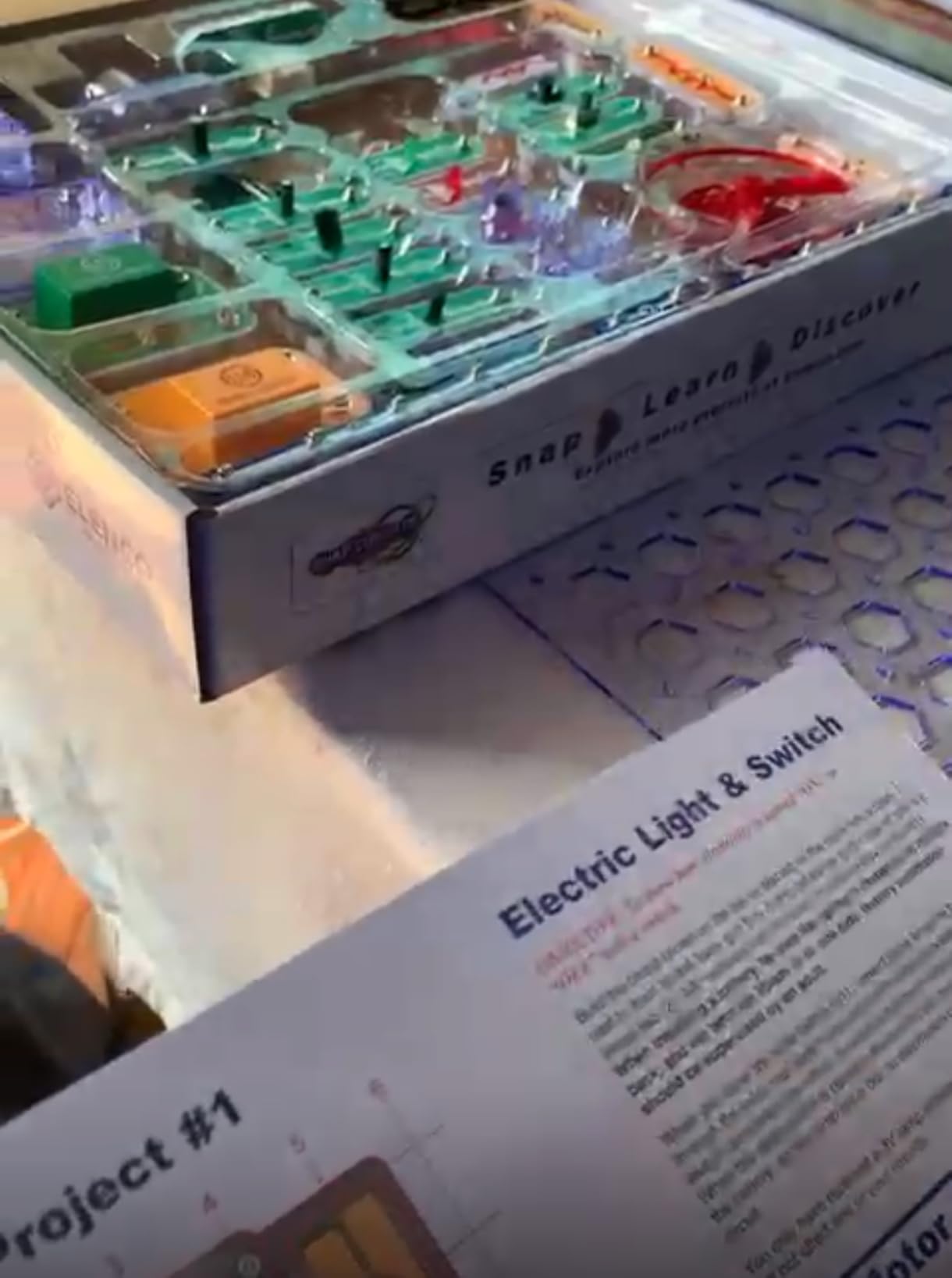
The LED display is another highlight. Kids can build circuits that count, display messages, and respond to inputs in real time. These projects feel more like real electronics than the simpler light-and-sound builds in the smaller kits, which makes the SC-500 a great bridge between toy and actual electronics education.
The three manuals that come with the SC-500 are thick, well-organized, and packed with full-color diagrams. They progress from beginner-friendly builds to genuinely complex circuits that had me scratching my head a few times. I appreciated that the manuals explain not just how to build each project, but what is happening electrically inside the circuit.
When to Choose the SC-500 Over the SC-300
If your child has already worked through a smaller Snap Circuits kit and is hungry for more, the SC-500 is the natural next step. The voice recorder and LED display add a whole new dimension to what kids can build, and the extra 200 projects compared to the SC-300 keep things fresh for months.
I also recommend the SC-500 for kids who show a genuine interest in electronics and engineering. The projects in this kit start touching on concepts like digital logic and signal processing, which are foundational for anyone who might want to move on to Arduino or Raspberry Pi later.
Storage and Organization Tips
With 75 parts, storage becomes a real consideration. The box the SC-500 comes in works fine for the first few weeks, but once pieces start getting mixed up, you will want a better system. I use a small plastic craft organizer with adjustable compartments, sorting pieces by type, which are snap wires in one section, switches in another, and specialized modules in their own slots.
Labeling each compartment saves enormous amounts of time when kids are looking for a specific piece. I also keep the manuals in a separate binder with page protectors so they stay clean and flat during building sessions. This simple upgrade has saved us from countless lost-piece meltdowns.
4. Snap Circuits Extreme SC-750 – The Ultimate Kit
SNAP CIRCUITS Extreme SC-750 STEM Electronics Kit for Kids Ages 8+
750 Projects
82 Parts
Ages 8+
PC Interface
Solar Cell
5 Manuals
Pros
- 750 experiments with 80 parts
- PC interface for viewing waveforms
- Sound activated switch and lie detector included
- Excellent educational value
- Premium quality construction
Cons
- Some components may feel fragile
- Higher price point
The Snap Circuits Extreme SC-750 is the biggest, most comprehensive kit in the Snap Circuits lineup, and it is the one I break out when I want to blow a kid’s mind. With 82 electrical components and over 750 experiments spread across five project manuals, this kit includes things no other Snap Circuits set offers, including a solar cell, a power amplifier, a variable capacitor, and an analog meter.
The standout feature for me is the PC interface cable and included software. Once you connect a completed circuit to a computer, your child can view waveforms and frequencies just like a real oscilloscope. My son built an AM radio, connected it to the PC, and watched the sound waves dance across the screen. That moment alone was worth the investment.
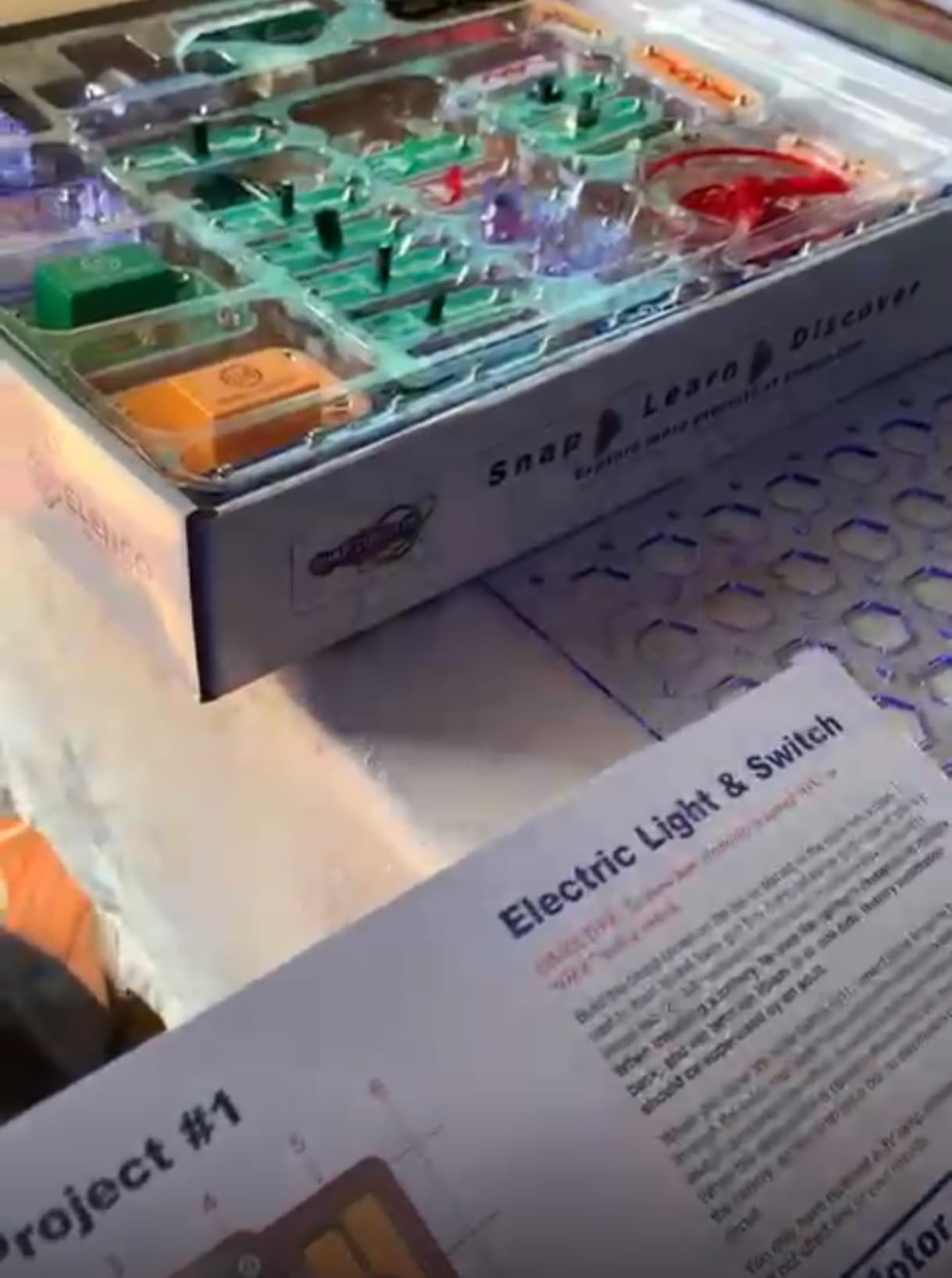
The SC-750 includes everything from the SC-100, SC-300, and SC-500, plus about 250 additional projects that use the advanced components. You can build a lie detector, a sound-activated switch, an adjustable light controller, and dozens more projects that feel like they belong in a middle school science lab rather than a toy box.
This kit earned a spot on Purdue University’s Engineering Gift Guide, and after spending months with it, I understand why. It teaches genuine electronics concepts, from resistance and capacitance to signal processing and solar energy. The five manuals are incredibly detailed, with clear explanations of what each component does and why each circuit works.
Is the SC-750 Worth the Higher Price?
This is the question I get asked most often by parents, and my honest answer is that it depends on your child’s interest level. If your kid is casually curious about electronics, the SC-300 will be more than enough. But if your child is the type who takes things apart to see how they work, who asks endless questions about electricity, or who talks about becoming an engineer, the SC-750 is an investment that pays off for years.
I have watched kids as young as eight and adults well into their sixties get completely absorbed in this kit. The PC interface alone elevates it from a toy to a genuine learning tool, and the solar cell projects open up conversations about renewable energy that feel especially relevant right now.
What the SC-750 Adds Beyond the SC-500
Beyond the extra projects, the SC-750 includes the PC interface cable and software, the solar cell, the analog meter, the photo resistor, the power amplifier, and the variable capacitor. These are not minor additions. They fundamentally change what your child can build and learn, opening up an entirely new category of experiments around solar power, sound activation, and signal analysis.
If you already own the SC-500, Elenco sells upgrade kits that add the missing components to bring you up to SC-750 level. This can be a more budget-friendly path than buying the full SC-750 outright, so check whether an upgrade kit makes sense for your situation.
5. Snap Circuits Beginner SCB-20 – For the Youngest Builders
SNAP CIRCUITS Beginner SCB-20 STEM Electronics Toy for Kids Ages 5-9
21 Projects
Ages 5-9
Child-Safe
Lighted Color Fan
Illustrated Manual
Pros
- Perfect for ages 5-9
- Age-appropriate diagrams and language
- Child-friendly pieces with extra safety
- Lighted color-changing fan included
- Develops problem-solving and planning skills
Cons
- Limited number of projects compared to larger kits
The Snap Circuits Beginner SCB-20 is the kit I wish had existed when my kids were five. Designed specifically for ages 5 to 9, it features extra childproofing, larger and safer components, and an illustrated manual that uses pictures instead of dense text to guide young builders through 21 projects.
I bought this kit for my nephew’s fifth birthday, and he was able to complete the first several projects with only minimal help from his mom. The lighted color-changing fan was the runaway favorite. He built it, turned it on, and then sat there watching the colors cycle for a solid ten minutes before wanting to build something else.
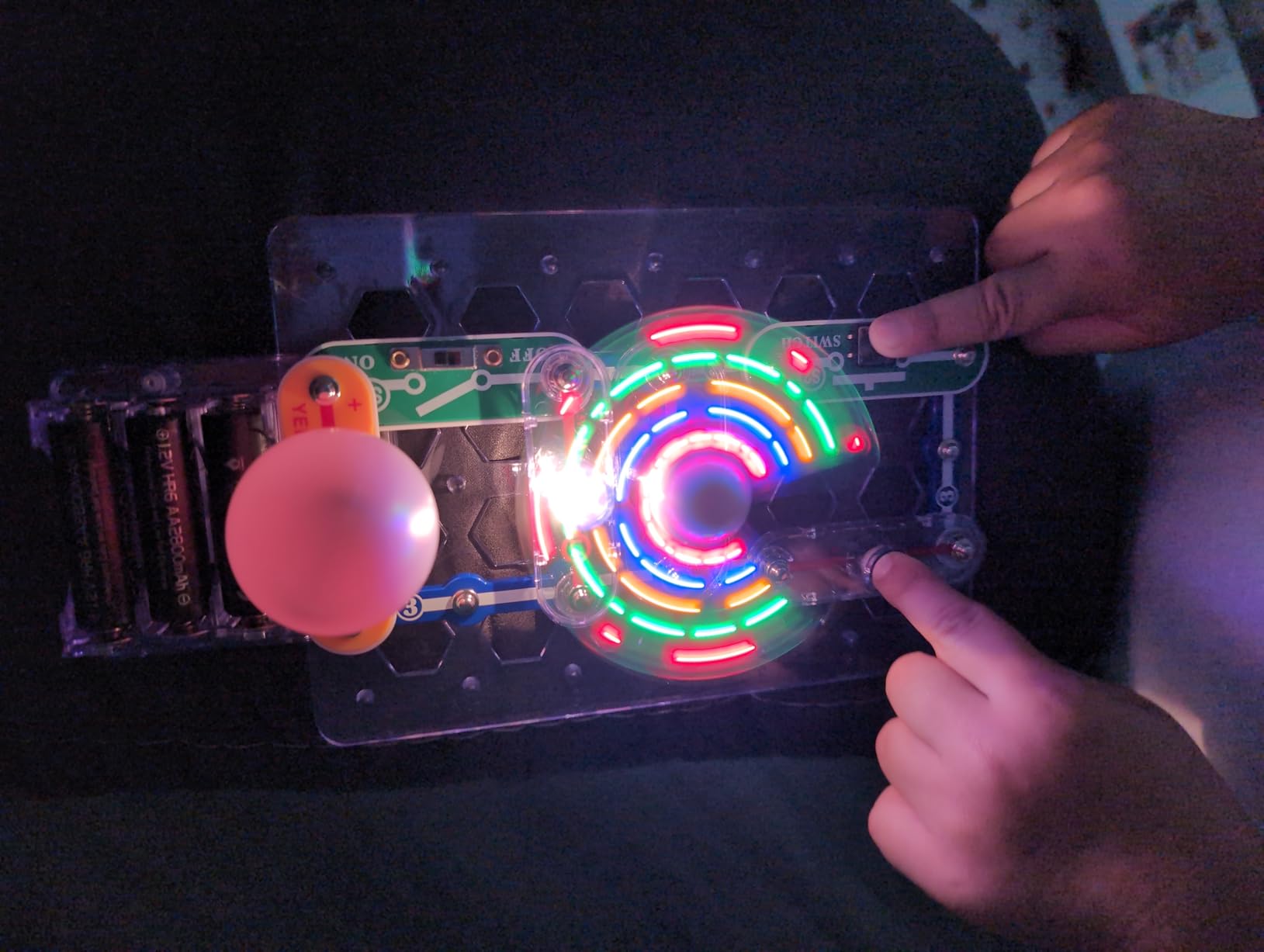
What sets the Beginner apart from the standard kits is the safety design. The pieces are larger, the battery compartment has a screw closure, and the manual uses age-appropriate language and big colorful diagrams. Elenco clearly thought about what a five-year-old needs to succeed, and it shows in every detail of this kit.
The 21 projects are admittedly fewer than the larger kits, but that is by design. Five-year-olds do not need 300 projects. They need a handful of builds they can complete successfully, feel proud of, and return to repeatedly. The SCB-20 nails this balance perfectly, and at under twenty dollars, it is the most affordable entry point into the Snap Circuits ecosystem.
Why the SCB-20 Is Perfect for Ages 5-7
Young children need quick wins to stay engaged, and the SCB-20 delivers exactly that. The first project takes about two minutes to complete, gives immediate visual feedback, and builds confidence for the next one. My nephew went from zero electronics experience to proudly showing his grandparents a working circuit in under fifteen minutes.
The illustrated manual is a big part of why this works so well for young kids. Instead of written instructions, each project uses large, numbered diagrams showing exactly where each piece goes. A five-year-old can match shapes and colors without needing to read a single word.
Transitioning to Larger Kits Later
One question parents ask me is whether the Beginner kit is a waste of money since kids will outgrow it. The answer is no, because every component in the SCB-20 is compatible with the larger Snap Circuits kits. When your child is ready to move up to the SC-100 or SC-300, they bring their Beginner pieces along and use them in new projects.
This compatibility means the Beginner is not a throwaway purchase. It is a genuine first step in a system that can grow with your child for years. I have seen families start with the SCB-20 at age five and progress all the way to the SC-750 by age twelve, using the same accumulated parts the entire time.
6. Snap Circuits Arcade SCA-200 – Games and Gadgets Galore
SNAP CIRCUITS Arcade SCA-200 STEM Electronics Kit for Kids Ages 8+
200+ Projects
Ages 8+
Programmable LED Display
20+ Arcade Games
Color Manual
Pros
- Children return to this kit repeatedly
- Builds are interesting enough to repeat
- Good quality with replacement parts available
- Can be done independently at desk
- Excellent way to foster understanding of electronics
Cons
- Instructions can be busy with lots of information
- Some projects may need troubleshooting
- Game instructions could be more detailed
The Snap Circuits Arcade SCA-200 takes a different approach from the standard numbered kits. Instead of just building circuits that light up or make sounds, this kit lets kids build over 20 actual games using circuits they engineer themselves. With over 200 projects total and a programmable LED message display, this is the kit for kids who want their electronics to do something interactive.
My friend’s son received the Arcade kit for his ninth birthday, and according to her, it was the only toy he touched for three straight weeks. The programmable LED display was the hook. He spent hours figuring out how to program messages and wire them into different circuit configurations, which is exactly the kind of self-directed exploration that makes Snap Circuits such a powerful learning tool.
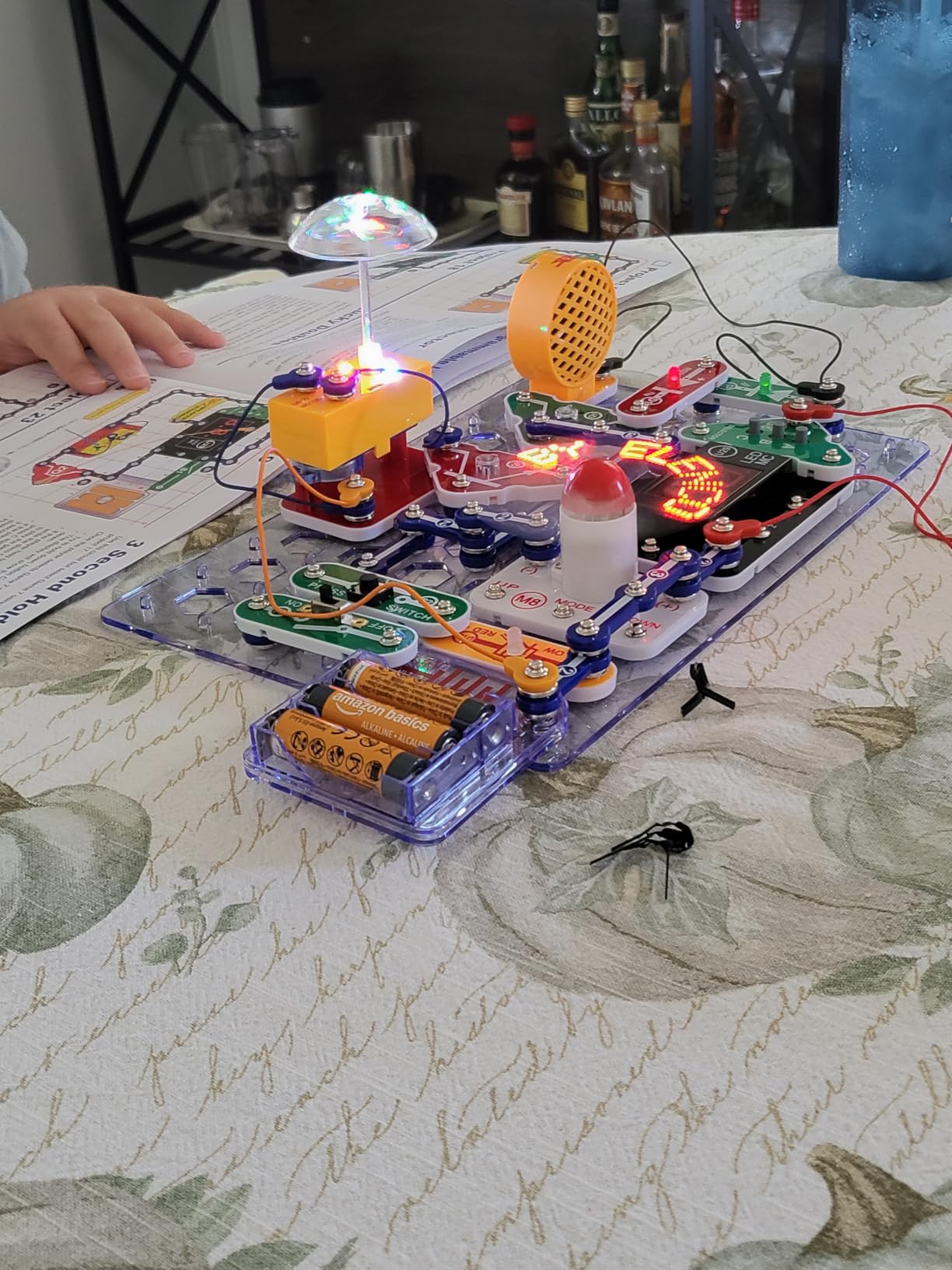
The Arcade kit includes components that are unique to this set, including a disco ball module, an LED display, and a dual LED display. Kids can build a projection alarm, a homemade fan display, and even a simple arcade-style game. The project manual is full-color and detailed, though I will note that some of the game instructions could use more clarity.
One thing I appreciate about the Arcade kit is that it works as a standalone set but also integrates seamlessly with other Snap Circuits kits. If your child already owns the SC-300, adding the Arcade kit gives them new components that unlock even more project possibilities. This kind of open-ended expandability is what makes the Snap Circuits system so compelling.
What Makes the Arcade Kit Different
The key differentiator is the gaming angle. While standard Snap Circuits kits focus on building functional circuits, the Arcade kit asks kids to think about how those circuits can be used to create interactive experiences. Building a circuit that displays a message is fun, but building one that responds to your input like a game takes the engagement to another level.
The programmable LED display is the star component here. Kids can program custom messages and display them through circuits they build from scratch. This introduces a basic form of programming logic, which is a natural stepping stone toward more advanced coding and electronics platforms later on.
Is the Arcade Kit a Good First Snap Circuits Purchase?
I would say yes for kids who are especially drawn to games and interactive technology. The Arcade theme provides a narrative hook that keeps kids motivated in a way that pure circuit-building might not. However, if your child is more interested in the how and why of electronics, the standard SC-300 might be a better starting point.
The Arcade kit does have a steeper learning curve than the SC-100, since the projects are more complex and the instructions are denser. Kids who have never used Snap Circuits before might feel a bit overwhelmed at first. If your child is on the younger side of the 8+ range, consider starting with a simpler kit and adding Arcade later.
7. Snap Circuits Green Energy SCG-225 – Alternative Power in Action
SNAP CIRCUITS Green Energy STEM Electronics Kit, 125+ Projects, Ages 8+
125+ Projects
Ages 8+
Solar Cell
Wind Power
Hydro Power
45+ Parts
Pros
- Great introduction to electronics and green energy
- Projects are engaging and educational
- High quality components
- Excellent value with 125+ projects
Cons
- Requires assembly
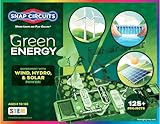
The Snap Circuits Green Energy SCG-225 is the most thematically focused kit in the lineup, and it is the one I am most excited about as a parent who cares about teaching sustainability. With over 125 projects and 45+ parts, this kit explores solar power, wind energy, hand-crank generation, hydro power, and even geothermal concepts through hands-on builds.
My daughter built a mini car powered by wind energy using this kit, and the look of disbelief on her face when it actually moved was priceless. The kit includes a solar cell, a geared motor, a crank arm, a water wheel, copper and zinc electrodes, and a rechargeable NiMH battery. These are real components that demonstrate real energy principles, not just toys that look educational.
The THINK GREEN manual that comes with this kit is one of the best in the Snap Circuits series. It explains each type of alternative energy clearly, with diagrams showing how energy flows from source to circuit. My daughter learned more about renewable energy from this manual in an afternoon than she did from an entire science unit at school.
One of my favorite projects is the lemon battery, where kids use copper and zinc electrodes to generate electricity from a lemon. It is a classic science experiment made accessible through Snap Circuits’ snap-together format. The meter component lets kids actually see the voltage they are generating, which turns an abstract concept into something tangible and exciting.
What Energy Concepts Does This Kit Teach?
The SCG-225 covers solar energy through the included solar cell, wind energy through the wind fan and geared motor, hydro energy through the water wheel component, mechanical energy through the hand crank, and chemical energy through the electrode experiments. That is five distinct energy sources in a single kit, which is impressive coverage.
Each project in the manual connects back to real-world applications. The solar light clock project, for example, mirrors how solar garden lights work. The wind-powered mini car demonstrates the same principles behind full-scale wind turbines. These connections help kids understand that the science they are learning applies to the world around them.
Combining Green Energy With Other Kits
Like all Snap Circuits kits, the SCG-225 is fully compatible with every other set in the lineup. If you already own the SC-300 or SC-500, adding the Green Energy kit gives you the solar cell, water wheel, and electrodes that those kits do not include. This opens up new project combinations that teach energy concepts alongside standard circuit fundamentals.
I especially recommend pairing this kit with the SC-750 Extreme, since that kit also includes a solar cell. Having two solar cells and the PC interface from the SC-750 allows for some genuinely advanced energy experiments that would not be possible with either kit alone.
8. Snap Circuits Bric Structures – Where LEGO Meets Electronics
SNAP CIRCUITS BRIC Structures STEM Building & Electronics Kit, Ages 8+
20+ Projects
Ages 8+
LEGO Compatible
130+ Bricks
75 Adapters
3D Circuits
Pros
- Children return to this kit repeatedly
- Perfect combination of bricks and electronics
- Can be combined with other Snap Circuits sets
- Manual is very clear with multiple experiments
- Fun family activity
Cons
- Set is fairly limited in size
- Requires 3 AA batteries not included
The Snap Circuits Bric Structures kit is the most creative and unusual set in the lineup, and honestly, it is the one my kids had the most fun with. This kit combines Snap Circuits electronics with building bricks that are fully compatible with LEGO, using special bric-2-snap adapters that bridge the two systems together. Kids can build 3D structures with working circuits, lights, sounds, and moving parts.
When we first opened this kit, my son grabbed his existing LEGO collection and started integrating immediately. The 75 bric-2-snap adapters let you attach Snap Circuits modules directly to building bricks, which means you can build a house with a working doorbell, a car with headlights, or a tower with a spinning fan on top. The creative possibilities are genuinely endless.
The kit includes 20 Snap Circuits parts, 75 bric-2-snap adapters, and over 130 assorted building bricks. If your child already has a large LEGO collection, the brick components are a nice bonus but the real value is in the adapters and electronic modules. The instruction manual includes over 20 projects with clear step-by-step diagrams, and my kids have built each one multiple times with variations.
What I love about this kit is how it bridges two worlds. Kids who love building with bricks but have never tried electronics get a gentle introduction to circuits through a medium they already understand. And kids who already love Snap Circuits get a whole new way to express their creativity by adding structural building to their circuit projects.
How Does the Bric-2-Snap Adapter System Work?
The adapters are small plastic pieces that snap onto standard building brick studs on one side and accept Snap Circuits snap posts on the other. This creates a secure mechanical and electrical connection between the two systems. Once attached, the Snap Circuits module behaves exactly as it would on the standard base grid, conducting electricity through the circuit.
The system is surprisingly sturdy. My kids built some fairly elaborate structures with circuits running through multiple levels, and everything stayed connected and functional. The included bric remover tool helps separate pieces when you want to rebuild, which saves fingernails and prevents frustration.
Is the Bric Structures Kit Worth It?
If your child already owns and loves building bricks, this kit is an easy yes. It takes something they already enjoy and adds a new dimension of learning and creativity. The electronics component teaches circuit concepts in a way that feels like play rather than education, which is the hallmark of a great STEM toy.
If your child does not have any building bricks, the value proposition is weaker since the included 130 bricks are not enough on their own for elaborate builds. In that case, I would recommend starting with a standard Snap Circuits kit instead and adding Bric Structures later if your child develops an interest in combining building and electronics.
Buying Guide: How to Choose the Right Snap Circuits Kit
Choosing from the eight Snap Circuits kits can feel overwhelming, especially if you are buying for the first time. I have broken down the decision into the four factors that matter most, based on my experience testing these kits with multiple kids and talking with dozens of parents on forums.
Factor 1: Age Appropriateness
Age is the single most important factor in choosing a Snap Circuits kit. For children ages 5 to 7, the Snap Circuits Beginner SCB-20 is the only kit designed specifically for young hands and minds. Its larger pieces, child-safe features, and illustrated manual make it the right starting point for the youngest builders.
For children ages 8 and up, you have the full range of standard kits to choose from. The SC-100 is the gentlest introduction, while the SC-750 offers the most depth. Most eight-year-olds can handle any kit in the lineup, but consider their patience level and attention span when choosing project count.
Children ages 10 and up who show strong interest in electronics should consider the SC-500 or SC-750, since these kits introduce advanced concepts like digital displays, voice recording, and waveform analysis. The Arcade and Green Energy kits are also great choices for older kids who want thematic depth.
Factor 2: Project Count vs Engagement
More projects is not always better. A five-year-old will not get through 750 projects, and an older kid might blow through 100 in a weekend. Think about how your child engages with activities. Do they return to the same thing repeatedly, or do they always need something new?
For most families, I recommend the SC-300 as the default choice. It offers enough variety to keep kids engaged for months without being overwhelming. You can always upgrade later by adding upgrade kits or combining with themed kits like Arcade or Green Energy.
Factor 3: Budget and Value
Snap Circuits kits range from about twenty dollars for the Beginner to over one hundred thirty for the Extreme. The good news is that all parts are interchangeable across kits, so your investment compounds over time. Buying the SC-100 now means those parts still work if you add the SC-500 next year.
For budget-conscious families, the SC-100 offers the best dollar-per-project ratio for a first kit. If you can stretch your budget, the SC-300 gives you three times the projects for a modest price increase, making it the best overall value in the lineup.
Factor 4: Expandability and Long-Term Use
One of the most underappreciated aspects of Snap Circuits is how the system grows with your child. Start with any kit, and you can add components over time through upgrade kits or themed kits. This means a purchase you make for an eight-year-old can still be relevant when they are twelve.
I always tell parents to think about the long game. A starter kit plus one or two themed additions, like Arcade or Green Energy, can provide years of educational entertainment. The key is matching the kit to your child’s current interests while leaving room for growth.
FAQs
Are Snap Circuits any good?
Yes, Snap Circuits are excellent educational toys that teach real electronics concepts through snap-together components. With over 29,000 reviews and a 4.8-star average rating on Amazon, they are consistently ranked as the best electronics kits for kids. Parents praise the quality construction, engaging projects, and genuine educational value.
What age are Snap Circuits good for?
Snap Circuits kits are designed for children ages 5 and up. The Snap Circuits Beginner SCB-20 is specifically made for ages 5 to 9 with child-safe features and larger pieces. All other standard kits, including the SC-100, SC-300, SC-500, and SC-750, are rated for ages 8 and up. Children as old as 14 and adults enjoy the larger kits like the SC-750 Extreme.
Do Snap Circuits require soldering?
No, Snap Circuits do not require any soldering or tools. All components snap together easily on a plastic base grid using color-coded, numbered pieces. This makes them safe and accessible for children as young as five, depending on the kit. The snap-together design is one of the key features that sets Snap Circuits apart from traditional electronics kits.
What is the best Snap Circuits kit?
The best Snap Circuits kit depends on your child’s age and experience level. For most families, the Snap Circuits Classic SC-300 offers the best balance of value and variety with over 300 projects. For beginners on a budget, the SC-100 is the top starting point. For kids who want maximum depth, the SC-750 Extreme is the most comprehensive kit available.
Who manufactures Snap Circuits?
Snap Circuits are manufactured by Elenco Electronics LLC, a family-owned company based in Wheeling, Illinois. Elenco has been producing educational electronics kits and toys for decades and is known for excellent customer service and replacement part availability. The Snap Circuits product line has won numerous awards including Specialty Toy of the Year and Good Housekeeping’s Best Toys.
Conclusion: Our Top Snap Circuits Recommendations for 2026
After testing every major kit in the lineup, our team’s recommendations come down to three scenarios. For first-time buyers and families with eight-year-olds, the Snap Circuits Jr. SC-100 is the best starting point with 100 projects at a budget-friendly price. For families who want maximum value and longevity, the Snap Circuits Classic SC-300 is the sweet spot with 300+ projects that keep kids engaged for months.
For younger builders ages 5 to 7, the Snap Circuits Beginner SCB-20 is the clear choice with its child-safe design and age-appropriate manual. And for kids who are serious about electronics, the Snap Circuits Extreme SC-750 offers unmatched depth with 750 projects, a PC interface, and advanced components like a solar cell and analog meter.
The best snap circuits kits are the ones that match your child’s age, interests, and attention span. Every kit in the lineup is interchangeable, so you can start small and grow over time without wasting money. No matter which kit you choose, you are giving your child a hands-on introduction to electronics that builds problem-solving skills, engineering thinking, and genuine curiosity about how things work.