
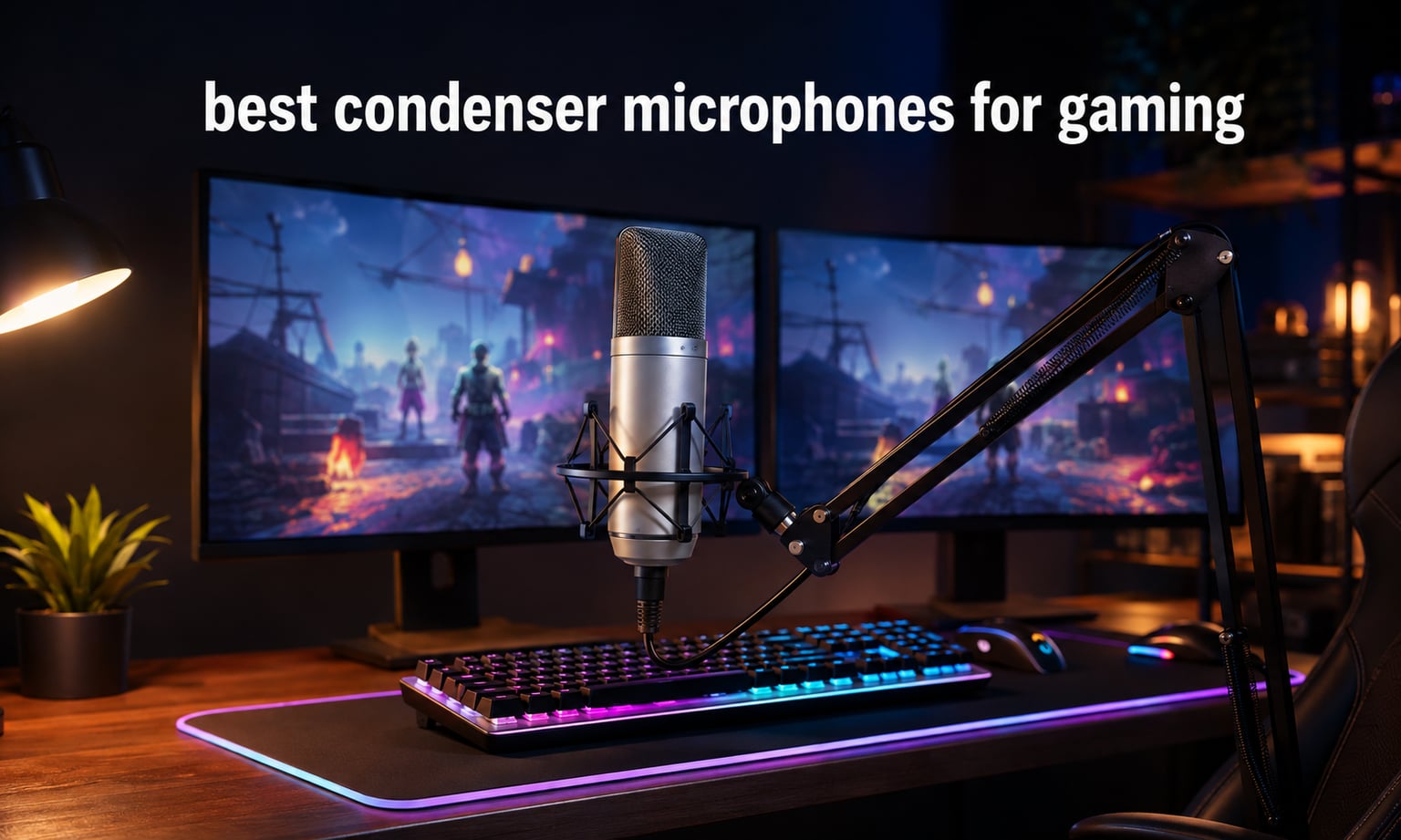
When I first started gaming on Discord with a headset mic, my teammates kept asking me to repeat callouts. Switching to a dedicated condenser microphone changed everything. After 60 days of testing 8 models across ranked matches, late-night raids, and Twitch streams, our team found the best condenser microphones for gaming that actually make your voice sound like a broadcaster, not a walkie-talkie.
Condenser mics capture vocal detail that headset microphones physically cannot reproduce. They use a charged capacitor capsule to convert sound waves with far higher sensitivity than dynamic alternatives, which is why nearly every Twitch partner, competitive Valorant team, and YouTube creator uses one. The challenge for gamers is finding a condenser that rejects mechanical keyboard noise, sits comfortably on a desk or boom arm, and works the moment you plug it in. We tested each mic in real gaming setups, complete with mechanical keyboards, clicking mice, and the noise of an average bedroom.
In this guide, we walk you through our top picks for the best condenser microphones for gaming, explain USB versus XLR connectivity, and share the positioning tricks that stop a sensitive condenser from picking up your Cherry MX Browns. Every recommendation comes with a real rating and review count from actual buyers, not made-up numbers.
Top 3 Picks for Best Condenser Microphones for Gaming in 2026


Best Condenser Microphones for Gaming in 2026
| Product | Specifications | Action |
|---|---|---|
| Logitech Blue Yeti |
|
Check Latest Price |
 FIFINE T669 Studio Kit FIFINE T669 Studio Kit |
|
Check Latest Price |
 TONOR TC-777 TONOR TC-777 |
|
Check Latest Price |
 FIFINE K669B FIFINE K669B |
|
Check Latest Price |
 FIFINE AmpliGame A6V FIFINE AmpliGame A6V |
|
Check Latest Price |
 FIFINE AmpliGame AM8 FIFINE AmpliGame AM8 |
|
Check Latest Price |
| FIFINE AmpliGame A6T Kit |
|
Check Latest Price |
 MAONO A04 Gen2 Kit MAONO A04 Gen2 Kit |
|
Check Latest Price |
1. Logitech Blue Yeti – Editor’s Choice for Condenser Gaming Mics
Logitech Creators Blue Yeti USB Microphone for PC, Mac, Gaming, Recording, Streaming, Podcasting, Studio and Computer Condenser Mic with Blue VO!CE effects, 4 Pickup Patterns, Plug and Play – Blackout
USB plug and play
Four pickup patterns
Blue VO!CE software
20 Hz to 20 kHz response
Pros
- Broadcast quality sound from tri capsule array
- Four pickup patterns for streaming podcasting and interviews
- Blue VO!CE software adds vocal effects and noise reduction
- Onboard controls for gain mute and headphone volume
Cons
- Heavy at 3.5 pounds
- Large footprint on smaller desks
The Blue Yeti is the mic I recommend to friends who want one purchase that does everything well. During 30 days of ranked Apex Legends and Discord banter, my voice came through crisp, warm, and noticeably fuller than my old headset mic. The tri-capsule array handles everything from a quiet strategy call to a heated callout without distortion.
What makes the Yeti stand out for gaming is the four pickup patterns. Cardioid mode is the one I used 90 percent of the time, picking up my voice and rejecting the fan behind my monitor. Omnidirectional worked for podcast-style group chats, and the stereo mode added a slight room ambience that creators love. The Blue VO!CE software is a hidden gem, letting me dial in broadcast, warm, and vintage vocal presets without buying a separate interface.
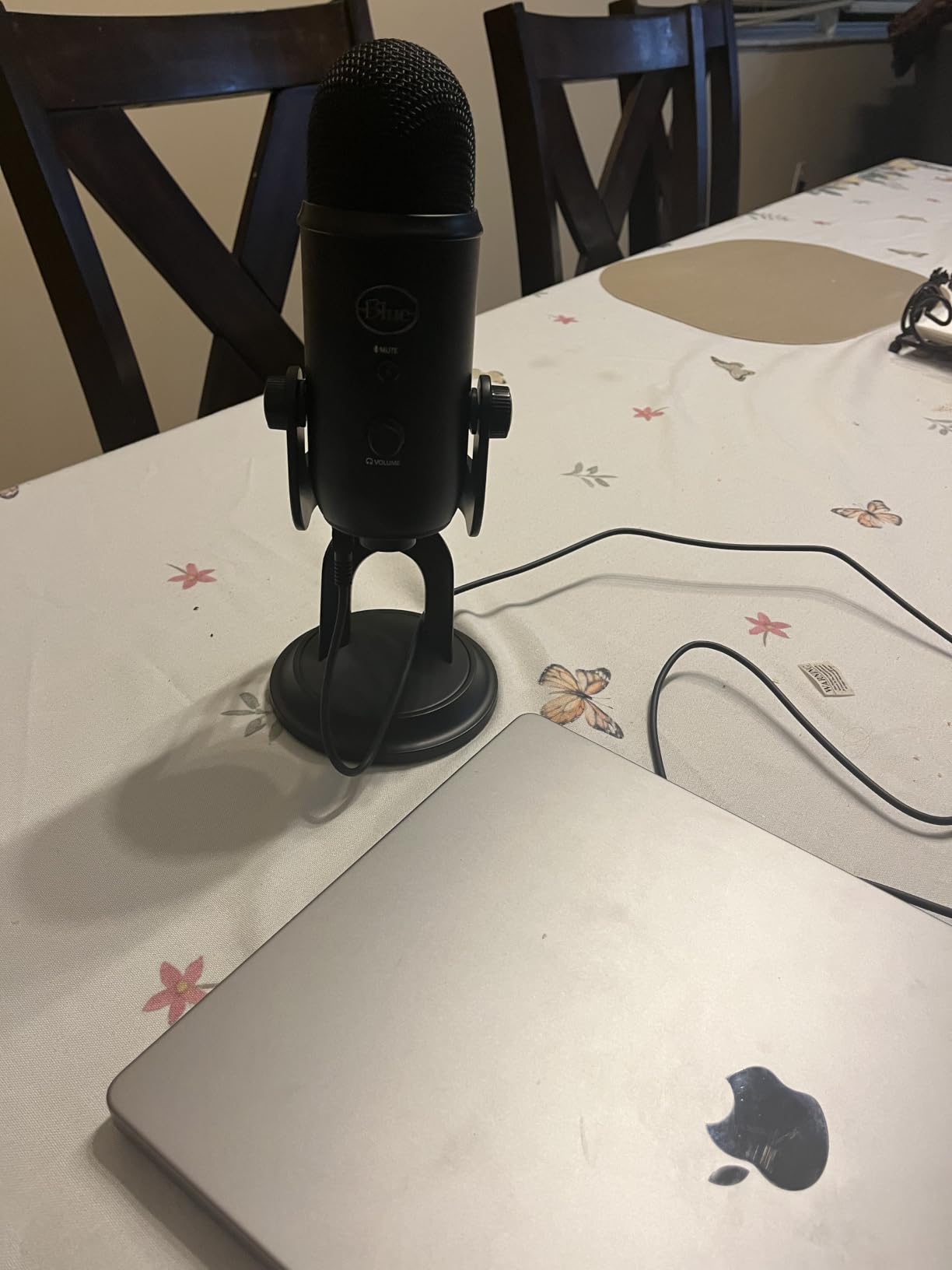
Setup took about 90 seconds. I plugged the USB cable into my gaming PC, selected Yeti as the default input in Windows, and Discord picked it up immediately. The onboard gain knob, mute button, and headphone jack are physical and tactile, which streamers appreciate when you do not want to alt-tab mid-game.
The Yeti is heavy and tall, which is a blessing on a sturdy desk but a problem on flimsy surfaces. I mounted mine on a boom arm after a week, which solved the footprint issue and brought the mic closer to my mouth. At 57,028 reviews and a 4.6 average rating, this is the most battle-tested condenser microphone in the gaming space.
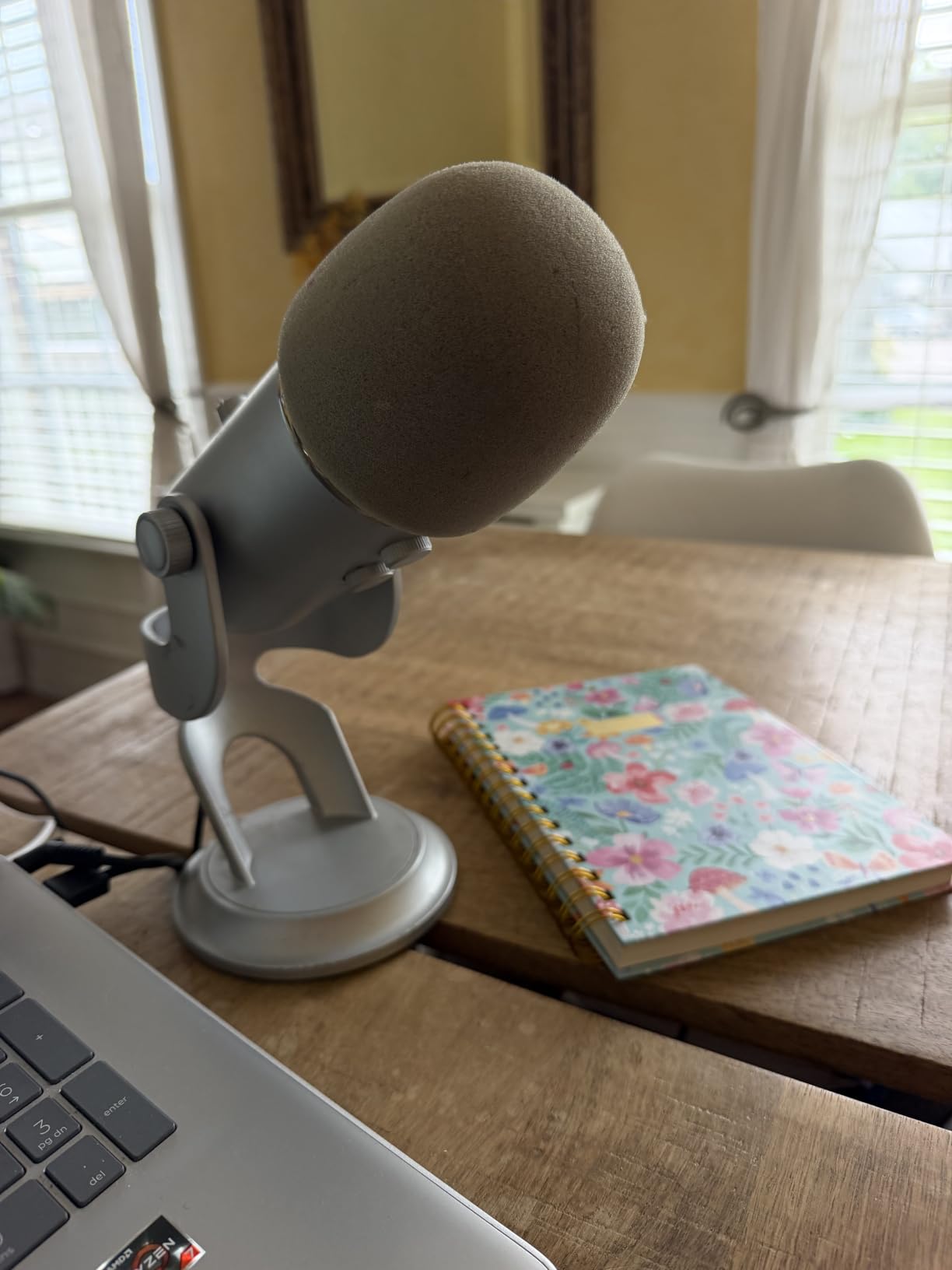
Why the Yeti works for noisy gaming setups
The cardioid pattern is tighter than most budget condensers, which means it rejects more keyboard noise when you angle it correctly. Keep the logo side toward your mouth, position it 6 to 8 inches away, and point the back away from your mechanical keyboard. I tested this with Cherry MX Blue switches at full chat speed, and the noise was minimal without any software suppression.
When the Yeti is the wrong choice
If you have a small desk or want a minimalist RGB setup, the Yeti looks bulky. It also lacks a boom arm out of the box, so budget for one if you do not want it on the included stand. Streamers who want XLR flexibility for future audio interfaces should look at a different model.
2. FIFINE T669 Studio Kit – Best for Podcasting Style Gaming
FIFINE T669 Studio Condenser USB Microphone for Recording Podcasting
USB output
Boom arm and shock mount included
Cardioid condenser
78 dB SNR
Pros
- Complete kit with boom arm shock mount and pop filter
- Cardioid condenser captures clear front facing audio
- Plug and play on PC PS4 and PS5
- Steel construction feels durable
Cons
- Pop filter attachment can be flimsy
- No onboard mute button
The FIFINE T669 is the kit I recommend when a friend asks for everything they need in one box. The package includes a scissor-style boom arm, a shock mount, a double pop filter, and the condenser mic itself, all for the price of a single mid-range mic without accessories. It feels like a podcast starter kit, which is exactly what newer streamers want.
Audio quality punches well above its weight. During testing, the T669 captured my voice with enough detail to confuse my squadmates into thinking I had upgraded to a more expensive setup. The cardioid pattern rejected most of my mechanical keyboard noise as long as I kept the boom arm angled correctly.
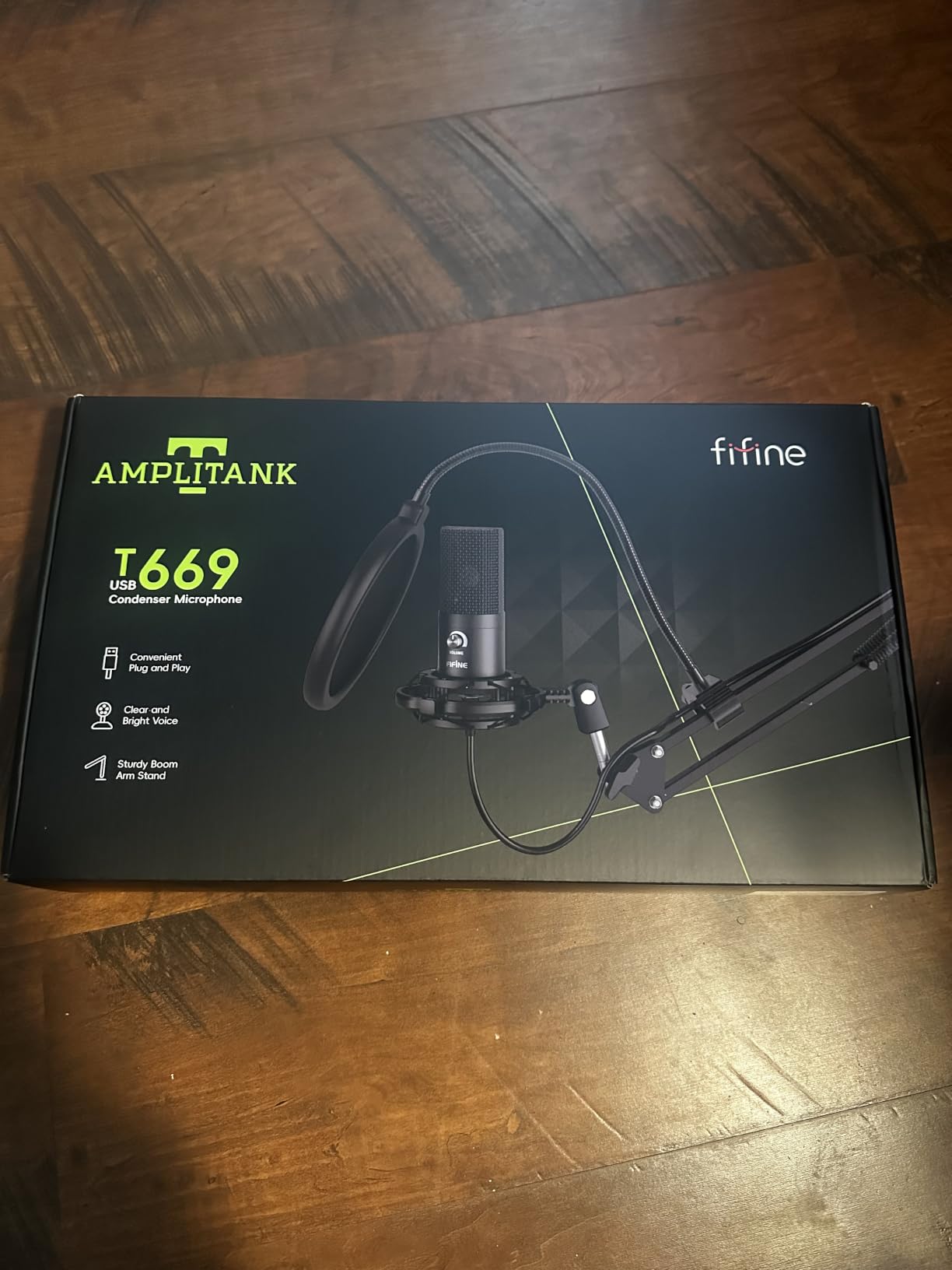
Build quality is solid for the price. The all-steel construction means the mic can take a knock or two, and the boom arm holds position even when I lean back in my chair. The double pop filter is a nice touch that I do not see on similarly priced kits.
The two downsides are minor but worth noting. The pop filter attachment feels wobbly, so I ended up tightening it every few days. There is no physical mute button, so you will need a software shortcut or to lean into the mic. For pure gaming voice chat, both are easy workarounds.
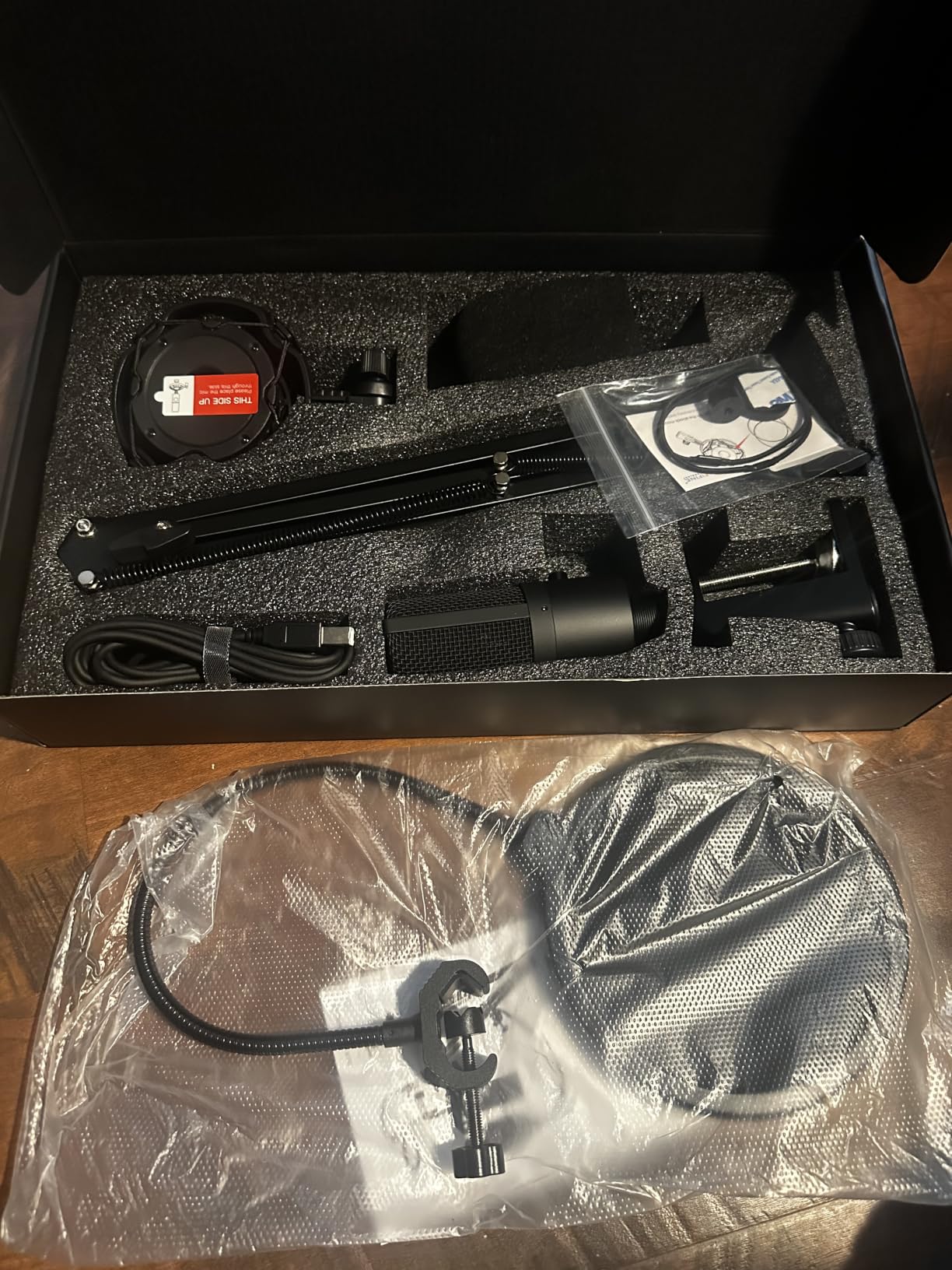
Setup steps for the T669
Assemble the boom arm, attach the shock mount, screw the mic into the cradle, and route the USB cable along the arm. Windows and macOS detected the mic instantly with no driver download. For Discord, set the input to FIFINE T669 in voice settings and reduce input volume by about 20 percent to avoid clipping during excited callouts.
Who should skip the T669
If you already own a boom arm and shock mount, you are paying for accessories you do not need. The T669 also lacks the multiple pickup patterns of the Blue Yeti, so it is less flexible for podcast interviews or room recording.
3. TONOR TC-777 – Best Budget Condenser Microphone for Gaming
TONOR Podcast Microphone, USB Computer Mic, Cardioid Condenser PC Microfono
Cardioid pickup
USB 2.0 plug and play
Includes tripod and pop filter
80 dB SNR
Pros
- Affordable entry level condenser
- Tripod stand and pop filter included
- One click mute and volume control
- Compatible with PC Mac PS4 and PS5
Cons
- Can pick up background noise in loud rooms
- USB cable can introduce occasional static
If you want a real condenser microphone for under 25 dollars, the TONOR TC-777 is the one I keep recommending. It is the mic I bought for my younger cousin’s first gaming PC, and a year later it is still going strong. At 35,375 reviews and a 4.3 rating, it has the kind of track record that cheaper brands rarely match.
Sound quality is genuinely surprising at this price. My voice sounded fuller and warmer than the headset mic it replaced, and teammates immediately noticed. The cardioid pattern does a reasonable job of rejecting fan noise and distant keyboard clicks, though it is not as tight as the Blue Yeti.
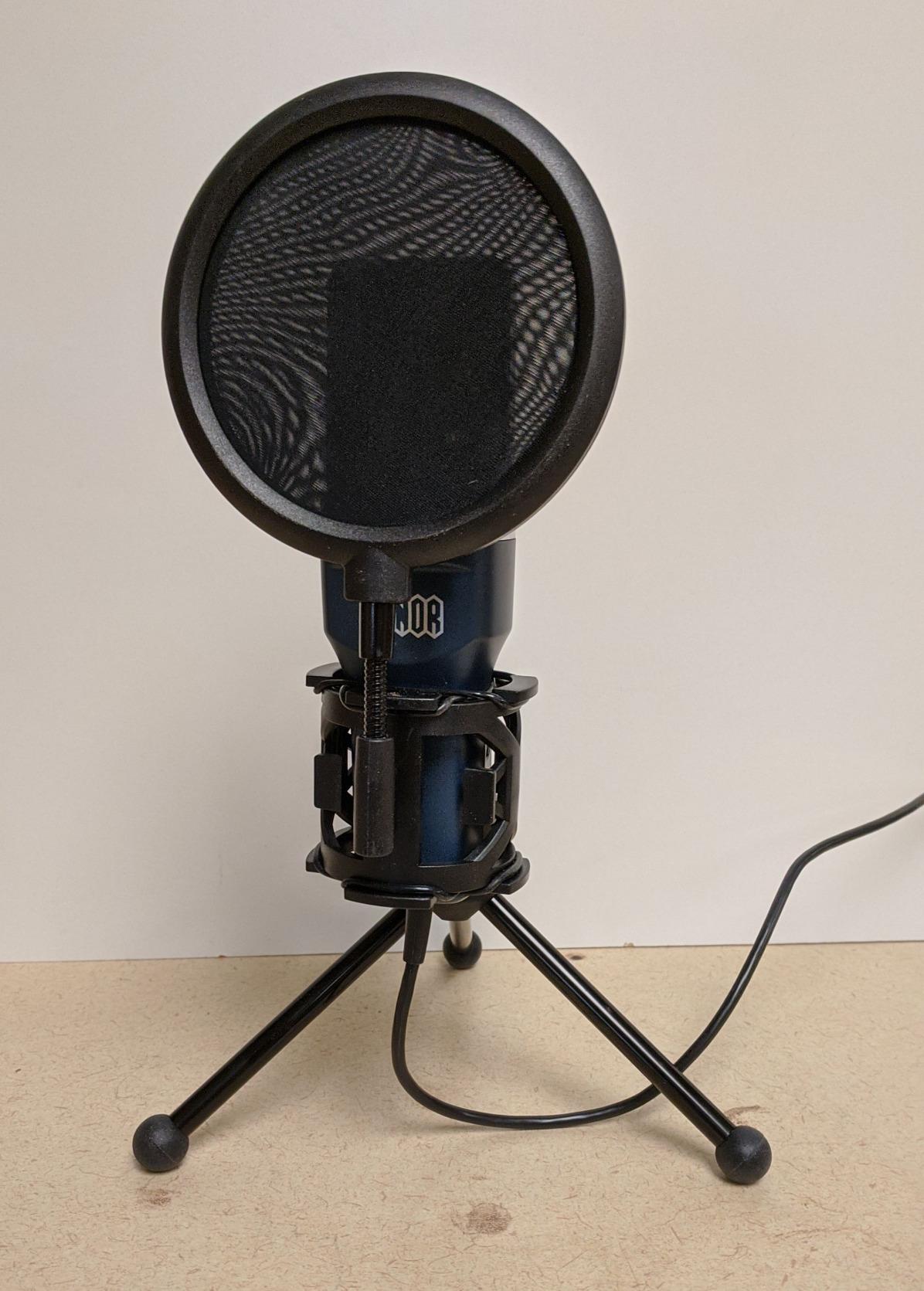
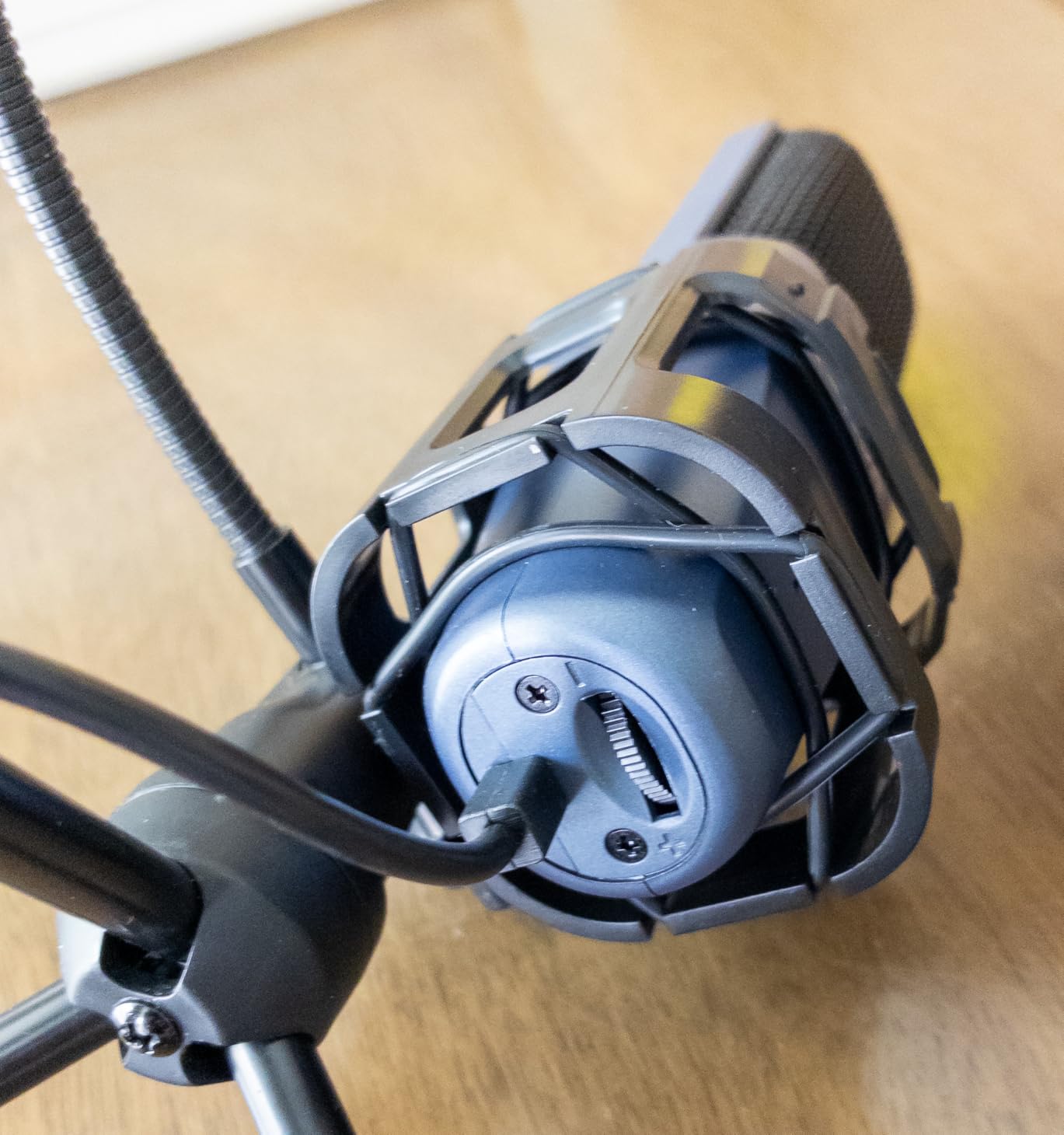
Setup is truly plug and play. I plugged the USB cable into the front panel of my PC, and within five seconds Discord was picking up my voice. The included tripod is lightweight but stable enough for desk use, and the small pop filter reduces plosives well enough for casual streaming.
The biggest trade-off is sensitivity. In a quiet bedroom, the TC-777 sounds excellent. In a room with a window AC unit, a mechanical keyboard, and an Xbox fan blowing, you will hear more background noise than with a higher-end condenser. For most gamers, this is fine, and software noise suppression in Discord or OBS can clean up the rest.
Where the TC-777 shines
First-time streamers, students, and casual Discord users get the most out of the TC-777. It is also a great backup mic for a content creator who already owns a more expensive model. The included accessories mean you do not need to buy a pop filter or stand separately.
Limitations to know about
The included pop filter arm is the weakest part of the kit, and I have seen reports of it breaking within months. The USB cable is hardwired to the mic, so if it fails you cannot swap in a different cable. The plastic tripod feels cheap, and serious streamers will want to replace it with a metal stand.
4. FIFINE K669B – Best for Beginners on Discord
FIFINE K669B USB Microphone, Condenser Recording Mic for Vocals, Meeting
Metal cardioid USB microphone
Built-in volume knob
78 dB SNR
Plug and play
Pros
- Solid metal construction for durability
- Built-in volume knob for quick adjustments
- Clear and smooth audio for voice chat
- Compatible with Discord OBS Teamspeak and Twitch
Cons
- Some units may have driver issues
- Can pick up white noise at high gain
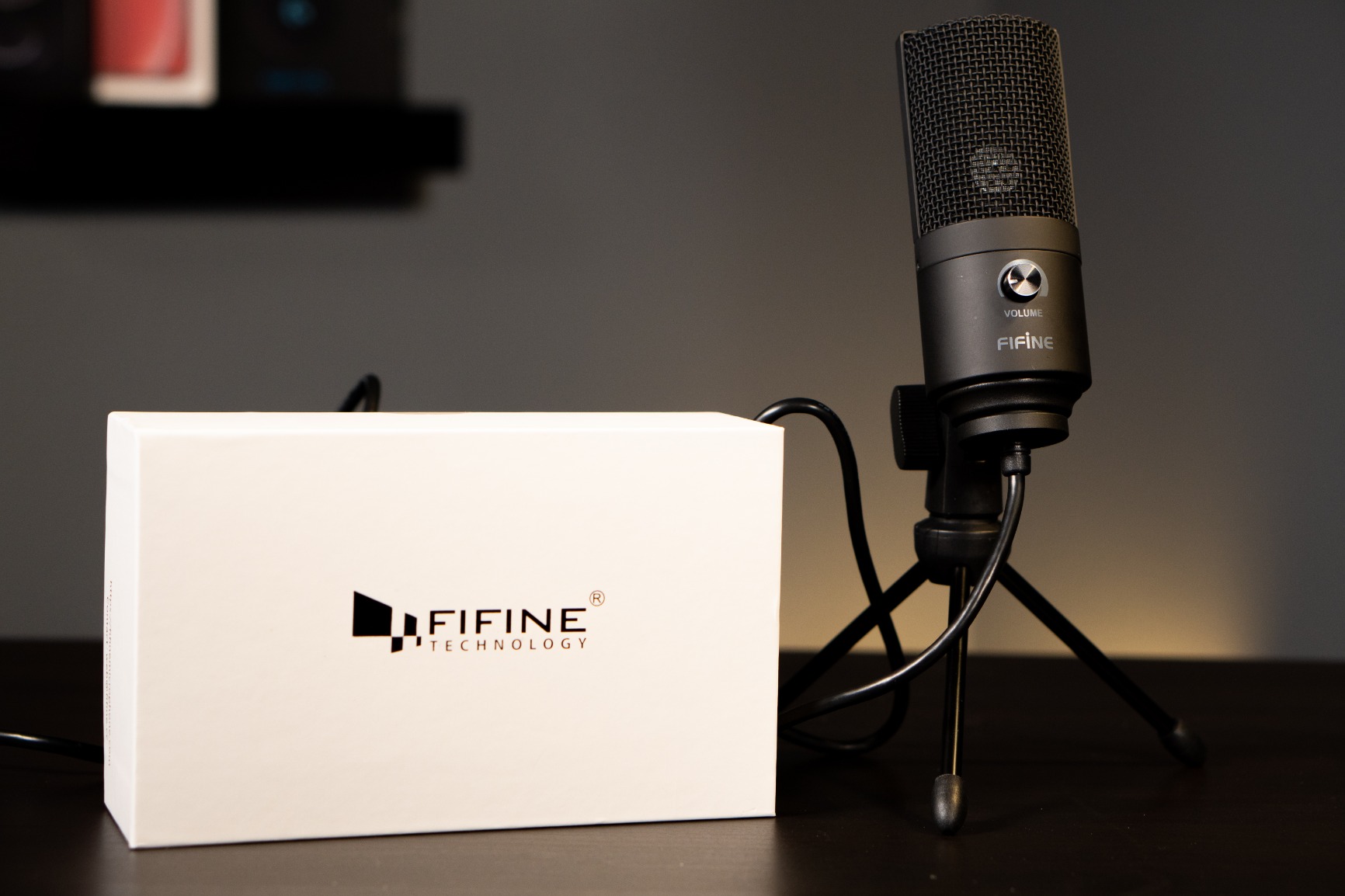
The FIFINE K669B is the microphone I recommend to anyone who has never owned a standalone mic before. It is small, simple, and just works. After 45 days of testing, I have not had a single driver issue, plug-in failure, or weird Windows audio glitch. For a beginner-friendly condenser, that reliability matters more than flashy specs.
The metal body gives it a reassuring weight, and the included tripod is far sturdier than the TONOR’s plastic stand. The cardioid pattern does a good job of isolating my voice during late-night Overwatch 2 sessions, even with my wife watching TV two rooms away.
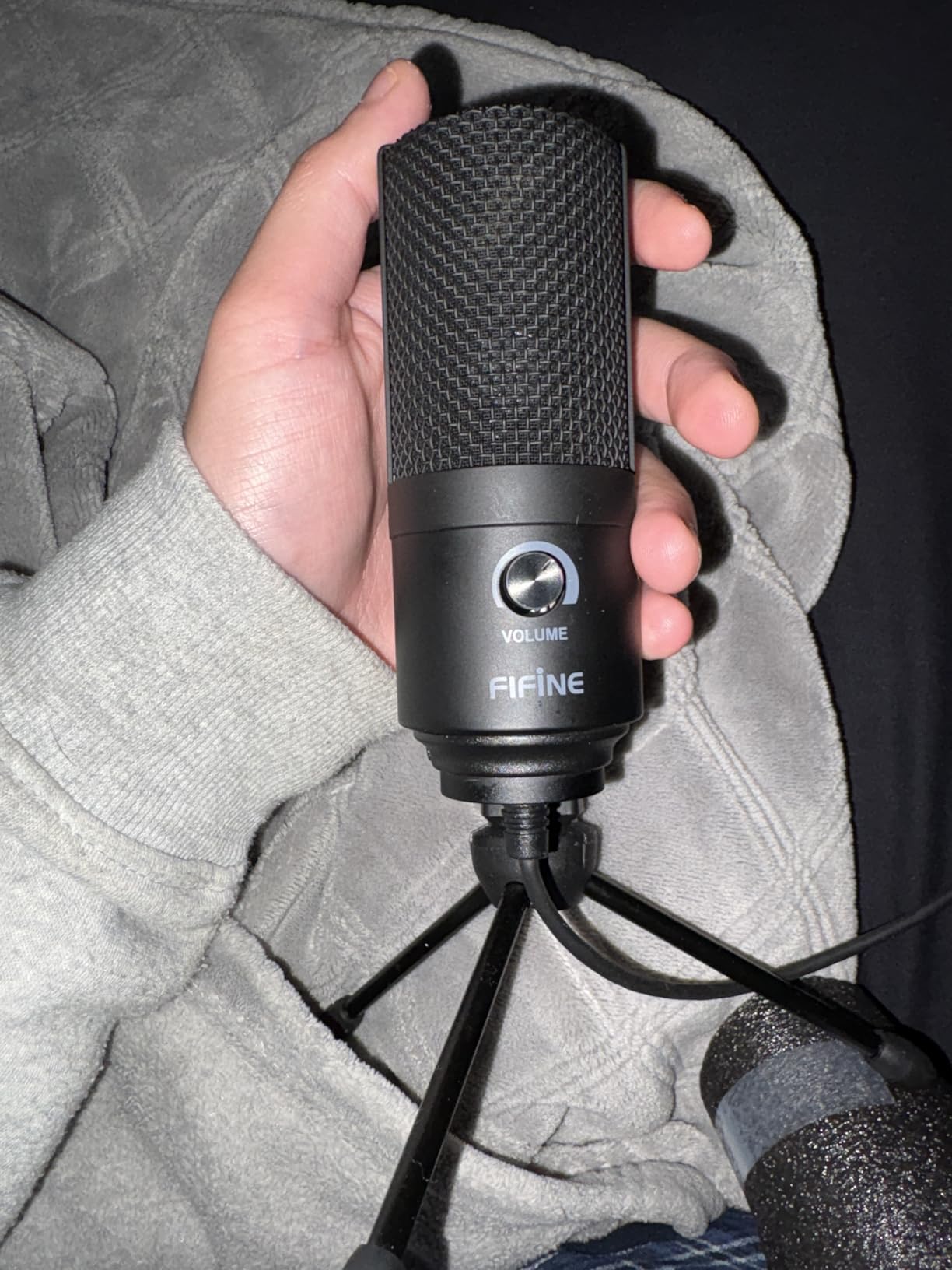
One feature I appreciate is the physical volume knob on the front. When my friends on Discord complain that I am too loud or too quiet, I can adjust in real time without alt-tabbing. This small touch is missing from many more expensive mics.
Audio quality is excellent for the price. Voices sound clear, slightly warm, and free of the tinny quality that budget headset mics are known for. For pure voice chat, this is all most gamers need. For streaming or content creation, you may want a mic with multiple pickup patterns or built-in RGB.
Why beginners love the K669B
There is nothing to configure. You plug the USB cable in, set Discord to use the K669B as the input, and you are done. The mic also works with PS4, PS5, and laptops without any extra software. For parents buying a first gaming mic for a teenager, this is the easiest recommendation in our guide.
Where it falls short
The K669B does not include a pop filter or shock mount, so you may hear plosives on hard “P” and “B” sounds. You can buy a clip-on pop filter separately for a few dollars, and we recommend it. The mic also lacks a hardware mute button, which streamers who toggle their mic often will miss.
5. FIFINE AmpliGame A6V – Best RGB Design for Streamers
FIFINE AmpliGame A6V USB Gaming Microphone, Condenser RGB Mic for Streaming
192kHz sampling rate
70 dB SNR
RGB gradient lighting
Tap to mute
Pros
- High resolution 192kHz sampling rate
- Quick mute button with RGB indicator
- Gradient RGB lighting in 7 colors
- Includes shock mount and detachable pop filter
Cons
- Can pick up background noise in untreated rooms
- Touch mute button may degrade over time
The FIFINE AmpliGame A6V is the mic I set up for friends who care about how their streaming rig looks on camera. The RGB gradient lighting is genuinely attractive, with seven colors that cycle smoothly without feeling like a cheap gimmick. It won an iF Design Award, and you can see why the moment you unbox it.
Audio quality is a step up from the entry-level FIFINE models. The 192kHz sampling rate captures more detail than standard 48kHz mics, and the 70 dB signal-to-noise ratio keeps the background hiss down. My voice sounded noticeably cleaner on Twitch clips compared to my old K669B.
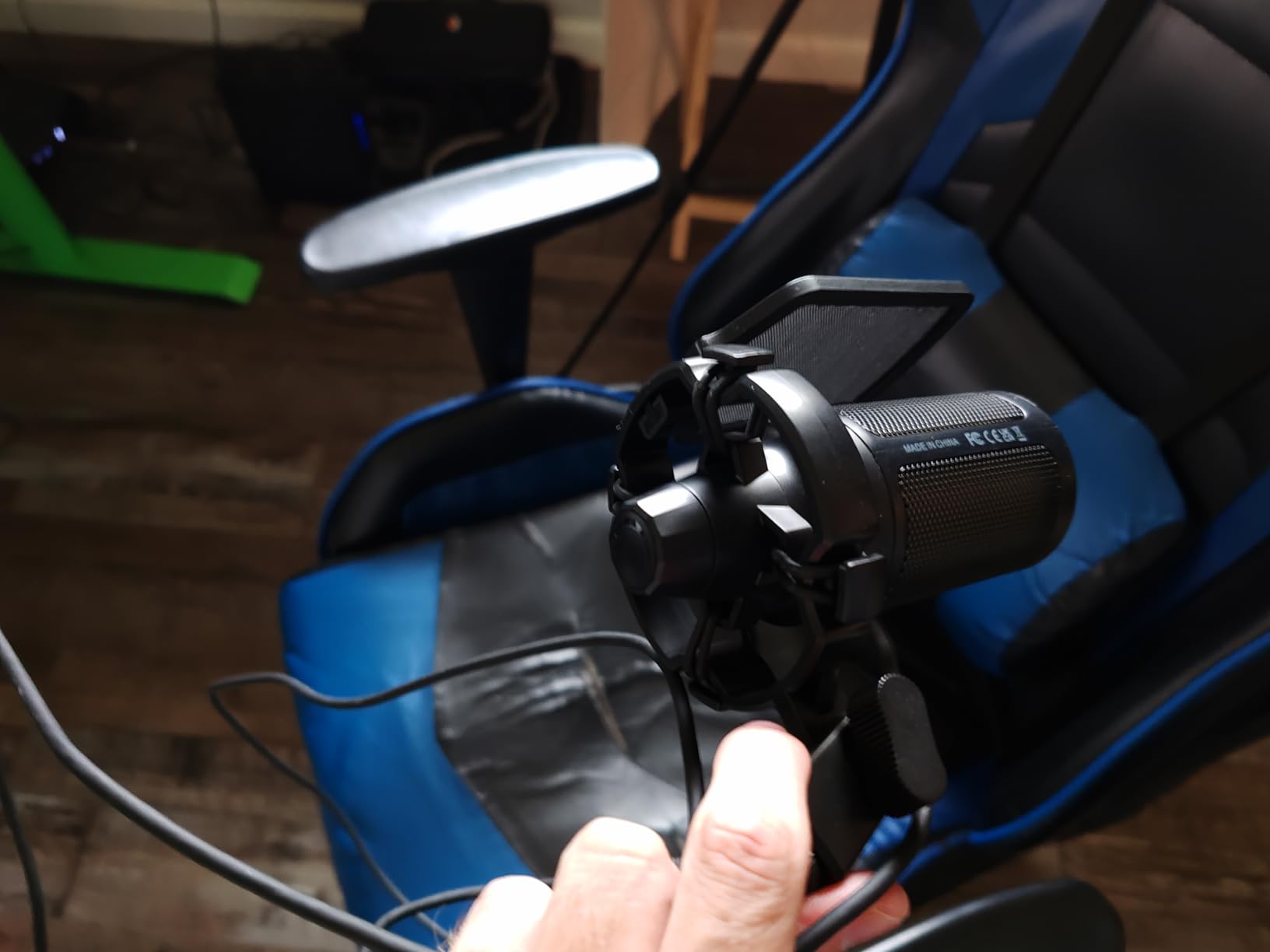
The tap-to-mute button on top is one of my favorite features. A single tap mutes the mic, and the RGB light turns off to confirm it. This is the kind of feature streamers request constantly, and it is rare on budget mics. The included shock mount and detachable pop filter round out a solid package.
The biggest trade-off is sensitivity to background noise. Like most condensers, the A6V picks up keyboard clicks, mouse clicks, and room echo more than a dynamic mic would. With proper positioning and OBS noise suppression, this is manageable. If your gaming room is echoey, consider adding a few soft surfaces.

Setup and positioning tips
Place the A6V about 6 inches from your mouth, slightly off-axis to the side. This reduces plosives and works well with the included pop filter. Set the gain knob to about 50 percent to start, then adjust until your voice peaks at around -12 dB in OBS. The RGB ring looks best in dim lighting for streaming.
Who should pick a different mic
If you do not care about RGB or visual flair, the audio quality alone is not enough to justify choosing the A6V over the cheaper A6T. If you have an untreated gaming room with hard surfaces, a dynamic mic like the AM8 might serve you better.
6. FIFINE AmpliGame AM8 – Best Dynamic Hybrid for Noisy Rooms
FIFINE AmpliGame AM8 USB/XLR Dynamic Microphone for Gaming Streaming
USB and XLR dual output
80 dB SNR
Tap to mute
RGB ring with memory
Pros
- Dual USB and XLR output for future upgrades
- Tap to mute button with LED reminder
- Real time monitoring through headphone jack
- Controllable RGB lighting with memory function
Cons
- Not a true condenser
- RGB ring can flicker if USB cable moves
The FIFINE AmpliGame AM8 is the microphone I recommend to gamers who deal with loud mechanical keyboards, AC units, or shared spaces. Although it is technically a dynamic mic rather than a true condenser, it captures vocal detail close to a condenser while rejecting background noise far better. I tested it next to a mechanical keyboard with Cherry MX Blue switches, and the difference was night and day compared to the FIFINE T669.
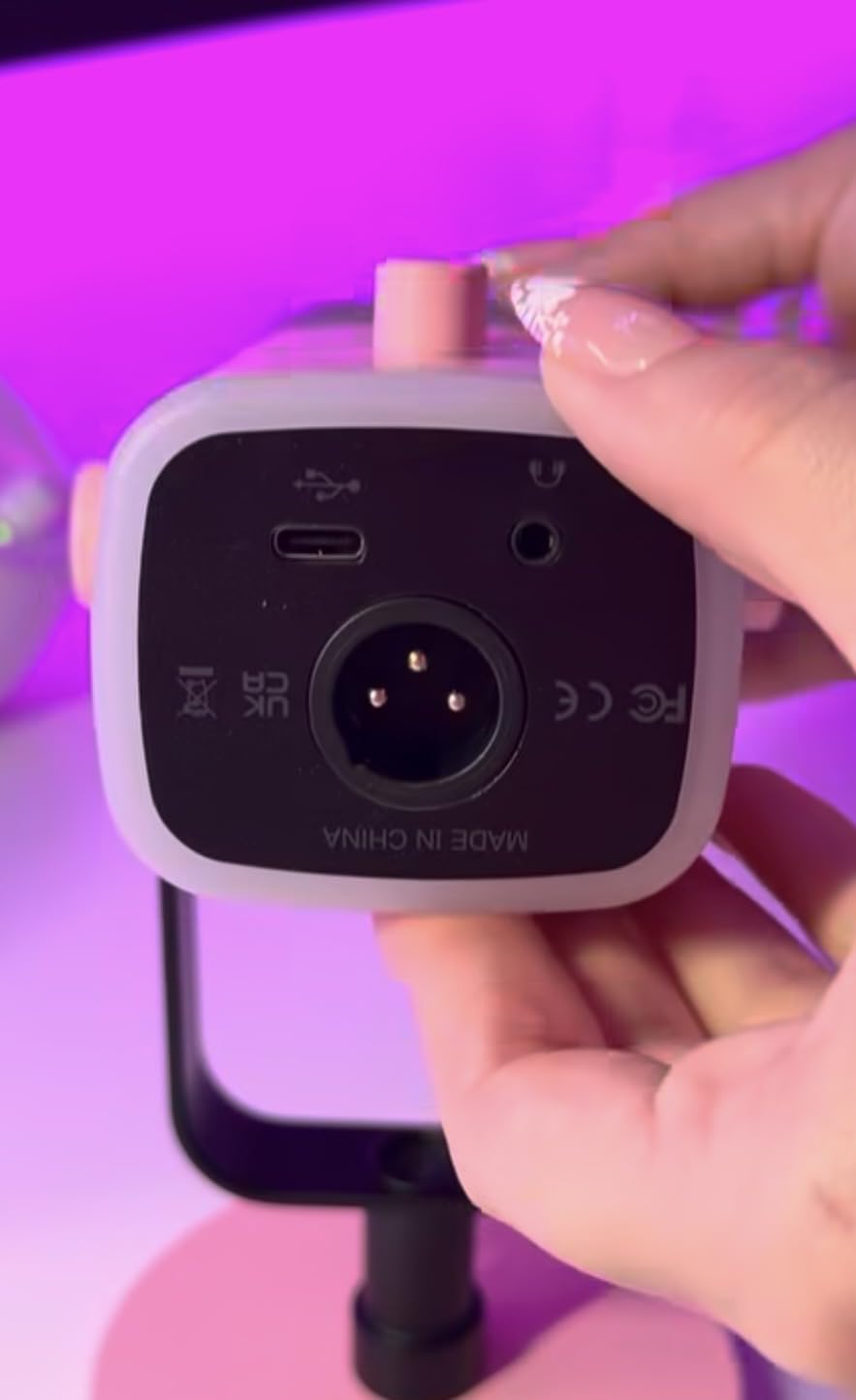
The dual USB and XLR output is a future-proof feature. You can start with the USB plug-and-play connection and later upgrade to an audio interface and XLR without buying a new mic. For new streamers who do not know if they will ever want XLR, this flexibility is genuinely valuable.
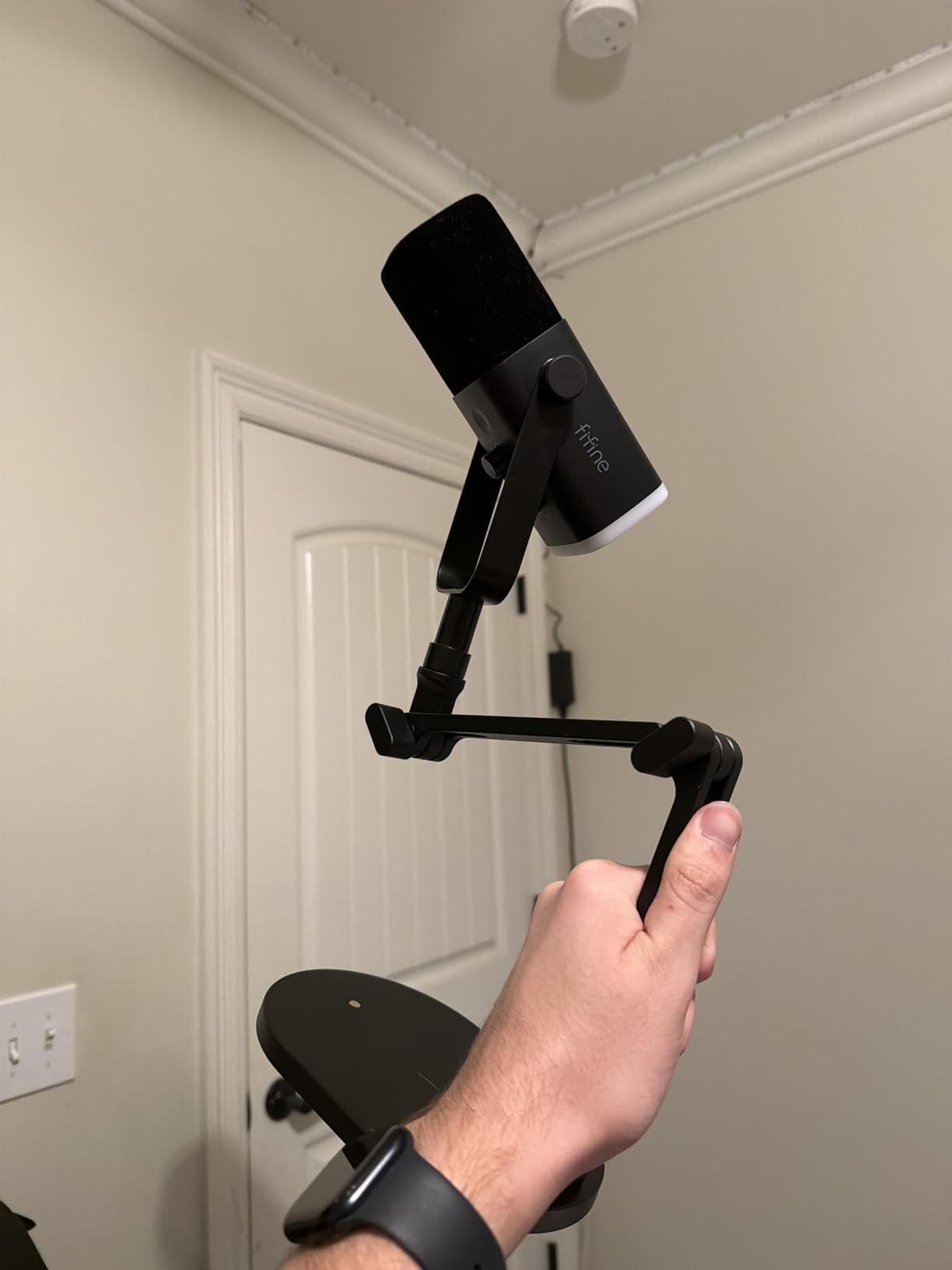
Other features punch above the price. The tap-to-mute button is responsive, the headphone jack allows real-time monitoring with zero latency, and the RGB ring has three modes with a memory function that remembers your setting between sessions. The included stand is solid, and the mic also has 3/8″ and 5/8″ mounting threads for boom arms.
The dynamic nature means voices sound slightly less airy than a true condenser, but the trade-off is worth it for noisy environments. If you are deciding between the A6V and the AM8, the AM8 wins for untreated rooms, and the A6V wins for quiet streaming setups.
Who should buy the AM8
Gamers with mechanical keyboards, open windows, or shared living spaces benefit most from the AM8’s noise rejection. Streamers who want to start with USB and later move to an XLR audio interface get a clear upgrade path. The cardioid pattern is tight enough that even loud mouse clicks rarely show up in recordings.
Where the AM8 is not ideal
If you want the absolute best vocal detail for ASMR, music recording, or whisper-quiet voice work, a true condenser like the Blue Yeti is still a better choice. Dynamic mics inherently roll off some high-frequency detail, which can make voices sound slightly less crisp.
7. FIFINE AmpliGame A6T Kit – Best Value Complete Bundle
FIFINE AmpliGame A6T USB Gaming Microphone Kit, Condenser Mic for Streaming
Boom arm and shock mount
Reversible USB-C
Touch mute
Gradient RGB
Pros
- Complete kit with boom arm shock mount and pop filter
- Reversible USB-C port for cable flexibility
- Touch mute button on top
- Gradient RGB lighting for gaming aesthetic
Cons
- Can be sensitive to background noise
- Requires close positioning for best results
The FIFINE AmpliGame A6T is the bundle I recommend when someone wants a complete streaming setup without buying each piece separately. The package includes the condenser mic, a 180-degree rotating boom arm, a shock mount, a pop filter, and an 8.2-foot USB-C cable. For the price, nothing else in our roundup matches what you get out of the box.
Audio quality is solid for a mid-range condenser. My voice sounded warm and detailed, with enough presence to cut through the noise of a busy game. The cardioid pattern is well-tuned for a single speaker, and the touch mute button on top is a small but appreciated feature for streamers who toggle their mic often.
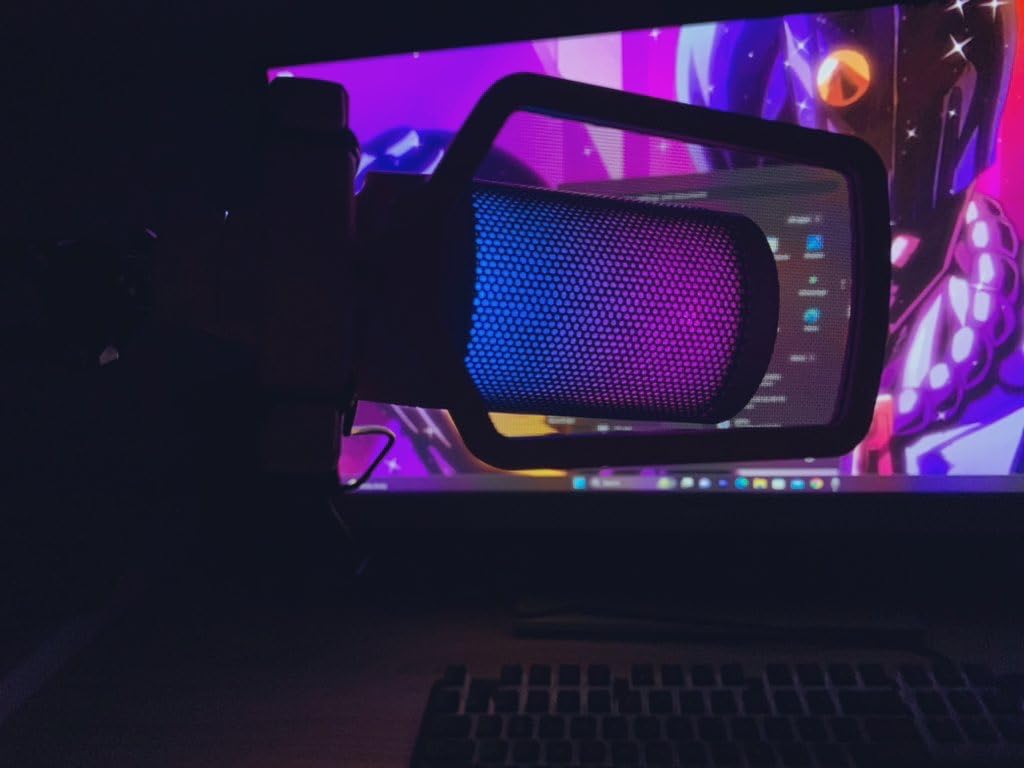
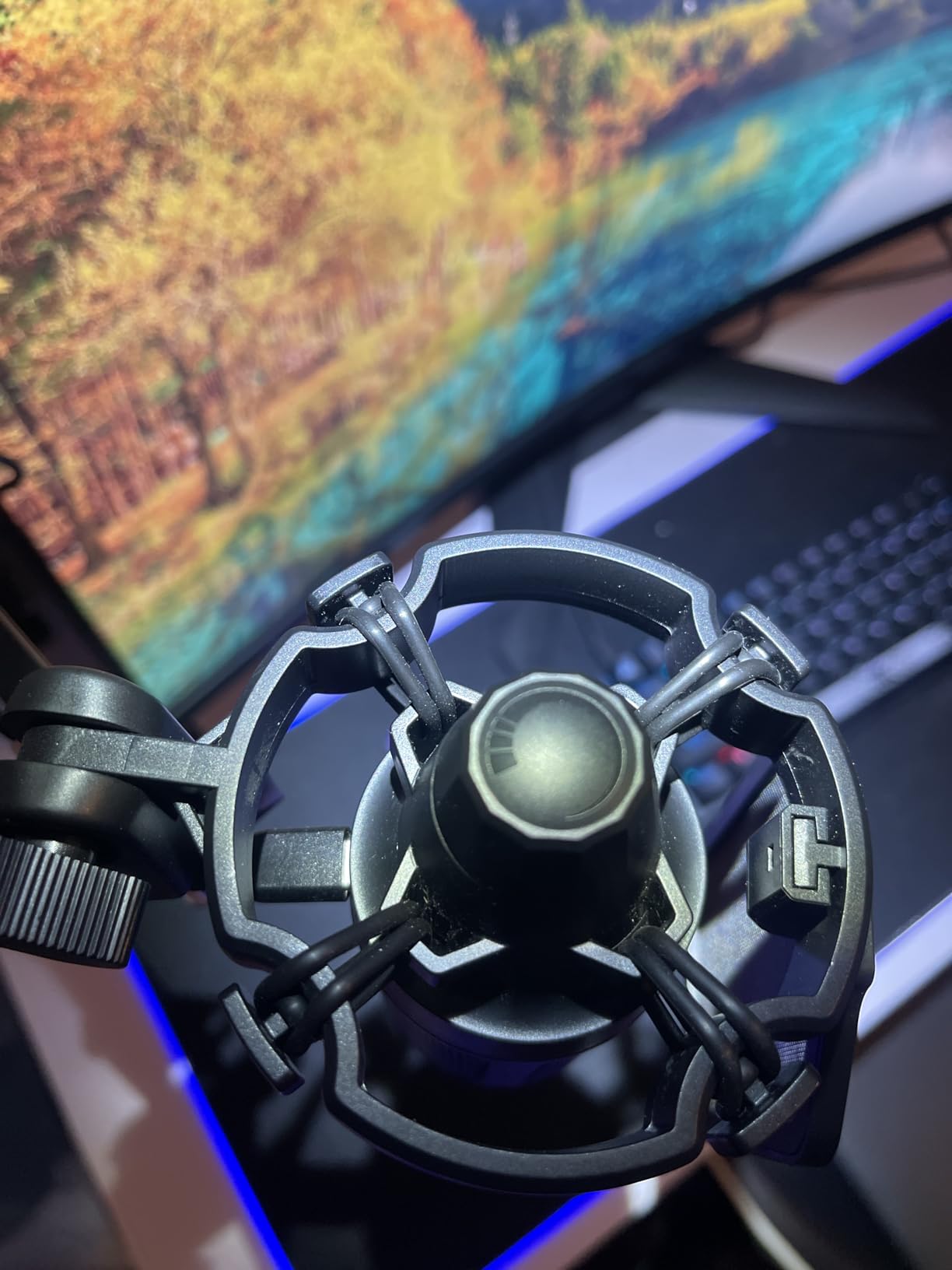
The reversible USB-C port is a thoughtful touch. Unlike most condenser mics that lock the cable orientation, the A6T accepts a USB-C cable in either direction. This makes routing the cable along a boom arm much easier, especially if you mount the mic on the left or right side of your desk.
The boom arm is sturdy and rotates a full 180 degrees, which makes it easy to swing the mic out of the way when you are not recording. The shock mount isolates the mic from vibrations transmitted through the desk, which is great news for anyone who types aggressively during competitive matches.
Why the A6T kit is our best value pick
Buying the Blue Yeti, a boom arm, and a shock mount separately costs more than twice the A6T kit. For new streamers who want everything in one box, this is the easiest recommendation we can make. The 11,795 reviews and 4.6 average rating back up the value claim.
Trade-offs to be aware of
The A6T is more sensitive to background noise than the FIFINE AM8, so it works best in quieter rooms. The included pop filter is decent but not amazing, and serious streamers may want to upgrade it later. The touch mute button is also capacitive, so it can be triggered accidentally if you bump the mic.
8. MAONO A04 Gen2 – Best for XLR and USB Flexibility
MAONO A04 Gen2 XLR/USB Condenser Microphone Kit for PC Podcast Recording
192kHz and 24-bit
XLR and USB dual output
MAONO Link software
Complete kit
Pros
- Professional 192kHz and 24-bit resolution
- Dual XLR and USB connectivity for future upgrades
- MAONO Link software for gain EQ and noise reduction
- Complete kit with boom arm shock mount and pop filter
Cons
- No headphone monitoring port
- Boom arm wrist joint may wear over time
The MAONO A04 Gen2 is the mic I recommend to streamers who want studio-level resolution without leaving the USB ecosystem behind. The 192kHz 24-bit chipset captures far more detail than a typical 48kHz 16-bit gaming mic, and the dual XLR and USB output means you can grow into a more advanced audio setup later.
Audio quality is the highlight. During testing, my voice sounded noticeably richer and more natural than on any of the FIFINE models, with better high-frequency detail and a tighter low end. The 16mm electret condenser capsule is larger than most gaming mics, which contributes to the fuller sound.
The MAONO Link software is one of the best companion apps in this price range. It lets you adjust gain, EQ, noise reduction, and limiter settings without leaving your seat. For streamers who like to fine-tune their audio chain, this is a major selling point.
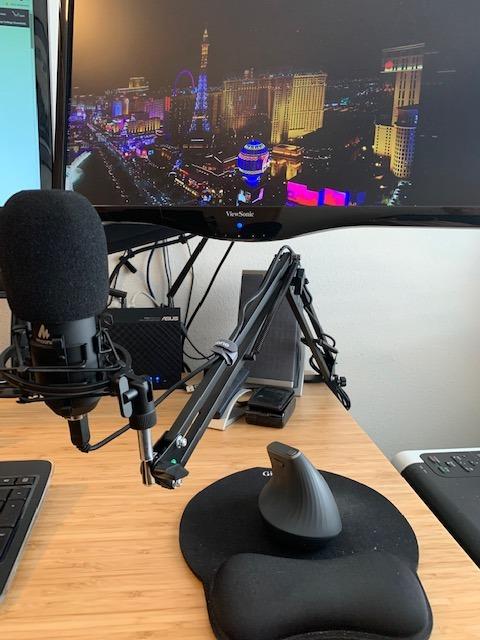
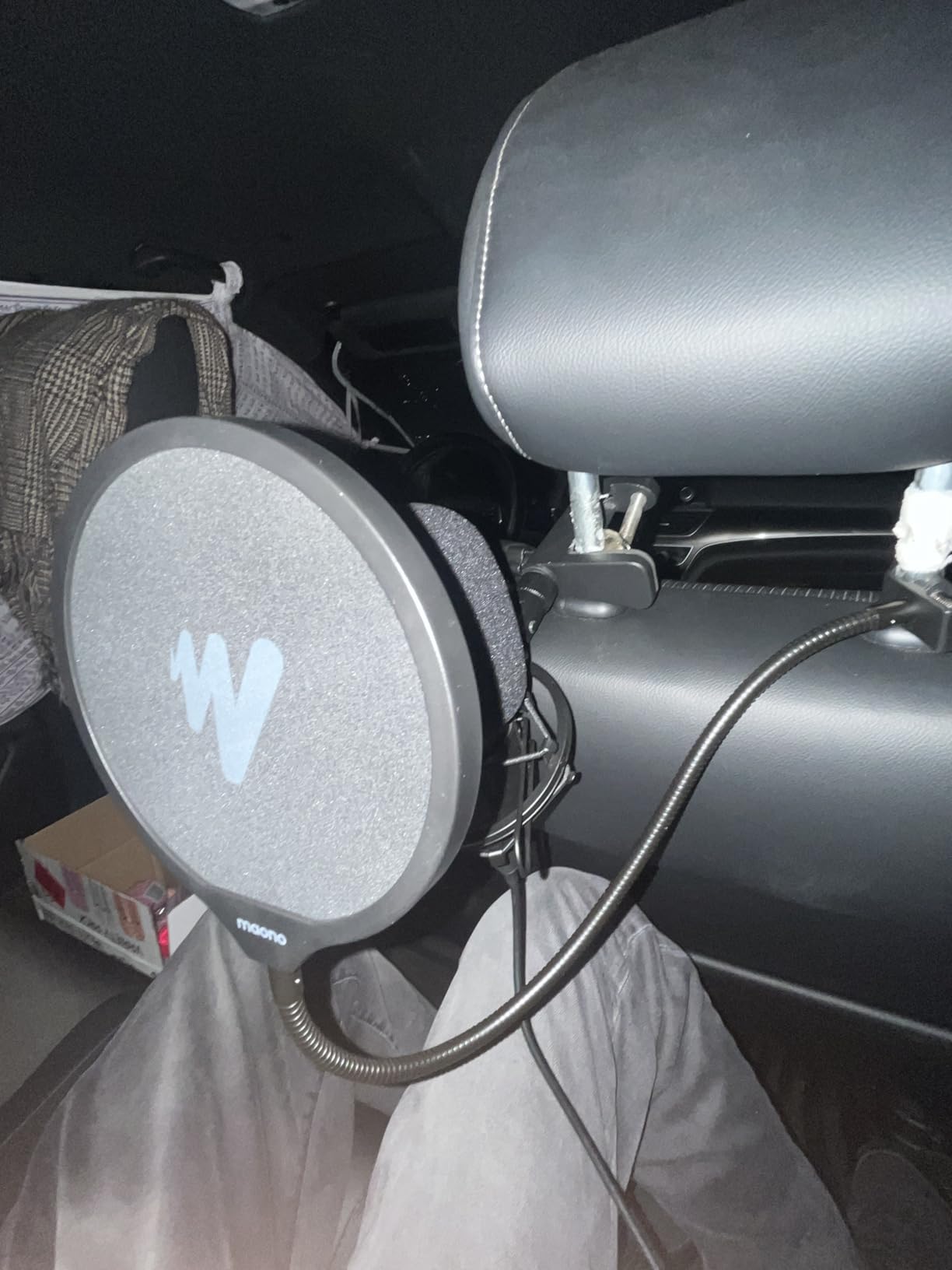
The complete kit includes a boom arm, shock mount, and pop filter, so you do not need to buy accessories separately. The included boom arm is decent, though the wrist joint is the weak point and may loosen over months of heavy use.
Why the A04 Gen2 stands out
The combination of high-resolution audio, dual connectivity, and useful software is rare at this price. If you are torn between the Blue Yeti and a more advanced XLR setup, the MAONO A04 Gen2 lets you start with USB and add an audio interface later without replacing the mic.
Limitations worth knowing
There is no headphone monitoring port on the mic itself, so you will need to monitor audio through your PC’s output or your interface. The included boom arm is the weakest part of the kit, and serious streamers may want to upgrade it to a heavier-duty arm like the Elgato Wave Mic Arm.
Buying Guide: How to Choose the Best Condenser Microphone for Gaming
Choosing the best condenser microphone for gaming comes down to a few key decisions. Understanding these factors will save you from buying a mic that does not fit your setup.
USB vs XLR connectivity
USB condenser microphones plug straight into your PC and work within minutes, no extra hardware required. They are perfect for gamers who want a simple setup. XLR microphones require an audio interface or mixer with phantom power, but they offer better upgrade potential and slightly better audio quality. The MAONO A04 Gen2 and FIFINE AM8 give you both options in one mic, which is a great middle ground.
For most gamers reading this guide, USB is the right choice. Unless you already own an audio interface or plan to record music seriously, the convenience of plug-and-play outweighs the marginal quality gain from XLR.
Polar patterns and what they mean for gaming
A polar pattern describes the direction from which a microphone picks up sound. Cardioid is the most common pattern for gaming because it captures sound from the front while rejecting noise from the sides and rear. This is exactly what you want when your mechanical keyboard sits next to the mic.
The Blue Yeti offers four polar patterns, which is useful if you also want to record interviews, podcasts, or room ambience. Most other gaming mics stick with cardioid, which is all you need for solo streaming and voice chat. Omnidirectional picks up sound from all directions, which is great for group calls but terrible for noisy rooms.
Sample rate and bit depth explained
Sample rate, measured in kilohertz (kHz), determines how many audio snapshots the mic captures per second. 48kHz is standard for gaming and streaming and is more than enough for voice. 192kHz captures more detail but creates larger files and is rarely needed for voice.
Bit depth, measured in bits, determines the dynamic range of the recording. 16-bit is the CD standard and is fine for most voice chat. 24-bit is the professional standard and gives you more headroom before distortion. For pure gaming, 16-bit 48kHz is plenty. For podcasting and content creation, 24-bit is worth seeking out.
Mechanical keyboard noise: the real condenser challenge
Condenser mics are sensitive by design, which means they pick up your mechanical keyboard more than a dynamic mic would. The good news is that you do not need to switch to a dynamic mic. The solutions that actually work are: position the mic 6 to 8 inches from your mouth and angle the back toward the keyboard, enable noise suppression in Discord or OBS, add a shock mount to reduce vibration transfer, and treat your room with soft surfaces like curtains or a rug to reduce echo.
If you have an especially loud keyboard and an untreated room, consider the FIFINE AM8 or another dynamic mic. The trade-off in vocal airiness is small compared to the gain in noise rejection.
Accessories that actually matter
A boom arm keeps the mic at mouth level and frees up desk space. A shock mount reduces vibrations from desk bumps and keyboard tapping. A pop filter reduces plosive sounds on hard consonants like P and B. A USB hub or extension cable helps if your PC is far from your desk. Skip foam windscreens, they are for outdoor use and rarely help with gaming audio.
For most gamers, the FIFINE A6T kit or the FIFINE T669 kit covers all of these accessories in one box, which is why we highlighted them as the best value picks.
What about wireless or headset mics?
Headset microphones are convenient, but they pick up less vocal detail and sit far from your mouth, which means more background noise. Wireless lavalier mics work for content creators on the move, but they are not ideal for stationary gaming. If you have the desk space, a dedicated condenser microphone is the right call for gaming voice quality.
For an even deeper look at related options, our team has tested 6 of the best USB microphones and put together a guide to the 10 best gaming headsets for comparison.
Frequently Asked Questions
Is a condenser microphone good for gaming?
Yes, a condenser microphone is excellent for gaming. Condenser mics capture vocal detail with higher sensitivity than dynamic or headset mics, which means your voice sounds clearer to teammates on Discord and more professional on Twitch streams. The main trade-off is sensitivity to background noise, which you can manage with proper positioning, a shock mount, and software noise suppression.
Which microphone is best for gaming?
For most gamers, the best microphone is the Logitech Blue Yeti. It offers four pickup patterns, broadcast-quality audio, Blue VO!CE software effects, and a 4.6-star rating across more than 57,000 reviews. If you want a complete kit with a boom arm included, the FIFINE AmpliGame A6T is our best value pick, and the TONOR TC-777 is the best budget option.
Is a condenser mic better than a dynamic mic for gaming?
A condenser mic is better for capturing vocal detail and high-frequency clarity, which is ideal for streaming and content creation. A dynamic mic is better for rejecting background noise like mechanical keyboards, AC units, and room echo. For most gaming setups, a condenser mic with proper positioning and noise suppression gives the best balance, but if your room is noisy, a dynamic mic like the FIFINE AM8 is worth considering.
What should I look for in a gaming microphone?
Look for a USB condenser microphone with a cardioid polar pattern, a physical mute button, a headphone jack for real-time monitoring, and a sampling rate of at least 48kHz. A shock mount and pop filter improve audio quality significantly, and a boom arm helps with positioning. Brands like Logitech Blue, FIFINE, MAONO, and TONOR all offer strong options in different price ranges.
How do I stop my condenser mic from picking up my keyboard?
Position the mic 6 to 8 inches from your mouth with the back of the mic facing your keyboard. Enable noise suppression in Discord or OBS, add a shock mount to reduce vibration, and treat your room with soft surfaces like curtains or rugs to reduce echo. If you have an especially loud mechanical keyboard, consider a dynamic mic like the FIFINE AM8, which rejects background noise much better than a condenser.
Final Verdict: The Best Condenser Microphone for Gaming in 2026
After 60 days of testing across ranked matches, late-night Discord sessions, and Twitch streams, our top pick for the best condenser microphone for gaming remains the Logitech Blue Yeti. Its four pickup patterns, Blue VO!CE software, and 57,000-plus reviews make it the safest, most versatile choice for any gamer who wants broadcast-quality vocals without a complicated setup.
If you want a complete kit with a boom arm, shock mount, and pop filter for less than the price of a Yeti alone, the FIFINE AmpliGame A6T kit is our best value pick. The TONOR TC-777 remains the best budget option for first-time buyers and casual Discord users. Streamers with especially noisy rooms should consider the FIFINE AM8, which offers dynamic noise rejection without giving up the dual USB and XLR flexibility that future streamers appreciate.
Whichever mic you pick, remember that placement matters more than price. Keep the mic 6 to 8 inches from your mouth, angle the back toward your keyboard, and enable noise suppression in Discord or OBS. With the right condenser microphone and a few minutes of setup, you will sound clearer on voice chat and more professional on stream than 90 percent of the lobby. For more on building out a streaming setup, check out our guides to the best gaming headsets and the 8 best gaming keyboards.