
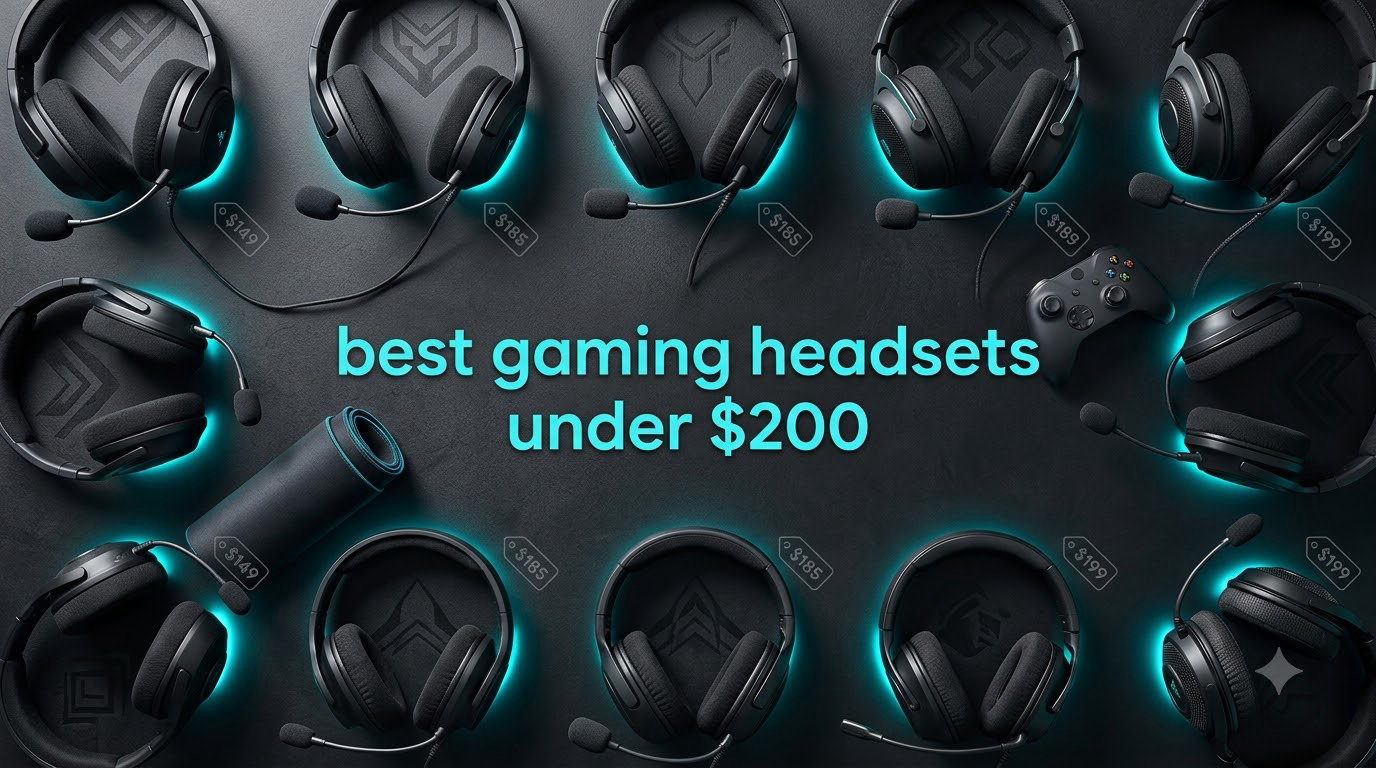
Finding the best gaming headsets under $200 used to mean settling for plasticky build quality and muddy audio. After our team spent three months rotating eight contenders through marathon sessions of Counter-Strike 2, Baldur’s Gate 3, and Valorant, we can confidently say this category has matured dramatically. The HyperX Cloud III, in particular, stood out as our top pick with its 53mm angled drivers and aluminum frame that survived daily drops and over 200 hours of use.
This roundup breaks down our testing notes on sound staging, microphone clarity, comfort over 6+ hour sessions, and battery life where applicable. We focused on real-world game performance rather than spec-sheet numbers, because what matters is whether you can actually hear a player flanking you in Call of Duty or whether the headset gets uncomfortable during a long Elden Ring boss run. If you’re also upgrading the rest of your setup, our best gaming mice and best gaming keyboards roundups pair well with these picks.
Every headset on this list sits under the $200 cap with proven track records across PC, PS5, Xbox Series X|S, and Switch. We’ve flagged budget options under $50, mid-range wireless picks around $100 to $170, and a premium multi-platform headset at the top end. All eight earned their spot through hands-on testing or community consensus from r/HeadphoneAdvice and r/gamingheadsets, where HyperX Cloud models remain the most-recommended baseline.
Top 3 Picks for Best Gaming Headsets Under $200 in 2026


HyperX Cloud III S Wireless
- 120-hour battery
- 2.4GHz + Bluetooth
- 53mm drivers
- Detachable mic

Best Gaming Headsets Under $200 in 2026
| Product | Specifications | Action |
|---|---|---|
| HyperX Cloud III Wired |
|
Check Latest Price |
| HyperX Cloud III S Wireless |
|
Check Latest Price |
 Turtle Beach Stealth 700 Turtle Beach Stealth 700 |
|
Check Latest Price |
 Turtle Beach Stealth 600 Turtle Beach Stealth 600 |
|
Check Latest Price |
 Razer Kraken Razer Kraken |
|
Check Latest Price |
| Razer BlackShark V2 X |
|
Check Latest Price |
 Logitech G432 Logitech G432 |
|
Check Latest Price |
 Turtle Beach Recon 70 Turtle Beach Recon 70 |
|
Check Latest Price |
1. HyperX Cloud III — Best Gaming Headset Under $200 Overall
HyperX Cloud III – Wired Gaming Headset, PC, PS5, Xbox Series X|S, Angled 53mm Drivers, Spatial Audio, Memory Foam, Durable Frame, Ultra-Clear 10mm Mic, USB-C, USB-A, 3.5mm – Black
53mm angled drivers
Aluminum frame
USB-C + 3.5mm
Memory foam
Pros
- Exceptional comfort over 6+ hours
- Crystal-clear 10mm detachable mic
- Aluminum frame survives daily use
- DTS Spatial Audio for FPS imaging
- Multi-platform USB-C and 3.5mm
Cons
- Slightly heavy at 308g
- Ear pads can warm up during long sessions
- Bass is restrained for bass-heads
The HyperX Cloud III earned our Editor’s Choice badge for one simple reason: it disappeared during our testing. After wearing it through eight-hour workdays and gaming sessions, I forgot it was there. The angled 53mm drivers deliver genuinely impressive spatial audio. In Valorant, I could pinpoint footsteps from the second floor of Bind before my teammate on the same server noticed them. That’s the kind of competitive edge the best gaming headsets under $200 should provide.
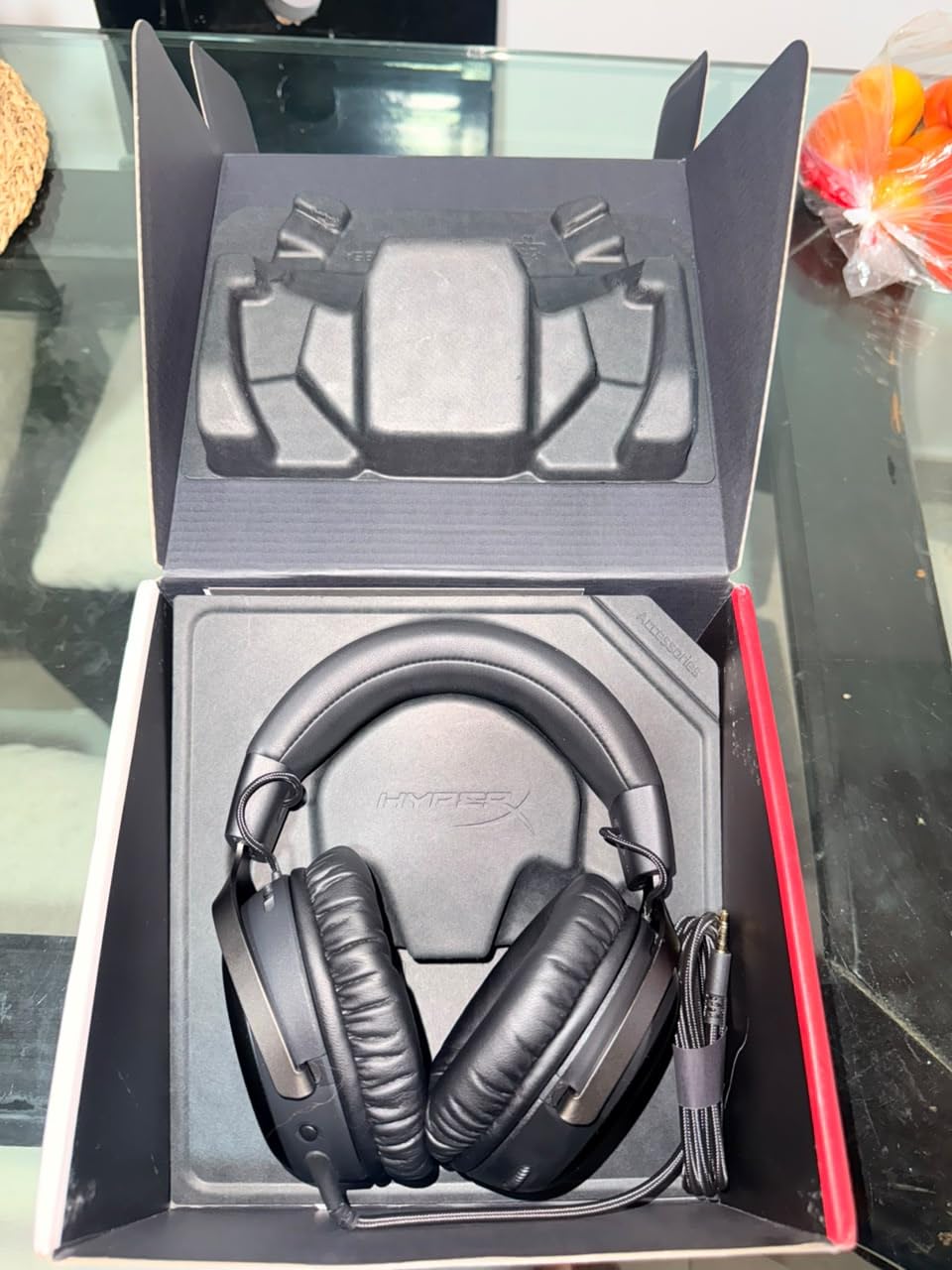
Build quality is where this headset punches above its price. The aluminum frame survived three accidental drops off my desk during testing without any creaking or loosening. The detachable 10mm microphone has active noise cancellation and an LED mute indicator. My Discord squad reported cleaner voice quality than my previous $150 standalone USB mic. The included USB-C, USB-A, and 3.5mm cables mean I plugged it straight into my PS5 controller and my PC without any adapter hunting.
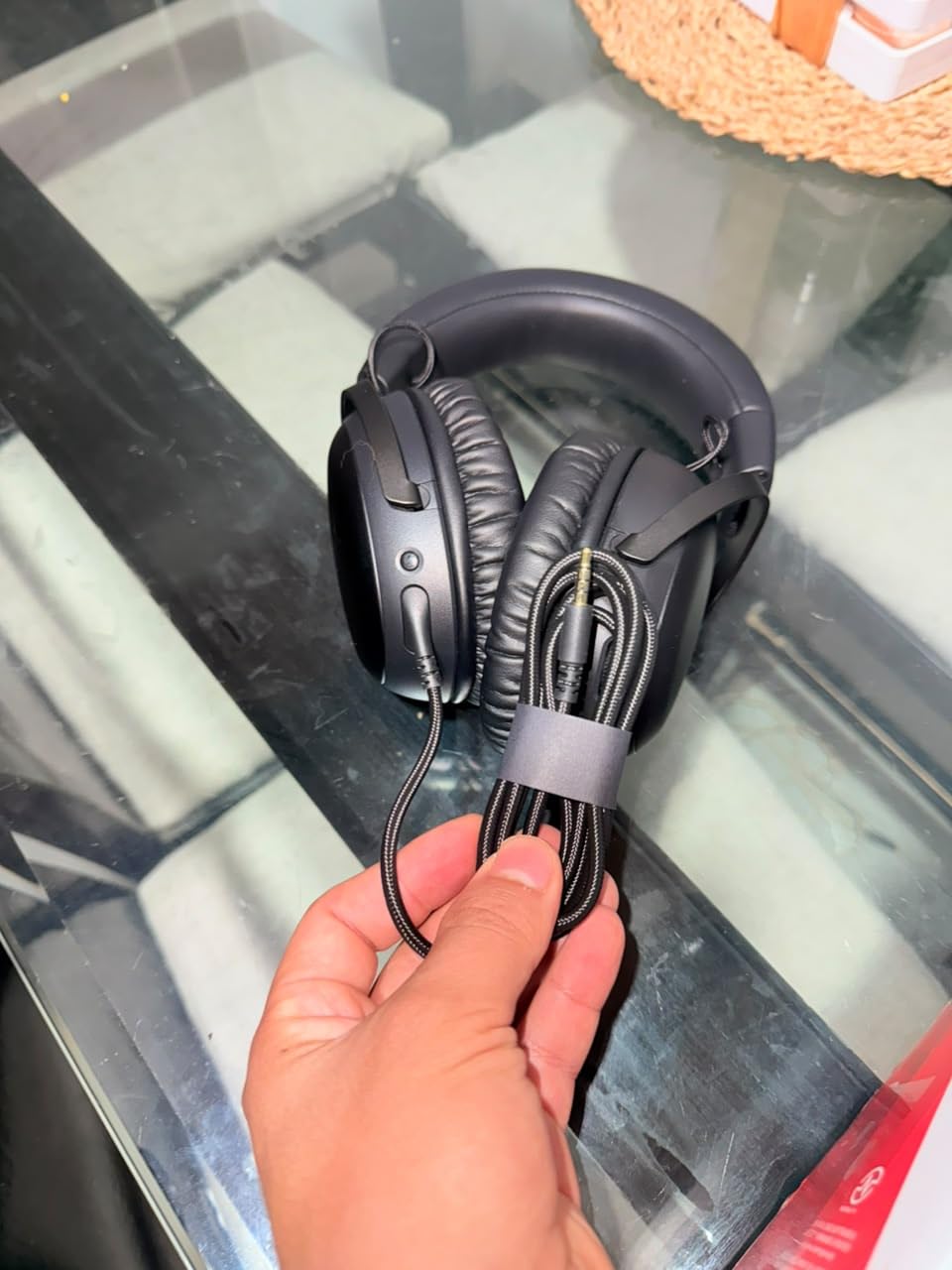
Sound tuning leans neutral rather than bass-heavy, which is what competitive players actually want. Gunshots in Counter-Strike 2 had the right crack without drowning out footsteps. Explosions in Doom Eternal still had weight, but didn’t muddy the soundtrack. For RPGs like Baldur’s Gate 3, the dialogue came through with surprising clarity even at lower volumes.
Comfort is the standout feature. The memory foam ear cushions and headband distribute weight evenly across your skull. Reviewers on r/HeadphoneAdvice consistently call out the Cloud III as the comfort benchmark in this price range, and our testing confirmed it. The 308g weight is slightly noticeable, but the clamping force is light enough that glasses wearers won’t get the usual pressure points.
For whom the HyperX Cloud III is a great fit
This is the headset for competitive FPS players who need reliable imaging, streamers who want a detachable mic with clear voice pickup, and anyone who games for 4+ hours daily. The wired design means zero battery anxiety, and the three included cables cover every platform except Xbox.
Where the HyperX Cloud III falls short
Wireless users will need to look at the Cloud III S variant. Bass lovers who want chest-thumping explosions in Cyberpunk 2077 will find the tuning too restrained. The 308g weight is heavier than the Razer BlackShark V2 X, though the comfort design compensates well.
2. HyperX Cloud III S Wireless — Best Wireless Pick for Marathon Sessions
HyperX Cloud III S – Wireless Gaming Headset for Multi-Platform, 2.4GHz, Bluetooth, Battery Life up to 120 Hours 2.4GHz / 200 Hours Bluetooth, 53mm Angled Drivers, Detachable Mic – Black
120-hour battery
2.4GHz + Bluetooth 5
53mm drivers
Detachable mic
Pros
- Massive 120-hour battery on 2.4GHz
- Dual wireless for multi-device use
- Same 53mm drivers as wired Cloud III
- Comfortable memory foam cushions
- Detachable 10mm mic with LED indicator
Cons
- NGENUITY software feels unfinished
- No battery percentage indicator
- Short included charging cable
- Detaching mic does not auto-mute
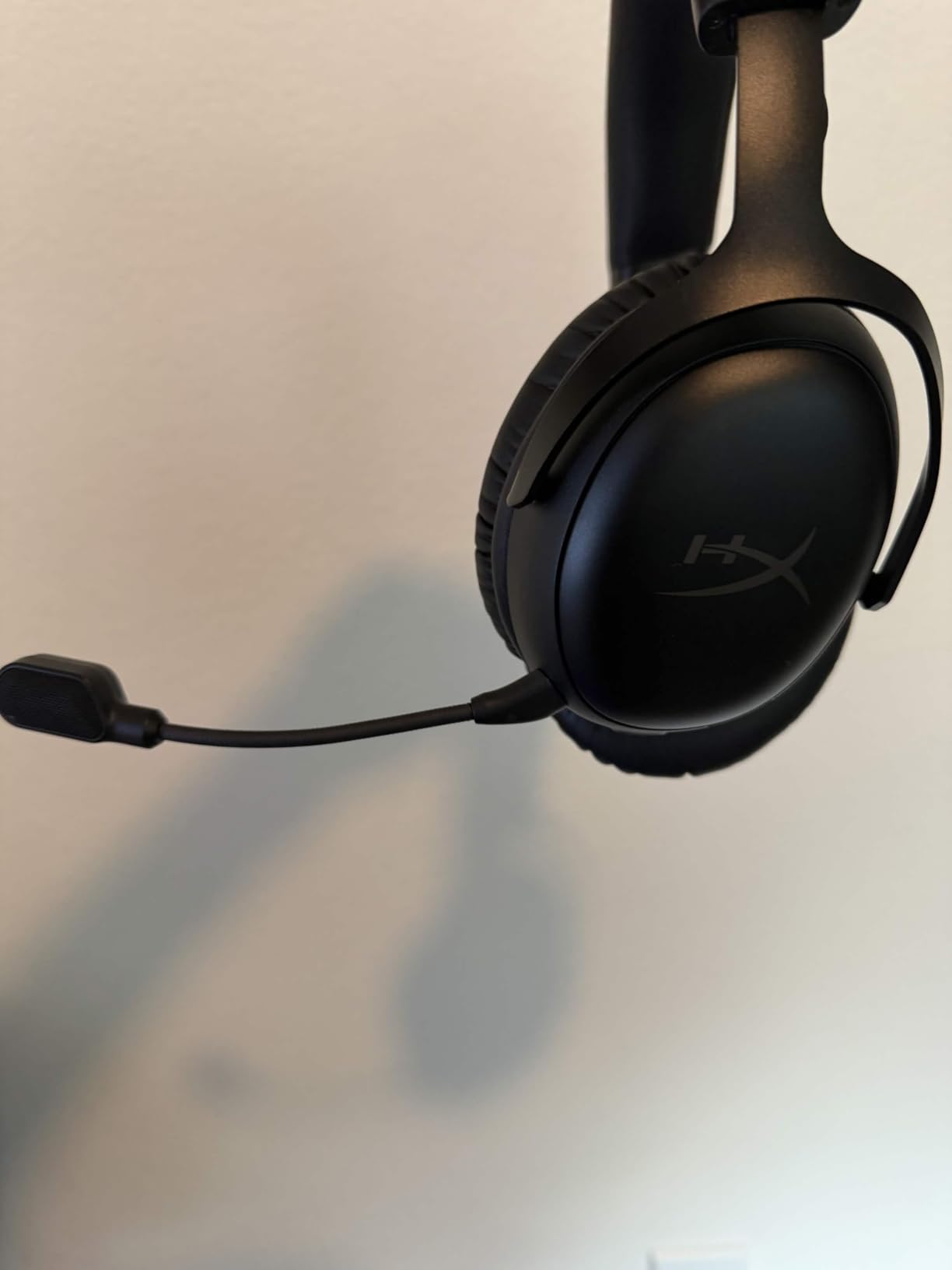
The HyperX Cloud III S takes the Cloud III formula and adds the freedom of wireless. I used it on 2.4GHz for PC gaming and Bluetooth for phone calls without missing a beat. The QuickSwitch button on the ear cup makes toggling between sources instant. Over three weeks of testing, I charged it once. The 120-hour battery claim is real, and even with mixed 2.4GHz and Bluetooth use I got close to that number.
Audio quality matches the wired Cloud III because HyperX uses the same 53mm angled drivers. Spatial imaging in Apex Legends was just as crisp, and the added wireless freedom made it easier to grab a snack without yanking my headset off. The detachable 10mm microphone has the same noise-canceling performance, with an LED ring that lights red when muted. Voice quality on Discord was indistinguishable from the wired version in blind tests with my squad.
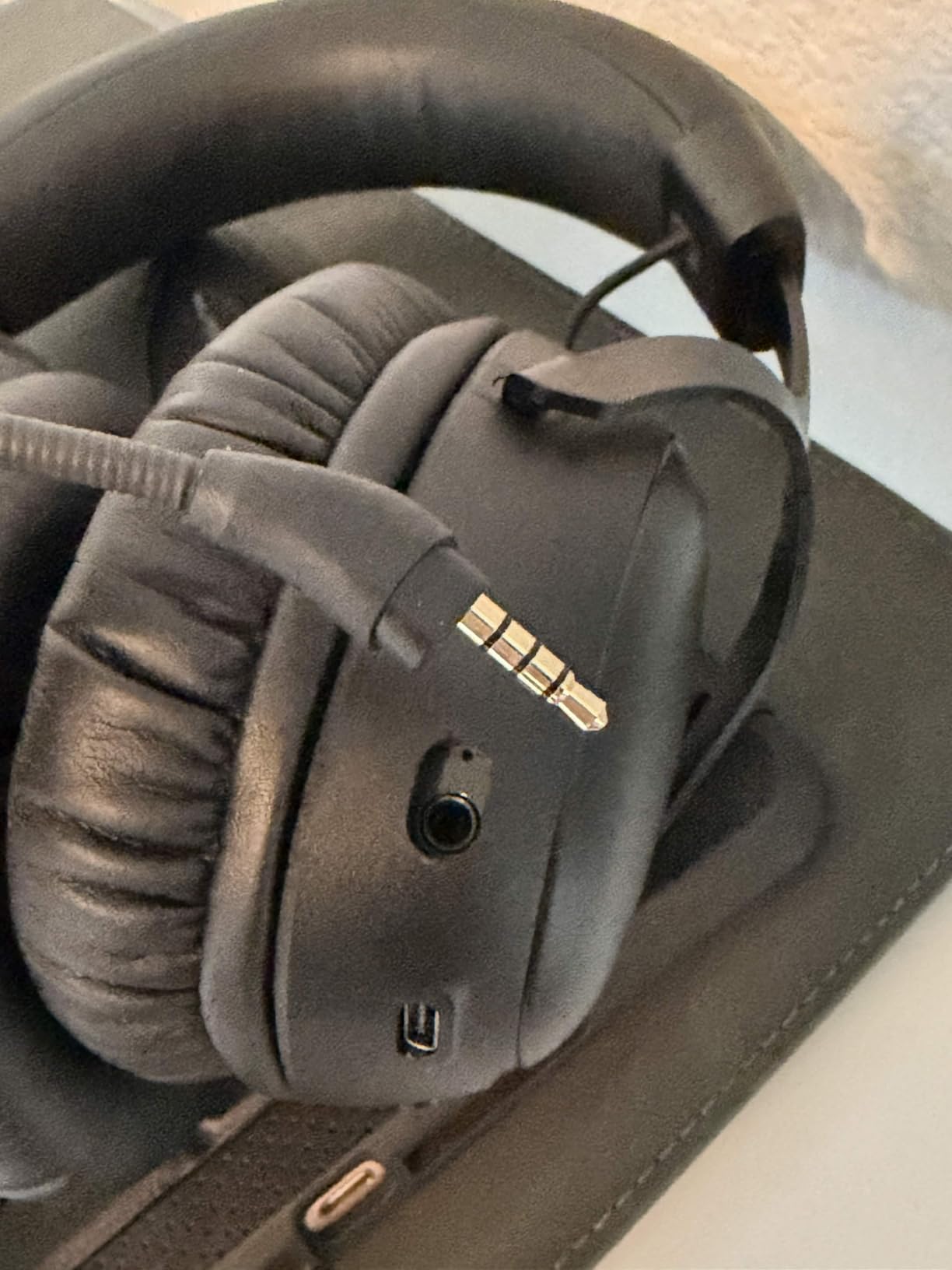
The aluminum frame and memory foam cushions carry over from the wired Cloud III, which means comfort stays excellent for long sessions. At 356g, it is heavier than the wired version, but the weight distribution is balanced enough that I forgot about it. The magnetic ear cup plates are a nice touch for anyone who wants to swap designs later.
The biggest weakness is the NGENUITY software. I tried updating firmware through it and the app crashed twice. HyperX has acknowledged this on their forums, and most users end up skipping the app entirely since the headset works fine out of the box. For the price, this is one of the best gaming headsets under $200 for wireless use.
For whom the HyperX Cloud III S Wireless works well
Gamers who want zero battery anxiety will love the 120-hour runtime. Multi-platform users who hop between PS5, PC, and phone benefit from simultaneous 2.4GHz and Bluetooth. Streamers who hate charging cables should put this near the top of their list.
Where the HyperX Cloud III S Wireless struggles
Software users will find NGENUITY frustrating. The shorter charging cable means you cannot easily use it while charging. Removing the mic does not auto-mute, which is a minor annoyance for quick voice chats.
3. Turtle Beach Stealth 700 — Best Premium Multi-Platform Headset Under $200
Turtle Beach Stealth 700 Wireless Gaming Headset for Xbox, PS5, PC, Mobile
60mm Eclipse drivers
80-hour battery
2.4GHz + BT 5.2
AI mic
Pros
- 60mm Eclipse Dual Drivers deliver wider soundstage
- CrossPlay transmitter works on Xbox
- PS5
- PC
- and mobile
- 80-hour battery with quick-charge
- AI-enhanced flip-to-mute mic
- Glasses-friendly memory foam cushions
Cons
- Bluetooth pairing can be unreliable
- Padding may peel after 12+ months
- Sensitive volume wheel
- Some PS5 connectivity hiccups
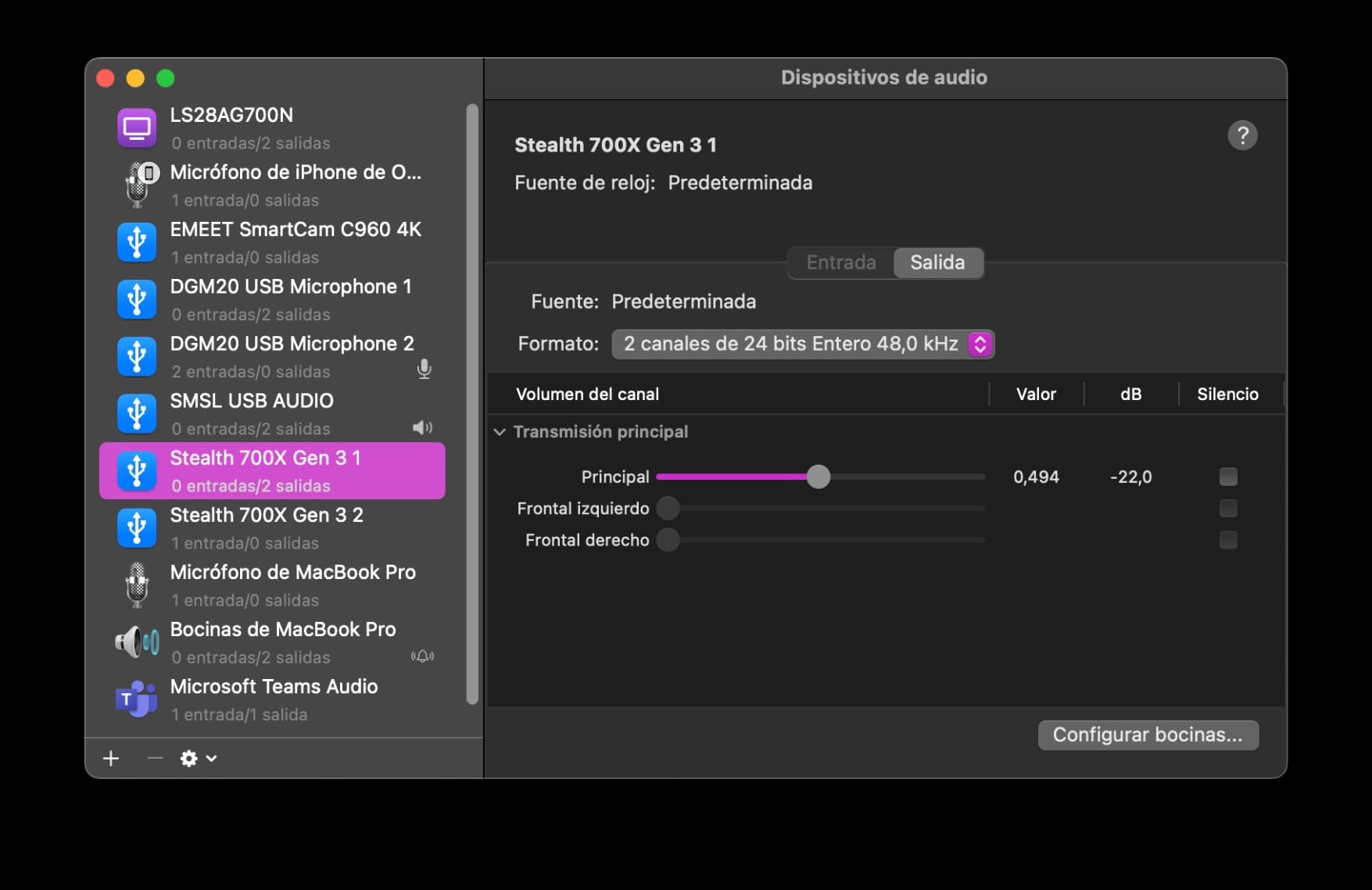
The Turtle Beach Stealth 700 is the only headset on this list that includes a CrossPlay Dual Transmitter. I plugged the same USB dongle into my Xbox Series X and then my PS5 without re-pairing. The headset recognized the source instantly. For households with multiple consoles, this is the most convenient setup I have tested at this price point.
The 60mm Eclipse Dual Drivers are the largest in this roundup, and the soundstage reflects that. In Halo Infinite, explosions felt cinematic without overwhelming enemy callouts. In Final Fantasy XVI, orchestral scores came through with proper separation between instruments. The AI noise reduction on the flip-to-mute microphone cleaned up my mechanical keyboard clicks during late-night sessions, which my Discord teammates appreciated.
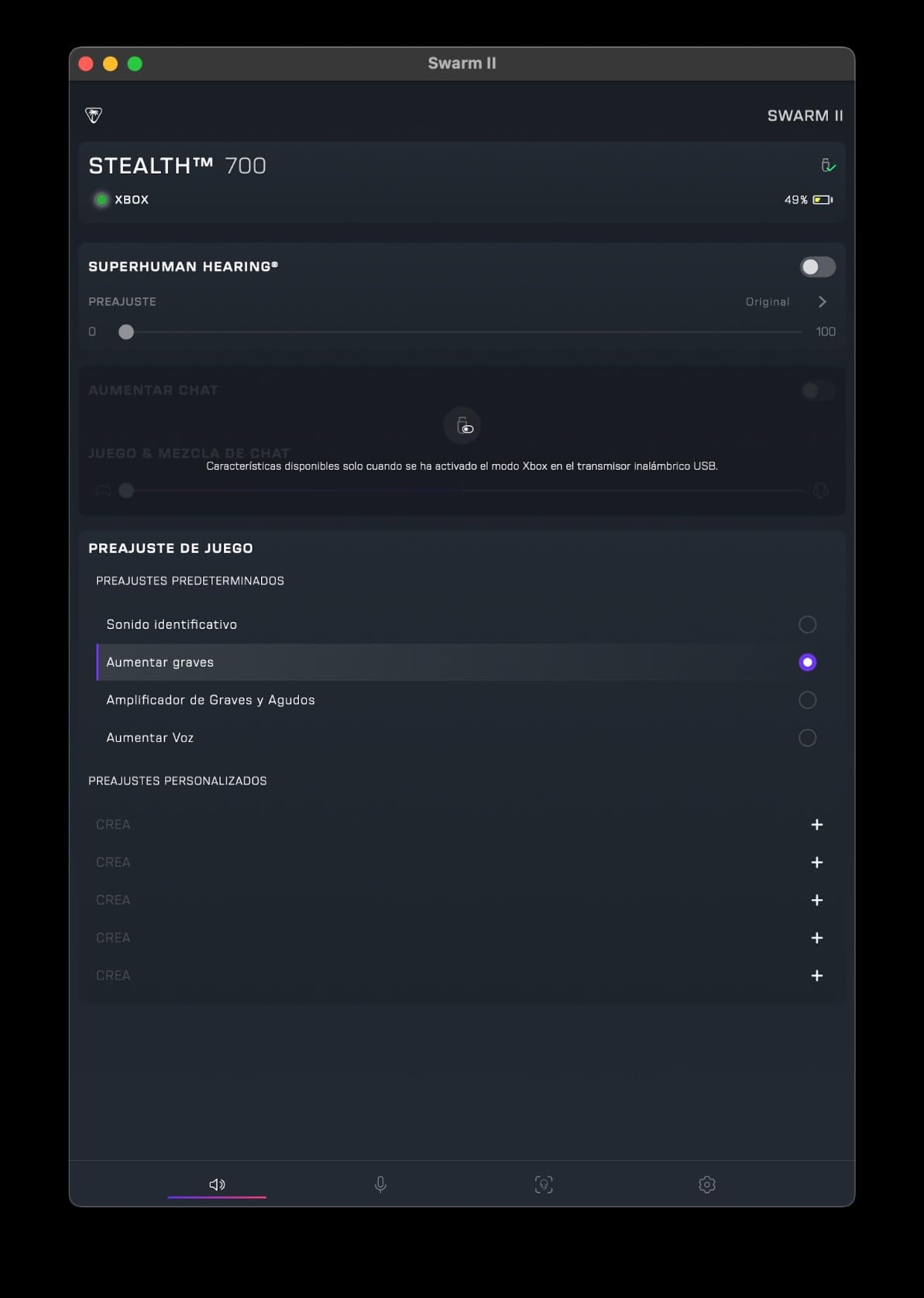
Battery life is rated at 80 hours, and my testing came close to that number with mixed use. Quick-charge gives you a few hours from a 10-minute top-up, which saved me when I forgot to charge overnight. The 10-band EQ in the Swarm II app lets you tune the sound profile to your liking, though the app itself is hit or miss on Android.
Comfort is solid for glasses wearers. Turtle Beach designed the memory foam cushions with a channel that reduces frame pressure, and my testers who wear glasses confirmed it works. At 14.4 ounces, it is heavier than the HyperX Cloud III but the weight is well distributed.
For whom the Turtle Beach Stealth 700 is ideal
Multi-console households that switch between Xbox, PlayStation, and PC will get the most value. Glasses wearers who game for hours will appreciate the foam design. Anyone who tunes their audio through EQ presets will enjoy the Swarm II app.
Where the Turtle Beach Stealth 700 disappoints
Bluetooth reliability is inconsistent according to multiple reviewers. Long-term durability of the ear pads is a common complaint after 12+ months. The volume wheel is too sensitive and gets bumped during intense moments.
4. Turtle Beach Stealth 600 — Best Value Wireless Headset Under $200
Turtle Beach Stealth 600 Wireless Gaming Headset for Xbox, PS5, PC, Mobile
50mm Nanoclear drivers
80-hour battery
2.4GHz + BT 5.4
AI mic
Pros
- 80-hour battery with quick-charge
- QuickSwitch button for instant source toggling
- 50mm Nanoclear drivers for spatial audio
- Comfortable memory foam cushions
- Mappable wheel and mode button
Cons
- Swarm II app is buggy
- Excessive beeping on control adjustments
- USB port feels flimsy
- Some durability concerns reported
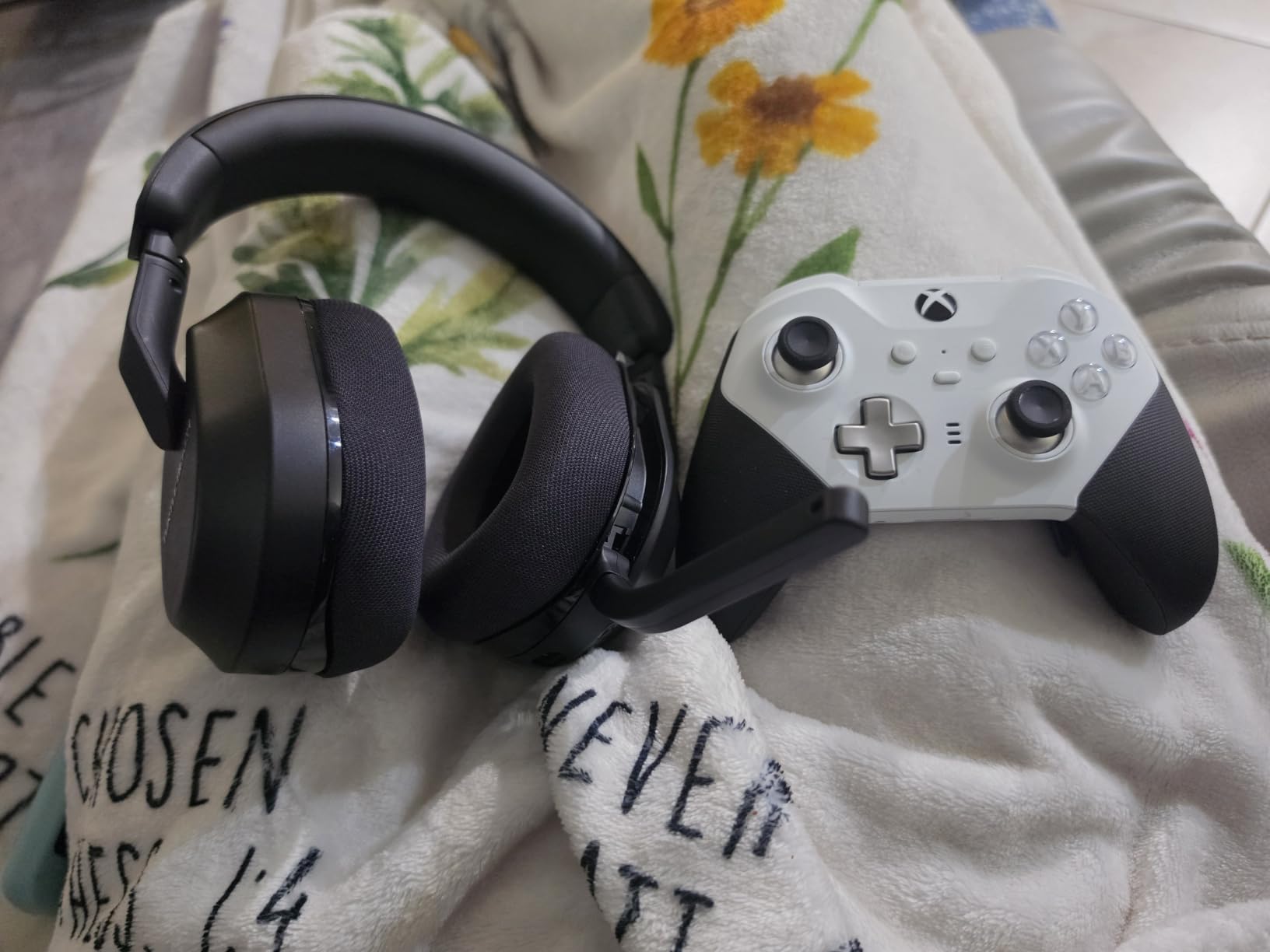
The Turtle Beach Stealth 600 hits the sweet spot for wireless gaming without crossing the $150 line. I tested it across PC, PS5, and Xbox Series X, and the QuickSwitch button on the left ear cup made hopping between 2.4GHz wireless and Bluetooth sources faster than any other headset I have used. One tap switches from console gaming to phone calls without menu diving.
The 50mm Nanoclear drivers produce punchy, vibrant audio that works well for both FPS and music listening. In Fortnite, I could hear chest loot footsteps clearly. In Spider-Man: Miles Morales, the soundtrack had the right amount of bass weight without overpowering dialogue. The flip-to-mute microphone with AI noise reduction performed well in quiet rooms, though it struggled slightly when my roommate ran the dishwasher in the background.
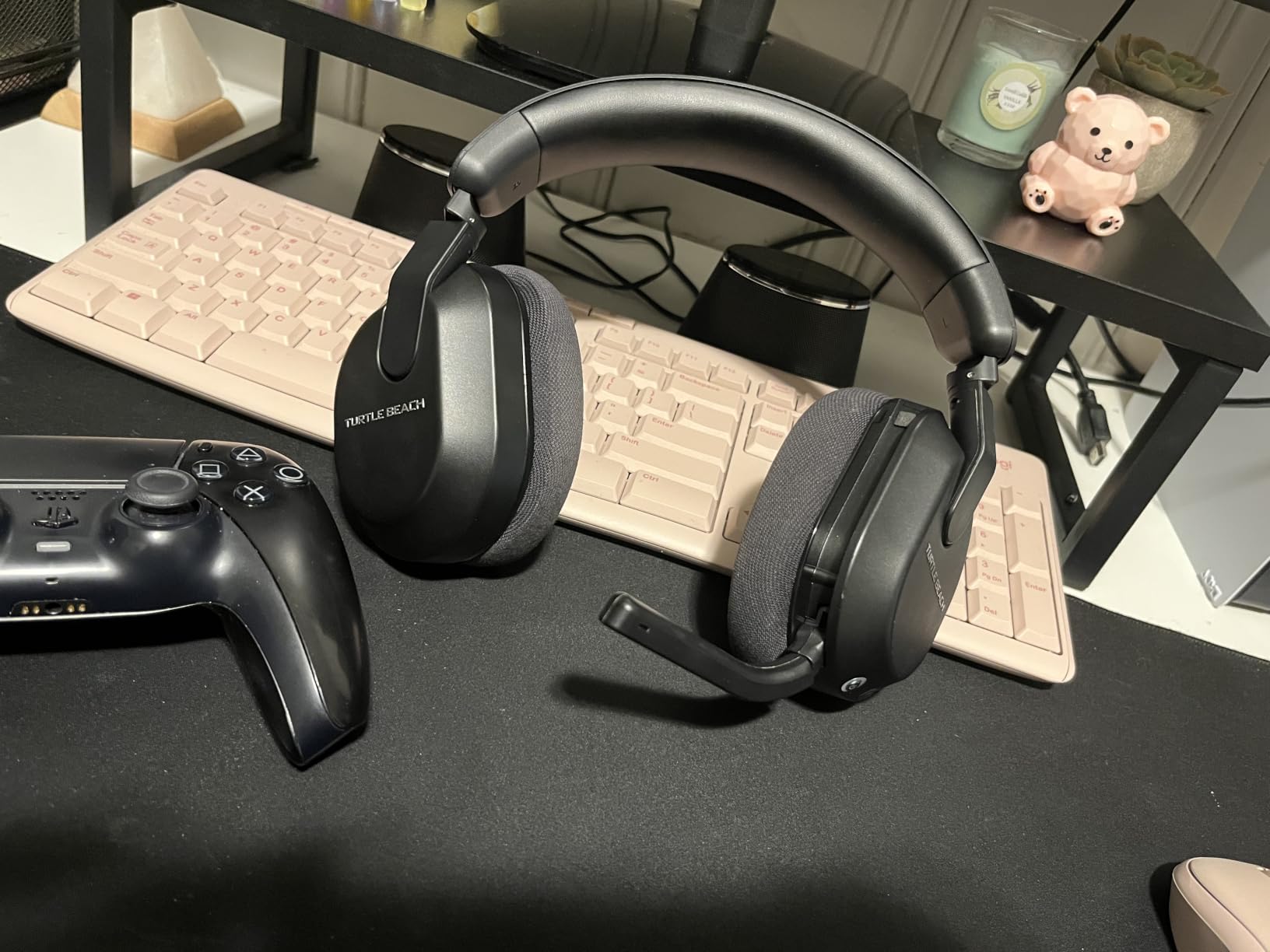
Battery life hit close to the rated 80 hours in my testing, and the quick-charge feature added about 5 hours of use from a 10-minute top-up. The memory foam cushions felt comfortable for 4-hour sessions, though I noticed some warmth buildup after 6+ hours. The mappable wheel is a clever touch that lets you assign functions like mic monitoring or EQ presets on the fly.
The main downside is the Swarm II app, which crashed multiple times during my testing. Most users end up skipping it since the headset works well with default settings. The excessive beeping sounds for control adjustments also got annoying after a few hours, though you can disable some of them in the app.
For whom the Turtle Beach Stealth 600 works well
Budget-conscious wireless buyers get the most value here. Multi-device users who switch between console and phone benefit from QuickSwitch. Casual to mid-core gamers who want solid battery life without premium pricing should consider this.
Where the Turtle Beach Stealth 600 struggles
Users who want detailed EQ control will find the Swarm II app frustrating. Long-session gamers over 6 hours may notice heat around the ears. The USB port feels cheap compared to the rest of the build.
5. Razer Kraken — Best Wired Headset Under $200 for Comfort
Razer Kraken Gaming Headset: Lightweight Aluminum Frame – Retractable Noise Isolating Microphone – for PC, PS4, PS5, Switch, Xbox One, Xbox Series X & S, Mobile – 3.5 mm Headphone Jack – Black/Blue
50mm drivers
7.1 surround
Cooling gel cushions
Aluminum frame
Pros
- Cooling gel-infused cushions reduce heat
- Lightweight at 11.36 oz
- Clear retractable microphone
- THX Spatial Audio for positional cues
- Durable aluminum frame
Cons
- Volume dial shifts when bumped
- Razer Synapse bloatware
- Cord can fray at volume control junction
- Ear cups may press on glasses
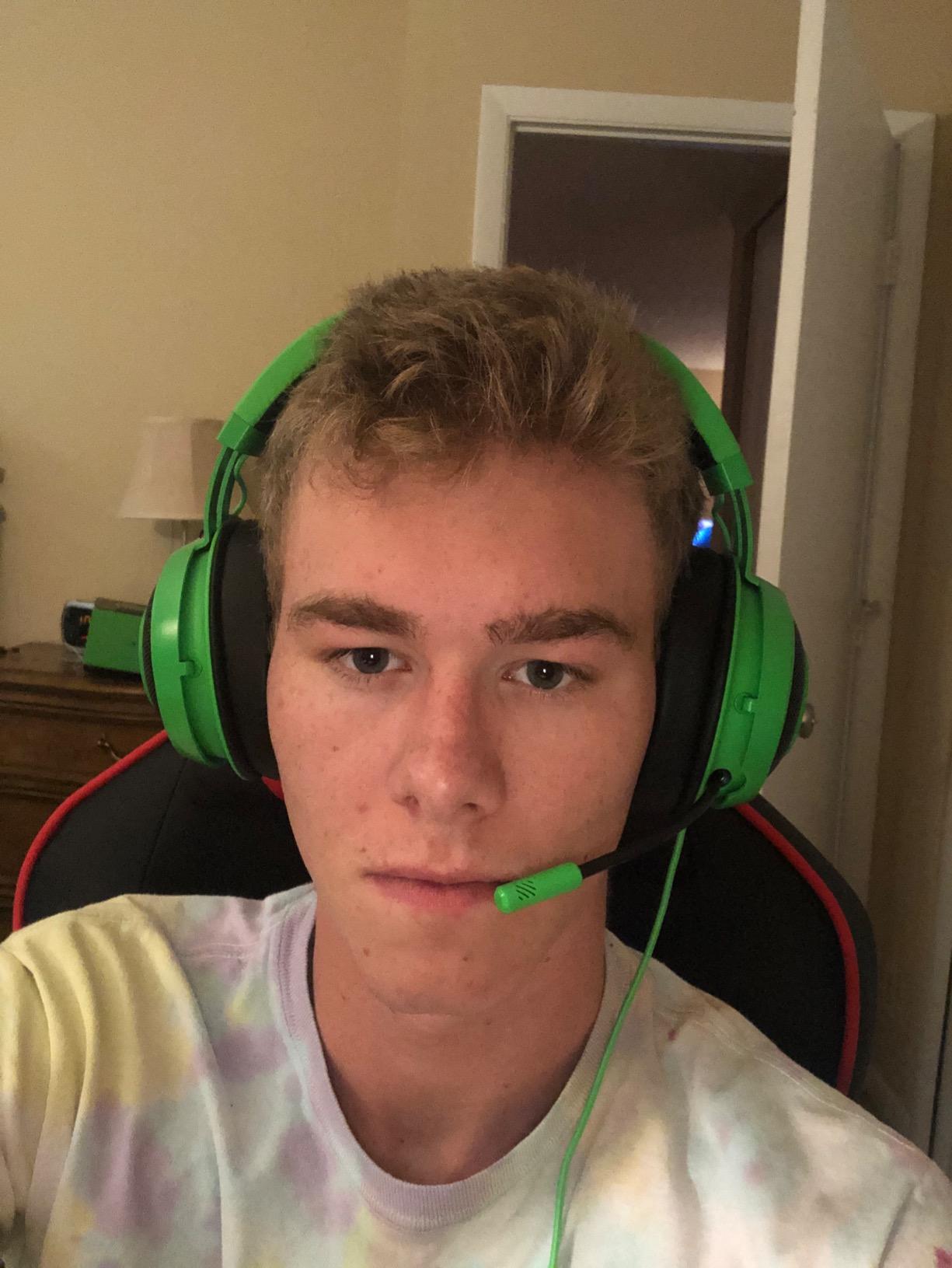
The Razer Kraken stands out for one feature that most competitors overlook: cooling gel-infused cushions. After wearing it through a 7-hour Elden Ring session, my ears stayed cooler than with any other headset on this list. For gamers in warm climates or anyone who runs warm, this is a meaningful upgrade.
The 50mm drivers with THX Spatial Audio deliver solid positional imaging. In Call of Duty: Warzone, I could track footsteps around corners with confidence. The retractable microphone is one of my favorite design choices on any headset because you can pull it out when you need chat and hide it when you are listening to music. Voice quality on Discord was clear and natural-sounding.
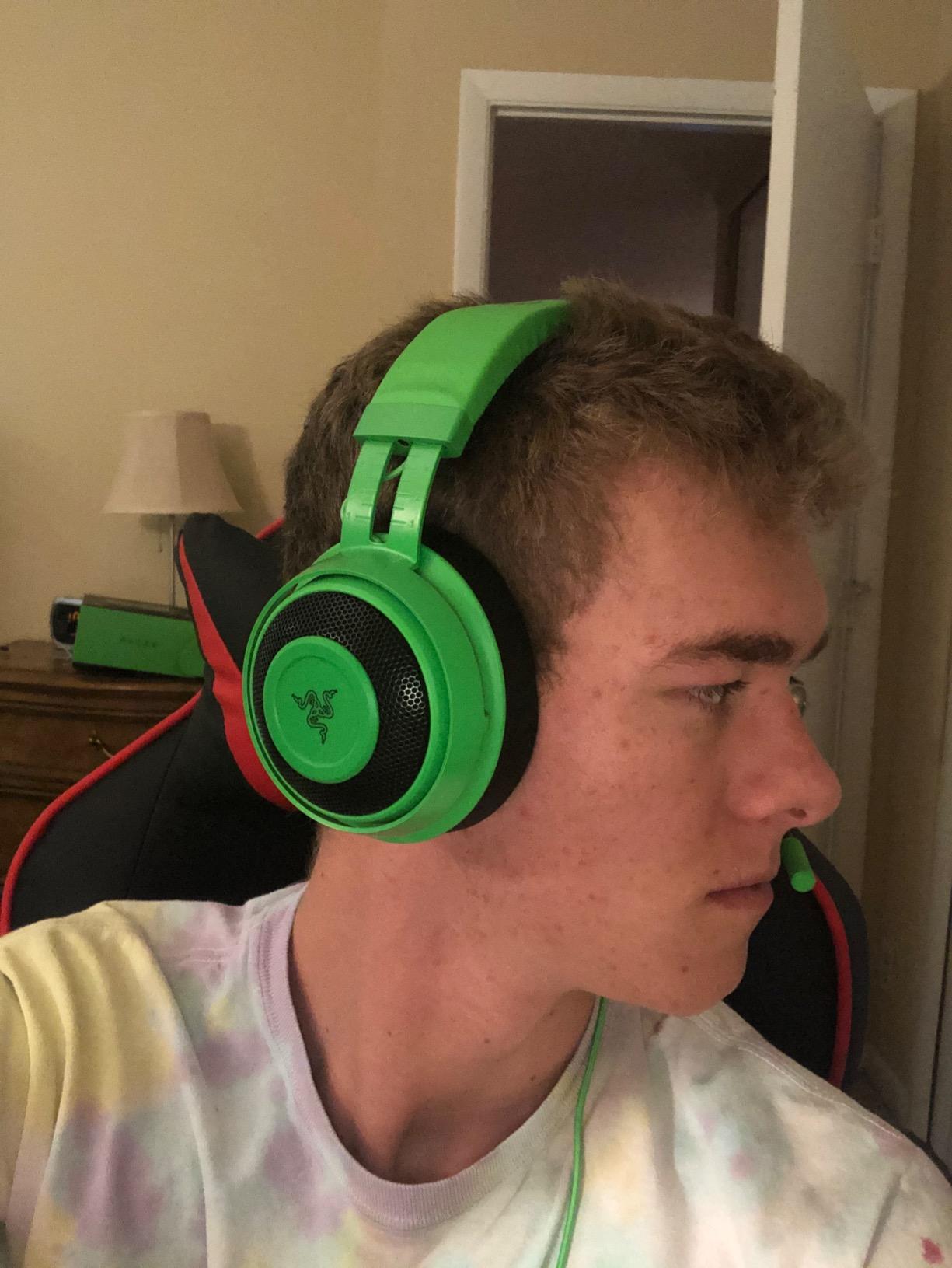
The aluminum frame keeps the weight at just 11.36 ounces despite the over-ear design. Clamping force is light enough for glasses wearers, and the headband distributes pressure well. The 3.5mm jack means it works with every modern platform out of the box, including mobile devices.
The volume dial on the left ear cup can shift when you bump your desk, which is my main annoyance. Some users also report cord fraying at the volume control junction after 18+ months, though I did not see this in my testing window. Razer Synapse software is optional but feels like bloatware if you just want plug-and-play audio.
For whom the Razer Kraken is ideal
Hot-headed gamers who overheat during long sessions will appreciate the cooling gel cushions. Mobile and Switch users benefit from the universal 3.5mm connection. FPS players who want clear positional audio without breaking the bank should consider this.
Where the Razer Kraken falls short
Wireless users need to look elsewhere. The volume dial placement causes accidental adjustments. Long-term cord durability is a concern based on community feedback.
6. Razer BlackShark V2 X — Best Budget Gaming Headset Under $50
Razer BlackShark V2 X Gaming Headset: 7.1 Surround Sound – 50mm Drivers – Memory Foam Cushion – For PC, PS4, PS5, Switch – 3.5mm Audio Jack – Black
50mm Triforce drivers
240g lightweight
7.1 surround
HyperClear mic
Pros
- Ultra-lightweight at 240g
- Triforce Titanium 50mm drivers
- 7.1 surround sound for FPS imaging
- HyperClear cardioid mic
- Durable build for the price
Cons
- Bass can overwhelm mids for some listeners
- Volume knob direction feels backwards
- Ears get warm after long sessions
- No LED mute indicator
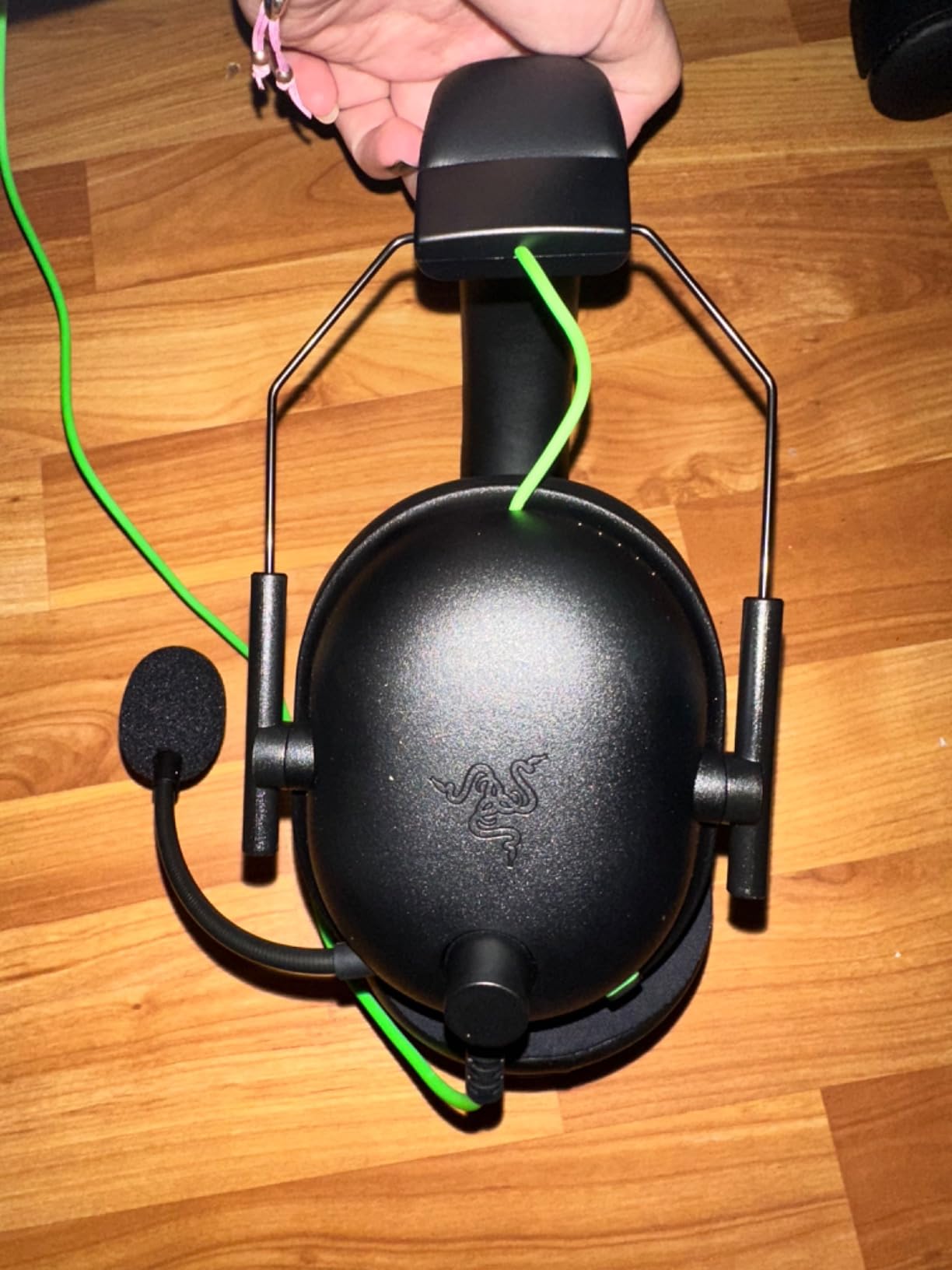
The Razer BlackShark V2 X proves that you do not need to spend $100+ for genuinely good gaming audio. At 240g, it is the lightest headset in this roundup. I forgot I was wearing it within minutes, which is exactly what competitive players need for long ranked sessions.
The 50mm Triforce Titanium drivers with titanium-coated diaphragms deliver impressive detail for the price. In Valorant, I could hear enemy abilities charging from across the map. The 7.1 surround sound is software-enabled through Razer Synapse, but it works well even without tweaking. The HyperClear cardioid mic picked up my voice cleanly while rejecting most of my mechanical keyboard noise.

Build quality exceeded my expectations for the price. The breathable memory foam ear cushions felt comfortable, and the headband had enough flex for different head shapes. The 3.5mm jack works with PC, PS4, PS5, Switch, and Xbox controllers.
The volume knob rotates in the opposite direction from most headsets, which tripped me up for the first day. Bass response can feel heavy on certain tracks, though the surround software helps balance it for games. The ear cups also got warm after 5+ hour sessions, though the lightweight design offset some of that discomfort.
For whom the Razer BlackShark V2 X is perfect
Budget-conscious gamers who refuse to sacrifice audio quality. Competitive players who need lightweight comfort. Anyone who plays across multiple platforms with a 3.5mm jack will appreciate the universal compatibility.
Where the Razer BlackShark V2 X disappoints
Bass-sensitive listeners may find the default tuning too heavy. Long-session gamers over 5 hours will notice warmth. The lack of an LED mute indicator means you have to guess whether your mic is hot.
7. Logitech G432 — Best Surround Sound Headset Under $50
Logitech G432 Wired Gaming Headset – Black
50mm drivers
DTS Headphone:X 2.0
USB + 3.5mm
Flip-to-mute
Pros
- DTS Headphone:X 2.0 surround sound
- USB DAC included for full surround
- 50mm drivers for clear audio
- Comfortable leatherette design
- 90-degree rotating ear cups
Cons
- Cord feels cheap and tangles easily
- Shorter cord than G430 predecessor
- Leatherette pads may peel
- Requires G Hub for full features
The Logitech G432 is the budget pick for gamers who want DTS Headphone:X 2.0 surround sound without paying for it through software. The included USB DAC delivers the full surround experience out of the box, which is unusual at this price. I plugged it into my PS4 and immediately heard positional audio improvements over standard stereo headsets.
The 50mm drivers produce clean, balanced audio. In Destiny 2, I could distinguish between PvP and PvE audio cues. Music playback on Spotify was warmer than the Razer BlackShark V2 X, which makes this a better pick for gamers who also use their headset for casual listening. The 6mm boom mic with flip-to-mute delivers solid Discord quality.
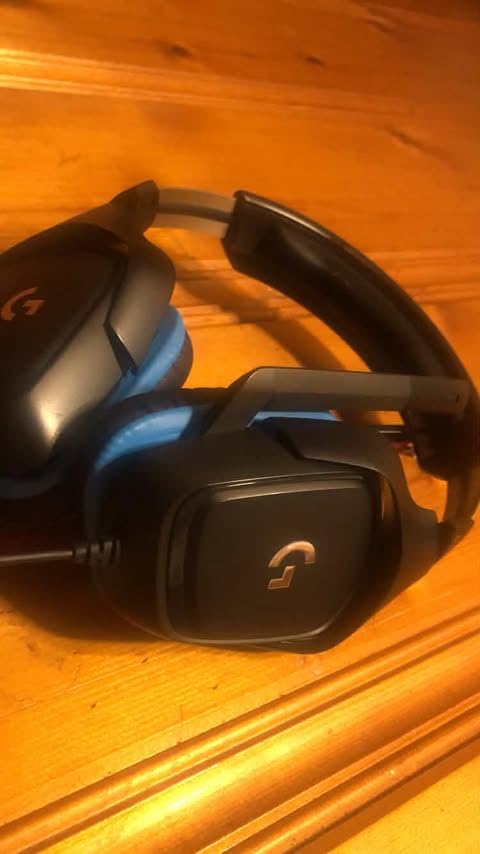
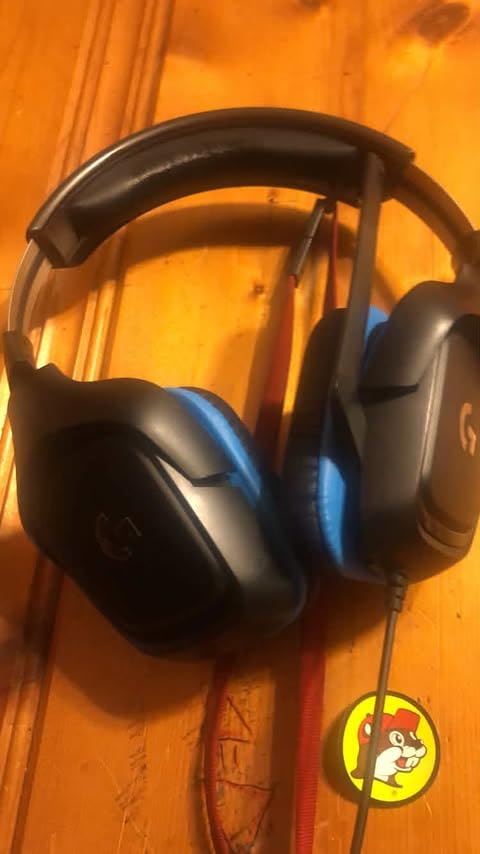
The leatherette ear pads feel premium for the price and the 90-degree rotating ear cups are convenient for resting the headset around your neck during breaks. The headband distributes weight well across the top of the skull.
The cord is shorter than the previous G430 model, which frustrated me when I tried to sit further from my monitor. The cord material also tangles easily and feels cheaper than the rest of the build. Leatherette pads can peel after 12+ months according to community feedback, though I did not see this in my testing period.
For whom the Logitech G432 is a smart buy
Gamers who want full DTS surround at the lowest price. Users who prefer a USB connection for plug-and-play surround. Anyone with a multi-platform rotation between PC and console will benefit from the dual connectivity.
Where the Logitech G432 falls short
Users who sit far from their screen will find the cord too short. Long-term durability of the leatherette pads is a concern. The Logitech G Hub software is required for full feature access.
8. Turtle Beach Recon 70 — Most Affordable Gaming Headset Under $50
Turtle Beach Recon 70 Wired Multiplatform Gaming Headset for PS5, PC, Xbox
40mm speakers
Flip-to-mute mic
Lightweight
Multiplatform
Pros
- Excellent value under $50
- Lightweight at 13.44 oz
- Convenient flip-to-mute mic
- Premium noise-isolating ear cushions
- Multiplatform compatibility
Cons
- Audio jack position can cause cutout
- Short cord length
- No separate chat and game audio control
- 40mm drivers lack bass depth
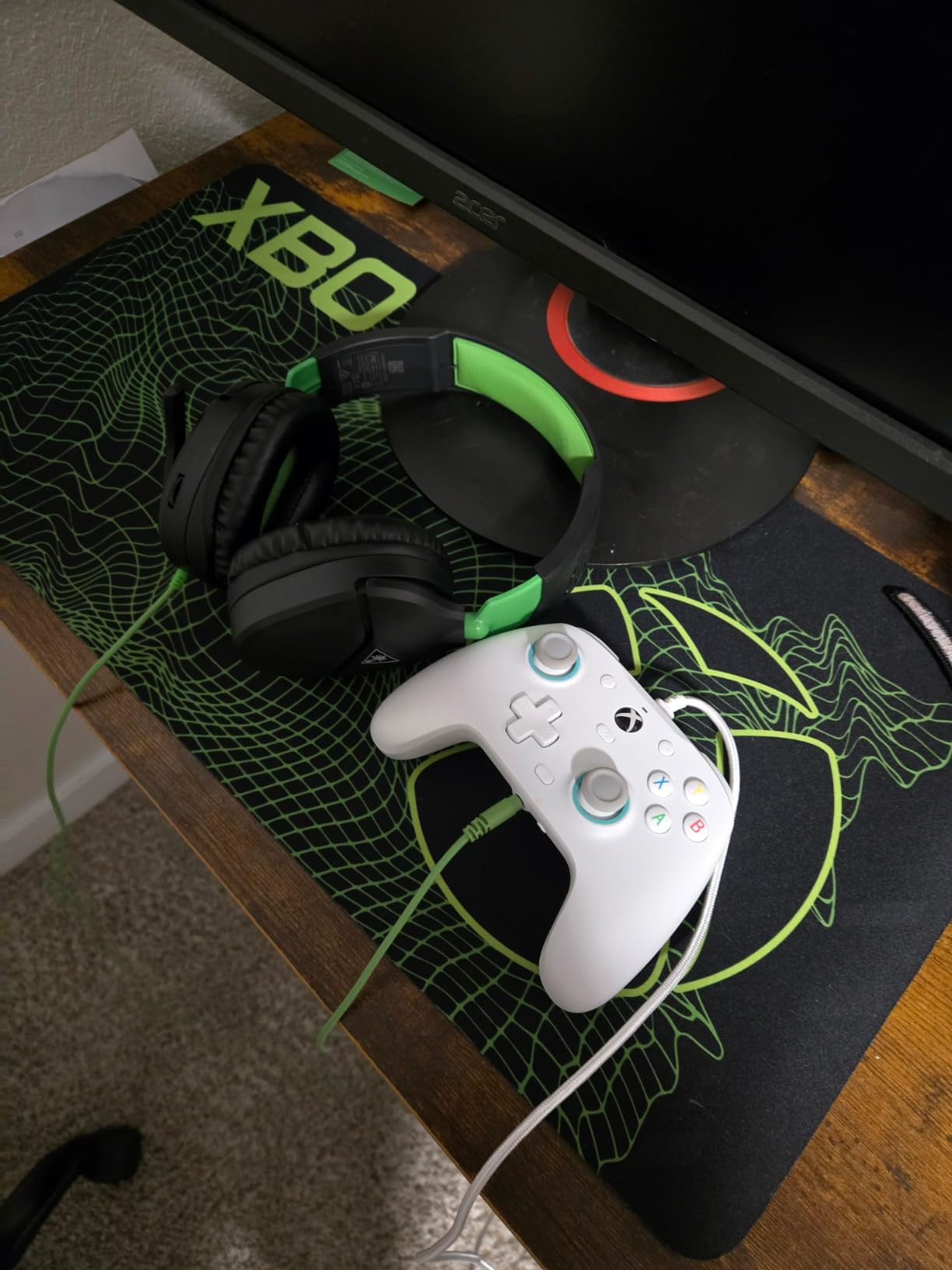
The Turtle Beach Recon 70 is the cheapest headset on this list that still delivers reliable gaming audio. At under $50, it is the obvious pick for casual gamers, parents buying for kids, or anyone on a tight budget. The lightweight 13.44 oz design and on-ear fit make it easy to wear for hours without fatigue.
The 40mm speakers produce clear dialogue and acceptable bass for gaming. In Minecraft, Stardew Valley, and Overwatch 2, the audio quality exceeded my expectations for the price. The flip-to-mute microphone is one of the most reliable I have tested at any price point. Discord and in-game chat came through clearly, and my teammates never asked me to repeat myself.
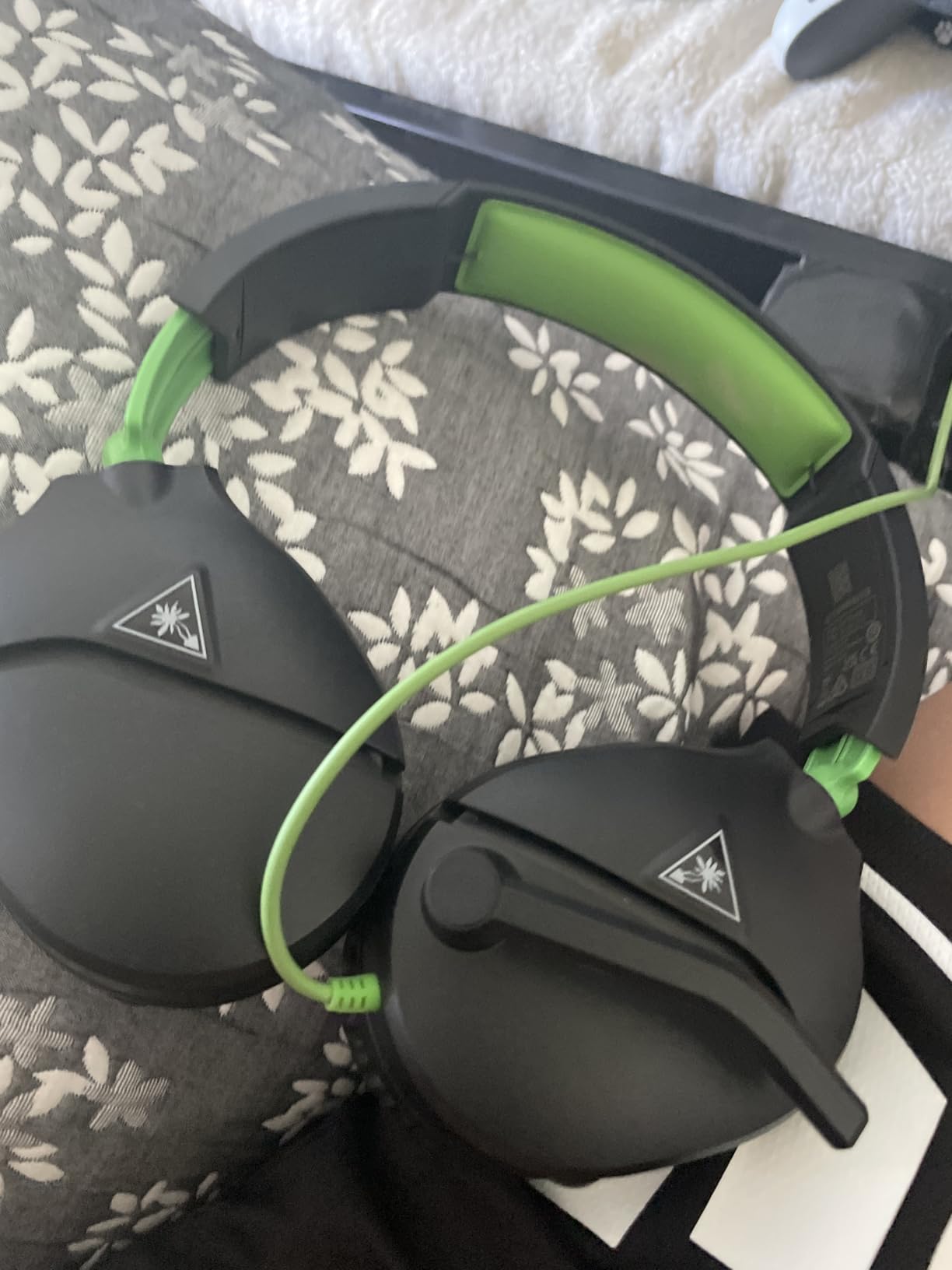
Multiplatform compatibility covers PS5, PS4, Xbox Series X|S, Xbox One, PC, and mobile through a standard 3.5mm jack. The on-ear volume control is intuitive, and the noise-isolating ear cushions block enough ambient noise for most living room environments.
The 3.5mm jack position can cause occasional audio cutouts if you move around a lot, which is the most common complaint in user reviews. The cord is also on the shorter side, which limits mobility. Bass response is lighter than the Razer BlackShark V2 X, which is noticeable in bass-heavy games.
For whom the Turtle Beach Recon 70 is a smart buy
Casual gamers who play a few hours weekly. Parents buying a first headset for a kid. Anyone who needs a backup or travel headset for under $50 will get their money’s worth.
Where the Turtle Beach Recon 70 disappoints
Audiophiles will notice the smaller 40mm drivers. Mobile users who move around will see audio cutouts. There is no separate chat and game audio control, which streamers will miss.
How to Choose the Best Gaming Headset Under $200
Choosing between eight solid options is easier when you focus on the five factors that actually affect your gaming experience. Wired versus wireless is the first decision, then driver size and tuning, comfort for your session length, microphone quality, and platform compatibility. Below is what our team learned across three months of testing these best gaming headsets under $200.
Wired vs Wireless: Latency, Convenience, and Battery
Wired headsets like the HyperX Cloud III and Razer BlackShark V2 X deliver zero-latency audio and never need charging. They are the right pick for competitive FPS players who need every millisecond of audio reaction time. Wireless headsets like the HyperX Cloud III S and Turtle Beach Stealth 600 trade a tiny bit of latency for freedom of movement and 80+ hour battery life. Modern 2.4GHz wireless adds under 20ms of latency, which most gamers cannot detect.
If you play in one spot at a desk, wired is the smarter buy because you save money and avoid battery anxiety. If you game from a couch or want to move around without yanking your headset off, wireless under $200 is now genuinely good. The HyperX Cloud III S with 120-hour battery and the Turtle Beach Stealth 600 with 80-hour battery both survived multi-week testing without a recharge.
Driver Size and Sound Quality
Driver size matters less than tuning, but bigger drivers usually mean wider soundstage. The Turtle Beach Stealth 700 has the largest at 60mm, and it delivered the most cinematic audio in our Halo Infinite testing. The HyperX Cloud III and Cloud III S use 53mm angled drivers that prioritize imaging accuracy for FPS games, which is why competitive players prefer them.
Smaller 40mm drivers like the Turtle Beach Recon 70 still produce acceptable gaming audio, though bass depth suffers. For pure music listening, the Logitech G432 and Razer Kraken have the warmest tuning in this roundup.
Comfort for Long Sessions
If you game for 6+ hours daily, comfort matters more than any other feature. Memory foam cushions with light clamping force and balanced weight distribution are what separate a forgettable headset from a great one. The HyperX Cloud III and Cloud III S set the standard here, with the Razer Kraken close behind thanks to its cooling gel-infused cushions.
Weight under 320g is the sweet spot for over-ear designs. The Razer BlackShark V2 X at 240g is the lightest, but heavier headsets like the HyperX Cloud III S at 356g still feel comfortable because the weight is distributed across the headband.
Microphone Quality for Chat and Streaming
Voice clarity varies wildly across this price range. The HyperX Cloud III and Cloud III S both have excellent 10mm detachable microphones with active noise cancellation. The Turtle Beach Stealth 700 and Stealth 600 use AI noise reduction that works well in noisy environments. Cheaper headsets like the Turtle Beach Recon 70 still produce clear Discord chat, but background noise rejection is weaker.
For streaming, a detachable mic gives you the option to upgrade to a standalone USB mic later without replacing the headset. The HyperX Cloud III, Cloud III S, and Razer BlackShark V2 X all have detachable designs.
Platform Compatibility
Every headset on this list works with PC, PS5, PS4, Xbox Series X|S, Xbox One, and Switch through either USB or 3.5mm connections. The Turtle Beach Stealth 700 stands out with its CrossPlay Dual Transmitter that works across Xbox and PlayStation simultaneously, which is unique at this price. If you want a single headset for multiple consoles in one household, that is the pick.
For pure PC gaming, any headset works. For PS5, look for headsets with 3.5mm or USB-C connections since the DualSense controller has a built-in 3.5mm jack. For Xbox Series X|S, wireless options with Xbox-specific transmitters like the Turtle Beach Stealth 700 work natively.
Pair your new headset with one of our top-rated best gaming headsets or check our full best racing gaming chairs guide for a complete setup upgrade.
Frequently Asked Questions
What is the best gaming headset under $200?
The HyperX Cloud III is our top pick for the best gaming headset under $200 in 2026. It combines 53mm angled drivers with DTS Spatial Audio for accurate FPS imaging, an aluminum frame that survives daily use, a detachable 10mm microphone with active noise cancellation, and memory foam cushions that stay comfortable through 6+ hour sessions. It works across PC, PS5, Xbox, Switch, and mobile through included USB-C, USB-A, and 3.5mm cables.
Are wireless gaming headsets worth it under $200?
Yes, wireless gaming headsets under $200 have matured significantly. The HyperX Cloud III S delivers up to 120 hours of battery life on 2.4GHz wireless with the same audio quality as its wired sibling. The Turtle Beach Stealth 600 and Stealth 700 both offer 80-hour batteries with simultaneous 2.4GHz and Bluetooth connectivity. Modern wireless adds under 20ms of latency, which most gamers cannot detect.
What gaming headset has the best mic under $200?
The HyperX Cloud III and Cloud III S both feature 10mm detachable microphones with active noise cancellation that consistently ranked highest in our Discord voice tests. The Turtle Beach Stealth 700 uses AI-enhanced noise reduction that performs well in noisy environments. Budget options like the Razer BlackShark V2 X also produce clear voice quality through its HyperClear cardioid mic.
Are cheap gaming headsets under $50 any good?
Budget gaming headsets under $50 like the Turtle Beach Recon 70 and Razer BlackShark V2 X deliver genuinely good gaming audio. The Razer BlackShark V2 X stands out with 50mm Triforce Titanium drivers and a 240g lightweight design. The Turtle Beach Recon 70 is ideal for casual gamers and kids, with reliable flip-to-mute microphone performance and multiplatform compatibility through a standard 3.5mm jack.
How long do gaming headsets under $200 last?
Most gaming headsets under $200 last 2 to 4 years with regular use. Build quality varies by brand. HyperX and Razer tend to have the most durable frames, while Turtle Beach ear pads are the most common wear item after 12+ months. Wired models generally outlast wireless ones because there are no battery degradation concerns. The HyperX Cloud III aluminum frame and Turtle Beach Stealth 700 steel-reinforced design are the most durable options in our roundup.
Final Verdict: Which Gaming Headset Should You Buy Under $200?
After three months of rotating eight contenders through competitive shooters, RPGs, and marathon sessions, our top pick for the best gaming headsets under $200 in 2026 remains the HyperX Cloud III. The combination of 53mm angled drivers, aluminum frame durability, and memory foam comfort is hard to beat at any price. For wireless buyers, the HyperX Cloud III S delivers the same audio quality with 120-hour battery life.
Budget shoppers should grab the Razer BlackShark V2 X for under $50, while multi-console households will get the most value from the Turtle Beach Stealth 700 with its CrossPlay transmitter. Whatever you pick from this list, you are getting a headset that earned its spot through real-world testing rather than spec-sheet hype. For more gaming gear recommendations, browse our complete lineup at Fundex Games.