
The best smart locks for apartment renters are retrofit models that mount on the inside of your existing deadbolt or clamp over it. Nothing gets drilled, the outside of the door looks the same as when you moved in, and your landlord’s original key still opens the lock from the hallway. Those three conditions — no drilling, unchanged exterior, working original key — separate locks that renters can actually install from locks that quietly violate a lease and cost you part of your security deposit.
Most renter guides open with a product list. This one opens with the rule that matters: if a lock requires you to remove the exterior deadbolt, drill new holes, or change the key cylinder, it is a landlord conversation first and a purchase decision second. Every pick below is judged on how reversible it is, whether the door survives the install, and what happens on move-out day.
We spent October 2026 reading the install documentation, bore requirements, connectivity notes, and renter reports for the 12 locks in this guide, then sorted them against the four questions that decide whether a smart lock works in an apartment: does it fit your bore, does it need a hub, does the landlord’s key still work, and can you undo it in ten minutes at move-out. Our method is documentary rather than bench testing, so treat every dimension and bore figure below as a manufacturer specification rather than a measurement of our own.
Our picks span the range. If you want remote access with zero extra hardware, the Schlage Encode Smart WiFi Deadbolt covers the most ground. If the door is a rental and the finish cannot be touched, the August Home Smart Lock sits inside and leaves everything outside alone. If you want no app at all, two keypad-only locks here will do the job for a full year between battery changes.
Top 3 Picks for Apartment Renters in 2026

Schlage Encode Smart WiFi Deadbolt
- Built-in WiFi with no hub
- Up to 100 access codes
- BHMA highest residential rating
- Snap n Stay screwdriver install

ULTRALOQ Bolt SE WiFi Smart Lock
- Matter over Thread support
- Built-in 2.4 GHz WiFi
- Fingerprint plus 50 passcodes
- Up to 18 months battery life

TEEHO TE001 Keyless Entry Deadbolt
- 20 access codes plus one-time codes
- Up to 365 days of battery life
- Screwdriver-only install
- No app or hub needed
The Schlage Encode takes the top slot because built-in Wi-Fi removes the single biggest complaint renters have about August-style retrofits: paying for a separate bridge. It does need permission to change the outside of the door, but it is the most complete lock here for a household sharing access with a partner, a sitter, or a contractor.
The ULTRALOQ Bolt SE earns the value slot for a different reason. It carries both built-in Wi-Fi and Matter over Thread, so it works with Apple Home, Alexa, Google Assistant, and SmartThings without a hub on the Wi-Fi path.
The TEEHO TE001 is the honest floor of this list. It has no app, no radio, and no cloud account, which in an older building with patchy Wi-Fi makes it the most dependable choice on the list.
A Best Smart Locks for Apartment Renters (October 2026)
| Product | Specifications | Action |
|---|---|---|
| Schlage Encode Smart WiFi Deadbolt |
|
Check Latest Price |
| ULTRALOQ Bolt SE WiFi Smart Lock |
|
Check Latest Price |
| TEEHO TE001 Keyless Entry Deadbolt |
|
Check Latest Price |
 Veise KS02A Fingerprint Door Lock Veise KS02A Fingerprint Door Lock |
|
Check Latest Price |
 eufy Security Smart Lock C220 eufy Security Smart Lock C220 |
|
Check Latest Price |
 August Home Smart Lock 3rd Generation August Home Smart Lock 3rd Generation |
|
Check Latest Price |
 eufy Security Smart Lock C210 eufy Security Smart Lock C210 |
|
Check Latest Price |
 DESLOC B200 Fingerprint Smart Door Lock DESLOC B200 Fingerprint Smart Door Lock |
|
Check Latest Price |
 CANDY HOUSE Sesame 5 Smart Lock CANDY HOUSE Sesame 5 Smart Lock |
|
Check Latest Price |
 Veise RZ-A Electronic Keypad Deadbolt Veise RZ-A Electronic Keypad Deadbolt |
|
Check Latest Price |
 Zylenor Built-in WiFi Smart Lock Zylenor Built-in WiFi Smart Lock |
|
Check Latest Price |
 Sifely Fingerprint Smart Deadbolt Sifely Fingerprint Smart Deadbolt |
|
Check Latest Price |
Before You Buy: Ask Your Landlord First
Can you put a smart lock on your apartment door? Usually yes, with written permission. The issue is never the electronics — it is the wording in your lease. Standard leases routinely prohibit “alterations,” “fixtures,” “locksmith services,” or “changes to the premises” without owner consent, and some buildings control the cylinder through a master-keyed system where swapping the lock breaks the building’s emergency access.
Ask in writing and keep the answer. A text message from the landlord or a property manager is usually enough for an interior-only retrofit; a full deadbolt replacement often needs the same answer plus a promise to rekey at move-out. Here is a message that works:
Hi [name], I would like to add a smart lock to my apartment door at [address]. The lock I am considering attaches to the inside of the existing deadbolt and does not change the outside of the door, your key, or the key cylinder. I can install and remove it myself in about 15 minutes and return the door to its current condition before I move out. If you would prefer a different model, or if you would like it rekeyed to your building standard at move-out, I am happy to do that. Can you confirm this is okay in writing?
Two things make landlords say yes more often. First, name the specific model and where it attaches. Second, offer the move-out rekey in the same message. Property managers are far more comfortable when the exterior of the door is untouched and the original key still works, which is exactly why the interior-only and over-the-deadbolt designs below get approved while full replacements get argued about.
1. Schlage Encode Smart WiFi Deadbolt — Best Overall for Renters
Schlage Encode Smart WiFi Deadbolt Lock with Century Trim, Matte Black
Built-in WiFi
No hub required
Up to 100 access codes
4 AA batteries, about 6 months
Pros
- Built-in Wi-Fi means no separate bridge or hub to buy and power
- Up to 100 programmable access codes for roommates
- dog walkers and short-term guests
- Tool-only install with no hardwiring
- BHMA highest residential security and durability rating
- Works with both Alexa and Google Home
Cons
- Highest price point and heaviest lock body in this roundup
- Zinc construction and full-size interior assembly feel bulky on thin doors
- Fingerprint-resistant touchscreen still collects fingerprints over time
The Schlage Encode is the lock I would put on my own apartment door first. It replaces the whole deadbolt — exterior and interior — which means it does need landlord sign-off, but once that is granted it needs nothing else. The built-in Wi-Fi is the part that matters for renters: no August Connect bridge, no extra device on a network, no second thing to plug in.
Connect it to your router during setup, and remote unlock, lock history, and up to 100 access codes all run from the Schlage Home app. Four AA batteries are included, with a stated life of up to six months and a low-battery indicator on both the lock and in the app.
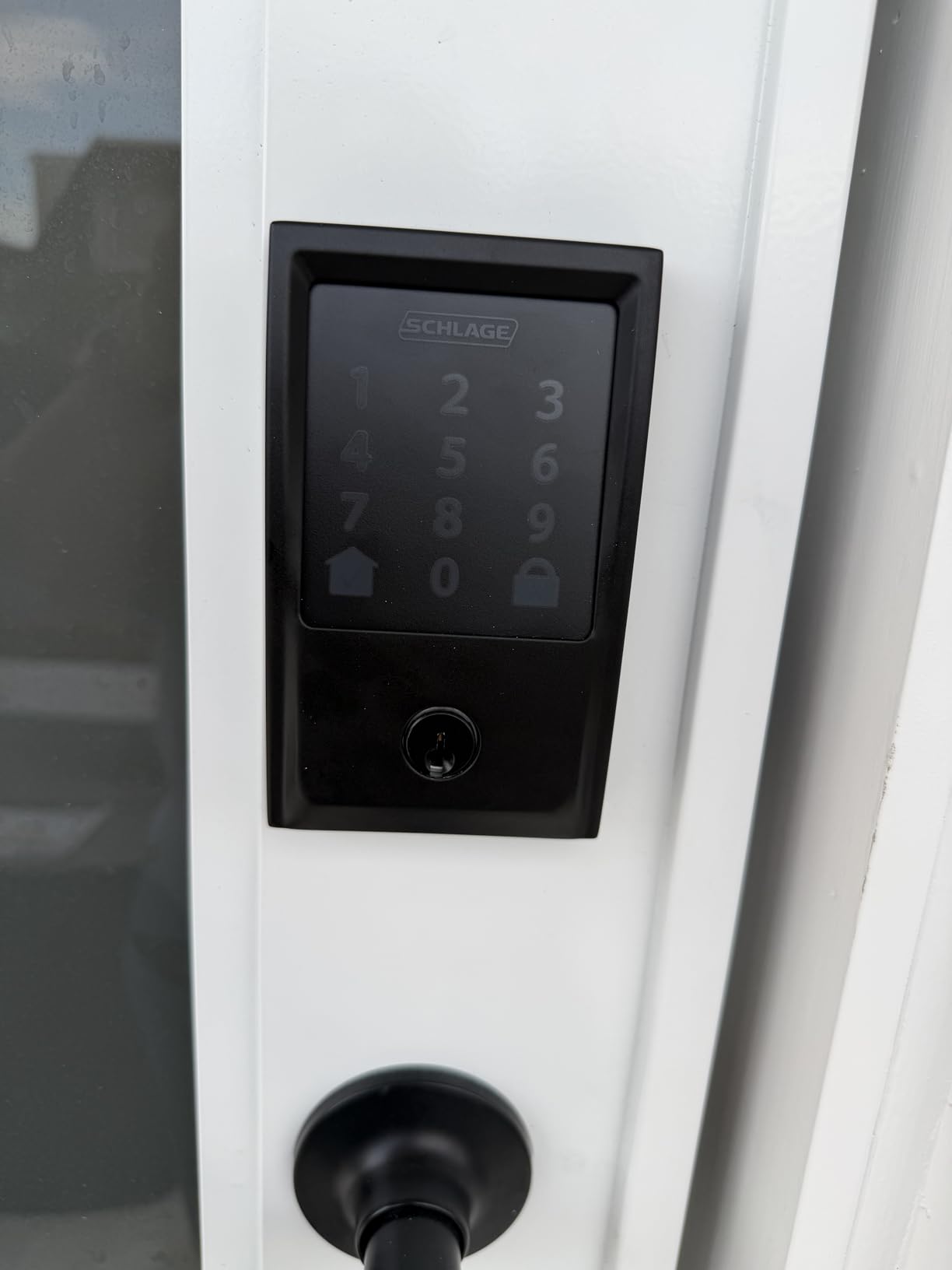
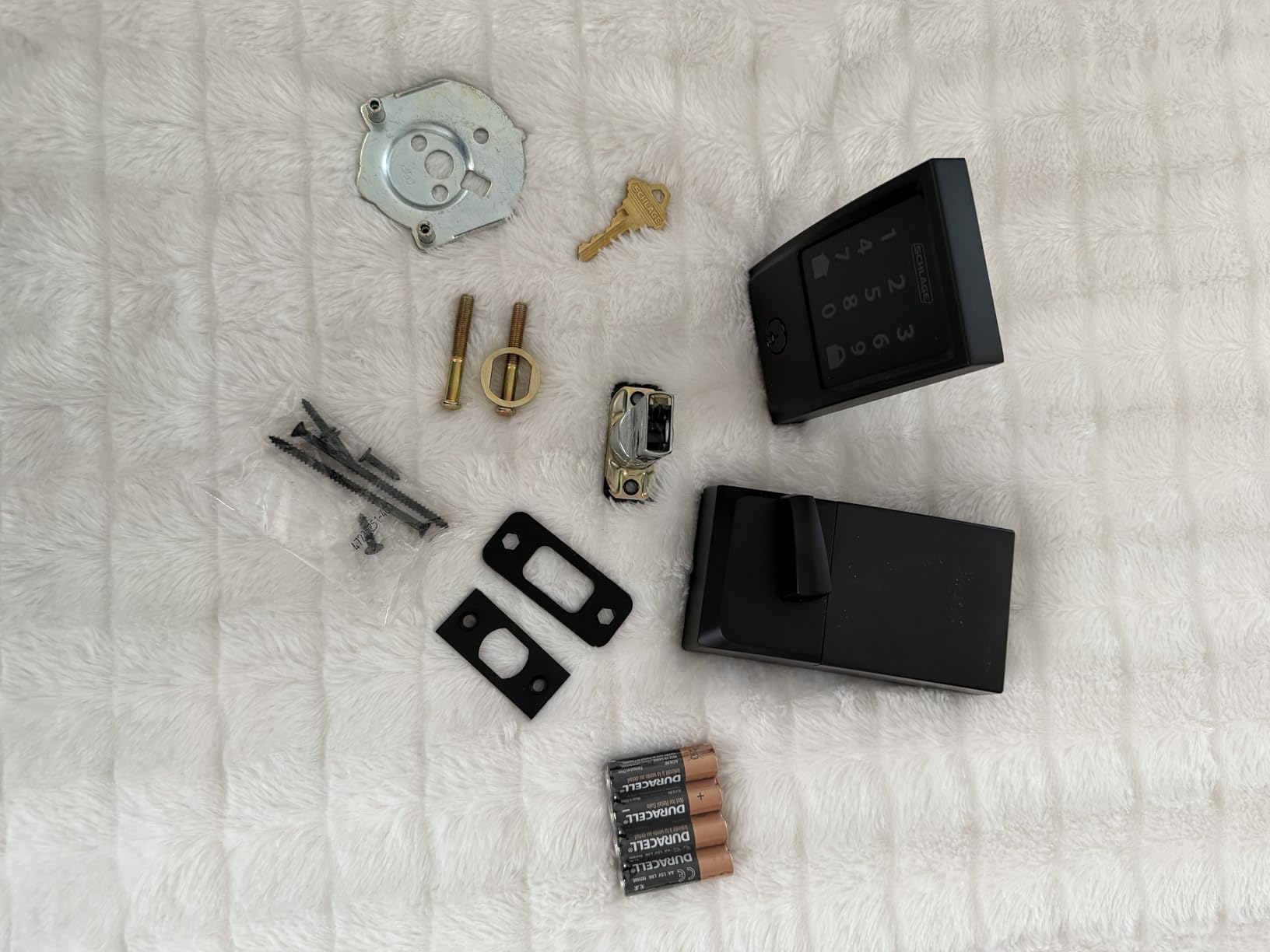
Fit is where this one can disappoint. The manufacturer lists compatibility with doors from 1-3/8 inch to 1-3/4 inch thick and a backset of 2-3/8 inch or 2-3/4 inch. That covers most US apartment doors, but not the thin hollow-core doors and surface-mounted hardware common in older buildings.
The security story is the strongest on the list. It carries the highest residential certification from BHMA for security, durability, and finish, an encrypted connection, a fingerprint-resistant touchscreen, and a built-in alarm you can tune for door movement and forced-entry attempts. Our broader smart lock testing notes are in the smart lock picks for doors guide.
Who this lock suits
It suits a household sharing one door among several people — a partner coming and going, a dog walker twice a day, a contractor booked for one afternoon. A hundred codes means you are not retyping the same PIN and hoping nobody remembered to delete it.
It also suits anyone whose building Wi-Fi reaches the entry door. Built-in Wi-Fi needs a 2.4 GHz network in range; in a large unit with a metal entry door, test the signal before you commit.
Where it falls short
It is the bulkiest interior assembly in this roundup at 3.4 pounds, and on a thin door the interior plate can foul the door stop or the frame. Measure before you buy.
It changes the outside of the door. If your lease forbids alterations, or your building master-keys the cylinders, this is not the pick — the August Home Smart Lock below is.
2. ULTRALOQ Bolt SE WiFi Smart Lock — Best Value with Matter Support
ULTRALOQ Bolt SE Wi-Fi Smart Lock, Matter Over Thread, App Remote Access
Matter over Thread
Built-in 2.4 GHz WiFi
Fingerprint plus 50 codes
Up to 18 months battery
Pros
- Dual connectivity: built-in Wi-Fi plus Matter over Thread for Apple Home flexibility
- Fingerprint plus 50 passcodes covers family
- guests and service providers
- Long 18-month advertised battery life on Thread
- IP65 weather sealing works on exposed entry doors
- Temporary eKeys suit short-term rental turnover
Cons
- Door sensor is not included
- so ajar detection is unavailable
- Wi-Fi is 2.4 GHz only and needs the router within roughly 70 ft
- Matter over Thread features require a separate Thread Border Router
- Fingerprint storage capped at 50
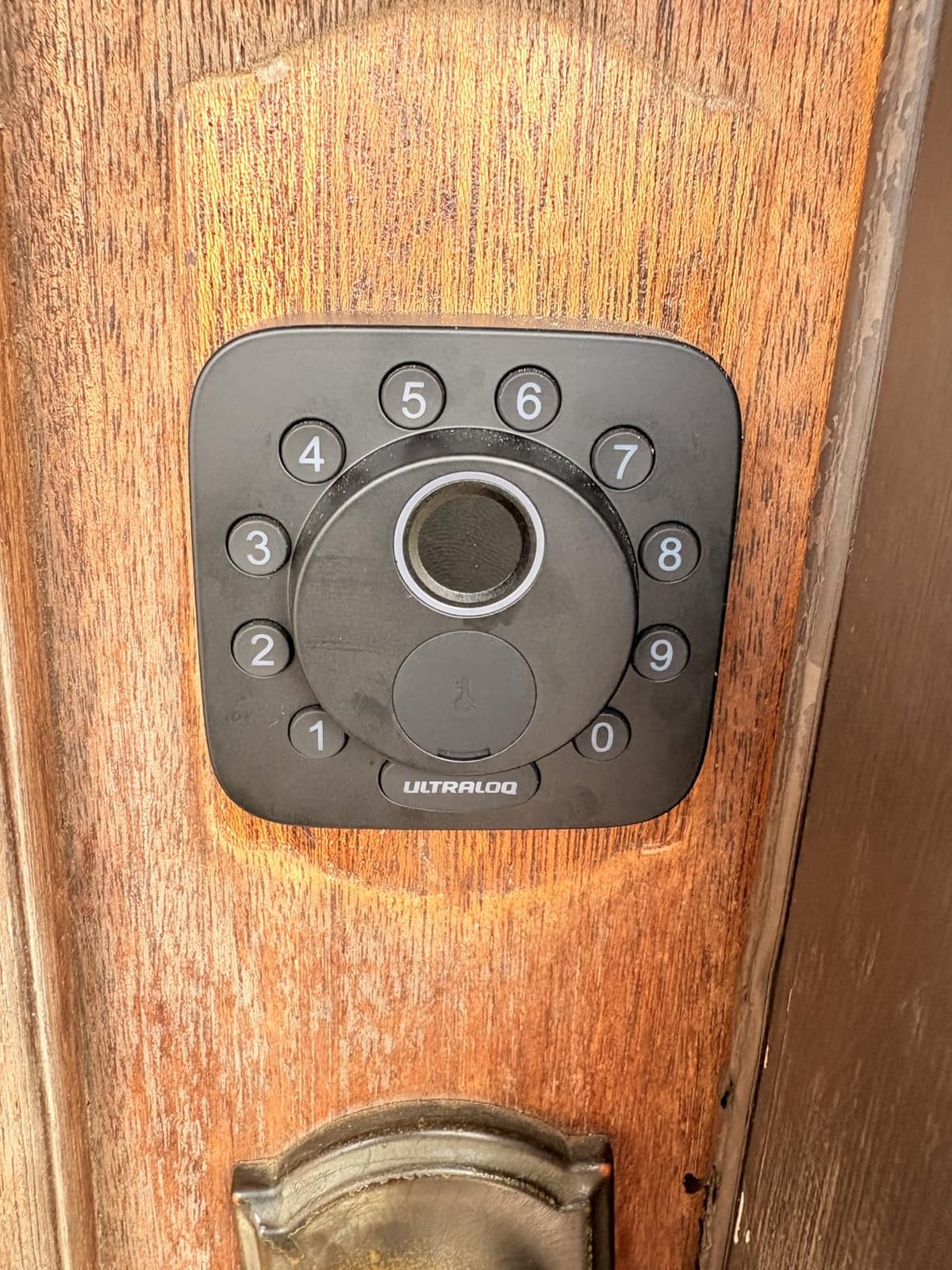
The Bolt SE does something none of the other Wi-Fi locks here do: it carries Matter over Thread as well as a built-in 2.4 GHz radio. That means Apple Home users are not pushed toward a bridge to get remote access, and Matter apps see the lock directly over the Thread mesh.
Entry methods are generous. You get up to 50 fingerprints, up to 50 passcodes, temporary eKeys you can share and revoke, the app, a web portal, and voice control through Siri, Alexa, or Google Assistant. Two mechanical keys ship in the box.
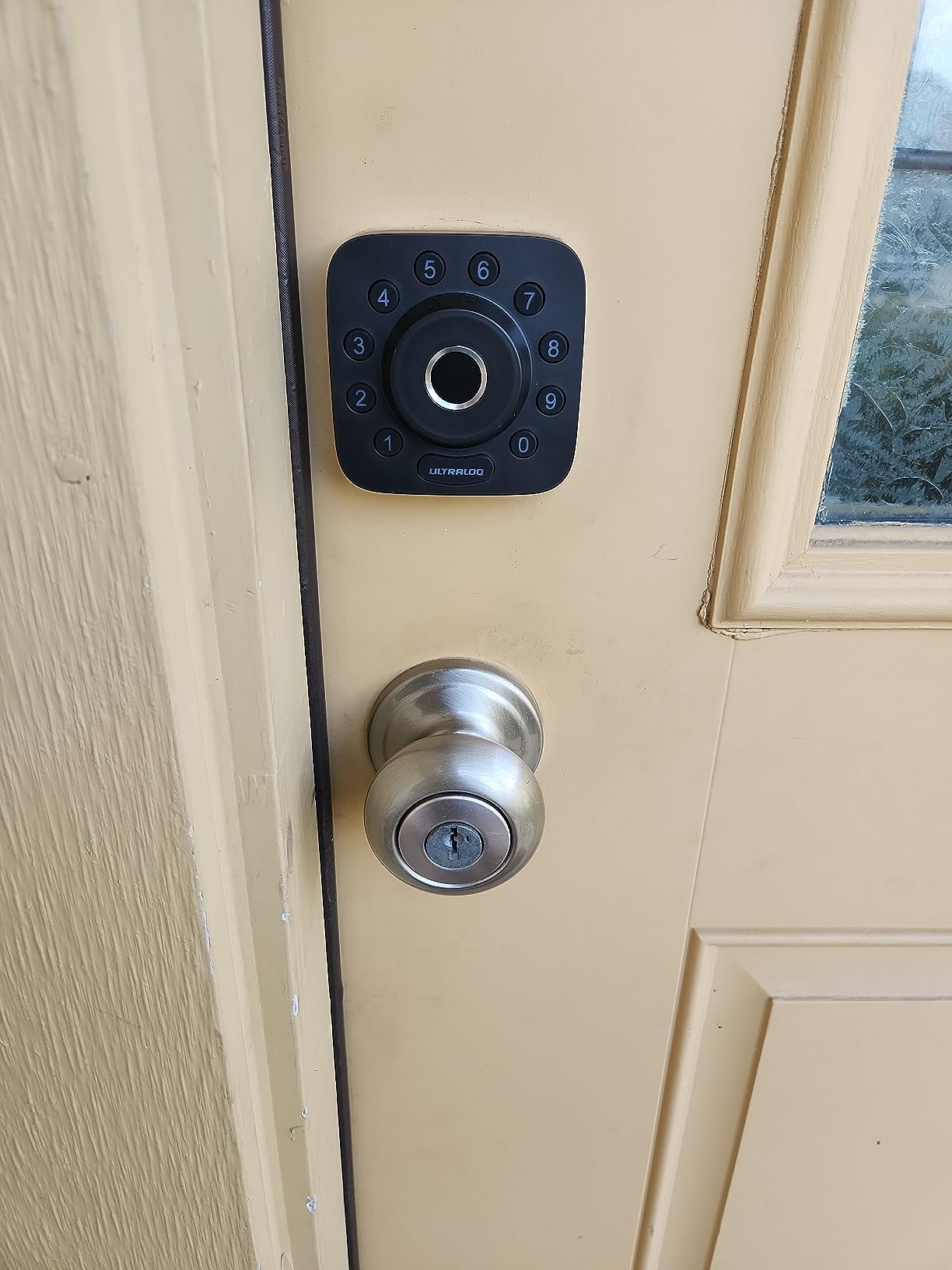
The spec sheet claims a 10-minute install, and the unit is a zinc alloy body rated to IP65 with ANSI BHMA certification. That water rating is the highest here, which matters if your front door faces street-facing weather without a storm door.
Battery life is quoted at up to 18 months, and that figure depends on running over Thread rather than sitting on Wi-Fi. Owners using the Wi-Fi path will see less. Auto-lock can run on a preset timer or through the one-touch button lock.
Who this lock suits
It suits a mixed-ecosystem household where one person uses Apple Home and another uses Alexa, and neither wants to give up. It also suits a short-term rental where you hand out temporary eKeys rather than rekeying between guests.
It suits a building with weak interior Wi-Fi, since the Thread mesh can carry the connection further than the lock’s own radio would.
Where it falls short
There is no door sensor, so the lock cannot tell you the door is still ajar. In an apartment where a shared hallway door gets propped, that is a real loss.
Matter over Thread needs a Thread Border Router, and the 2.4 GHz Wi-Fi range requirement of roughly 70 ft from the router is a constraint in a large apartment. Fingerprint storage stops at 50.
3. TEEHO TE001 Keyless Entry Deadbolt — Best for Renters Who Want No App
TEEHO TE001 Keyless Entry Deadbolt with Keypad for Front Door, Matte Black
20 access codes
One-time guest code
Up to 365 days on 4 AA
Screwdriver-only install
Pros
- No app
- hub or Wi-Fi needed so it works in buildings with weak networks
- 20 codes plus one-time guest codes are easy to hand to a roommate or sitter
- One-touch auto-lock is faster than a handle lock
- Ranks number one in the Deadbolts category
- Two backup keys included
Cons
- Only fits 2-1/8 inch (54mm) door holes and will not fit 38mm holes
- Must be reset before first use so it can detect the door hand
- No app or remote access so codes change only at the keypad
- 4 AA batteries are not included
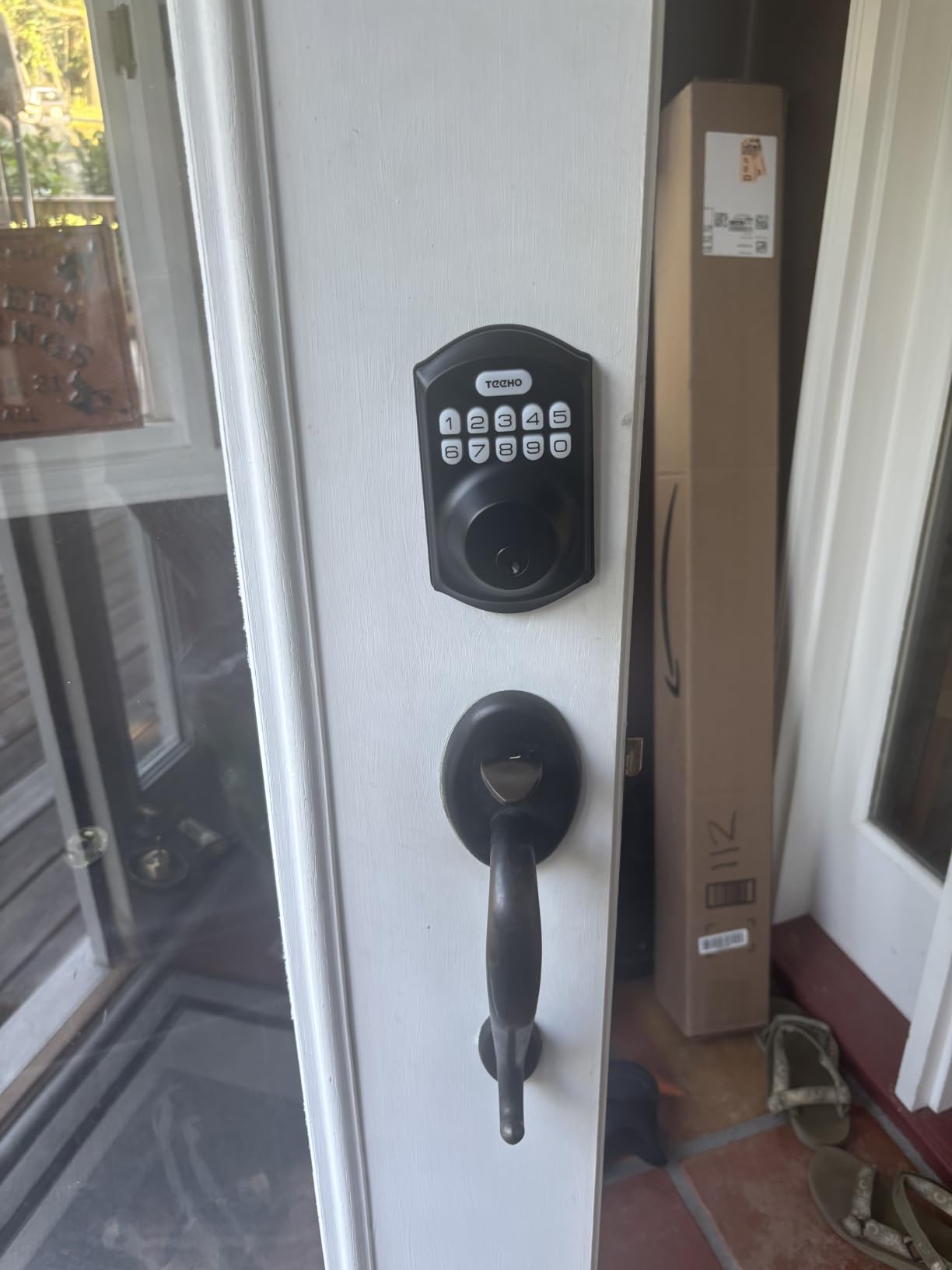
The TEEHO TE001 is what I recommend when the building’s network is unreliable or the tenant would rather not create another cloud account. There is no radio at all. Codes are entered on the keypad, the lock does its job, and that is the end of it.
You get 20 access codes plus a single-use temporary guest code that deletes itself after the first entry. Auto-lock is adjustable from 10 to 99 seconds, and holding any key for two seconds locks on demand.
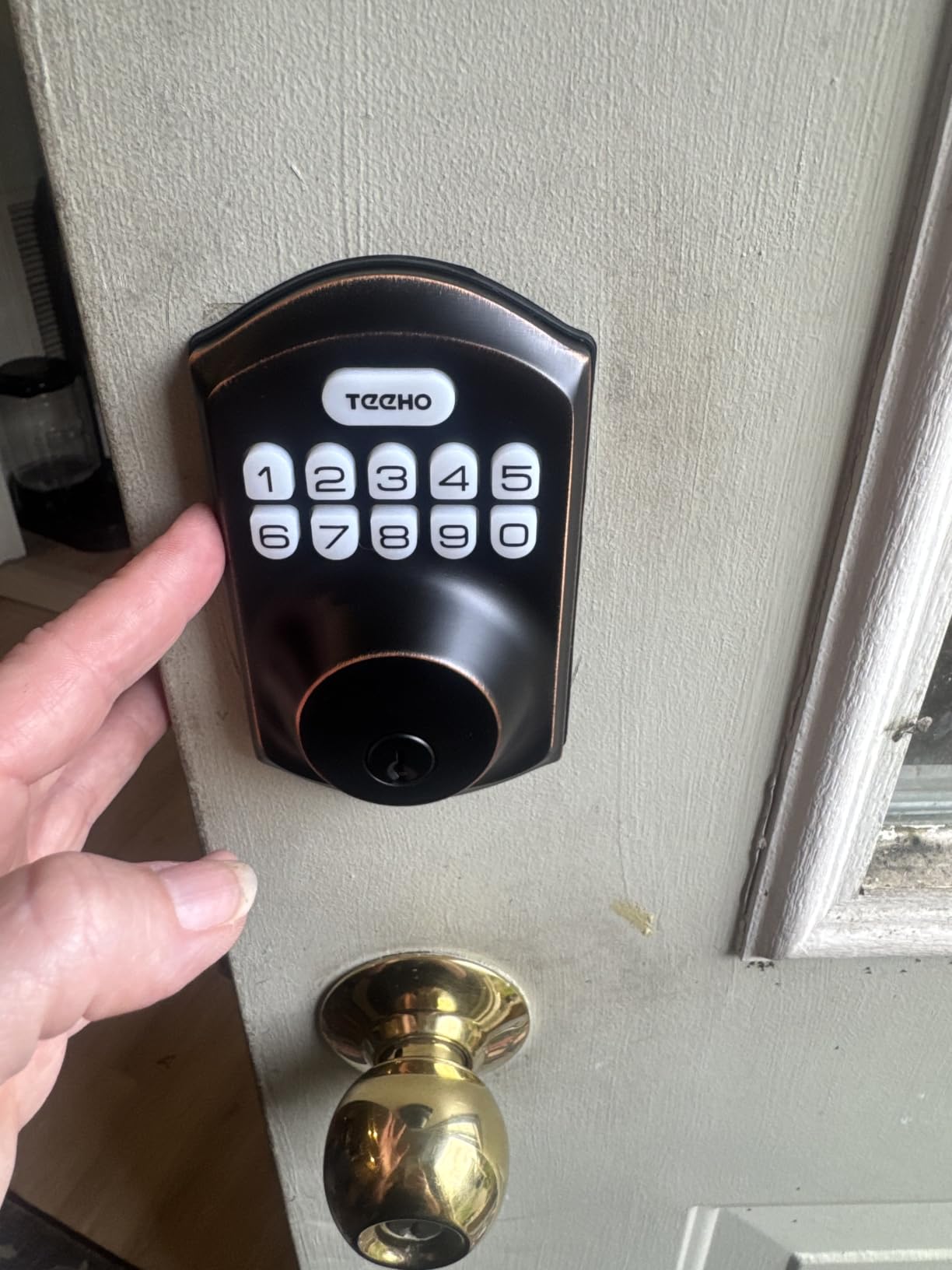
Battery life is the standout spec: up to 365 days on four AA cells, with a red indicator below 15 percent. Two SC1 backup keys come in the box, and the aluminum alloy body carries an IP54 weather rating.
Install is screwdriver-only. One step catches people out: reset the lock after inserting the first batteries so it detects which side the hinges are on, otherwise the thumb turn can operate backwards.
Who this lock suits
It suits a shared rental where a cleaner, a roommate, and a friend each get their own code and nobody needs to see anyone else’s. One-time codes are useful for a single contractor visit.
It also suits anyone who wants keyless entry without handing an apartment key to a stranger. Two physical keys in the box give you a fallback if the batteries die.
Where it falls short
The bore requirement is strict: 2-1/8 inch, or 54mm, only. If your existing bore is 38mm, this lock will not fit without modifying the door — which is exactly the situation a renter should not create.
There is no remote unlock, so if you lock yourself out you are relying on a physical key. Batteries are not included, and you must reset the lock before first use.
4. Veise KS02A Fingerprint Door Lock — Fingerprint Entry Without an App
Veise KS02A Fingerprint Door Lock, Keypad Deadbolt, Matte Black
20 fingerprints
0.2 second reads
Anti-peeping code
365+ days on 4 AA
Pros
- Fingerprint entry at this price point is unusual in the class
- Self-learning AI chip improves accuracy with each use
- Local encrypted storage with no cloud account required
- Anti-peeping and one-time codes suit shared rentals
- Vacation and silent modes with a 365-day battery claim
Cons
- Front and back panels must be perfectly vertical or the sensor misreads
- No app or Wi-Fi so fingerprints and codes are managed only at the keypad
- Fits 2-1/8 inch bores only and needs 35mm to 50mm door thickness
- 4 AA batteries are not included
The Veise KS02A puts a fingerprint reader in a lock that has no app, no cloud, and no account to create. That combination is rare, and it is the reason this lock shows up in rental conversations where the tenant does not want their door tied to a server.
Entry runs four ways: up to 20 stored fingerprints, up to 20 passwords, two mechanical keys, and one-time guest codes. The fingerprint reader uses an on-device chip and is quoted at 0.2 seconds at 99.99 percent accuracy, with self-learning behaviour that refines as it is used.
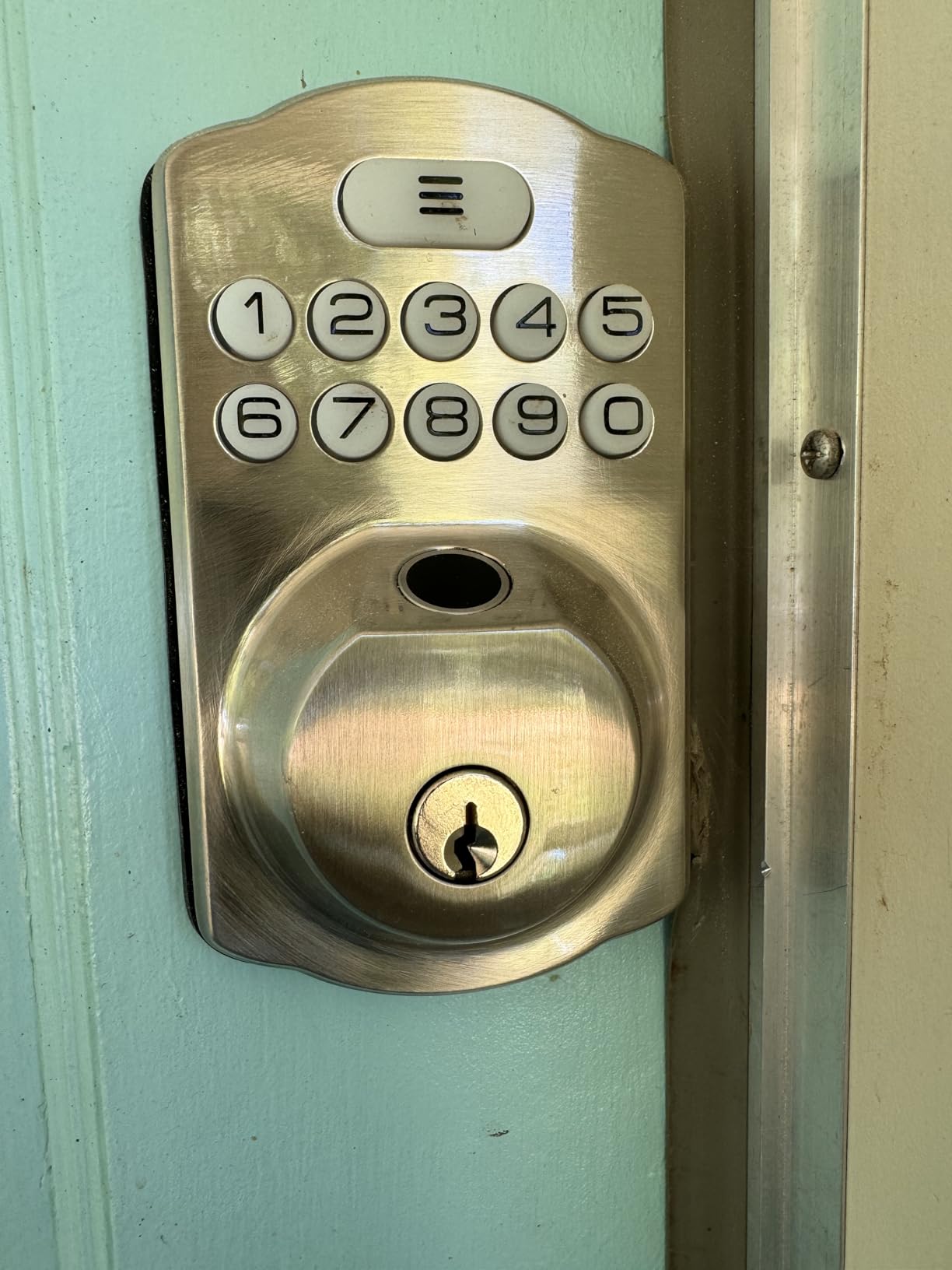
The anti-peeping feature adds digits before or after your real PIN and still unlocks, which stops someone watching your shoulder from learning the code. There is also a vacation mode, a silent mode, and auto-lock timing from 10 to 99 seconds.
Certification here is ANSI Grade 3 and BHMA, with an IP54 rating and a stated operating range from -31F to 158F. Install is quoted at 15 minutes with a screwdriver, with automatic door-hand detection. Batteries are four AA alkaline cells, not included.
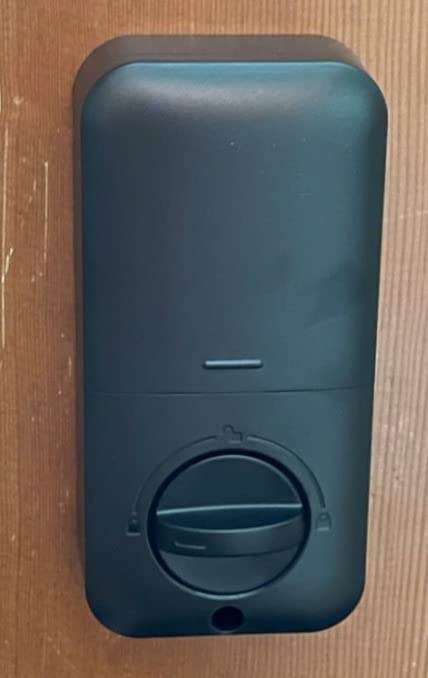
Who this lock suits
It suits a family or group house where several people come and go and a keypad code would end up written on a sticky note somewhere. Fingerprints solve that problem without a shared secret.
It also suits anyone who wants fingerprint entry without creating a vendor account. Data is encrypted and stored on the lock itself.
Where it falls short
Installation demands alignment. If the front and back panels are not held perfectly vertical while you tighten the screws, the sensor will misread fingers, and that is the single most common complaint in reviews.
Fingerprint storage stops at 20, the bore must be 2-1/8 inch, and door thickness has to fall between 35mm and 50mm. With no app, adding or removing a fingerprint means standing at the door.
5. eufy Security Smart Lock C220 — Six Unlock Methods Without a Bridge
eufy Security Smart Lock C220, Fingerprint Keyless Entry Door Lock
Fingerprint in under 1 second
Built-in WiFi
8 AA batteries, about 8 months
Fits bores under 54mm
Pros
- Fingerprint plus built-in Wi-Fi with no separate bridge
- Six unlock methods including Apple Watch and voice
- Roughly 8 months of battery life on 8 AA cells
- Fits bores under 54mm once the spacer is removed so drilling is often avoidable
- Integrates into routines alongside eufy doorbells
Cons
- 8 AA batteries mean a bulkier interior unit and larger battery compartment
- Self-learning fingerprint AI still needs a clean sensor and re-registration
- App
- Apple Watch and voice features all depend on the eufy ecosystem
- IP53 rating is slightly lower than the IP54 offered by some rivals
The eufy C220 is the fingerprint-and-Wi-Fi combination without a bridge. Like the Schlage and ULTRALOQ, the radio is in the lock, so remote unlock works the night you install it instead of after a second purchase and a second setup session.
Six ways in: fingerprint, the eufy Security app, keypad, physical key, Apple Watch, or voice through Alexa and Google. Fingerprint recognition is quoted at under one second with self-learning AI that sharpens with each touch.
Two install details make this a renter-friendly pick more often than its price suggests. It fits bores under 54mm once the included spacer is removed, and the install is quoted at 15 minutes without drilling. In an older building with a narrow bore, that is the difference between a clean install and a call to a locksmith.
Security specs are BHMA Grade 3 certified after more than 100,000 lock cycles, with an unusual-open alarm, an IP53 weather rating, and a stated range from -22F to 158F. Eight AA batteries are included and run about eight months.
Who this lock suits
It suits people who already live in the eufy ecosystem or are willing to. App features, Apple Watch unlock, and routines that pair the lock with an eufy doorbell all live in the same app.
It also suits older units where the existing bore is under 54mm. Removing the spacer is often the difference between fitting the door and damaging it.
Where it falls short
Eight AA batteries create a bulky interior unit. On a thin apartment door that mass can hit the door stop when the door swings fully open, which is worth checking against your own door swing.
Everything beyond the keypad and the physical key depends on the eufy ecosystem. The IP53 weather rating is also one step below the IP54 on several rivals here.
6. August Home Smart Lock 3rd Generation — Least Invasive Install
August Home Smart Lock, 3rd Generation – Silver
Interior-only retrofit
Original keys retained
Auto-Unlock on approach
About 10 minute install
Pros
- Only the interior thumbturn is replaced so the original deadbolt and keys are untouched
- Auto-unlock triggers before you reach the door
- DoorSense stops the lock throwing the bolt on an open door
- Third-gen design looks like a normal interior lock
- Lightweight 13.9 oz interior unit
Cons
- Away-from-home features require the separate August Connect Wi-Fi bridge
- The app only supports Owner and Guest roles and guests cannot use Auto-Unlock
- Third generation dropped the audible lock and unlock sounds
- Some Samsung Android phones have reported persistent Bluetooth pairing problems
If your lease says one word about alterations, this is the lock to propose. The August replaces only the interior thumb turn. The exterior deadbolt, the key cylinder, the key itself, and the face of the door all stay exactly as the building left them, which is why landlords approve it more often than anything else on this list.
The headline feature is Auto-Unlock. As you approach your door with your phone, the lock turns the thumb turn before you reach for a handle. DoorSense, a small magnet on the jamb, tells the lock whether the door is actually closed so Auto-Lock does not throw the bolt against an open door.
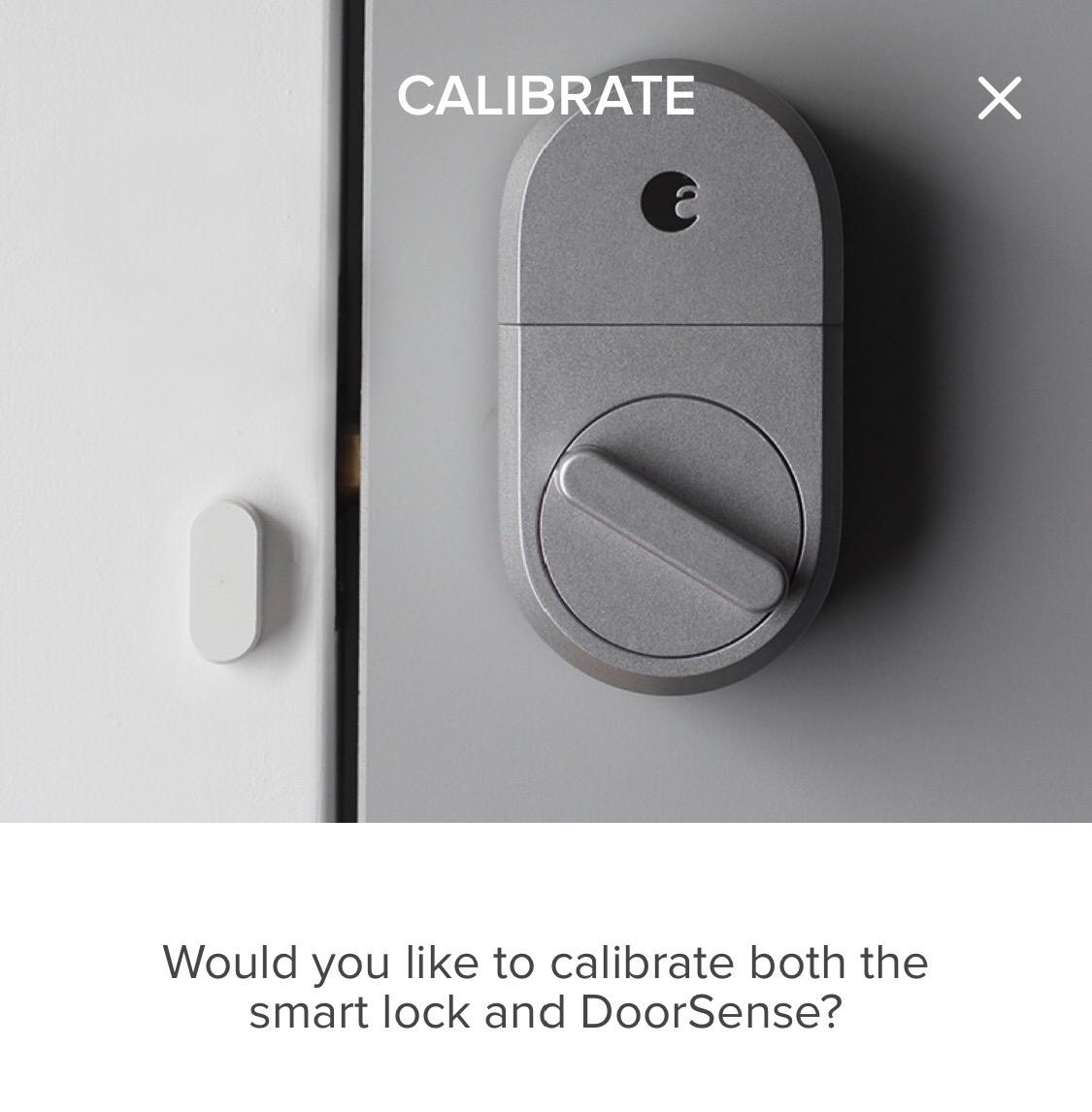
Install is quoted at about 10 minutes on most single-cylinder deadbolts, with adapters included for different cylinder backsets. The whole interior unit weighs 13.9 ounces, which is the lightest here and the least likely to foul a door stop.
Here is the catch that renters should weigh honestly. The lock is Bluetooth-only by default. Remote unlock from work or from across town needs the August Connect Wi-Fi bridge, which is a separate purchase and a separate device to place within Bluetooth range of the door.
Who this lock suits
It suits a renter in a building with a strict lease, a property manager who wants one key that still opens every door, or anyone planning to move out and take the lock with them. Reinstalling the original thumb turn restores the door exactly.
It suits people on Apple devices who live alone and use their phone as the key, including Apple Watch unlock. We cover the wider Apple-friendly options in our keypad door lock guide.
Where it falls short
Remote access costs extra and requires the bridge. Forum discussion of renter smart locks keeps circling this same point: the lock itself is the cheap part, the always-on remote access is the extra purchase.
The app has only Owner and Guest roles, and Guest accounts cannot use Auto-Unlock. The third generation also dropped the audible lock and unlock tones, which some people miss immediately.
7. eufy Security Smart Lock C210 — Built-in Wi-Fi on a Simpler Footprint
eufy Security Smart Lock C210, Keyless Entry Door Lock, Built-in WiFi
Built-in WiFi, no bridge
5 unlock methods
4 AA batteries included
15-minute drill-free install
Pros
- No fingerprint module which keeps it simpler than the C220 while retaining built-in Wi-Fi
- Installation is quick and swaps directly over a standard deadbolt
- App and Alexa integration are simple with routines for a good-night check
- Real-time lock status and notifications remove did-I-lock-the-door anxiety
- 4 AA batteries are included in the box
Cons
- Battery drain is a recurring complaint with some owners reporting Wi-Fi dropping after 4-6 weeks
- App unlocking is over Wi-Fi rather than Bluetooth so it needs an internet connection
- No geofence or auto-unlock feature and not Apple HomeKit compatible
- The inside deadbolt latch has some play
- Support handling around battery-drain replacements is widely criticised
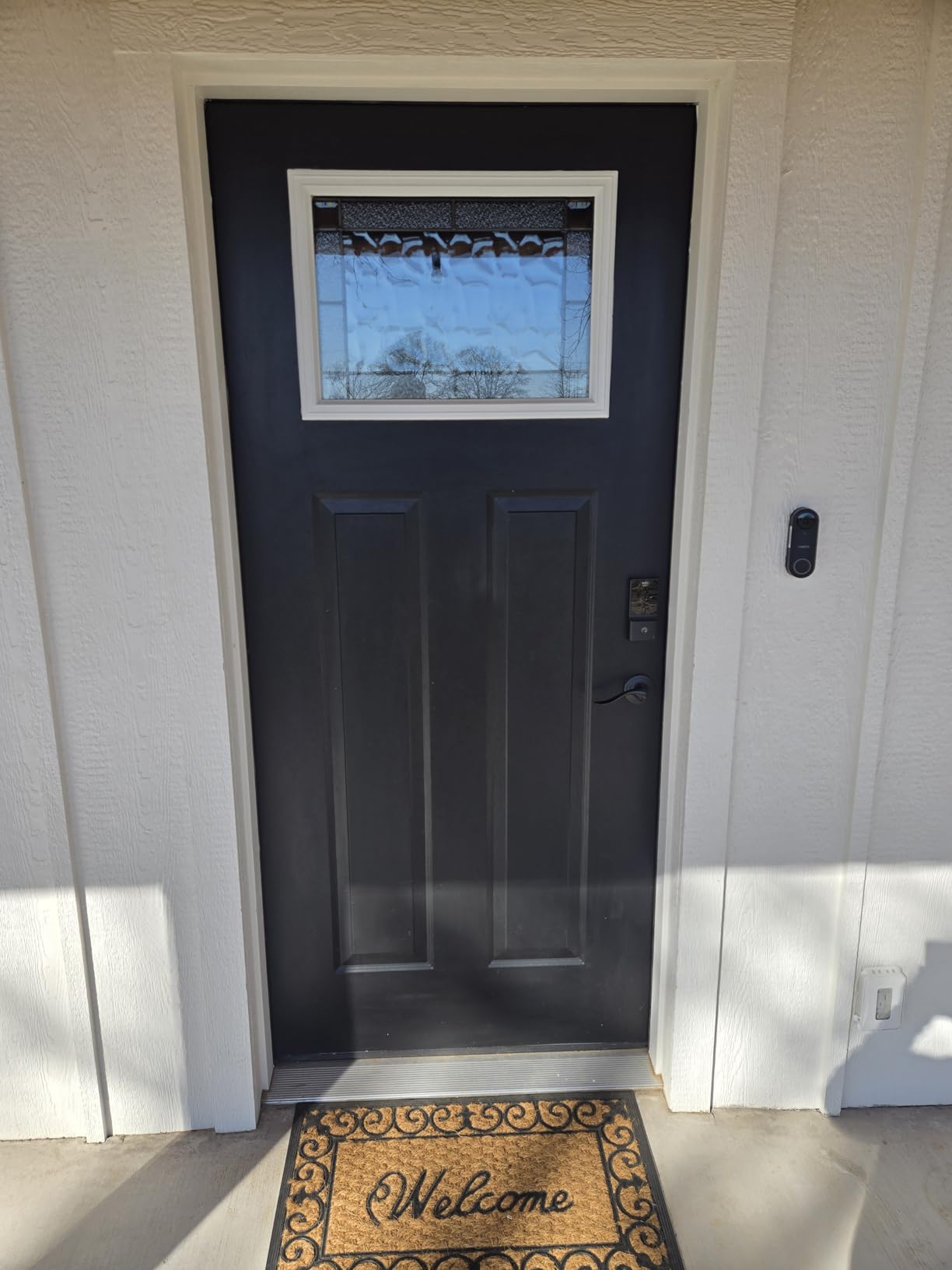
The eufy C210 is the version of the idea without the fingerprint reader. If you were leaning toward the C220 but do not want a sensor that needs re-registration when fingers get cold or dusty, this is the simpler lock with the same built-in Wi-Fi.
Five unlock paths: the eufy Security app, keypad, physical key, Apple Watch, or voice with Alexa and Google. The app carries access management, real-time notifications, and event history, and it will add the lock to routines alongside an eufy doorbell.
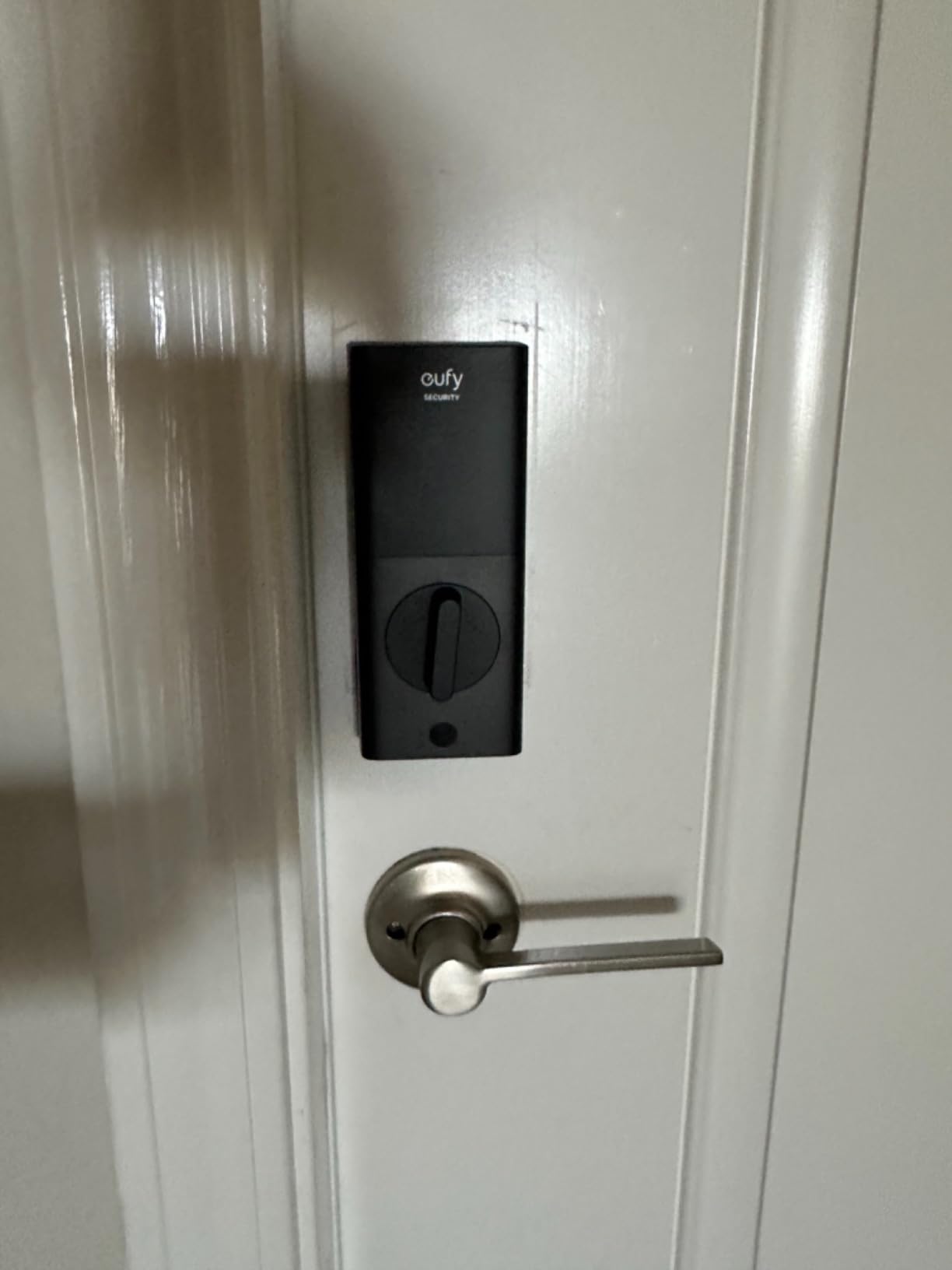
Install is quoted at 15 minutes without drilling on most standard US deadbolts, and four AA batteries ship in the box. The lock is BHMA certified after more than 100,000 cycles and includes an alarm on unusual unlock attempts.
The honest caveat comes from the review pool rather than the spec sheet. Battery drain is the dominant theme, with a number of owners reporting the Wi-Fi connection dropping after four to six weeks of use. App unlock is over Wi-Fi rather than Bluetooth, so an internet outage also means no phone unlock.
Who this lock suits
It suits a household already running Alexa routines, or one that wants a good-night routine that confirms the front door is locked without anyone walking over to check.
It suits a renter who wants app control and a physical key but does not use fingerprints at all. Four included batteries and a 15-minute drill-free install keep the move-in day simple.
Where it falls short
Battery consumption is the big one. On Wi-Fi, expect to check cells sooner than you would on a keypad-only lock, and there is no Bluetooth fallback for app unlock when the network is down.
There is no geofencing or Auto-Unlock, and it is not HomeKit compatible. Owners also report some play in the interior deadbolt latch.
8. DESLOC B200 Fingerprint Smart Door Lock — Most Access Methods
DESLOC B200 Fingerprint Smart Door Lock, Keyless Entry Deadbolt
Fingerprint under 0.3 seconds
50 prints
8 entry methods
USB-C emergency power
Pros
- Fingerprint recognition in under 0.3 seconds with room for 50 prints
- Eight different access methods including key fobs and eKeys
- Temporary and scheduled codes are simple to hand out for guests or cleaners
- USB-C emergency power port gives a backup if the batteries die
- Screwdriver-only install with a 12-month warranty and lifetime US phone support
Cons
- Bluetooth range is short so remote control and voice features require the separately sold G2 gateway
- 4 AA batteries are not included
- Fingerprint accuracy drops if the sensor is dirty or a finger is registered from too few angles
- Larger footprint than slim keypad deadbolts
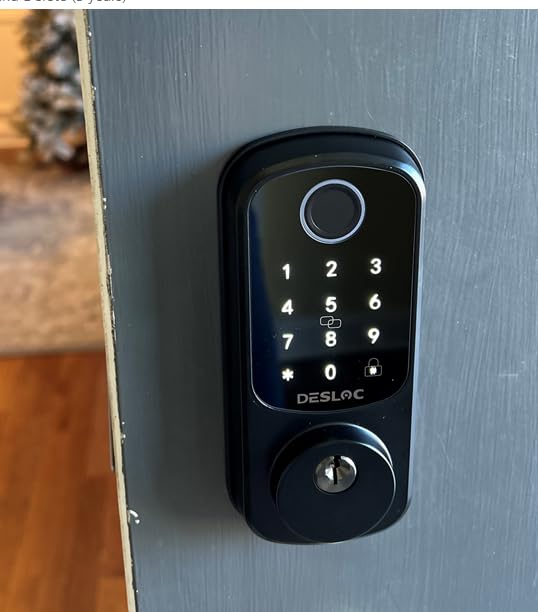
The DESLOC B200 lists eight ways to get in: fingerprint, PIN, app, eKeys, key fobs, physical keys, and voice through Alexa. That breadth is unusual at this level, and it is aimed at exactly the rental situation where a dog walker, a cleaner, and a friend all need different credentials.
The fingerprint reader is quoted at under 0.3 seconds with self-learning recognition for up to 50 prints. Scheduled and temporary codes are handled in the TTLock app over Bluetooth.
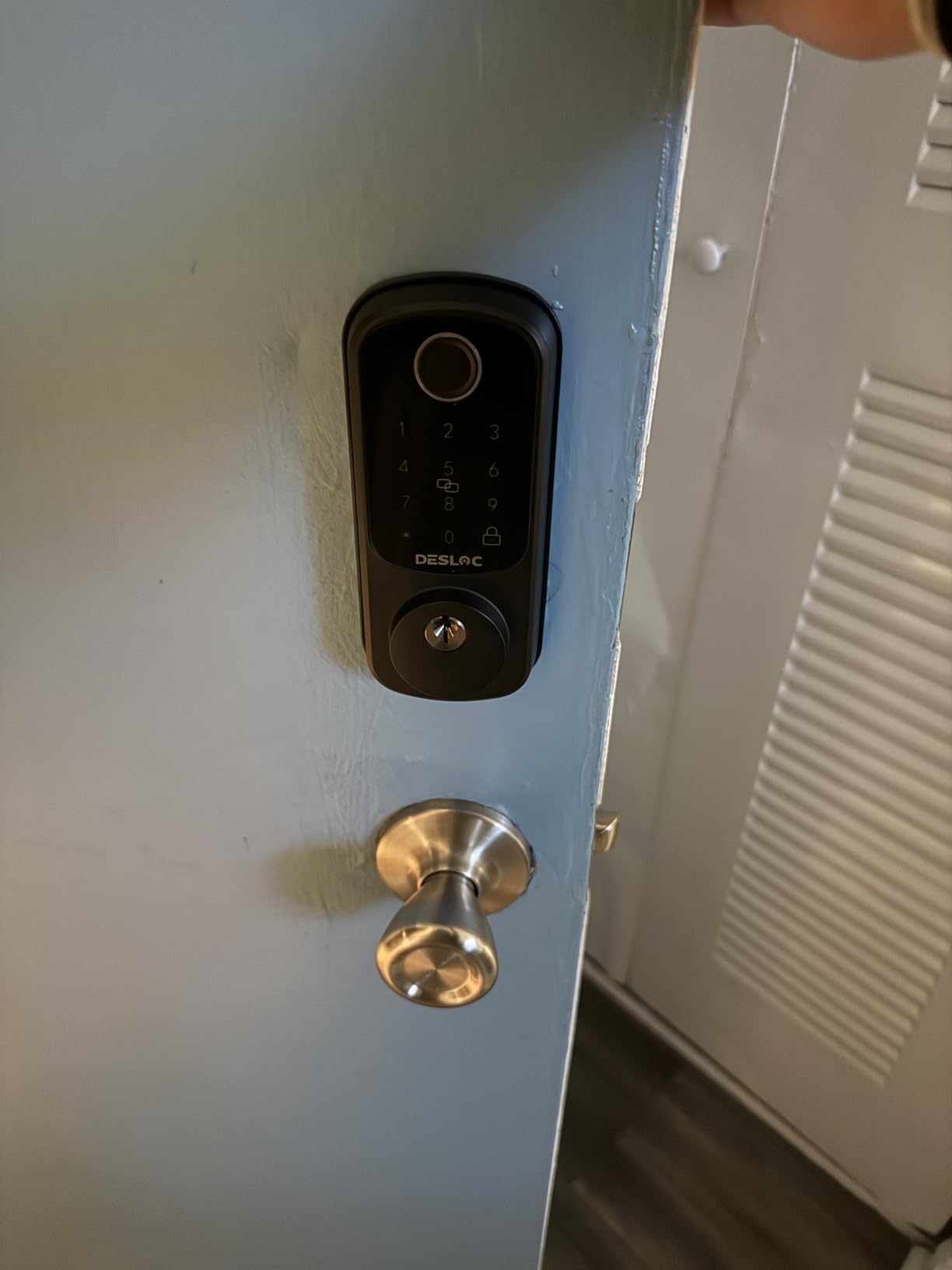
Two details stand out. There is a USB-C emergency power port, so a low battery does not automatically become a lockout — you can power the lock from a battery pack to type your code. And the rated battery life is up to 12 months on four AA cells with a low-battery indicator.
Physical build is aluminum with an IP54 rating, an operating range of -22F to 158F, and BHMA Grade 3 compliance. Install is screwdriver-only on most standard US doors, with a 12-month warranty and lifetime US-based phone support.
Who this lock suits
It suits a renter who hands out access as part of normal life — a pet sitter twice a week, a contractor for a fortnight, a partner with their own schedule. Key fobs are a nice alternative to typing a PIN in the rain.
It also suits anyone who has been locked out by a dead battery and never wants to think about it again. The USB-C port is a real insurance policy.
Where it falls short
Remote control and voice features need the G2 gateway, sold separately. Bluetooth alone is a very short range, so without the gateway the app only works when you are standing at the door.
The footprint is 7.28 by 6.3 inches, wider than the slim keypad deadbolts, and fingerprint accuracy drops if the sensor is dirty or a finger is registered from too few angles.
9. CANDY HOUSE Sesame 5 — Truly Zero-Drill Adhesive Retrofit
CANDY HOUSE Sesame 5, Smart Lock, Bluetooth Electronic Deadbolt, Auto-Lock, Keyless Entry Door Lock for Front Door, Fits Your Existing Deadbolt, for Airbnbs Vacation Rentals
Adhesive no-drill mount
Fits over existing deadbolt
SesameOS 3 with Matter
138 g
Pros
- Fits over your existing high-security deadbolt instead of replacing it
- 3M adhesive no-drill install that leaves no marks
- Only 138 g and quick to attach and remove
- Works with the key you already have with 3D-printed adapters for unusual keys
- Auto-lock timer adjustable from 3 seconds to 1 hour
Cons
- Bluetooth pairing has been reported as unstable with some users unable to pair at all
- Lowest average rating in this roundup at 4.0
- Remote control and always-on connectivity require the separately sold Hub3
- Some newer iPhone models have not been detected by the app during setup
- Uneven app update history and a motor failure reported after roughly 2.5 years
The Sesame 5 is the lock to consider when the door surface cannot be drilled or even touched. It clamps over an existing deadbolt and mounts with 3M adhesive tape, so there is no hole, no screw, and no residue to argue about at move-out. At 138 grams it is the lightest lock here by a wide margin.
Because it mounts over the deadbolt rather than replacing it, the physical security of the building’s original high-security deadbolt stays in place, and your key keeps working. The company also makes 3D-printed key adapters if your key shape is unusual.
The software is the interesting part. SesameOS 3 ships with a free Bluetooth API, an open-source app, and Matter support. Control comes from iPhone, Apple Watch, NFC tags, and widgets, with Alexa, Google Assistant, and Siri support. Two CR123A batteries are included.
Auto-lock is adjustable anywhere from 3 seconds to a full hour. You can also pair external readers — Touch, Touch Pro, Face, or Face Pro — if you want a fingerprint or face reader on the outside of the door without replacing hardware.
Who this lock suits
It suits a renter with a door finish they refuse to risk, or a building where drilling needs an architect’s sign-off. Removal takes seconds and leaves the door as found.
It also suits an Airbnb host or a shared summer rental, because pairing a Touch reader or an NFC tag gives a guest their own entry method without handing over keys.
Where it falls short
The app is the weak point. Bluetooth pairing problems are the most common complaint, with some owners unable to pair at all and some newer iPhone models going undetected during setup. That is a bad failure mode for a lock you rely on for daily entry.
It also carries the lowest average rating here at 4.0, remote control needs the separately sold Hub3, and one owner reported a motor failure after roughly two and a half years.
10. Veise RZ-A Electronic Keypad Deadbolt — Straightforward Keypad Entry
Veise RZ-A Electronic Keypad Deadbolt Door Lock, Satin Nickel
20 codes plus one-time codes
BHMA ANSI Grade 3 cylinder
Up to 12 months on 4 AA
Both door hands
Pros
- Carries BHMA and ANSI Grade 3 certification at the entry point of this category
- One-touch locking by holding any key for 2 seconds is quick for kids and adults
- One-time codes plus vacation mode suit roommates and short-term guests
- Backlit keypad with an illuminated lock and unlock indicator
- Installs in about 10 minutes with a screwdriver and fits both door hands
Cons
- The interior housing is plastic
- The bore hole can be about 5 mm smaller than the previous deadbolt
- Programming takes practice and most users rely on the pictorial instruction sheet
- 4 AA batteries are not included
- No app or remote access of any kind
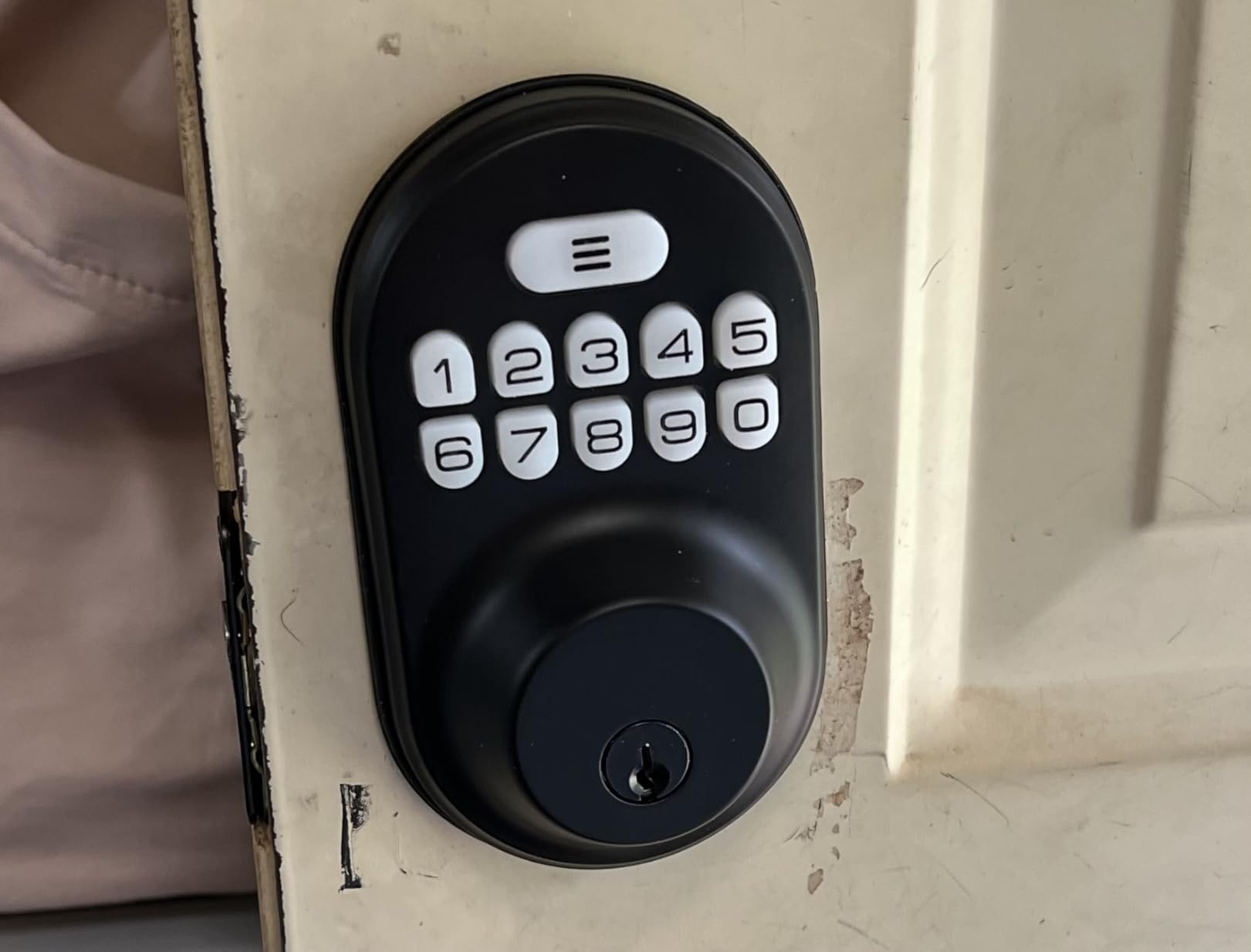
The Veise RZ-A is the plainest, most predictable keypad lock here. It does not try to be connected, it does not have a fingerprint reader, and it will still be working in three years when the app ecosystem has moved on three times.
You get 20 permanent codes, one-time codes for visitors, and two spare keys. Auto-lock engages 10 to 99 seconds after the door closes, and holding any key for two seconds locks immediately.
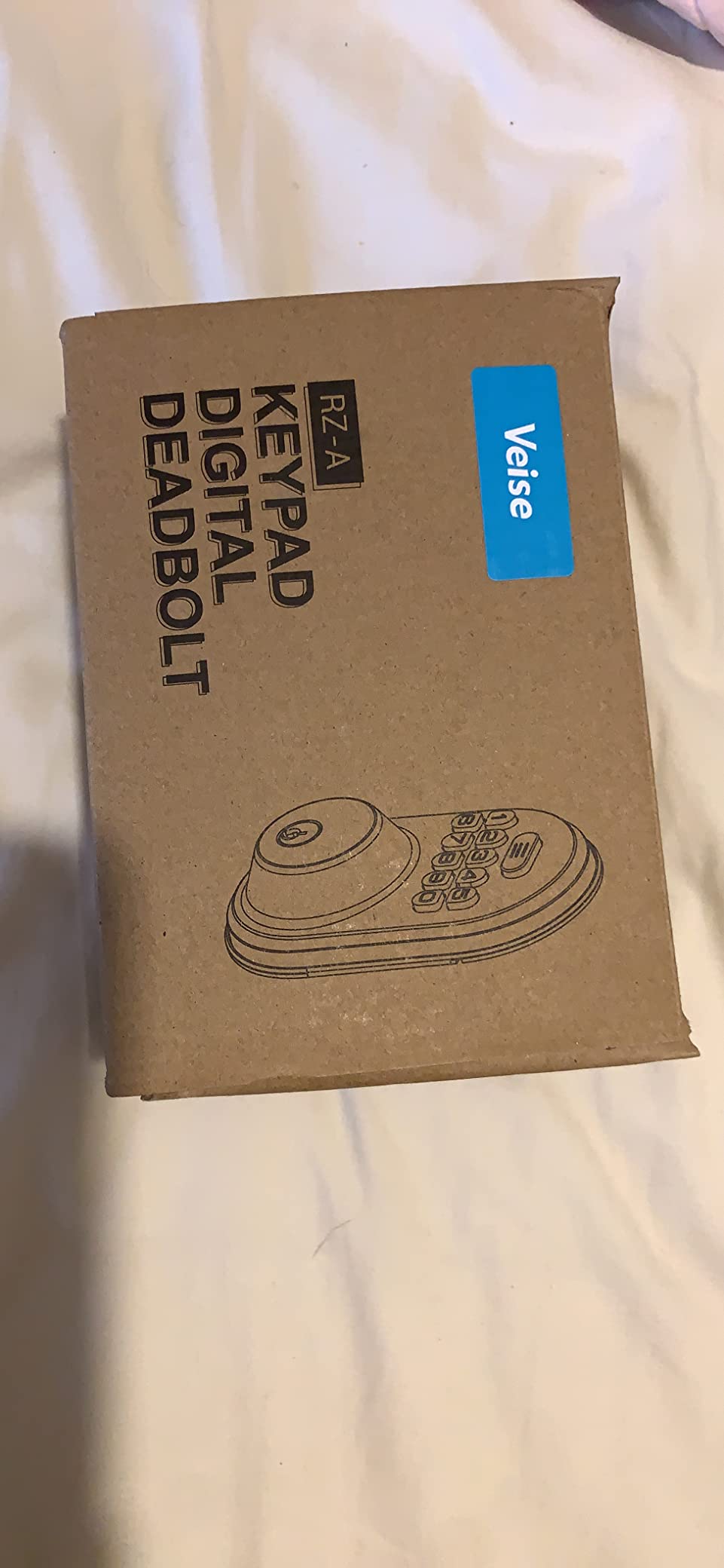
Security details are better than the price suggests. The lock cylinder is zinc alloy, BHMA and ANSI Grade 3 tested, and the whole lock has been cycle tested past 200,000 operations. Anti-peeping entry lets you add digits before or after your real code, and ten wrong attempts trigger a three-minute lockout.
Vacation mode deactivates every code except the master code and alarms if the interior thumb turn is used, which is useful if you are away and want to know. IP54 weatherproofing covers a range of -35F to 160F, and install is screwdriver-only on doors from 1-3/8 inch to 2 inch thick.
Who this lock suits
It suits a two-person apartment, a shared rental with a couple of housemates, or anyone who wants codes without apps, accounts, or subscriptions. Keypad-only access is also the easiest thing to hand to a guest.
It suits older adults or anyone who finds a phone app fiddly. The illuminated keypad and two-second one-touch lock do not require learning anything.
Where it falls short
The interior housing is plastic, which some buyers would rather avoid on an entry door. The bore hole can also come up about 5 mm smaller than the deadbolt it replaces, occasionally requiring minor enlarging — a real problem in a rental.
Programming needs practice, batteries are not included, and there is no app or remote access at all.
11. Zylenor Built-in WiFi Smart Lock — Anti-Hijacking Alerts on a Budget Build
Zylenor Keyless Entry Door Lock, Smart Lock for Front Door with Digital Keypad, Built-in WiFi Deadbolt, App Remote Control with Easy Installation, Upgraded Battery Life
Built-in WiFi with app
Anti-hijacking alarm
Gyroscope auto-lock
USB-C emergency power
Pros
- Built-in Wi-Fi with app control at an entry-level price
- Anti-hijacking ID triggers an alarm and a push notification which is unusual here
- Gyroscope-based auto-lock removes the forgot-to-lock problem
- Temporary passwords suit guests
- cleaners and contractors
- USB-C emergency charging port as a battery backup
- Batteries claimed to last up to 10 months on 8 AA cells
Cons
- 8 AA batteries are sold separately
- Only fits a 2-1/4 inch (57mm) bore and 35-50mm door thickness
- IPX4 is the weakest weather rating in this roundup
- Locking in Wi-Fi mode means the door depends on a power and network connection
- The box is sparsely packed
The Zylenor is worth a look for one feature in particular: the anti-hijacking user ID. You designate one account as the anti-hijacking ID, and when that ID is used to unlock, the lock sounds an alarm and sends a notification. It is a cheap way to find out that someone forced you to open the door, which is a real concern in a shared rental.
The rest is conventional. Permanent and temporary passwords, built-in Wi-Fi with app control, voice unlocking through Google and Alexa, and a mechanical key for emergencies. Eight AA batteries are claimed to run up to 10 months, with a USB-C emergency charging port as a backup.
Auto-lock is handled by a built-in gyroscope that locks the door once it detects it has closed, and that function can be disabled if you prefer manual control. The body is zinc alloy and the listing states BHMA Level 3 compliance.
Fit is the constraint. It suits a US standard lock body for doors 35mm to 50mm thick with a 2-1/4 inch, or 57mm, bore. That is narrower than the 54mm bore most of the other keypad locks here accept, so measure before ordering.
Who this lock suits
It suits a renter who wants app control and Wi-Fi without buying a hub, and who does not mind a narrower bore specification. The anti-hijacking alert is genuinely useful in a house with a roommate or a partner who occasionally loses their phone.
It also suits anyone who wants temporary passwords issued from an app rather than programmed at the door.
Where it falls short
IPX4 is the weakest weather rating in this guide, so keep it off a fully exposed door. Batteries are sold separately and it takes eight of them, which adds to the real cost and bulk.
There is a caution on the listing itself: part of the review pool on this product is unrelated to the lock, so the strongest signal comes from the lock-specific reviews describing easy installation and a responsive keypad.
12. Sifely Fingerprint Smart Deadbolt — Largest Code and Print Capacity
Fingerprint Smart Deadbolt with Keypad – Keyless Entry Lock for Home, Apartment, Office, Airbnb, Rental, Kids & Seniors, App & Code Access, Auto-Lock, Easy DIY Install, Compatible with Alexa & Google
100+ fingerprints
100+ codes
Privacy and passage modes
Free app and portal
Pros
- Stores 100+ fingerprints and 100+ codes
- the highest capacity in this roundup
- Passage mode and privacy mode are practical in apartments
- Anti-peep code lets you disguise your PIN with extra digits
- Fits both door hands with a screwdriver only and no locksmith
- Explicitly marketed for rentals and Airbnb hosts with eKey sharing and schedules
- Four finish options
Cons
- Remote app access and voice control require the Sifely Gateway sold separately
- Smallest review base at 828 ratings so long-term reliability is less proven
- No connectivity details are published for the base unit
- No keypad-only non-fingerprint alternative is offered in this listing
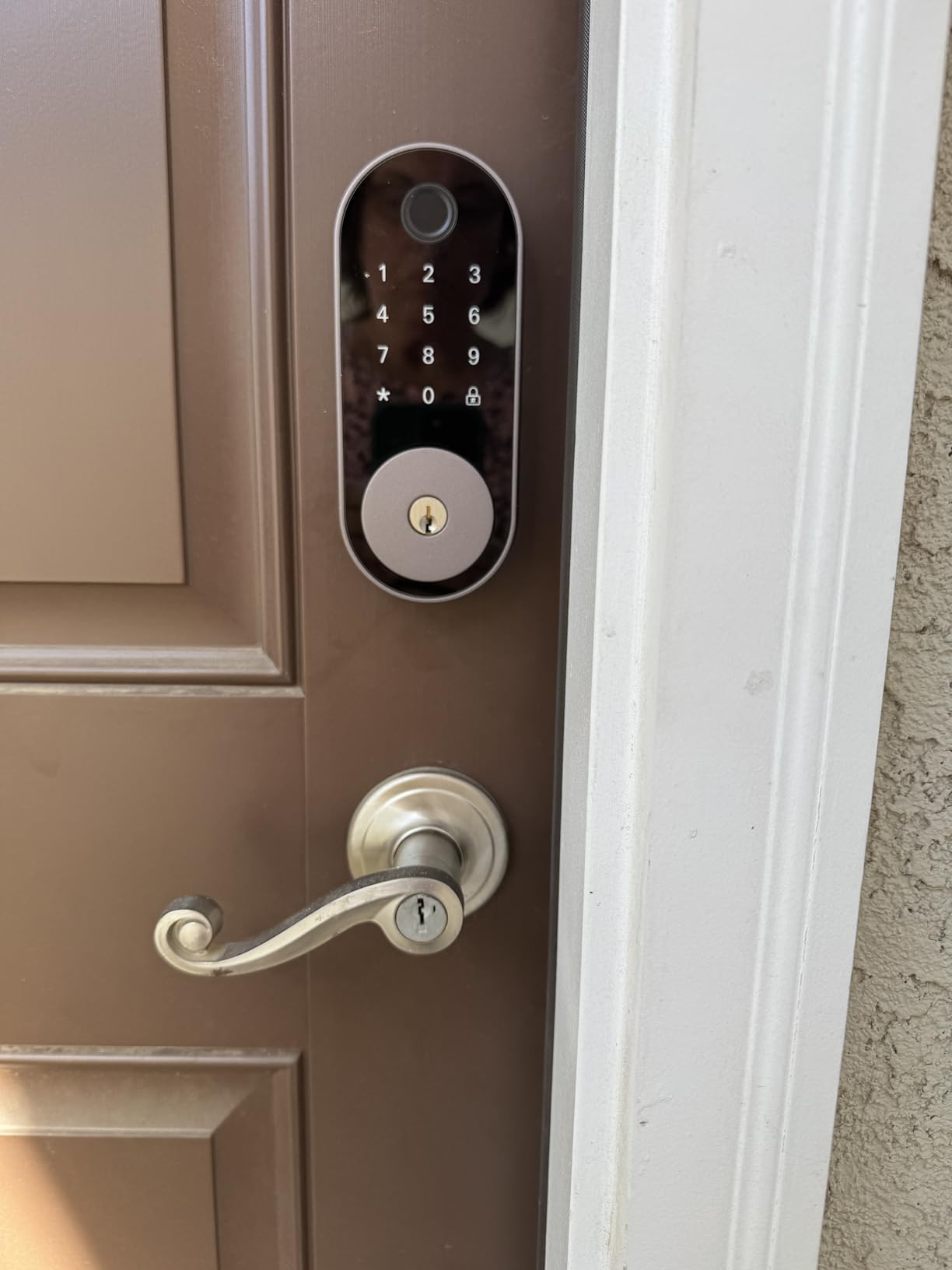
The Sifely is built for a door that a lot of people need to open. It stores more than 100 fingerprints and more than 100 codes, which covers a large shared house, a whole family, or a rental where turnover is constant.
Entry methods are fingerprint, keypad code, app, fob, and physical key. The free app and web portal handle code management, entry logs, eKey sharing, and schedules. Auto-lock fires after each entry, and there is a one-touch lock on the number key.
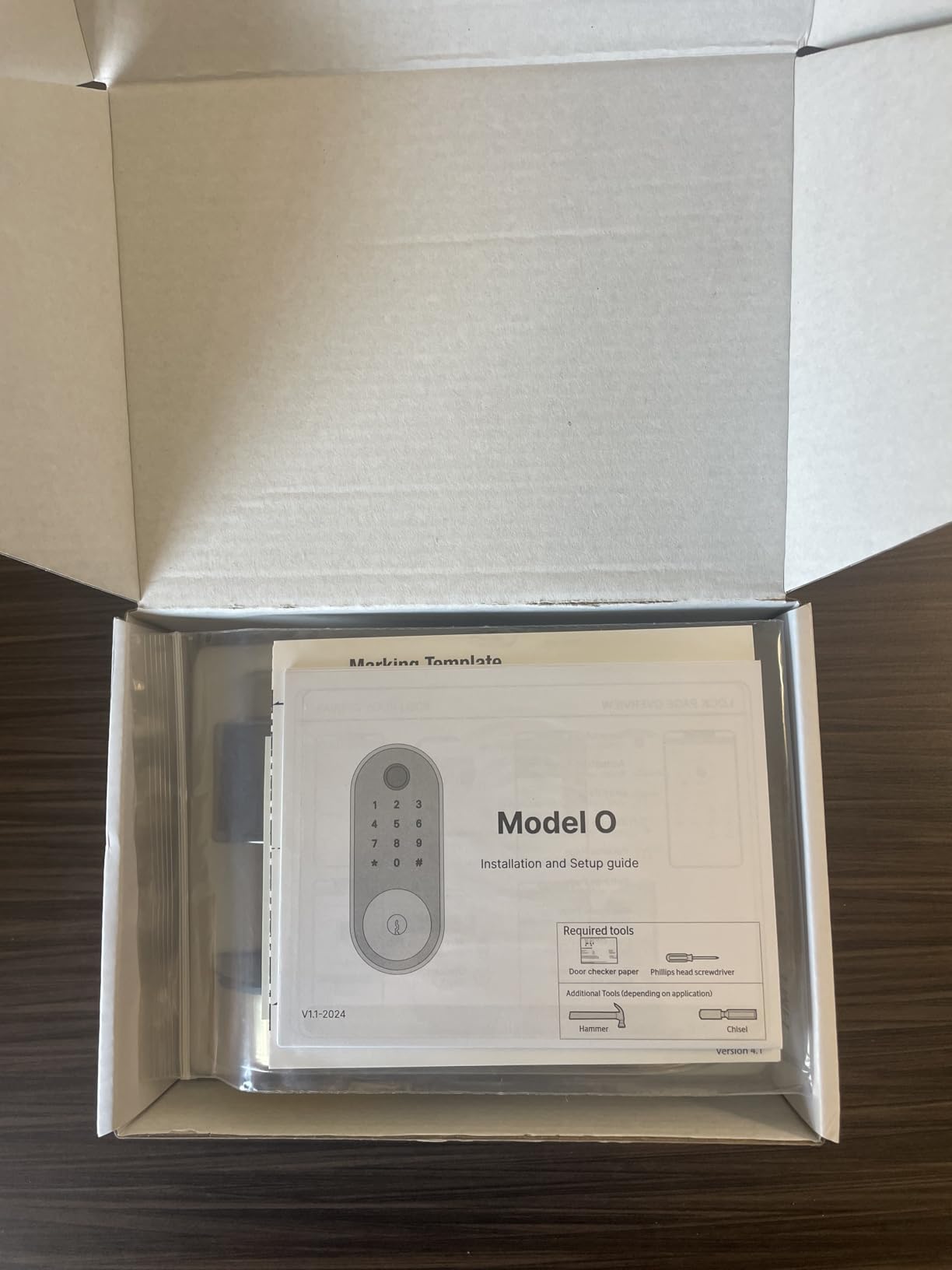
Two open modes make it practical in an apartment. Privacy mode stops codes from working while somebody is inside, which matters in a shared building where neighbours can see your keypad. Passage mode holds the door unlocked for move-in, cleaning, or moving furniture.
Install is screwdriver-only, it fits either side without a locksmith, and there are four finishes — black, bright brass, bronze, and silver — so you can match an existing door and its hardware.
Who this lock suits
It suits a house-share or a large family where the code list would otherwise be unwieldy, and any rental where you want to issue codes that expire on their own rather than rekeying between tenants.
It suits an accessibility case: fingerprint and fob entry means nobody has to remember a PIN to get inside.
Where it falls short
Remote app access and voice control both require the Sifely Gateway, sold separately. That is the same catch that frustrates renters with August, DESLOC, and Sesame — the lock works, remote control is an add-on.
The review base is the smallest here at 828 ratings, so long-term reliability is less proven than anywhere else on this list. Connectivity details for the base unit are not published.
How to Measure Your Door Before You Order
Wrong-bore installs are the number one reason a renter’s smart lock goes straight in a box. Ten minutes with a tape measure prevents almost all of them.
Measure the bore. Measure the distance from the door edge to the center of the keyhole opening. Most US apartment doors use a 2-1/8 inch (54mm) bore. The TEEHO TE001 and Veise KS02A accept 54mm only, the Zylenor needs 2-1/4 inch (57mm), and the eufy C220 fits bores under 54mm once the spacer comes out. Getting this wrong is what forces someone to drill.
Measure door thickness. The Schlage Encode fits 1-3/8 inch to 1-3/4 inch. The Veise KS02A needs between 35mm and 50mm, and the Veise RZ-A covers 1-3/8 inch to 2 inch. If your door is thinner than 1-3/8 inch, stop and check the listing again.
Check for a single-cylinder deadbolt. August and Sesame retrofit over the interior side only. If the outside of your deadbolt has a keyhole, that is the retrofit pattern. If the bolt is thrown from the inside by a separate thumb turn you can remove, that is also fine. If there is no removable interior thumb turn, a retrofit lock will not fit.
Check the backset. Measure from the door edge to the center of the deadbolt cylinder, which is usually the same as the bore measurement. The Schlage Encode is specified for 2-3/8 inch or 2-3/4 inch.
Check interior clearance. Open the door fully and look at where the interior unit will sit. Eight-AA models such as the eufy C220 and the Zylenor are physically large, and the Schlage Encode weighs 3.4 pounds. If the door hits the stop, the plate will not seat flat.
Look at what is above the deadbolt. Door closers, surface-mounted secondary deadbolts, and security chains can limit both the interior plate and the exterior keypad. The DESLOC B200 has a 7.28 by 6.3 inch footprint, which is the widest here.
Move-Out: Removing the Lock and Restoring the Door
Restoring the door properly is what separates a clean move-out from a deduction. Photograph everything before you start.
Photograph the finished door from both sides before you remove anything, and keep the photos until your deposit is returned. This is your record that the finish is unaltered.
For a retrofit lock — August or Sesame — unclip the interior unit, peel the adhesive or undo two screws, and reinstall the original thumb turn or leave the deadbolt bare. The exterior is already untouched. Sesame mounts on tape, so pull it slowly and warm the adhesive with a hair dryer if needed.
For a full replacement lock — Schlage, ULTRALOQ, TEEHO, Veise, eufy, DESLOC, Zylenor, or Sifely — put the original deadbolt back if you saved it, or ask a locksmith to fit one. A mismatched cylinder that does not accept the building’s key is the fastest way to lose a deposit.
Wipe the bore and the door face. Screw holes in the edge of a door collect paint chips and dust. A clean, filled hole is easier to argue about than a visible scar.
Return all keys and codes. Reset the lock to factory settings if you are keeping it, or hand it over with the spare keys. Then delete the lock from your phone before you wipe the account.
Ask for written confirmation. A short email saying the door is restored and asking for deposit confirmation gives you something if a deduction appears weeks later.
Buying Guide: What Actually Matters When You Buy a Smart Lock
Retrofit install versus full replacement
Retrofit locks attach to the interior of an existing deadbolt or clamp over it. Nothing on the outside of the door changes, the original key keeps working, and removal takes minutes. August and Sesame are the clearest examples here, and CANDY HOUSE Sesame goes further by using adhesive tape so there is not even a screw hole.
Full replacements swap the entire deadbolt, exterior and interior. They give you a keypad or fingerprint reader on the outside, which is why people choose them, and they need landlord approval plus a plan to restore the original lock at move-out. Measure the bore first, because a replacement that does not fit your door is the failure case that turns a rental into a repair bill.
Connectivity: Bluetooth, Wi-Fi, Z-Wave, Zigbee, and Matter over Thread
Bluetooth is the shortest range of the group — roughly 30 feet — and it is why the August and the DESLOC need a second device for remote access. Wi-Fi in the lock gives you remote control with no hub, and both the Schlage and the ULTRALOQ do this on 2.4 GHz, which means the router needs to be within reach, roughly 70 ft for the ULTRALOQ.
Matter over Thread is the newest path here and the one Apple Home users care about. The ULTRALOQ Bolt SE supports it, and Sesame supports Matter through its own app. Thread runs on a low-energy mesh, which is why the ULTRALOQ can claim up to 18 months of battery life over Thread and considerably less over Wi-Fi. The catch is that Thread features need a Thread Border Router, which most people already have if they own a current HomePod or Nest Hub.
Z-Wave and Zigbee still exist in the wider market but require a hub or bridge in most cases. For a renter, a hub is one more device to place, power, and eventually return.
What a hub or bridge really costs you
This is where renter math differs from homeowner math. The lock itself is a one-time purchase; remote access is often a second device. August needs the Connect bridge for anything away from home. Sesame needs the Hub3 for remote control and always-on connectivity. DESLOC needs the G2 gateway, and Sifely needs its own gateway. In each case the lock works fine at the door without it.
Subscriptions are a separate question. None of the locks here force a paid tier for core entry, but video doorbell ecosystems and cloud storage often do, so if you are pairing a lock with a camera, check what the storage costs over three years before you commit.
What the ANSI and BHMA grades mean
ANSI and BHMA Grade 1 is the highest residential rating, and the Schlage Encode carries the highest residential certification from BHMA for security, durability, and finish. Grade 2 is a solid middle. Grade 3 is the entry-level rating that covers most of the locks here, including the Veise KS02A, the DESLOC B200, the eufy C220, and the Zylenor.
For a rental, a Grade 3 lock paired with an unmodified building deadbolt is a sensible target. Paying for a Grade 1 lock on a hollow-core apartment door adds little, because the door and the frame are usually the weak point.
Are smart locks actually secure, and how hackable are they?
Smart locks are as secure as the radio and the account behind them, and the practical risks are well documented. Encryption on the connection, two-factor authentication on the app, a strong Wi-Fi password, and installing firmware updates promptly all reduce the exposure.
Several locks here keep credentials on the device rather than in a cloud account. The Veise KS02A states that data is encrypted and stored locally. Locks that require an account add a dependency: if the company shuts down the service, you are left with a functioning but disconnected lock, which is exactly the concern renters raise about tenant turnover.
Battery life and lockout prevention
Battery claims across this group range from about eight months on eight AA cells for the eufy C220, through 12 months for the Veise RZ-A and DESLOC B200, to a claimed 365 days on four AA cells for the TEEHO TE001 and 365+ days for the Veise KS02A.
The pattern is consistent: keypad-only locks last longest because there is no radio waking up constantly, and Wi-Fi locks drain fastest. Treat the low-battery warning as the real deadline. Every lock here still opens with a physical key, the DESLOC and Zylenor add a USB-C emergency power port, and the eufy C210’s app unlock needs an internet connection rather than Bluetooth, which is the one to think about when your building Wi-Fi is unreliable.
Who should not buy a smart lock in a rental
Skip it if your building controls the deadbolts through a master-keyed system, because swapping the cylinder breaks their emergency access and you will lose the argument. Skip it if your lease prohibits alterations outright and your landlord will not approve an interior-only model in writing. Skip it if your door has a surface-mounted deadbolt or hardware that no retrofit lock will clamp onto.
And if your primary entry is a shared building door that anyone can pass through, a smarter lock on your apartment door does very little. Judge the door first, then the electronics. Our apartment balcony setup guide covers the other half of small-space living.
Frequently Asked Questions
What is the best smart lock for an apartment building?
For most renters, the best smart lock for an apartment building is a retrofit model that mounts inside your existing deadbolt, such as the August Home Smart Lock 3rd Generation. Nothing is drilled, the exterior of the door is unchanged, and the landlord’s original key still opens the lock. If you need remote access and do not want to buy a separate bridge, the Schlage Encode Smart WiFi Deadbolt has Wi-Fi built in and needs landlord approval to change the outside of the door.
Can I put a smart lock on my apartment door?
Usually yes, as long as you get written permission first. Leases commonly prohibit alterations, new fixtures, or locksmith changes without owner consent. An interior-only retrofit is the easiest version of this to get approved because the exterior of the door and the key cylinder stay exactly as they were. A full deadbolt replacement usually needs the same written approval plus a plan to rekey at move-out.
Which smart locks don’t require drilling?
Retrofit locks and adhesive mounts need no drilling. The August Home Smart Lock 3rd Generation replaces only the interior thumb turn, and the CANDY HOUSE Sesame 5 clamps over the existing deadbolt and mounts with 3M adhesive tape, which leaves no screw holes at all. Several replacement locks also install without drilling on standard doors, including the eufy Smart Lock C220 and C210 and the ULTRALOQ Bolt SE, but they do replace the existing deadbolt.
Will a smart lock work if the battery dies or the Wi-Fi goes out?
The mechanical key still works on every lock in this guide, so a dead battery is a nuisance rather than a lockout. Several models add a USB-C emergency power port, including the DESLOC B200 and the Zylenor, so you can power the keypad from a battery pack and type your code. Wi-Fi outage behaviour varies: Bluetooth-based locks like August still work at the door, while app unlock on the eufy C210 runs over Wi-Fi and would not.
How do I remove a smart lock when moving out of an apartment?
Photograph the door from both sides before you start. For a retrofit lock, unclip the interior unit and reinstall the original thumb turn; the exterior was never touched. For a full replacement, put the original deadbolt back or have a locksmith fit one that accepts the building’s key, then fill and wipe any screw holes. Return all keys and codes, reset the lock, and ask for written confirmation that the door is restored.
Are smart locks safe, and how hackable are smart locks?
The realistic risks are weak account security rather than radio-level attacks. Use two-factor authentication on the lock app, keep a strong Wi-Fi password, and install firmware updates as they arrive. Locks that store credentials on the device rather than in a cloud account, such as the Veise KS02A, reduce one category of exposure. Keep the physical key working as your fallback, and be aware that a lock dependent on a shut-down app becomes an ordinary lock.
Bottom Line: The Best Smart Lock for Your Apartment Door
Start with the door, not the feature list. If the exterior of your door and the key cylinder must stay as they are, the August Home Smart Lock 3rd Generation is the least invasive option and the easiest to remove at move-out, and the CANDY HOUSE Sesame 5 goes one step further with an adhesive mount that leaves no holes at all. If your lease allows a full replacement and you want remote access without buying a second device, the Schlage Encode Smart WiFi Deadbolt is the most complete pick here, with built-in Wi-Fi, up to 100 access codes, and the highest residential BHMA certification on the list.
If the building’s Wi-Fi is unreliable or you would rather not create another account, the TEEHO TE001 and Veise RZ-A are keypad-only locks that will run about a year between battery changes and keep working when the network does not. The ULTRALOQ Bolt SE sits between the two worlds with both built-in Wi-Fi and Matter over Thread, which makes it the most flexible option for a mixed Apple and Google household.
Measure your bore before you order, get the landlord’s answer in writing, and photograph the door on move-in day. Those three steps decide whether a smart lock works in your apartment or becomes a deposit deduction. The best smart locks for apartment renters are the ones you can install on a Sunday and undo on a Sunday a year later.