
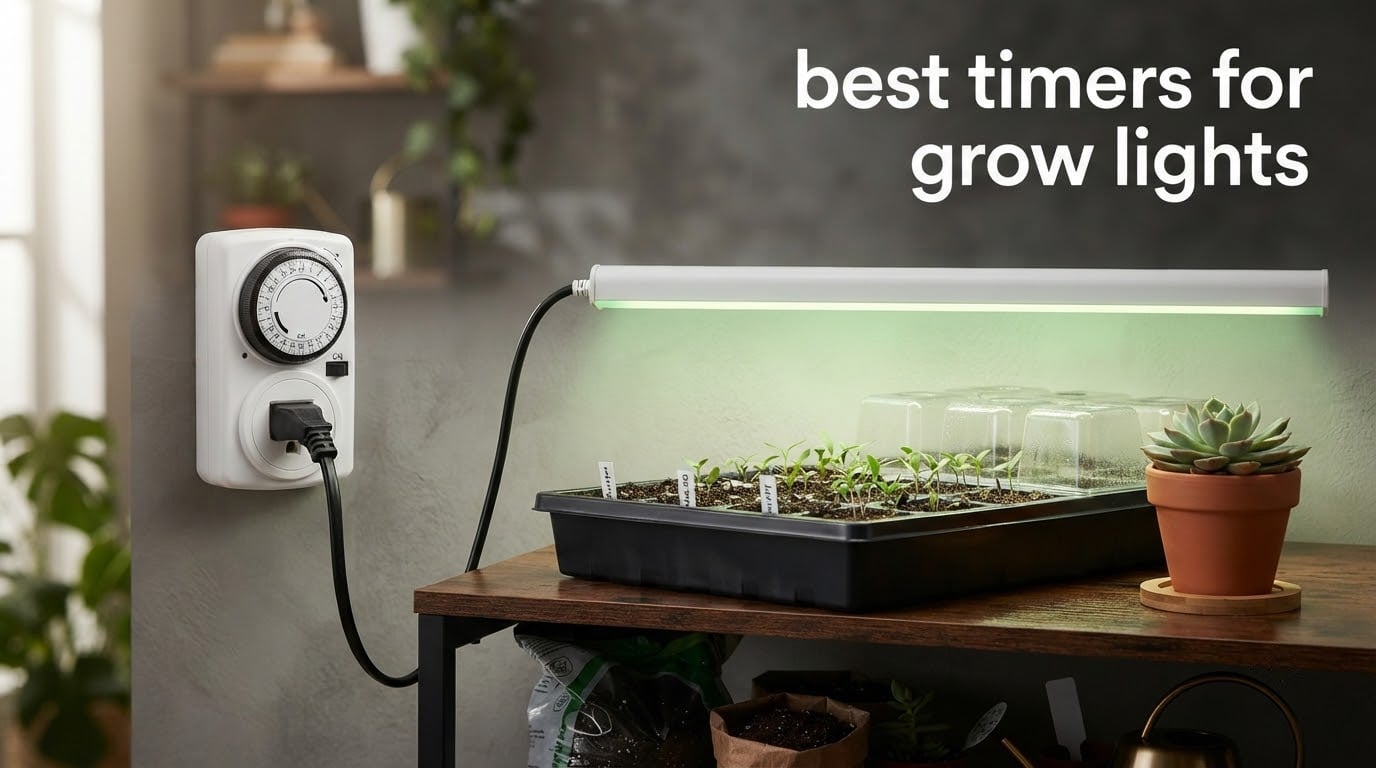
There is one device that decides whether your grow lights run on schedule, and almost nobody researches it before buying. Plug it into the wall, push two pins down, and a small motor starts turning a dial that switches the load on and off forever after. Get it wrong and your plants get an erratic day length they cannot recover from, and get it right and you never think about it again. That is why the best timers for grow lights are worth a careful half hour of reading.
We spent that half hour for you. We read the spec sheets and the owner reviews on eight plug-in timers, then ranked them on the three things that actually change your grow: how many grounded outlets you need, how precisely the schedule can be set, and what happens to the clock after a power cut. Wattage rating, the number every listing leads with, comes fourth at best, and we explain why further down.
If you are still choosing the fixture itself, start with our guide to the best grow lights for indoor plants first, then come back here to automate whatever you picked. Everything below is current as of 2026, and every rating and review count is the live figure from the product listing.
Top 3 Picks for Grow Lights in 2026

BN-LINK 7-Day Digital Timer
- 8 on/off programs
- Two grounded outlets
- Battery-backed clock
- 15A/1725W

BN-LINK 24-Hour Mechanical
- 15-minute pin resolution
- Built-in pins
- 1875W/15A/1/2HP
- Grounded 3-prong

GE 24-Hour Mechanical Timer
- Two grounded outlets
- 30-minute pushpins
- Manual override switch
- Battery-free
The digital pick is the one we reach for first because a battery-backed clock does not lose time, and it still has the largest review base in the roundup. The two mechanical picks win on simplicity: a pin dial cannot forget its program, cannot need charging, and cannot be knocked out of mode by a passing elbow.
Best Timers for Grow Lights in 2026
| Product | Specifications | Action |
|---|---|---|
| BN-LINK 7-Day Programmable Digital Timer, 2 Outlets |
|
Check Latest Price |
| BN-LINK 24-Hour Heavy Duty Mechanical Timer |
|
Check Latest Price |
| GE 24-Hour Plug-In Mechanical Timer, 2 Outlets |
|
Check Latest Price |
 Kasa Outdoor Smart Plug KP401 Kasa Outdoor Smart Plug KP401 |
|
Check Latest Price |
 BN-LINK 8-Outlet Timer Strip, 4 Timed 4 Always On BN-LINK 8-Outlet Timer Strip, 4 Timed 4 Always On |
|
Check Latest Price |
 FosPower 7-Day Digital Timer, 2 Pack FosPower 7-Day Digital Timer, 2 Pack |
|
Check Latest Price |
 Techbee Digital Infinite Repeat Cycle Timer Techbee Digital Infinite Repeat Cycle Timer |
|
Check Latest Price |
 VIVOSUN 7-Day Digital Timer, 2 Independent Outlets VIVOSUN 7-Day Digital Timer, 2 Independent Outlets |
|
Check Latest Price |
Read the table by column, not by row. The three questions that decide your purchase are how many grounded 3-prong outlets you need, whether your schedule has to survive a power cut, and whether you need day-of-week programming or a simple 24-hour repeat. Everything else is preference.
Should Grow Lights Be on a Timer?
Yes. Effectively every grow light setup should run on a timer, because plants respond to the length and regularity of the dark period rather than to light alone, and a hand-switched fixture delivers an erratic day length. Inconsistency stresses a plant more than a slightly shorter but perfectly steady schedule would, and the dark hours are part of the schedule rather than the absence of one.
A forgotten switch that delivers a full day of light can stall flowering outright, so the cheapest upgrade available to any lit setup is the one that never depends on your memory. If you have not chosen a fixture yet, our grow light picks all pair well with any of the timers below.
1. BN-LINK 7-Day Programmable Digital Timer, 2 Outlets
BN-LINK Indoor 7-Day Programmable Digital Timer Outlet, 2 Outlets, 1 Pack
120V 60Hz 15A/1725W
8 on/off programs across 2 outlets
Minimum 1-minute interval
Rechargeable backup battery
ETL listed
Pros
- Never needs clock correction
- Two grounded outlets on one device
- Backup battery keeps the program through an outage
- Slim body frees the adjacent wall outlet
- Silent with no relay churn
Cons
- Programming is not intuitive and the weekday labels are tiny
- A knock can change a setting
- The red AUTO indicator is very dim
- Some have failed after roughly two years of daily use
This is the timer I put on anything that runs for months. The clock is battery-backed, so a power cut costs you nothing: the rechargeable cell holds the programs and the time, and the schedule resumes exactly where it was. That single feature removes the single most common complaint in every grow forum I read, which is a light that switches off at the wrong hour and nobody can work out why.
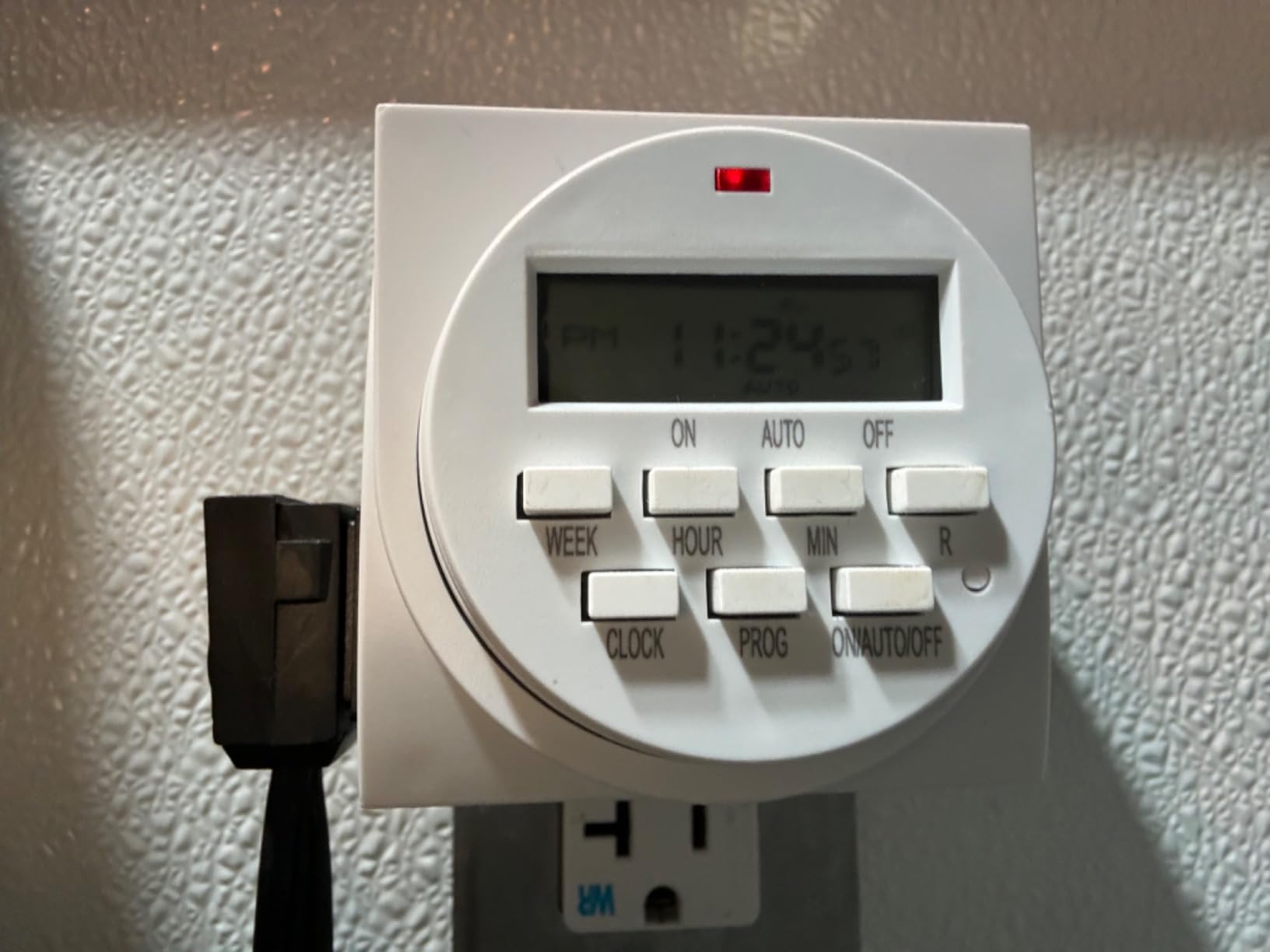
Two independently reachable grounded outlets means one timer can drive two fixtures, and the program set covers individual days or preset day combinations across a full week. The minimum interval is one minute, so split photoperiods, where you want two lit blocks rather than one long one, are easy to build. A daylight saving mode and a random vacation mode are both one button press away.
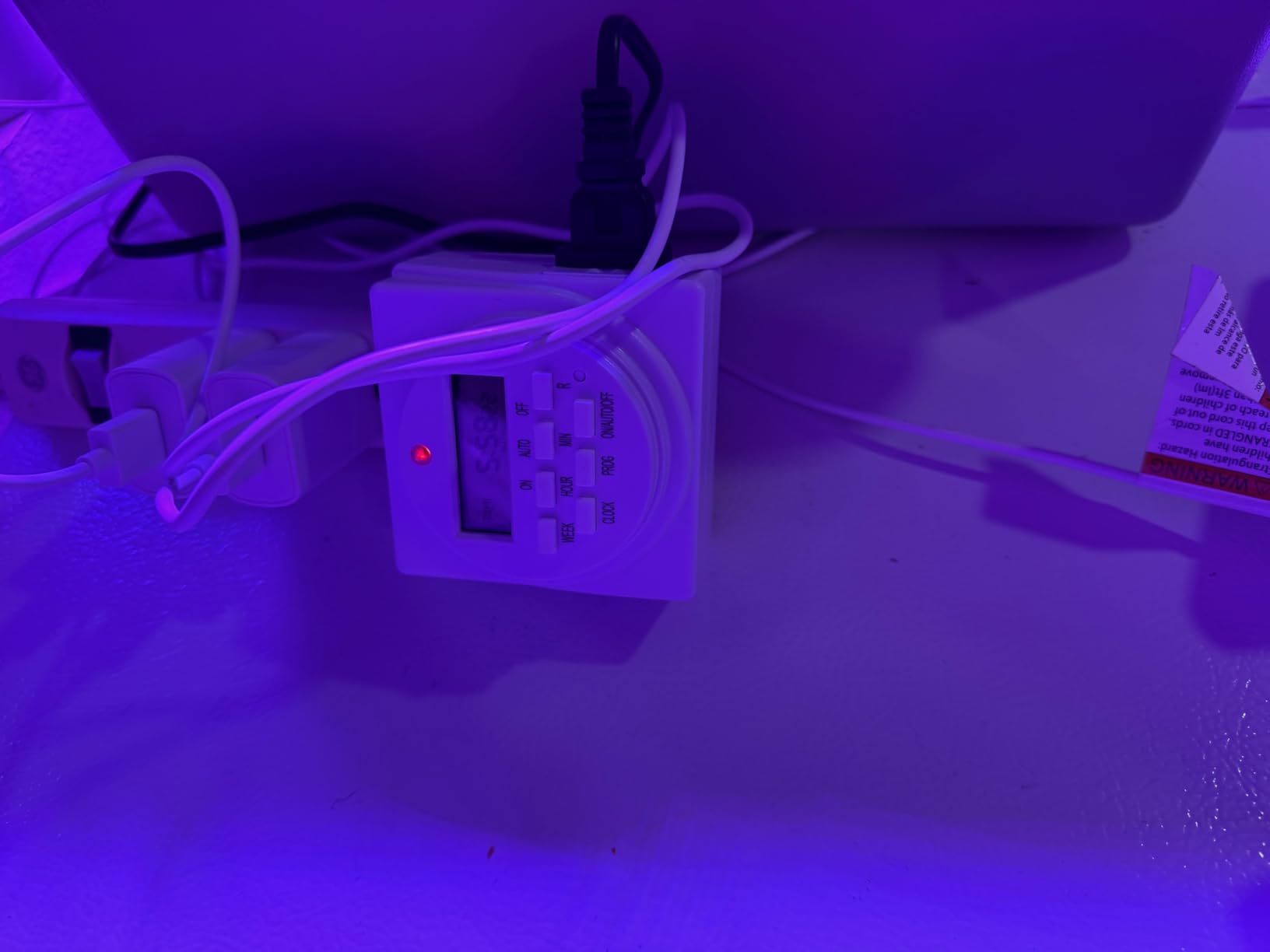
The honest complaint is the programming model. Owners describe the logic as needing a read-through, and the printed weekday labels on the face are genuinely small, so keep the manual nearby the first time you set it. It is also a device that lives on a shelf where shoulders and elbows swing past, and a bump can flip a setting without any obvious sign.
At 4.3 stars across more than 41k ratings this is by far the most reviewed timer here, and that volume cuts both ways: the star figure is a little lower than the mechanical models because the audience is larger and pickier, but the customer service record described in those reviews is consistently fast with replacements. The indicator LED is also dim enough that you may not be able to tell at a glance whether the device is in AUTO mode.
Where this timer earns its place
A propagation shelf, a veg room, or a tent where the lights have to keep running through a week of unstable power. Two outlets plus a battery-backed clock covers most single-room setups without a second device, and the one-minute minimum interval lets you build a split schedule if a stage needs one.
What to check before you buy
Confirm both your fixtures use grounded 3-prong plugs, and confirm your wall outlet has a free socket. The body is slim enough to leave the neighbouring outlet usable, which is the main reason this shape beats a chunkier mechanical dial in a busy room.
2. BN-LINK 24-Hour Heavy Duty Mechanical Timer
BN-LINK 24-Hour Heavy Duty Mechanical Timer Outlet,Indicator Light, 3-Prong
125VAC 60Hz 1875W 15A 1/2HP
15-minute pin segments
Up to 96 on/off settings a day
Built-in non-removable pins
Pros
- No battery
- app or account required
- Built-in pins cannot be lost
- Heavy duty 1875W/15A/1/2HP rating
- Grounded 3-prong socket
- Front-facing device socket
Cons
- Bulky body partly blocks the second socket
- A three-way plug multiplier will not fit beside it
- Repeats a 24-hour cycle only
- Setting the dial takes practice
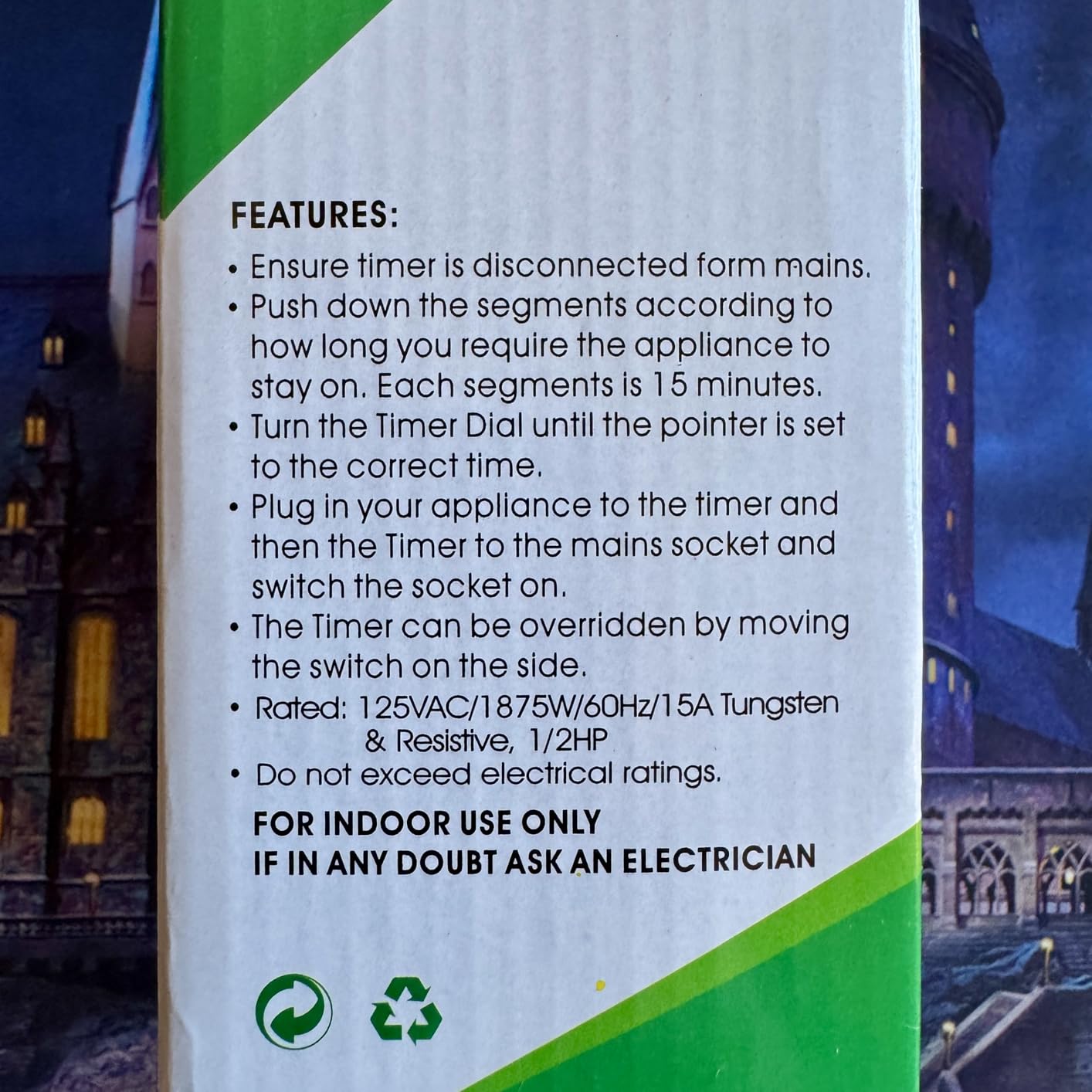
This is a mechanical grow light timer with finer control than most, and the reason is the dial. Each pin segment is 15 minutes, which means 96 settable on and off points across a day, far more resolution than the 30-minute pins most cheap wall timers give you. Push a pin down for every interval you want the light off, rotate the dial to the current time, and the built-in motor takes over.
The pins are built into the dial rather than supplied loose, which is a small detail that removes a real annoyance: loose push-down pegs get lost, and a missing peg leaves a permanent hole in the schedule. There is also a side override switch and a power-on indicator, and the same dial can double as a simple interval timer if you set it that way.
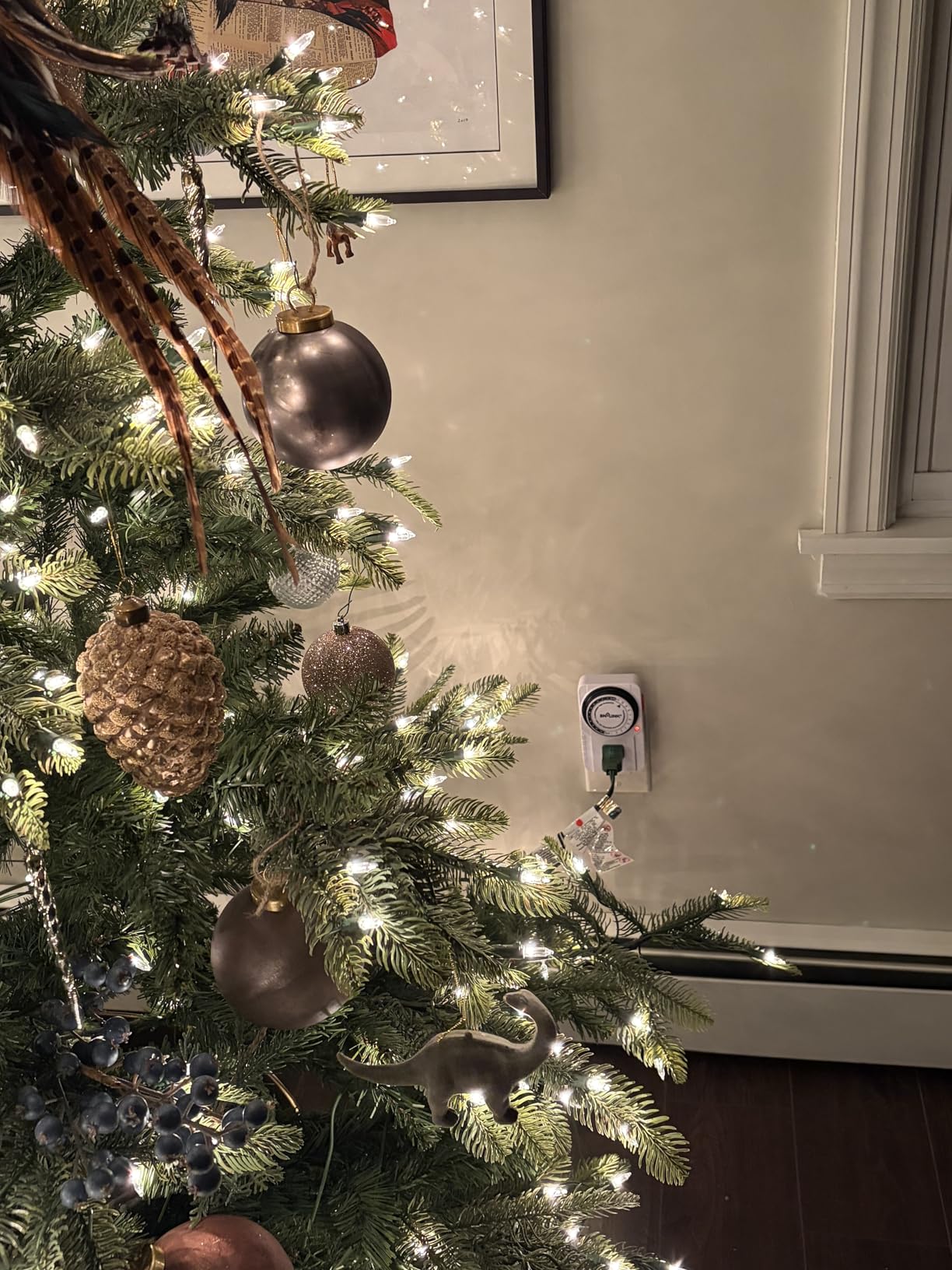
Size is the trade. At 3 by 4.8 by 3 inches it is a substantial block, and it partly covers the second socket on a duplex receptacle, which is why we keep seeing people reach for a three-way plug multiplier and find that it will not fit alongside it. Plan your outlet layout before this one, not after.
Accuracy is the other consideration. The dial is turned by a motor with no clock behind it, so when power stops the dial stops too, and it resumes however far behind it stopped. A short afternoon outage shifts your whole photoperiod by that amount until you correct it, which is the exact failure described in old grow forums where a 12/12 schedule flipped off at 5 PM.
Where this timer earns its place
A stable room with clean power, one or two fixtures, and a fixed 18/6 or 12/12 photoperiod that repeats identically every day. The 15-minute resolution is finer than most plants need, and there is nothing to charge, no account, and no app.
What to check before you buy
Check the rated load type before you connect anything with a ballast. This model is published as 15A tungsten and resistive at 1/2HP, which covers LED fixtures and household loads comfortably but is not a blanket statement about every kind of lamp.
3. GE 24-Hour Plug-In Mechanical Timer, 2 Outlets
GE 24‑Hour Plug-in Mechanical Timer Outlet, 2 Grounded Outlets, 1 Pack
24-hour mechanical daily cycle
30-minute interval pushpins
Two timed grounded 3-prong outlets
Top manual override switch
Pros
- Highest average rating here at 4.6 stars
- No batteries to fail or replace
- Two grounded outlets run together
- Multi-year accuracy reported by owners
- Almost no learning curve
Cons
- 30-minute resolution is coarser than 15-minute models
- Soft continuous winding hum while plugged in
- Audible click on switching
- Bulky for tight outlet spaces
This is the highest rated timer in the roundup at 4.6 stars from more than 14k ratings, and the reason is longevity. There is no battery and no app, so the failure modes that hit digital timers simply do not apply. Owners running aquarium and reptile lamps report multi-year service with the dial still tracking accurately.
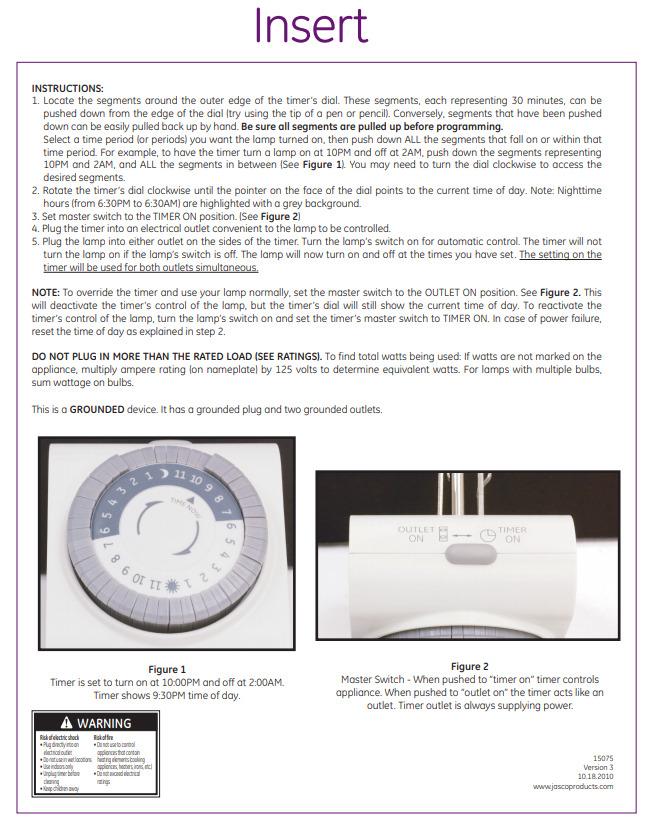
Two grounded 3-prong outlets are controlled together, so one timer can run two fixtures on the same schedule. The override switch sits on top and bypasses the timer while the dial keeps turning, which means you can force the lights on for an inspection without losing your program.
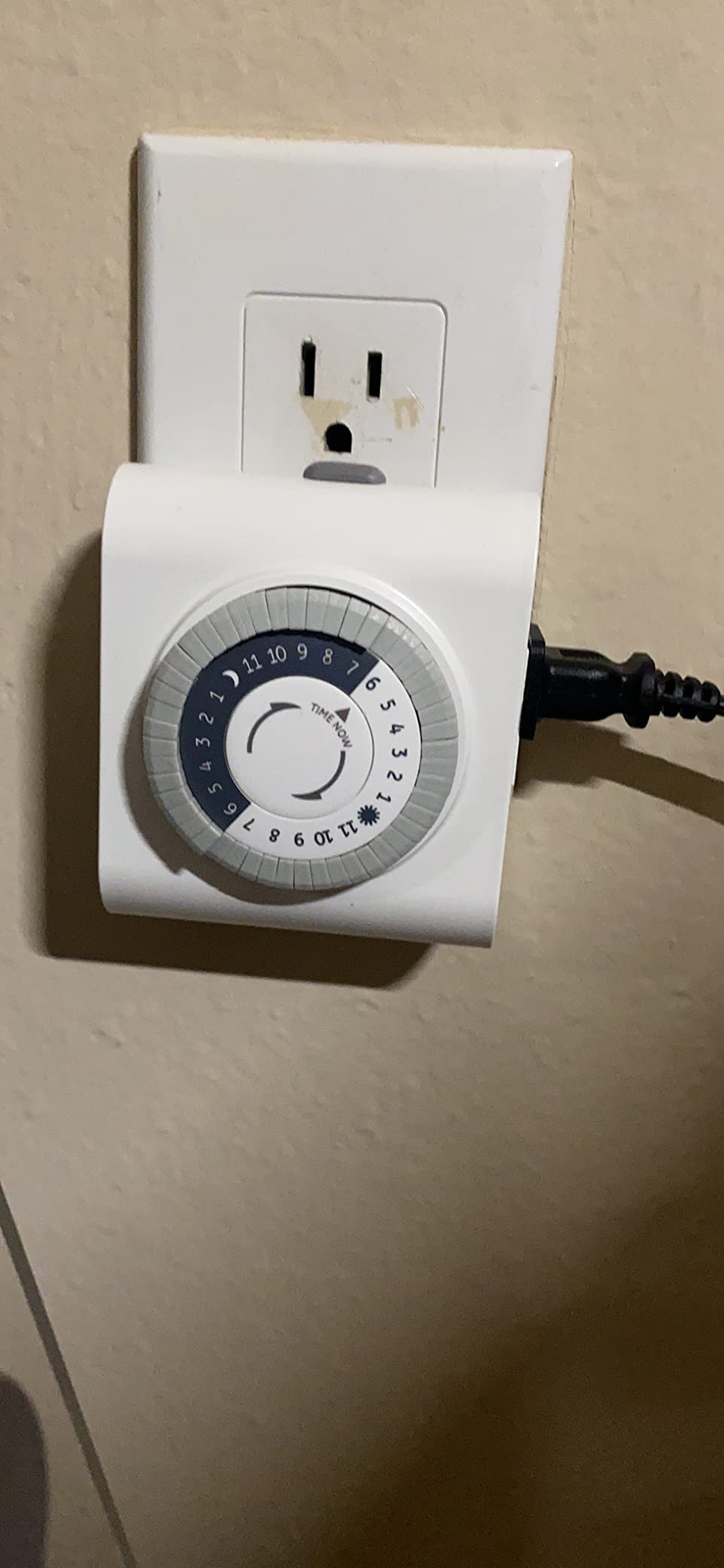
Sound is the deciding factor for a lot of growers. This timer carries a soft continuous winding hum while plugged in and a distinct click when it switches, so in a bedroom or a quiet study you will hear it. If your grow shelf sits in a living space and noise matters, read the quiet section further down before settling here.
The other limitation is resolution. Pushpins are set in 30-minute steps, so a 17-hour photoperiod is easy and a 16.5-hour one is not available to you. For flowering and vegetative schedules that is almost always fine, and for split photoperiods it is not.
Where this timer earns its place
Aquariums, reptile enclosures, houseplant shelves, and any light that has been running on the same clock for years. Battery-free reliability and a top-mounted override make it the pick we would hand to someone who does not want to think about their timer again.
What to check before you buy
Check the noise in your own room first, and count plugs. Two outlets timed together is exactly right for a matched pair of fixtures and exactly wrong for two lights that need different photoperiods.
4. Kasa Outdoor Smart Plug KP401
Kasa Outdoor Smart Plug KP401, Smart Home Wi-Fi Outlet Timer
Wi-Fi scheduling from the Kasa app
Sunrise and sunset offset
IP64 weather resistance
15A/1875W, ETL certified
Pros
- Remote and voice control removes physical visits
- Weather resistant for covered outdoor runs
- Handles 15A/1875W
- Quick painless app pairing
- Reported working at minus 30C
Cons
- Rigid 90-degree plug blocks a second plug
- Requires a Kasa account and the app
- Weather resistant not waterproof
- Thin documentation
- Not Matter compatible
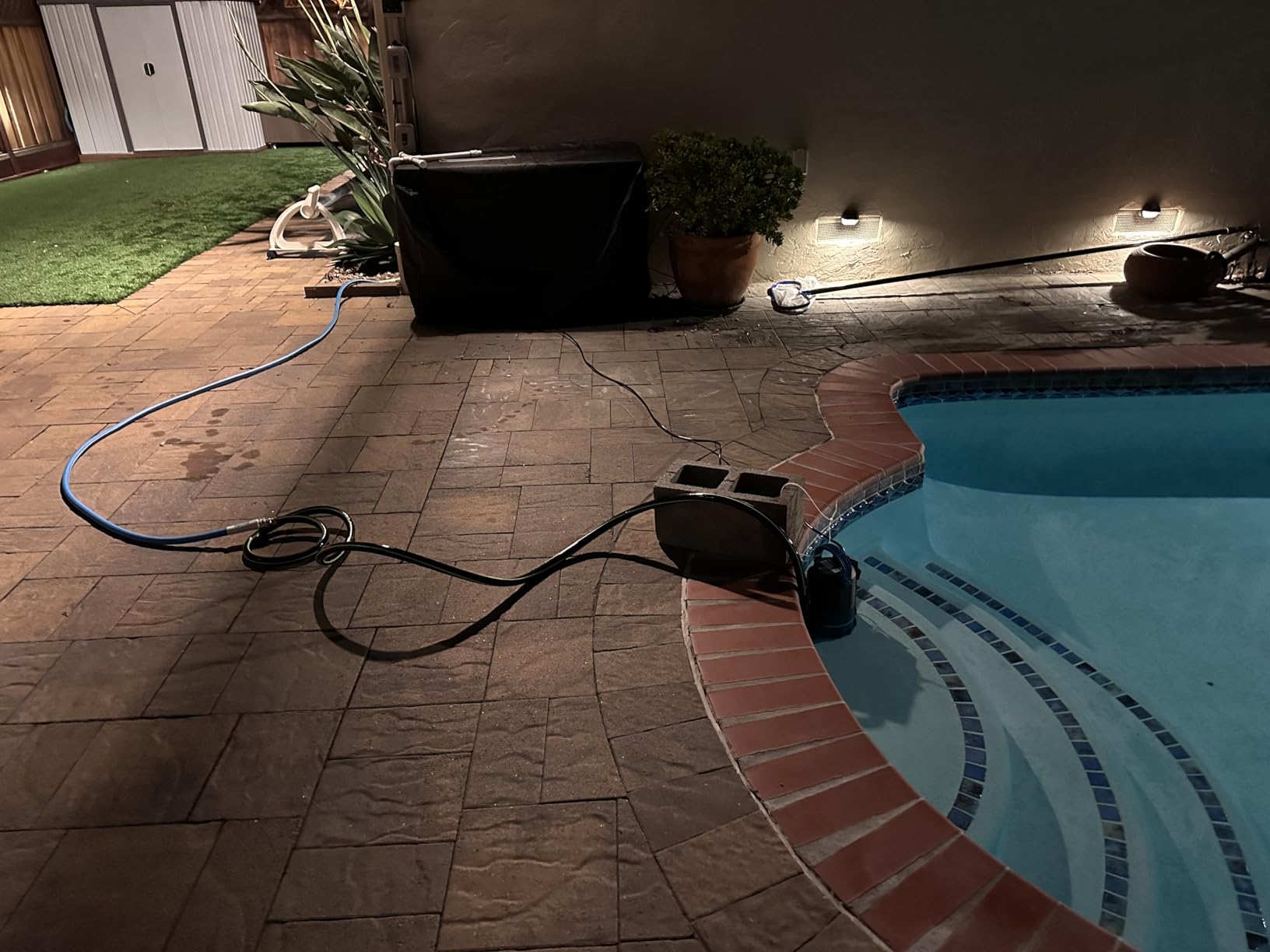
This is the only app-controlled option in the roundup, and it is the answer to a problem no dial solves. You set the schedule from your phone, you can add a countdown, and you can offset the switch time from local sunrise and sunset so a greenhouse run follows the actual daylight rather than a fixed clock. Voice control through Alexa and Google Assistant is supported, and it links to SmartThings without a hub.
It is also the only pick rated for weather. IP64 resistance with an attached protective cover and a hanging socket designed to shed water makes it usable on a covered outdoor run or in a greenhouse, where a household wall timer has no business being. Connectivity holds across long distances because the plug transmits infrequently.
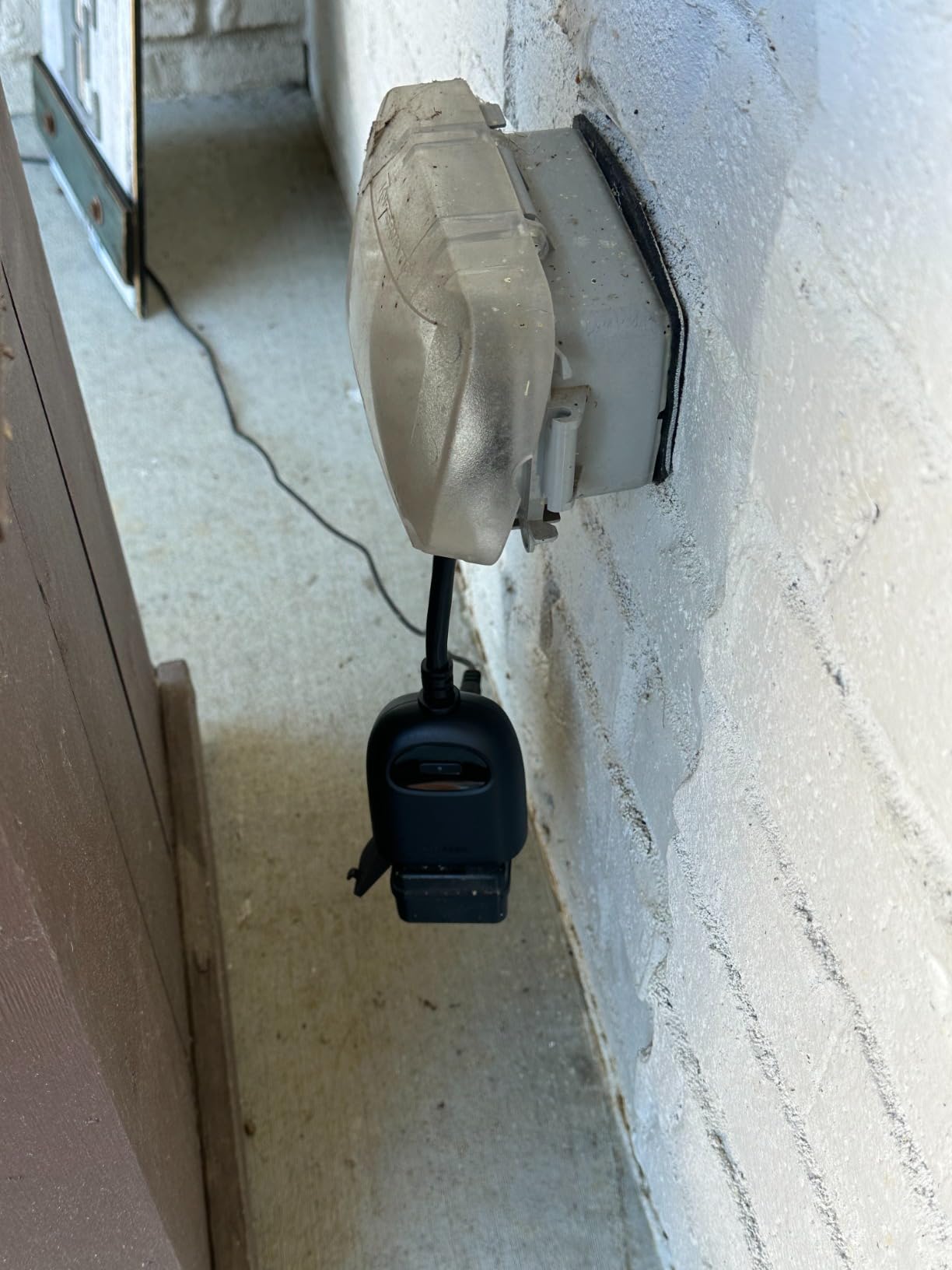
The physical design has a clear drawback. The body sits at 90 degrees to the wall, so it blocks a second plug in the same receptacle, which matters if you were planning to pair it with another smart device or a timer. The documentation is also thin, so expect to read the manufacturer web FAQ to learn the schedule options.
The bigger decision is ecosystem lock-in. Scheduling depends on a TP-Link account and the Kasa app, so if the app or the service goes away, your light schedule goes with it. Some users also note this model is not Matter compatible, which limits which newer smart home platforms will accept it.
Where this timer earns its place
A grow room in a separate building, a greenhouse, a balcony setup, or any install where walking over to check the light is inconvenient. It is the strongest choice when you want to change a photoperiod remotely during a flowering cycle rather than planning it a week ahead.
What to check before you buy
Check that your network reaches the outlet on a 2.4GHz band, and check that the spot has some shelter. IP64 is a rating for splash and dust, not for an uncovered socket in a downpour.
5. BN-LINK 8-Outlet Timer Strip, 4 Timed and 4 Always On
BN-LINK 8 Outlet Surge Protector with 7-Day Digital Timer (4 Outlets Timed, 4 Outlets Always On) – White
8 grounded outlets: 4 timed, 4 always on
7-day timer with 8 programs
1-minute minimum interval
800V surge protection, UL 1449
Pros
- Only option here that adds surge protection
- Split timed and always-on layout
- 1-minute minimum interval
- Backup battery holds the schedule
- Circuit breaker and row indicator LEDs
Cons
- All four timed outlets switch as one group
- Strip format means it sits at the outlet not in it
- Indoor use only
- Bulky footprint for a duplex receptacle
This is the shape you need the moment your grow room has more equipment than a single duplex outlet can carry. Four outlets follow the 7-day schedule and four stay energised continuously, which means lamps, fans, and a pump can all run from one device without any of them being dragged onto the wrong photoperiod.
It is also the only pick with surge protection built in, rated to UL 1449, 1363 and 917 with a 3-line 800V VPR rating and a circuit breaker switch. For a room with several fixtures, a fan, and pumps on the same branch, that is a meaningful difference from a bare timer.
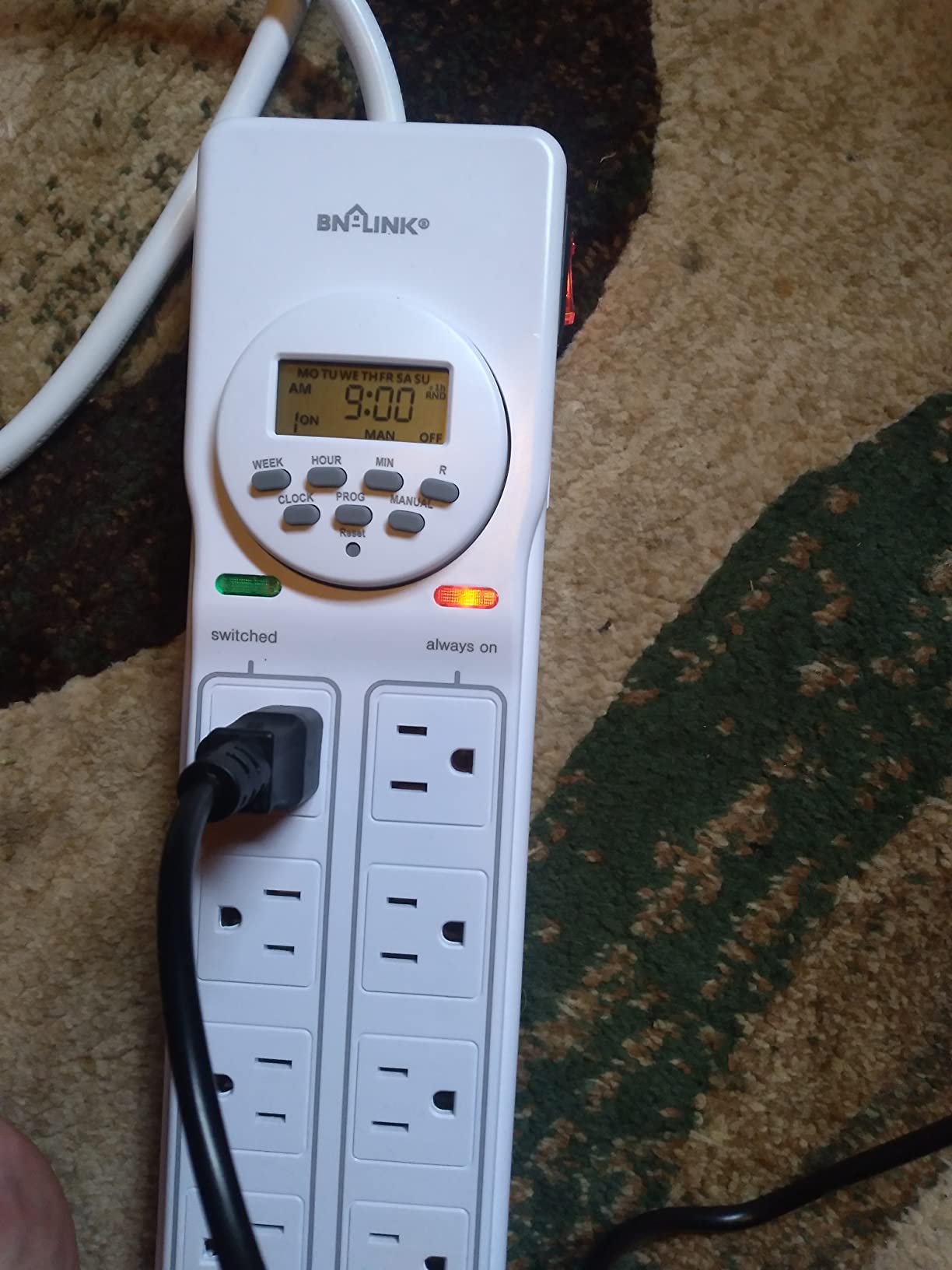
Understand what the split does and does not buy you. All four timed outlets switch together as a single group, so this solves the timed versus always-on problem but not the two-different-schedules problem. If one of your lights needs 18 hours and another needs 12, this is the wrong device and the VIVOSUN further down is the right one.
It is a strip, so it occupies the receptacle rather than sitting in it, and it is rated for indoor use. Plug a strip into a wall, then another strip into that one, and you have created the daisy-chain arrangement that causes nuisance tripping and is worth avoiding entirely.
Where this timer earns its place
A propagation shelf with a heat mat, a veg room with a fan and an intake, or a flowering tent where the extraction fan must keep running through the dark period. The timed and always-on rows make it the only correct shape for those setups.
What to check before you buy
Count everything that needs power, then decide which of those need a photoperiod at all. Anything that must run overnight, like a fan or a pump, belongs on an always-on row.
6. FosPower 7-Day Digital Timer, 2 Pack
Fospower 7 Day Digital Timers for Electrical Outlets Indoor, Heavy Duty Dual Programmable Outlet Light Timer Switch, Electric Power Wall Timer for Grow Light, Lamp, 3 Prong, Grounded- 2 Pack
10 on/off programs across 7 days
Two grounded 3-prong outlets per timer
Battery memory for clock and schedule
Random mode, UL listed, 2 pack
Pros
- Two timers for two rooms or two zones
- 10 on/off programs across a 7-day week
- Battery memory holds clock and schedule
- Long service life reported by owners
- Random mode plus countdown functions
Cons
- Programming is not intuitive and the leaflet print is small
- Both outlets on a timer switch together
- No simple manual override button
- Random mode is easy to press by accident
This is a two-pack, and that is the whole point. A single room rarely needs more than one timer, but a setup with lights in two rooms, or a flowering area and a veg area with different photoperiods, does. Buying two in one order also means both timers are the same model, which makes troubleshooting and reprogramming far simpler than running two different brands.
Each timer holds 10 individual on and off programs across a 7-day schedule, which is more program capacity than any other digital pick here except the VIVOSUN. The battery-backed memory holds both the clock and the program list through a power cut, and each device switches two grounded 3-prong outlets together.
Durability is the standout theme in the owner reviews for this model. Growers running indoor vegetable gardens report timers with five and six years of continuous service, and one describes a setup large enough to need ten of them, with only a small number ever replaced for failing to switch off. That long record matters more than the star rating.
The frustration is control. There is no dedicated override button, so forcing the lights on means cycling the ON, OFF and AUTO modes, and the LCD can end up hidden behind the plug. The random mode sits close enough to the working buttons to be triggered by accident, and when that happens the schedule looks broken when it is actually doing exactly what it was told.
Where this timer earns its place
Two separate spaces with two separate schedules, or a houseplant shelf in one room and a seedling tray in another. It is also the pick for anyone who wants spare capacity on hand without buying a different brand for the second location.
What to check before you buy
Read the programming steps before you start, not during, and mark the random mode button so you do not press it later. Both outlets on each timer share one schedule, so count matched pairs of fixtures rather than individual lights.
7. Techbee Digital Infinite Repeat Cycle Timer
Techbee Digital Infinite Repeat Cycle Intermittent Timer Plug for Electrical Outlet, 24 Hour Programmable Indoor Timed Power Switch with Countdown Delay On and Off (120V, 15A), 1 pack
Infinite repeat interval mode
Countdown on and countdown off
24-hour programmable daily schedule
120V 15A, silent operation
Pros
- Only pick with a dedicated repeat interval mode
- Three functions in one device
- Large readable display
- Completely silent
- Backup battery plus child lock
Cons
- Single outlet so one fixture per timer
- Not a 7-day day-of-week scheduler
- Budget build compared with heavy-duty models
This is one of the quietest options in the roundup, and in a bedroom or a study that alone can decide the purchase. There is no relay churn, no winding motor hum, and no click: the device switches silently, which is exactly what the GE and the mechanical BN-LINK cannot offer.
What makes it unusual is the infinite repeat cycle mode. Alongside the 24-hour daily schedule and the countdown functions, it can drive short repeating on and off bursts on a fixed interval, which is useful for airflow staging, intermittent misting, or any setup where you want a brief output every few hours rather than one long block.
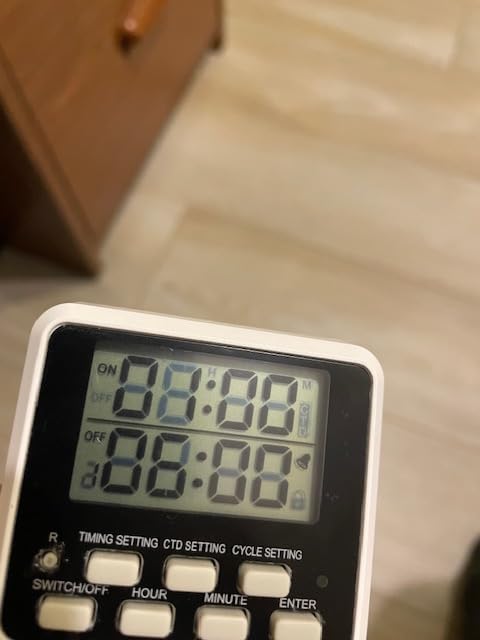
The display is genuinely large at 4.33 inches, and the digits are easy to read, which matters more than it sounds when you are crouched behind a shelf setting a schedule at night. A built-in battery memorises programs through outages, and the housing is V0 fireproof with a child lock, which is reassuring in a house with young children.
The scope is narrower than the other digital picks. It is a single outlet, so one fixture per timer, and it runs a 24-hour program rather than a full day-of-week schedule. If your flowering stage needs weekdays on and weekends off, this is the wrong tool.
Where this timer earns its place
A bedroom grow shelf, a quiet study, or any setup that needs repeated short cycles rather than a single long photoperiod. It is also the one to pick if noise from the timer itself has been bothering you.
What to check before you buy
Count fixtures against outlets, because there is only one socket on the face. And confirm your schedule really is a 24-hour repeat, because there is no day-of-week programming here.
8. VIVOSUN 7-Day Digital Timer, 2 Independent Outlets
VIVOSUN Digital Timer Outlet 7 Day Programmable Digital Outlet Timer with 2 Independent Outlets 3 Prong, 20 on/Off Programs Groups, Countdown Setting, Indoor for Light Lamp, Fan(1Pack)
Up to 20 on/off program groups
1-minute minimum, 7-day maximum
Two independent grounded 3-prong outlets
125V 60Hz 15A, 1875W max
Pros
- Most program capacity in the roundup
- Two outlets controllable separately
- Large LCD
- Rechargeable battery keeps presets
- Child lock and side-entry plug
Cons
- Lowest rated pick here with 9 percent one-star reviews
- Dense programming model takes time to learn
- Indoor use only
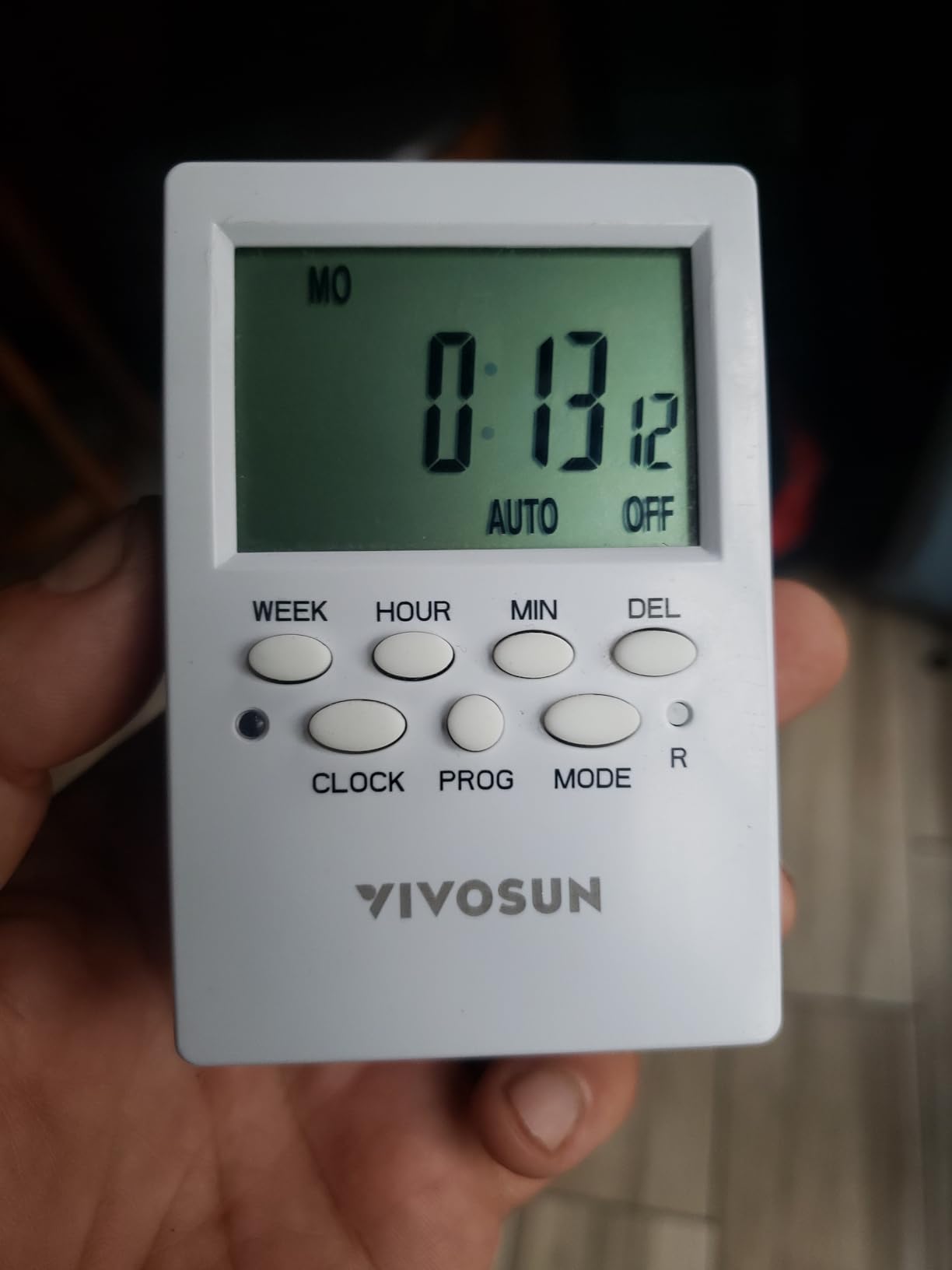
The VIVOSUN wins on specification density. Twenty program groups with a one-minute minimum interval and a seven-day maximum give you more scheduling room than anything else here, and there are eight preset working-day combinations to build those programs from without setting every day by hand.
The feature that actually changes what you can do is the pair of independent outlets. They are scheduled separately, so one timer can run an 18-hour light and a 12-hour light in the same room, or a veg area and a flowering area, without a second device.
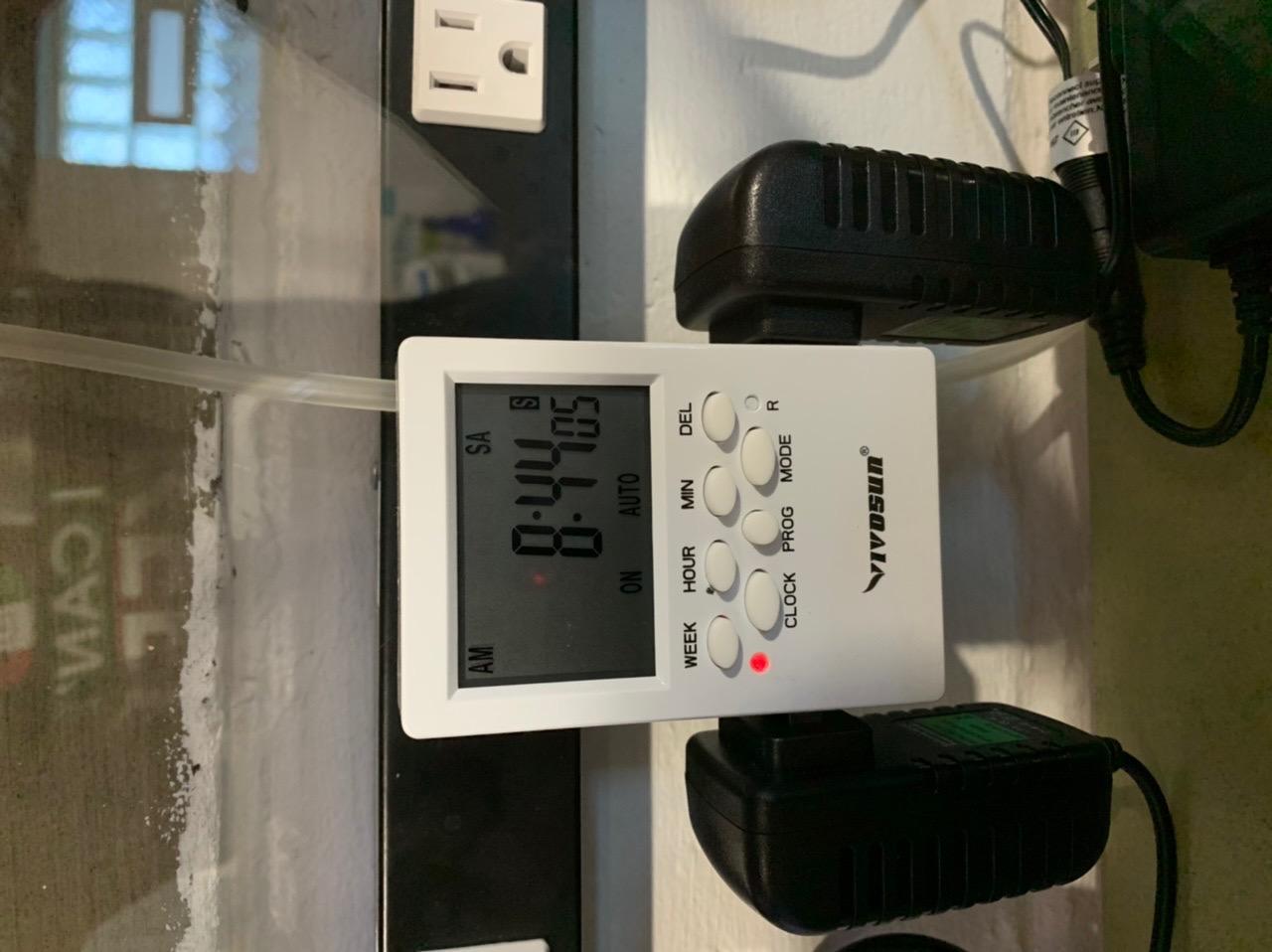
The rechargeable battery retains presets and programs through a power cut, and the random on and off mode plus a countdown setting cover the vacation use case that growers planning a two-week trip actually care about. The side-entry plug design is a small but real advantage behind a heavy fixture or a tight receptacle.
This is the newest and least reviewed of the eight at 4.2 stars from 1,346 ratings, and its rating distribution is the widest in the group, with 9 percent one-star reviews against a matching 9 percent at five stars. That pattern usually reflects a deep settings menu: people who need twenty programs love it, and people who wanted a simple switch find it dense.
Where this timer earns its place
Any room where two fixtures need genuinely different photoperiods, or a multi-stage setup where you want the full week programmed in advance. It is the most capable schedule in the roundup by a wide margin.
What to check before you buy
Be honest about how much programming you will actually do. If you want one light on one schedule, a mechanical dial is simpler and costs less effort to configure every single time.
Mechanical, Digital, and Smart Wi-Fi Timers Compared
Mechanical, digital, and smart Wi-Fi timers all do the same physical job: a relay switches your load on and off. The only meaningful difference is how the schedule is set and whether it survives a power cut. Choose on that basis and the rest is preference.
Mechanical gives you a 24-hour dial with push-down pins, no electronics to fail, and a program that physically cannot be corrupted. The dial is turned by a motor, so when power stops the dial stops too, and it comes back however far behind it was left, which is the drift that shows up as a schedule flipping off hours early.
Digital replaces the dial with a battery-backed clock programmed to the minute, so the schedule and the time both survive an outage. The cost is complexity: programming takes practice, and small printed day labels invite mistakes. Smart Wi-Fi adds app and voice control on top of the same relay, which is the only category that lets you change a photoperiod remotely or offset it from local sunrise.
One mechanical note for anyone used to sand timers or kitchen countdown gadgets: a mechanical dial is a 24-hour repeat only. It has no concept of a countdown that starts when you walk into the room. If you enjoy that kind of device, our sand timer picks and game timer guides cover the countdown category properly.
What to Look for When Buying a Grow Light Timer
Start by counting plugs, because it is the decision that returns the most timers. Most bar-style fixtures are linkable, meaning several of them run from one plug, while non-linkable fixtures each need their own socket. A two-outlet timer covers a matched pair or a linkable set. Anything with a fan, a pump, or a heat mat on it needs a strip with separate timed and always-on rows rather than a simple timer.
Second, check the plug. Most LED grow fixtures ship with a grounded 3-prong plug, and a lot of cheap digital timers ship with a 2-prong polarized plug that simply will not accept it. This is the most common reason a timer arrives and goes straight back. Look at the fixture first, then confirm the timer has a matching grounded socket or a grounded plug face.
Third, decide whether your schedule must survive a power cut. If power in your area is stable and your photoperiod repeats identically every day, a mechanical dial is enough. If outages are common, or a mistimed switch would cost you a flowering cycle, a digital timer with backup battery memory is the only sensible choice, and every digital pick in this roundup has one.
Fourth, look at resolution only if you need it. Fifteen-minute pins cover any realistic photoperiod. Thirty-minute pins cover most. Minute-level intervals matter only for split schedules and short repeat cycles, which is what the countdown and repeat-mode devices are for. If you want to compare interval devices across categories, our board game timer guide covers that format in depth.
Wattage rating, the number every listing puts first, is the least useful of these. Every timer here is published around 15A and either 1725W or 1875W, and every LED bar or small fixture you would realistically put on one draws a small fraction of that ceiling, so the rating is headroom rather than a constraint. What the rating does not tell you is the load type.
Safety: Heavy-Duty Timers for HID, HPS and MH Ballasts
This is the one place where the headroom argument stops working, and where the most common forum misconception sits. A rating printed as 15 amps resistive is a statement about resistive loads, and it does not automatically cover an inductive load such as an HPS, MH or CMH ballast. The mechanical BN-LINK in this roundup, for example, publishes 1875W, 15A tungsten and resistive at 1/2HP, which is a genuine heavy-duty construction rating but a specific one.
Users do misread this. A 420 forum poster worked through a 15A resistive rating against a measured draw from a large fixture, concluded it was safe, and was reasoning from the wrong category of number entirely. Ballasts draw an inrush spike at switch-on, and the timing of a relay matters in a way it does not for a resistive heater.
The practical guidance from experienced growers is consistent and worth repeating: for anything above roughly 600W, and for any HID or ballast-driven fixture, use a timer built for heavy duty rather than a household wall timer. Grow room users also point to heavy-duty and water-heater-style timers specifically, and to the 120V, 240V and multi-outlet versions of them, for air conditioners, lighting and pumps. If a fixture runs a ballast, treat the timer as part of the electrical design rather than an accessory.
Two habits reduce risk further. Keep extension cords short and rated for the load rather than running a long lead back to another room, and never stack a power strip into a timer into another power strip.
How Many Hours a Day Should Grow Lights Be On?
Match the photoperiod to the growth stage, and then give the same number every single day. Consistency beats precision, and the dark period is part of the schedule rather than the gap in it.
Seedlings and propagation: sixteen to eighteen hours of light. Young plants are weak-stemmed and photosynthesise most efficiently with a long day, and eighteen on and six off is the common starting point.
Vegetative growth: sixteen to eighteen hours, usually matching the seedling stage. This is the range that builds the leaf area and the stem structure you want going into flowering.
Flowering stage: twelve hours on and twelve off for most indoor growers running photoperiod-sensitive plants, because the uninterrupted dark period is the trigger. Avoid stray light during the dark window, including indicator LEDs if they are bright enough to see in the dark.
Houseplants and foliage: twelve to fourteen hours is usually plenty for most foliage plants, and a steady twelve is fine for anything that is not flowering.
Continuous light is a stressor rather than a bonus. Plants use the dark hours to respire and rebuild, and a forgotten override switch that delivers 24 hours of light will show up later as stalled growth or a failed flowering cycle.
How to Set Up and Program a Grow Light Timer
Most people who think their timer is broken have made the same mistake, so work through this in order. Nearly every forum complaint about a schedule switching off hours early traces back to a dial that was never aligned to the current time.
Set the clock to now, before anything else. On a mechanical dial, rotate it to the current time and switch the unit to TIMER mode. On a digital timer, set the time and the date first, and confirm the AM and PM setting.
Choose the photoperiod. Work out the on and off hours from your growth stage, then write them down before touching any buttons.
Build the schedule. For a mechanical dial, push down a pin for every interval you want the light off and leave the rest raised. For a digital timer, set the on time, set the off time, then assign the program to the days you need it.
Test it rather than trusting it. On a mechanical dial, turn the mode switch to OFF and rotate the dial forward to the next switching point to confirm the relay fires. On a digital timer, use the countdown or manual override to confirm the outlet switches.
Re-audit once a month. Compare the light’s actual on and off times against a clock, and correct the dial if they have drifted. This takes two minutes and catches drift long before it becomes a failed cycle.
If your fixture already has a built-in cycle timer, set it to always on and let the wall timer own the schedule. Two controllers fighting over the same photoperiod is a well documented source of confusion, and fixture controllers restart from scratch after every power interruption.
What Happens After a Power Outage
Almost every case of a timer that keeps getting the schedule wrong is a power cut plus a mechanical dial. The dial is driven by a motor with no clock behind it, so when power stops the dial stops, and it resumes however far behind it was left. The program inside the dial is still correct; only the clock is wrong, which is why the fix takes five seconds.
Reset the dial to the current time, confirm the unit is in TIMER mode rather than OFF or ON, and the schedule is accurate again. Digital timers with backup battery memory do not have this problem, which is the entire argument for spending a little more on one when your power is unstable.
Checklist-style recovery, whether mechanical or digital: reset the clock, verify the mode switch is on AUTO or TIMER, confirm the first switching point by testing, and then note the date so you know when the last audit happened. If outages are frequent enough that you are doing this monthly, a battery-backed digital timer removes the problem for good.
Timer vs Built-In Fixture Controller
If your grow light ships with its own built-in cycle timer, you may not need a separate timer at all. Many fixtures offer preset 6, 12 and 16 hour modes on a built-in dial or button, which covers a straightforward daily photoperiod without adding another device to the wall.
The limitation is what happens after an interruption. Fixture controllers typically restart their cycle from a default rather than resuming the state you set, so they cannot be trusted as the only schedule in a room with unreliable power. For anything that has to hold a flowering photoperiod for weeks, a wall timer with a battery-backed clock is the more dependable owner of the schedule.
Houseplant growers also report the common conflict of a fixture controller and a power bar both trying to schedule the same light. Pick one owner for the photoperiod and set the other to always on.
Timed vs Always-On Outlets
A heat mat should not share a photoperiod with your lights. Switching the mat with the light heats the growing medium all day and lets it cool all night, which is the opposite of what seedlings and cuttings need, and it is a mistake that costs a propagation batch.
The correct shape is a strip that separates timed outlets from always-on outlets, or a second outlet entirely. Put the lights on the timed row and the mat, the fan, and the pump on the always-on row. The BN-LINK 8-outlet strip in this roundup is built exactly that way, with four timed and four always-on sockets on the same body.
The reverse mistake matters too: a fan on a timed outlet stops running during the dark period, when a grow room usually needs air movement most. Timed for lights, always on for everything else.
Frequently Asked Questions
Should grow lights be on a timer?
Yes. Effectively every grow light setup should run on a timer, because plants respond to a consistent day length. A light you switch on by hand delivers an erratic photoperiod, and inconsistency stresses a plant more than a slightly shorter but steady schedule would. The dark hours are part of the schedule, not the absence of one.
Which is better, mechanical or digital timers?
Mechanical if you want a physical program that cannot be corrupted, fine 15-minute pin resolution, and no electronics to fail. Digital if the schedule must survive a power cut, because a backup battery keeps the clock running where a mechanical dial simply falls behind by the length of the outage. A smart Wi-Fi plug adds app, voice, and remote scheduling.
How many hours a day should I run my grow light?
Sixteen to eighteen hours for seedlings and vegetative growth, twelve hours on and twelve off for flowering, and twelve to fourteen for most foliage houseplants. Consistency matters more than the exact number, so give the same total every day. Continuous light is a stressor rather than a bonus.
What is the best lighting timer?
It depends on three things: how many grounded plugs your lights need, whether you want 15-minute pins or minute-exact digital scheduling, and whether the schedule must survive a power cut. For one linkable light set, a grounded 3-prong mechanical timer is the default answer. For a shelf running a heat mat as well as lights, a strip with separate timed and always-on rows is the only correct shape.
Can I put a heat mat on the same timer as my grow light?
No. A propagation heat mat wants steady warmth, and switching it with the photoperiod heats the medium all day and cools it all night, which is the opposite of what seedlings and cuttings need. Use a strip that separates timed outlets from always-on outlets, or a second outlet entirely. The same applies to fans and pumps.
Why does my timer keep getting the schedule wrong?
Almost always a power cut combined with a mechanical timer. The dial is turned by a motor with no clock behind it, so when power stops the dial stops and restarts however far behind it was left. Reset the dial to the current time and confirm the mode switch is on TIMER; the program inside is still right, only the clock is wrong.
Conclusion
The best timers for grow lights come down to three questions: how many grounded plugs you need, how precisely you want to set the schedule, and whether it has to survive a power cut. Answer those and the choice is easy. We use the BN-LINK 7-Day digital timer as our first pick because a battery-backed clock never loses time and it drives two grounded outlets at once, and we reach for the BN-LINK 24-hour mechanical dial when the room has clean power and the photoperiod repeats identically every day.
Whatever you choose, set the clock before you set the schedule, keep heat mats and fans off the timed outlets, and check your fixture’s plug shape first. Set it once in 2026, audit it monthly, and your plants get the same day length every single day.