
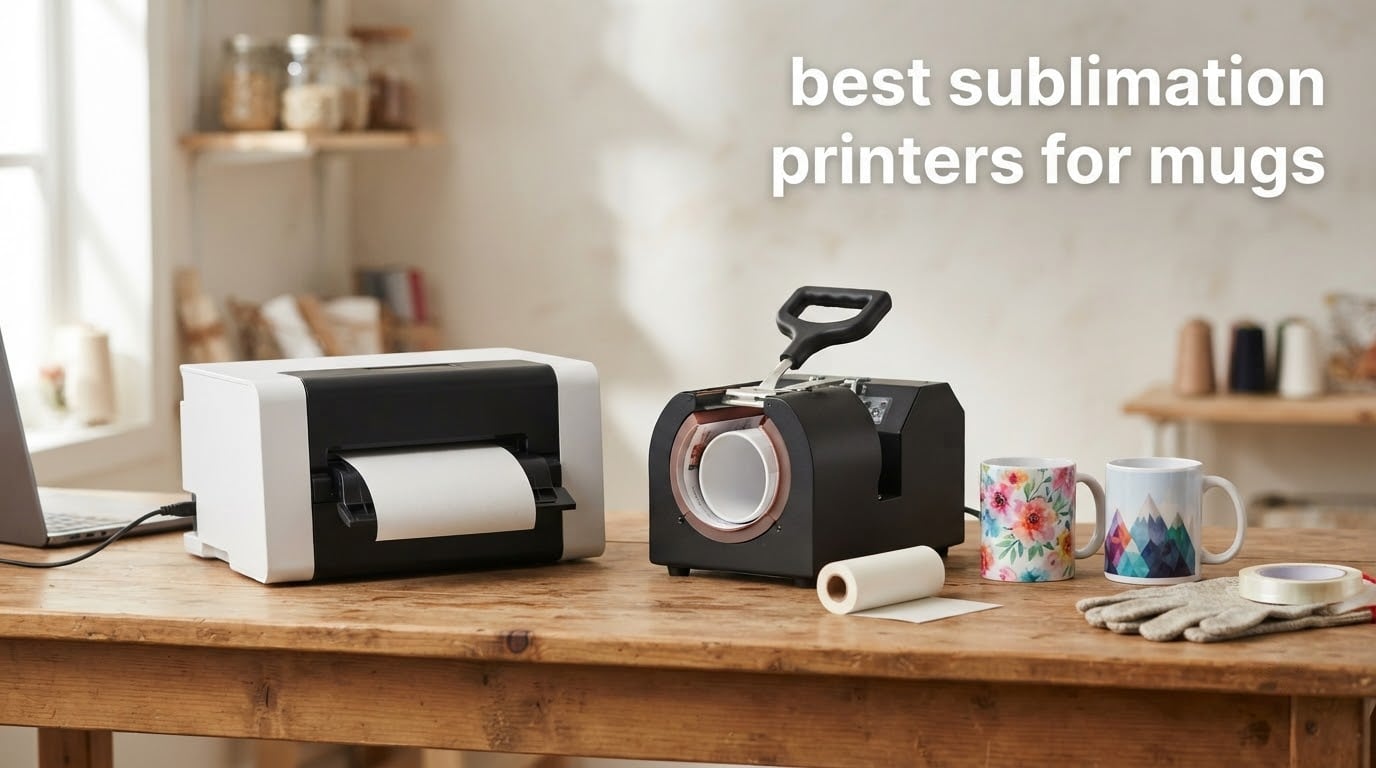
A mug sublimation setup is really two purchases, and most people only plan for one of them. The printer lays dye onto transfer paper, and then a mug press or tumbler press wraps and heats that paper against a coated blank so the dye turns to gas and bonds into the coating. A flat heat press sitting on your workbench cannot bend around a curved surface, so the printer alone will never finish a mug.
That is why the best sublimation printers for mugs are not simply the machines with the sharpest photos. What matters is print area, whether the ink system is cartridge-free or cartridge-based, how hard the machine is to keep unclogged between uses, and whether the manufacturer still supports the thing when a head goes sideways. We weighed all of that across six machines, from a compact dedicated Epson to a 24 inch wide format production printer.
Our broader guide to sublimation printers for crafts covers apparel and mousepads in more depth, but the mug workflow is different enough to deserve its own list. Press temperature, dwell time, blank coating and wrap tension matter far more here than they do for a polyester shirt. If you have never printed before, it also helps to understand how inkjet basics work first, which we cover in our inkjet printer guide.
Top 3 Picks for Sublimation Printing on Mugs in 2026

Epson SureColor F170
- 8.5 inch wide media
- 5760 x 1440 dpi
- 150 sheet enclosed tray
- Genuine Epson inks included

Brother SP-1 Bundle
- 45 seconds per sheet
- Artspira design app
- Extra CMY cartridges and paper
- Wi-Fi with scanner

Pinckney Super-Tank All-in-One
- Cartridge-free ink tanks
- Built-in scanner and copier
- 5760 x 1440 dpi
- Refillable super-tank system
Best Sublimation Printers for Mugs in 2026 at a Glance
Six machines, six very different answers to the same question. The table below shows what each one actually brings to a mug workflow before the detailed write-ups.
| Product | Specifications | Action |
|---|---|---|
| Epson SureColor F170 Dye-Sublimation Printer |
|
Check Latest Price |
| Brother SP-1 Sublimation Bundle with Ink and Paper |
|
Check Latest Price |
| Pinckney Cartridge-Free Super-Tank Printer with Sublimation Ink |
|
Check Latest Price |
 Epson SureColor F570 24 Inch Desktop Printer Epson SureColor F570 24 Inch Desktop Printer |
|
Check Latest Price |
 Sawgrass SG500 with 31 mL Inks and Paper Sawgrass SG500 with 31 mL Inks and Paper |
|
Check Latest Price |
 Generic Sublimation Printer Ink and Paper Kit Generic Sublimation Printer Ink and Paper Kit |
|
Check Latest Price |
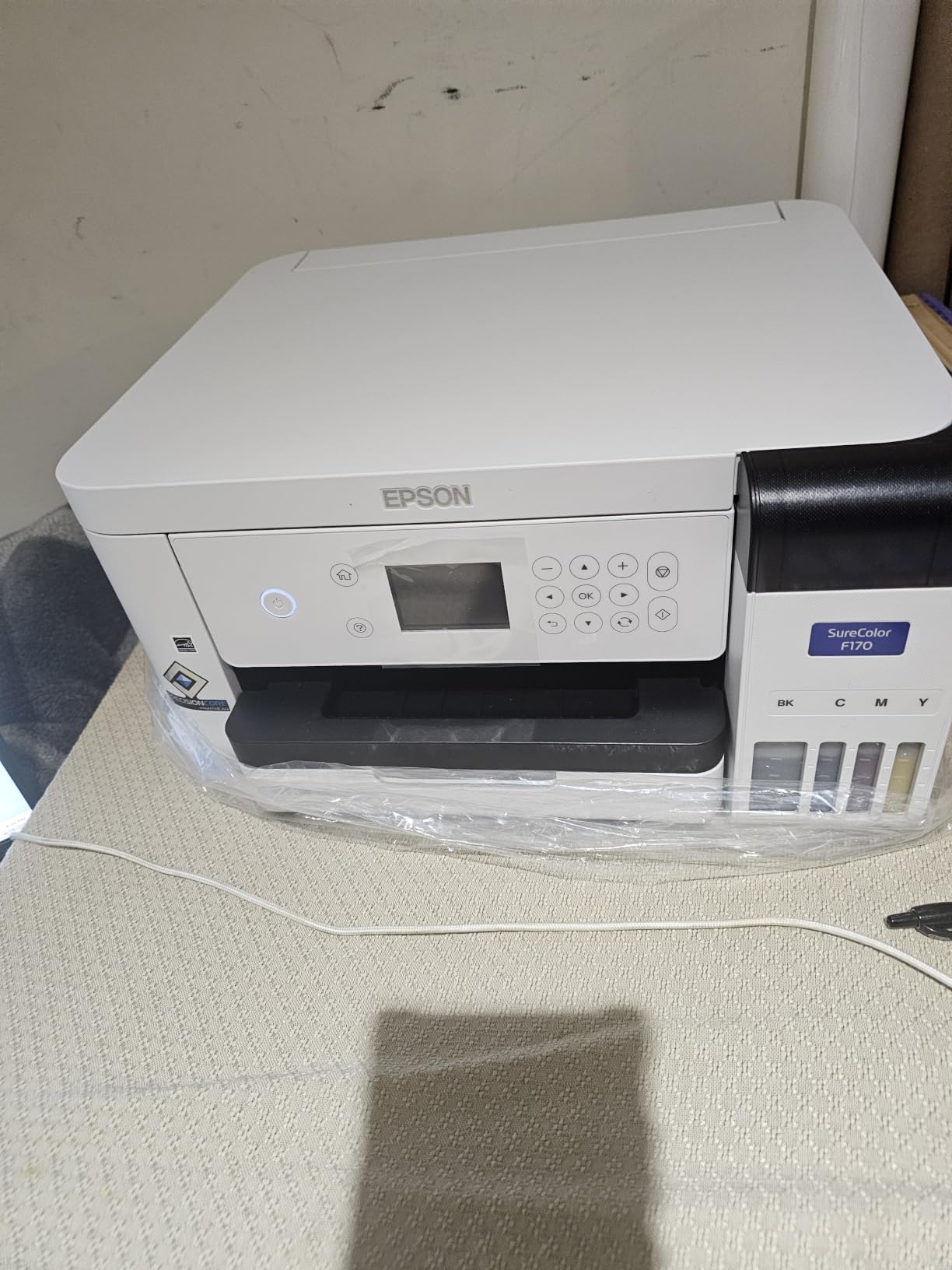
1. Epson SureColor F170 – Compact Dedicated Printer for 11 oz Mugs
Epson SureColor F170 Dye-Sublimation Printer – Compact 8.5″ x 11″ Format – Includes Genuine Epson Ink, User Guide & Power Cable – Original OEM Product with Full Manufacturer Support
Max media 8.5 inch wide
PrecisionCore printhead
5760 x 1440 dpi
150 sheet enclosed tray
16 pound footprint
Pros
- Genuine Epson inks certified ECO PASSPORT by OEKO-TEX
- PrecisionCore head with Precision Droplet Control
- 150 sheet enclosed auto-feed tray
- Compact footprint for small craft rooms
- Auto-stop bottles for clean refills
Cons
- Simplex single-sided printing only
- No mobile device support
- 1 page per minute throughput
This is the printer we would hand to someone making mugs as gifts or running a small Sunday-market table. It is a dedicated dye-sublimation unit, not a converted office machine, which means Epson supports it and the ink that goes in it is the ink Epson designed for it. The 4.5 star rating across 545 reviews is the broadest owner feedback base in this roundup.
The practical detail that matters most for mugs is the 8.5 inch media width. A standard 11 oz mug wrap is roughly 8.5 by 3.75 inches when unrolled, so an 8.5 inch wide printer fits a full wrap with almost nothing to trim. Owners consistently report sharp image clarity on the transfer paper, which is what makes the final mug look printed rather than screened.
The 150 sheet enclosed auto-feed tray is a bigger deal than it sounds. Dye sits on the surface of transfer paper, and an open tray collects dust that prints into your transfer and then into the mug. Keeping the paper inside the machine between runs is the cheapest way to protect a design you are about to heat press.
Setup is straightforward on both macOS and Windows, and the auto-stop ink bottles mean refilling does not mean wiping dye off your hands. The listing pairs the printer with a full set of genuine Epson sublimation inks, which is what you want if warranty service matters to you.
Is the Epson F170 big enough for a 15 oz mug?
Yes, with one caveat about layout. A 15 oz mug needs a taller wrap than an 11 oz mug, so you design at the full 8.5 inch width and control the height by cropping your artwork. The printer cannot extend beyond 8.5 inch media, so a full-bleed all-over tumbler design that wraps past that width is outside what this machine can do in one pass.
For flat photo panels and logo-forward mug designs, which is what most sellers produce, that is more than enough room. The 5760 x 1440 optimized dpi resolution also gives you enough density that gradients on a glossy mug do not look grainy after pressing.
What will frustrate you about the F170?
Throughput is the honest weak point. At roughly 1 page per minute in color, a batch of 20 transfer sheets takes noticeably longer than it does on the Brother in this list. If you are pressing mugs two days a week for a business, that adds up.
It is also simplex only, so you cannot duplex, and mobile device printing is not supported. Neither matters for a mug workflow, but both will show up the first time you try to print a design from your phone on the couch.
2. Brother SP-1 Sublimation Bundle – Fast Sheets Plus a Free Design App
Brother Sublimation Printer, Color Ink Cartridge Set and 100 Sheets Sublimation Paper
8.5 x 11 media
1200 x 2400 dpi
45 seconds per sheet
Wi-Fi with flatbed scanner
18.5 pound body
Pros
- Bundle includes extra CMY cartridges and 100 sheets of paper
- Free Artspira app with 100+ built-in designs
- Fast 45 second per sheet throughput
- Automatic duplex printing
- Wi-Fi lets you place the printer anywhere
Cons
- Heat press sold separately
- Cartridge based ink raises per-mug cost
- 1200 x 2400 dpi is below some rivals
Speed is the whole argument here. At up to 45 seconds per sheet and 6 color pages per minute, it keeps pace with a mug order sitting on the counter. It holds a 4.4 star rating across 574 reviews.
The bundle is unusually generous for the money. You get three extra standard-yield CMY sublimation cartridges and 100 sheets of letter-size transfer paper on top of the printer, which means you can make mugs the same afternoon the box arrives rather than ordering supplies first.
The Artspira app is the quiet advantage. It handles image import and conversion and ships with more than 100 built-in sublimation designs, so a beginner is not staring at an empty design program asking what to do. For anyone selling mugs, having a working design workflow bundled matters more than a slightly higher dpi ceiling.
It also has Wi-Fi and a flatbed scanner, which is unusual on a print-only sublimation machine. You can scan artwork or photos directly and send the file to the printer without touching a cable, and automatic duplex printing helps when you are batch-printing transfer sheets for a run.
Does the Brother SP-1 handle full-wrap mug designs?
It prints 8.5 x 11 sheets, so width is the same story as the F170. An 11 oz or 15 oz mug wrap fits comfortably, and the extra inch of sheet height in the feed direction just gives you trim room and room to fit two transfers on one sheet if your design allows it.
That pairing of two transfers per sheet is a genuine cost saver on paper. It is one of the quiet reasons this bundle works out well per mug even though the ink is cartridge based.
Where does the cartridge system hurt you?
Every mug eats ink from four cartridges, and cartridges are the most expensive way to buy ink by volume. Buyers who start small like it because there is no tank-filling ritual, but sellers printing dozens of mugs a week feel the per-mug cost climb quickly.
You also need to buy a heat press separately, which is true of most printers in this list but worth stating plainly because it is a real second purchase. The 1200 x 2400 dpi resolution is fine for photographic mug panels and lower than the 5760 x 1440 figure on the Epson and Pinckney machines.
3. Pinckney Super-Tank Printer – Lowest Ongoing Ink Cost
Pinckney Cartridge-Free Super-Tank Printer with Sublimation Ink Bundle for Heat Transfers, Easy Fill, Built-in Scanner & Copier (White)
Cartridge-free super-tank tanks
5760 x 1440 dpi
Scanner and copier built in
Letter through A4 media
1 year limited warranty
Pros
- Cartridge-free tanks cut recurring cost
- Auto-fill nozzle avoids syringes and leakage
- Scanner and copier add utility
- Supports many paper sizes including 4 x 6
- 5760 x 1440 dpi with fine droplets
Cons
- Prints look dull until heat transferred
- Nozzle checks and head alignment sometimes needed
- 1 year limited warranty
This is the cost-per-mug answer. A cartridge-free super-tank system holds ink in refillable tanks, and the Pinckney bundle includes Black 127mL plus Magenta, Cyan and Yellow at 85mL each. Once those bottles are in, the marginal cost of the next hundred mugs is far below cartridge pricing, which is the number that decides whether a small business can sell a mug profitably.
It holds a 4.1 star rating across 288 reviews. Owners like the low running cost and the fact that it is a wireless all-in-one with a scanner and copier, so you can scan a design in, print a transfer, and copy in the same machine instead of owning a separate flatbed.
The auto-fill nozzle is sized to the ink inlet, so refills do not involve syringes, squeezing, or the leaks that come with them. For a hobbyist who prints in bursts and then stops for a month, that matters more than any spec on the box.
Media support is broad, covering Letter, Legal, Executive, A4, A6, 4 x 6, 5 x 7, 2.2 x 3.4 and roll media up to 8.5 x 47.2 inches. For mug work you will mostly use 8.5 x 11 and 4 x 6 sheets, and both are covered. The 15.3 pound body is light enough to move between a craft table and a shelf.
Why does the printed transfer look dull?
That is normal for dye sublimation, not a fault. Dye-sublimation ink lays down as a slightly flat, dark layer on transfer paper because the true colour only appears when heat converts the dye to gas and drives it into the coating. Owners who judge the print before pressing it always think something went wrong.
Press the transfer, let the mug cool, and compare. If you want a quick confidence check before committing a blank, print a small test transfer and press it on a spare coated mug first.
What reliability issues should you expect?
The tank format is not magic. Owners report needing nozzle checks and head alignment on some units, and roughly 15 percent of reviews are one star, which points at setup friction and clogs rather than catastrophic failure. A weekly print keeps dye moving through the head, and a monthly maintenance print costs you a few sheets.
The warranty is also 1 year limited rather than the 2 years on the Sawgrass. If you are the kind of buyer who reads the warranty length before the spec sheet, that is a real differentiator.
4. Epson SureColor F570 – 24 Inch Wide Format for High Volume
Epson Surecolor F570 24″ Desktop Sublimation Printer, Includes Two Full Ink Sets, User Guide, Sublimation Paper, & Free Remote Install SCF570 (Printer & Stand)
24 inch rolls and sheets
720 dpi max
50 sheet tray with cutter
200 pounds with stand
Two full OEM ink sets
Pros
- Handles rolls and sheets up to 24 inch wide
- Nozzle Verification Technology for consistency
- 50 sheet tray plus built-in cutter
- Edge Print Pro with Adobe PostScript 3 and nesting
- Stand and remote install included
Cons
- 720 dpi is the lowest here
- 200 pound body needs dedicated bench space
- Simplex only at about 1 page per minute
This is the machine you buy when mugs are the business rather than a hobby. It handles media up to 24 inches wide, which means full-roll production runs, all-over apparel panels and signage in the same feed path. For a shop filling large orders, that width removes the tiling and panel-splitting work that slows everything else down.
The 4.4 star rating comes from 50 reviews, a much smaller base than the desktop models, so treat the feedback as directional. Owners cite strong print clarity, the 24 inch roll capability and the professional nesting software as the reasons they stay with it.
Epson Edge Print Pro with Adobe PostScript 3 and the Adobe PDF Print Engine is the quiet advantage for volume work. Job layout, nesting, pattern repeats and advanced color controls are exactly what you need when you are cutting cost per mug out of paper waste and press time.
Is 24 inch wide format useful for mugs specifically?
Only if you are producing large runs or you also sell apparel. A single mug wrap still measures about 8.5 inches, so the extra width does not improve one mug. What it does is let you print many panels in one pass, and roll media means you are not feeding a sheet at a time.
If mugs are occasional gifts alongside a growing apparel line, the 24 inch capability pays for itself through the apparel side instead. If mugs are your only product, this is far more machine than the job needs.
What are the tradeoffs you are accepting?
The 720 dpi maximum resolution is the lowest in this roundup, and that is the number that shows up on photo-heavy mug designs. It is perfectly sharp for logo and text work and softer on detailed full-photo wraps.
Then there is the physical reality. At 200 pounds and a 32 by 38 inch footprint, this is not a craft desk printer. You need a dedicated bench or floor space, and the bundle includes a stand because of it. The package also includes two full sets of genuine Epson ink plus sublimation paper and remote installation support, which softens the setup burden considerably.
5. Sawgrass SG500 – Vivid Color With a Two Year Warranty
Sawgrass SG500 Sublimation Printer, 31 mL Inks and Paper Bundle
8.5 x 14 media
1200 x 1200 dpi
31 mL SubliJet UHD cartridges
2 year warranty
Wi-Fi with head auto-maintenance
Pros
- Purpose-built sublimation machine with no conversion
- SubliJet UHD inks in small batches for consistency
- MySawgrass platform with smart presets
- Print head auto-maintenance
- Two year manufacturer warranty
Cons
- Genuine Sawgrass ink only
- 31 mL cartridges run out quickly
- Setup instructions minimal
- Print management software is slow
Sawgrass built this machine for sublimation and nothing else, which is why the color comes out the way it does. SubliJet UHD inks are formulated in small batches specifically to keep color consistent between runs, and reviewers repeatedly single out the sharp, saturated output on mugs, shirts and lanyards as the reason to spend more here.
The MySawgrass online design platform handles templates and image prep, and Sawgrass Print Utility adds smart presets that get you close to the intended color without manual tuning. For a seller whose business depends on one design looking identical on every mug, that consistency is worth real money.
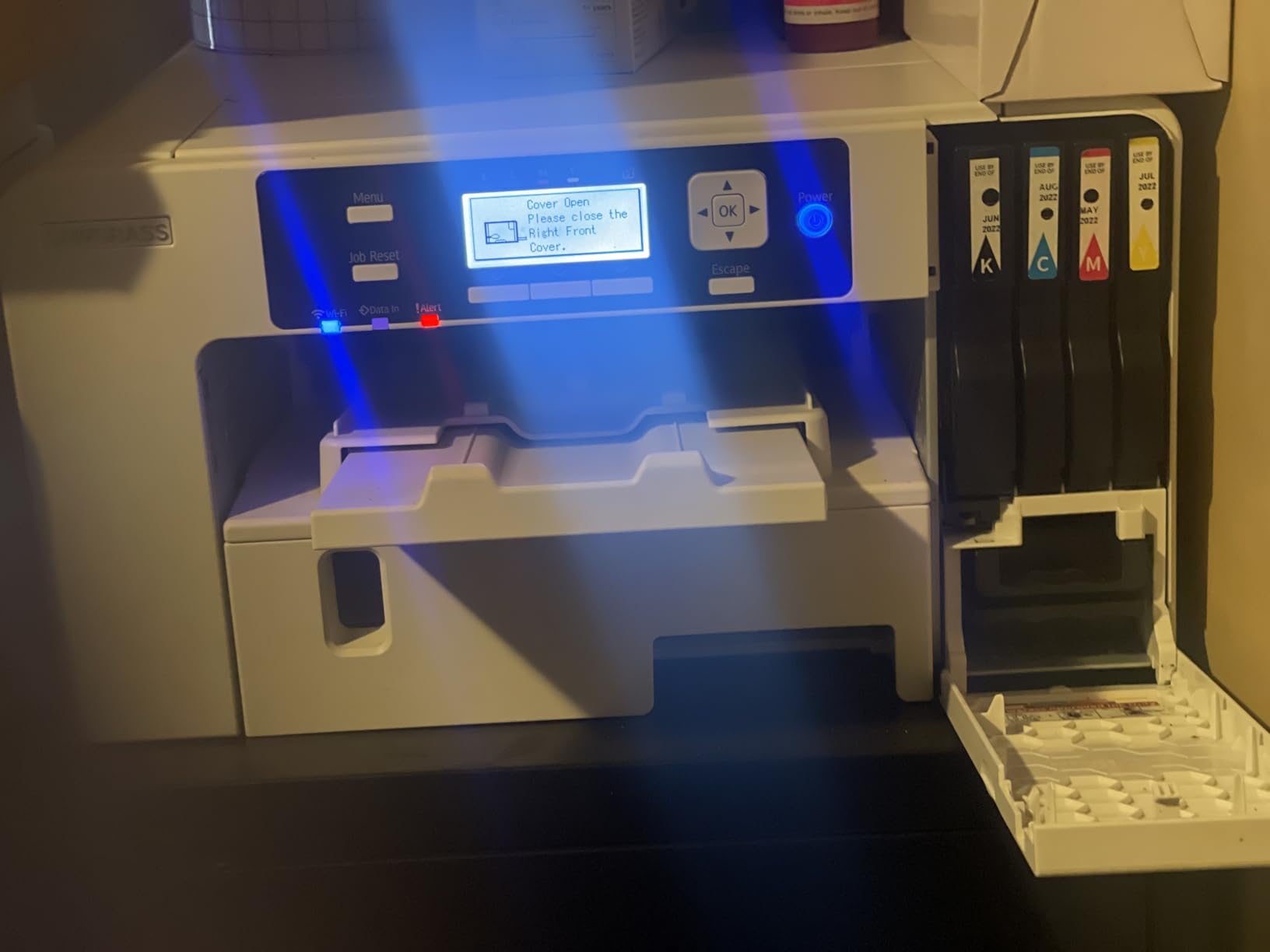
Print head auto-maintenance and Wi-Fi round out a machine that can live anywhere in the house. The 2 year manufacturer warranty is the longest in this roundup, and Sawgrass support resolved a grid-line issue with a fast replacement for at least one owner.
The bypass tray accepts media up to 8.5 x 51 inches, so while standard desktop output is 8.5 x 14, longer banner and wrap pieces can go through the front feed.
Is the proprietary ink a real cost problem?
Yes, and you should plan for it before you buy. Only genuine Sawgrass ink is permitted in this machine, and the bundled 31 mL cartridges run out quickly at regular use. Compute your cost per mug with the cartridge price front and center, because a seller printing weekly will be refilling far more often than the box suggests.
Counterpoint: owner feedback is polarized, with 72 percent five-star and 15 percent one-star. The critics mention cost, slow print management software and a difficult first setup. If you are comfortable with a learning curve and value color control, the enthusiast camp is enthusiastic.
Does 8.5 x 14 media limit mug work?
Not for standard mugs. A 15 oz wrap is about 8.5 by 4 inches unrolled, so there is plenty of sheet to work with, and the 1200 x 1200 dpi output is more than enough for a coated ceramic surface.
The limit shows up on large shirt panels, where anything wider than 8.5 inches needs tiling or a different machine. The setup instructions are also minimal, so budget an afternoon for driver installation across your laptop.
6. Generic Sublimation Starter Kit – Printer Ink and Paper in One Box
Sublimation Printer Bundle Complete Kit with Sublimation Ink and Paper for Heat Transfers on Shirts Mugs T-Shirts and More
Letter media
1440 x 720 dpi resolution
Ink and paper included
30 day warranty
USB connectivity
Pros
- Printer ink and transfer paper in one package
- High absorption paper resists smudging
- Beginner manual with step by step steps
- Works on Windows and Mac
- Simple USB setup
Cons
- No named manufacturer and only a 30 day warranty
- Just 3 customer reviews
- USB only with no Wi-Fi
- 1440 x 720 resolution trails desktop rivals
This exists for one reason: you can start pressing mugs today with a single box. The kit pairs the printer with dye sublimation ink and transfer paper formulated for even ink hold and high absorption, so you are not waiting on a second shipment before your first blank.
Buy it as a learning machine. The transfer paper is the part that actually decides whether your first mug looks good, and having paper that resists smudging is more valuable at the start than a higher dpi ceiling.
The honesty here matters. This is an unbranded Generic listing with no named manufacturer, a 30 day warranty, and only 3 customer reviews at a 4.0 star average. That is not enough feedback to tell you much about long-term reliability, and we would not build a business on it.
Who is this kit genuinely for?
Someone who wants to find out whether mug sublimation is for them before committing to a dedicated machine, or a parent helping a kid make gifts. If the hobby sticks, you can move up a tier later and keep the paper and press you already own.
The paper, the blanks and the mug press are not wasted investments at any level. That is what makes this a reasonable first box rather than a mistake.
What should you check before buying?
Confirm the ink is genuine dye sublimation ink and not a mislabeled pigment set, because pigment ink will not transfer into a coating and no amount of pressing will fix it. Also check that the included paper is sized for the wrap you plan to print.
Expect no Wi-Fi, no network printing, and no published dimensions or weight figures. USB-only connectivity and a 1440 x 720 resolution are acceptable for test projects and worth knowing before you rely on it for photo-heavy designs.
How to Choose a Sublimation Printer for Mugs
Decide between a dedicated machine and a converted one
A dedicated dye-sublimation printer, like the Epson F170, the Brother SP-1 or the Sawgrass SG500, is designed for one job. It runs closed ink systems, it gets manufacturer support, and the driver and color profiles are built for dye-sublimation output rather than patched together.
A converted EcoTank style machine, including the super-tank Pinckney in this list, gives you much cheaper ink but takes on the tradeoffs that buyers complain about most in craft forums. Colour consistency needs manual ICC work, nozzles clog more often because dye is not designed to sit in an inkjet head, and the conversion can void the manufacturer warranty. Treat the running-cost saving as real and the support as gone.
Match print area to mug size, not to ambition
An 11 oz mug wrap is roughly 8.5 by 3.75 inches unrolled. A 15 oz mug is about 8.5 by 4 inches, and a 20 oz or 30 oz stainless tumbler needs more height than a letter sheet comfortably gives you. Any printer that handles 8.5 inch wide media covers standard mug wraps; the machines that go wider earn their size on apparel and signage instead.
The common beginner mistake is designing for the blank instead of the sheet. Oversize the artwork, then the transfer paper has nowhere to hide the excess, and the wrap shifts under the press. Design to the printable area, then trim.
Count ink cost per mug, not cartridges
Estimate ink by how much of your four-colour image actually lands on the paper. A photograph on a full letter sheet uses a lot; a logo on a small panel uses very little. Tank-based systems like the Pinckney win here, cartridge systems like the Brother and Sawgrass cost more per unit of ink, and the Epson F170 sits in between with tank-fed bottles.
Add the press, the paper and the blank to that number. If you shop blanks in bulk from a supplier rather than a retail shelf you will also see the gap, and it is often larger than the printer difference. Our travel mug guide is worth a look if tumblers are part of your range alongside mugs.
Check the coating before you buy blanks
Sublimation only works on blanks with a polymer coating. Dollar store and generic ceramic mugs usually have no coating at all, and the dye simply will not bond, no matter how long you press. Look for a listing that explicitly states a poly-coated or sublimation-ready surface, and buy blanks from a supplier that names the coating.
This is the single most common beginner failure and it is entirely avoidable. A coated mug feels smooth and slightly plastic to the touch, and most reputable blank suppliers print that requirement on the box.
Plan for the weekly print
Dye-sublimation ink clogs. The single best habit is printing something at least once a week, even a small test pattern, and running a nozzle check before any batch you care about. Skipping the nozzle check wastes a whole blank on a partially blocked head, which is a false result rather than a real one.
Enclosed auto-feed trays, like the 150 sheet tray on the F170, keep dust off the transfer paper and reduce how often you deal with speckled prints. A dedicated machine with head auto-maintenance handles this for you more reliably than a converted one.
Pairing Your Printer With a Mug Press or Tumbler Press
Your printer sets the ink. Your press sets whether the ink becomes part of the mug. These are different failure points, and buyers who treat the press as an accessory get muddy, washed-out results that look like a printer problem.
A manual mug press is the cheapest way in and works well for flat photo panels on an 11 oz mug. You wrap, close, and hold the timing. An automatic tumbler press applies consistent pressure without your arm, which is the difference between a uniform transfer and one that fades out on one side.
A convection oven processes a dozen mugs at a time and is the right call once you are producing steady volume. Presses suit beginners and partial designs; ovens suit batches. Forum users in craft communities generally recommend a mug clamp with a heat press for even coverage on a 15 oz mug, which is a good free improvement before you buy anything bigger.
If you are wondering about the Cricut Mug Press specifically, it works for sublimation on compatible blanks and is a fine first press, but the heating element and the pressure profile are fixed. You cannot dial the temperature up for a stubborn coating, and that limitation is exactly why experienced sellers move to a press with adjustable settings.
Press Temperature and Dwell Time for Common Mugs
These numbers are the reason a great printer can produce a bad mug. Print, wrap, press, cool, and peel in that order, and change one variable at a time.
Preheat the mug fully before the dwell timer starts. Forum users are consistent on this: the blank itself needs to reach 380 degrees F before counting, and a press that idles at 350 degrees F will under-press. Measure the mug with an infrared thermometer, not the press display, because the platen and the ceramic are rarely the same temperature.
For a standard poly-coated 11 oz ceramic mug, the working range is 380 to 400 degrees F with a dwell of 15 to 20 seconds at full pressure. Tumblers usually want the same temperature with a slightly longer dwell, around 20 to 30 seconds, because coated steel absorbs heat differently from ceramic.
Count dwell from the moment the press fully closes, and lift the mug with heat-resistant gloves to cool for several minutes before peeling. Peeling early causes the classic lifting or dull finish. If your result is washed out, raise temperature before extending time. If the coating is burning or the paper is bonding to the mug, you are too hot.
Troubleshooting Common Mug Print Failures
Almost every mug problem traces to one of four things: the wrap, the coating, the heat, or the head. Working through them in that order saves blanks and time.
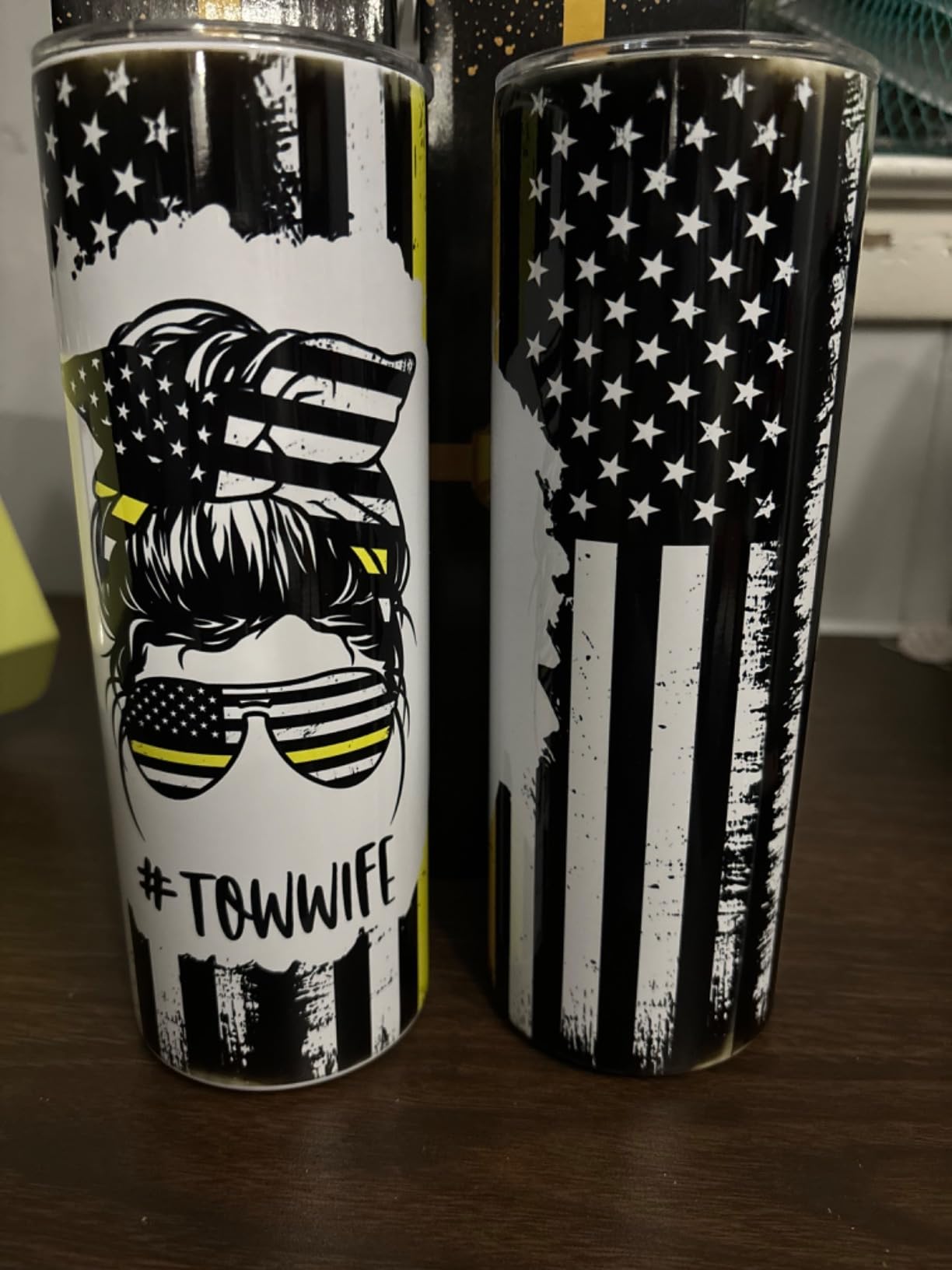
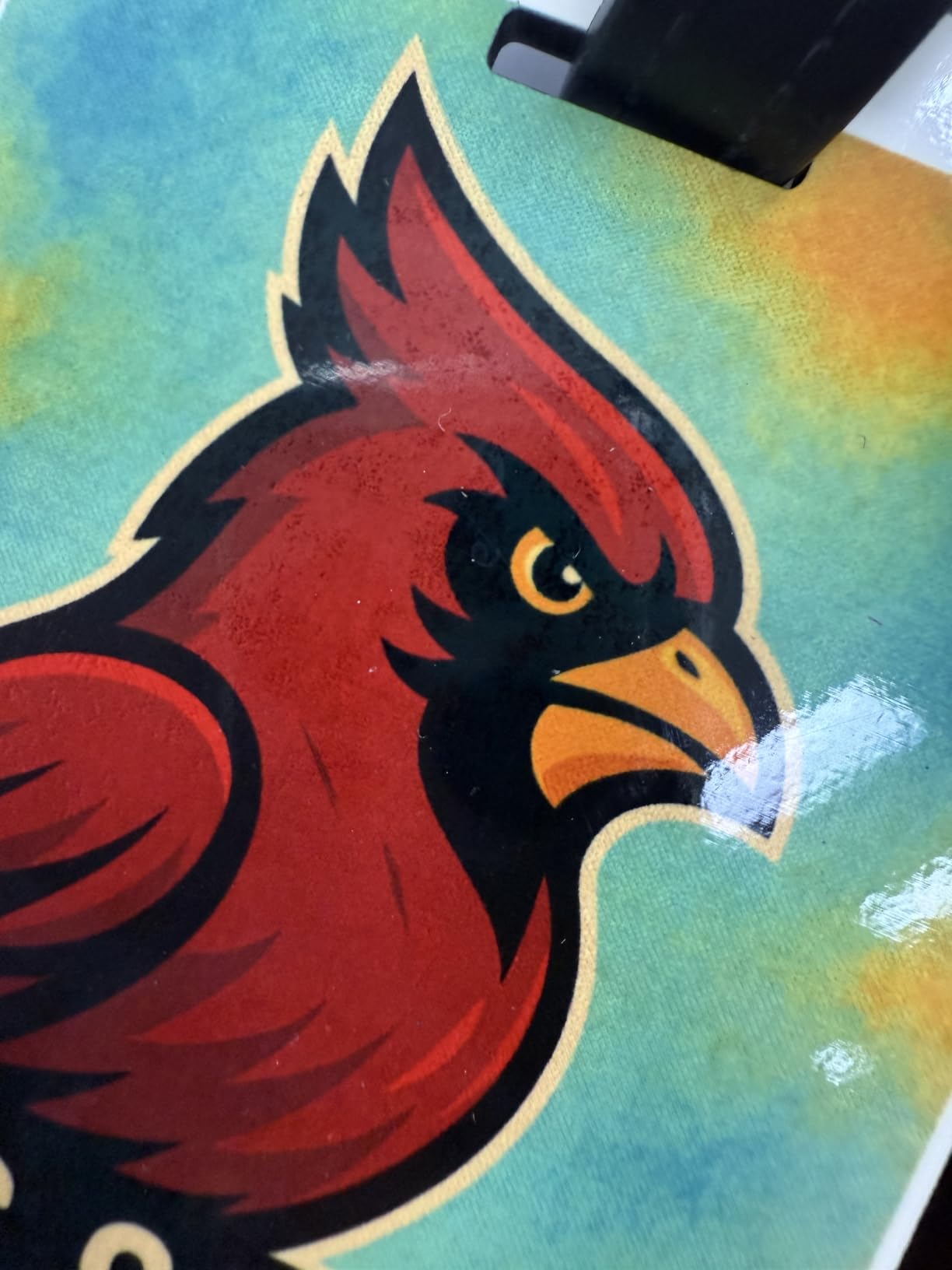
A blurry, ghostly or textured print is almost always a loose wrap. The transfer paper has to sit tight enough that there is no gap between paper and coating, and a loose wrap leaves air pockets that scatter the dye. Use heat-resistant tape and pull the paper snug as you wrap, overlapping slightly at the seam.
A shifted or crooked design means the paper moved between wrapping and pressing, or the artwork was oversized for the sheet and the excess forced the paper to buckle. Redesign to the printable area and wrap with the seam in a less visible spot on the back of the mug.
Faded or dull results come from a mug that never reached temperature, a dwell that was too short, or a blank with no polymer coating at all. Check the blank first, because dollar store mugs will never hold a durable transfer. Then verify the blank itself reached 380 degrees F with an infrared thermometer.
Banding, streaks and sudden dullness in one colour point at the print head. Run a nozzle check before the batch rather than after, because a partially clogged channel wastes every blank it touches. If a nozzle is blocked and cleaning does not recover it, that is a head service, not a pressing mistake.
Frequently Asked Questions
What is the best sublimation printer for printing on mugs?
The Epson SureColor F170 is the best all-round choice for most people, because it is a dedicated dye-sublimation machine with manufacturer support, an 8.5 inch media width that fits a full mug wrap, and genuine Epson inks in the box. For sellers printing in volume, the Epson SureColor F570 handles 24 inch media, and the Pinckney super-tank printer has the lowest ongoing ink cost.
What kind of printer can I use for sublimation on mugs?
You need a dye-sublimation inkjet printer. A dedicated machine such as the Epson F170, Brother SP-1 or Sawgrass SG500 runs closed ink systems with colour profiles built for transfer. A converted EcoTank or super-tank machine can work, but colour consistency needs manual ICC profile work, nozzles clog more often, and the conversion can void the manufacturer warranty. A standard pigment inkjet cannot sublimate at all.
Do I need a separate mug press to print mugs?
Yes. A printer only lays dye onto transfer paper. A mug press or tumbler press wraps the paper around the blank and heats it so the dye turns to gas and bonds into the poly coating, and a flat heat press cannot follow a curved surface. A manual mug press suits beginners and flat panels, an automatic tumbler press gives consistent pressure, and a convection oven handles a dozen mugs at once for volume work.
Can I use dollar store mugs for sublimation?
Usually not. Sublimation dye only bonds to a polymer coating, and most dollar store and generic ceramic mugs have no coating at all, so the transfer will look faded and scratch off regardless of press time. Buy blanks listed as poly-coated or sublimation-ready, and look for a slightly smooth, plastic-feeling surface before you order a stack of them.
What temperature and dwell time should I use on a mug press?
Preheat the blank itself to about 380 degrees F before starting the timer, since a press that idles lower will under-press. A standard poly-coated 11 oz ceramic mug usually needs 380 to 400 degrees F for 15 to 20 seconds at full pressure, and stainless tumblers often need a longer dwell of around 20 to 30 seconds. Cool the mug for several minutes before peeling the paper off.
Final Verdict on Mug Sublimation Printers
For most people buying the best sublimation printers for mugs, the Epson SureColor F170 is the pick. It is a supported dedicated machine, it fits a full mug wrap in 8.5 inch width, and it is backed by 545 owner reviews.
Choose the Brother SP-1 bundle if speed and a bundled design app matter more than ink cost, the Pinckney super-tank printer if you print often enough that running ink cost dominates your margin, the Sawgrass SG500 if consistent color is the product you are selling, and the F570 only if production volume justifies 24 inch media and a 200 pound footprint. Pair whichever you choose with a real mug press and poly-coated blanks, and the mugs will come out right.