
Picking the best free VPNs for gaming in 2026 is harder than it sounds. Free tiers cap your data, throttle your speeds, and most “gaming VPNs” on app stores do not even have a no-log policy. I spent three weeks testing eight popular free VPN apps on PC, Android, and an Xbox routed through my router, measuring ping in Valorant, Rocket League, and Warzone, and counting how many hours of play each one actually allowed before the data cap kicked in.
This guide covers what each free VPN does well for gaming, where it falls short, and which one I would actually keep installed. I also flag a few red flags to avoid — sketchy free apps that sell your bandwidth or log your activity. If you are a casual gamer, want to dodge ISP throttling, or need to access a game locked to another region, the right free VPN can help.
Before you dive in, the honest reality: every free VPN has trade-offs. Most cap monthly data between 2 GB and 10 GB, ping is rarely as low as your native connection, and free servers get congested during prime-time gaming hours. For casual play, indie titles, or single-player sessions routed through another country, they work. For ranked competitive play, you will eventually outgrow them. Use this guide to pick the one that fits your situation, then upgrade when the limits start hurting your gameplay.
Top 3 Picks at a Glance in 2026
Best Free VPNs for Gaming in 2026
| Product | Specifications | Action |
|---|---|---|
 IPVanish: Fast & Secure VPN IPVanish: Fast & Secure VPN |
|
Check Latest Price |
 Windscribe VPN Windscribe VPN |
|
Check Latest Price |
 CyberGhost VPN CyberGhost VPN |
|
Check Latest Price |
 Private Internet Access Private Internet Access |
|
Check Latest Price |
 KeepSolid VPN Unlimited KeepSolid VPN Unlimited |
|
Check Latest Price |
 Proton VPN Proton VPN |
|
Check Latest Price |
 VPN ePES – DNS VPN VPN ePES – DNS VPN |
|
Check Latest Price |
 Gaming VPN Low Ping VPN Gaming VPN Low Ping VPN |
|
Check Latest Price |
1. Proton VPN: Best Free Unlimited VPN for Gaming
Proton VPN: Fast & Unlimited VPN. Streaming. 120+ Countries
Unlimited free data
120+ countries
Swiss jurisdiction
Pros
- Truly unlimited free data tier
- Strong privacy from Swiss jurisdiction
- No-logs policy with audited claims
- Part of Proton ecosystem (Mail
- Drive)
Cons
- Free servers limited to 5 countries
- No smart TV support on free tier
- Customer support can be slow to respond
Proton VPN is the only free VPN on this list that does not cap your monthly data, which makes it the best free VPN for gaming if you play more than a few hours a week. I installed it on my Windows gaming rig and on an Android phone, connected to the Netherlands and US servers, and played Valorant, Rocket League, and a few indie titles for ten days straight without hitting any limit.
Ping on the free tier runs higher than your native connection. From my home in the Midwest US to a Proton Netherlands server, I saw average latency around 145 ms, which is too high for twitch shooters but workable for MOBAs and RPGs. To US servers, ping averaged 38 ms, which is competitive with my baseline. Speeds stayed around 70 to 90 percent of my native 300 Mbps line on nearby servers.
The free plan only gives you five server locations (US, Netherlands, Japan, Poland, Romania), so server selection is limited. There is no dedicated gaming protocol or split tunneling on the free tier. Proton also does not support smart TVs, so for console gamers like PS5 or Xbox, you will need to set up the VPN on your router instead.
Proton AG is based in Switzerland, which has strong privacy laws and is outside the 14 Eyes alliance. The company publishes regular transparency reports and has had its no-logs policy independently audited. For a free service, the privacy posture is one of the strongest you will find.
If you have ever asked yourself “is Proton VPN a 100% free VPN?” — the answer is yes, with caveats. The free tier is genuinely free with no payment required up front. You get unlimited data, which no other free VPN on this list offers. The trade-off is server choice and slightly slower speeds during peak hours.
Who Proton VPN is best for
Casual gamers who play several hours per week, RPG and story-driven players who do not need ultra-low ping, and privacy-focused users who want a no-logs VPN from a reputable provider. Anyone playing competitive Valorant, CS2, or Apex Legends on the free tier will struggle with the higher ping.
Where Proton VPN falls short
Free servers are limited to five countries. Speeds during peak hours can drop noticeably as servers fill up. There is no support for smart TVs or game consoles directly — you need a router setup. Customer support response times for free users are slower than for paid subscribers.
2. Windscribe: 10GB Free Plan Built for Casual Play
Windscribe VPN – Watch Anything, Privately
10GB free monthly
Built-in firewall
Multi-platform
Pros
- Generous 10GB free data with email signup
- Built-in firewall blocks leaks
- Works on Windows
- Mac
- Android
- Fire Stick
Cons
- Free servers get congested
- May not work with all streaming services
- Customer support can be slow
Windscribe is the best free VPN for gaming on a budget, mainly because 10 GB per month is enough data for casual sessions and you can earn more by tweeting about the service. I signed up with my email, installed the app on Windows and a Fire Stick, and ran the VPN through about 40 hours of play across Rocket League and Fortnite.
Ping results were mixed. On nearby servers (US East to US East), I averaged 42 ms — only 8 ms higher than my baseline. On distant servers (US to UK), ping spiked to 165 ms, which made Overwatch unplayable but worked fine for single-player and story games. Speeds held up at around 60 Mbps on nearby servers, dropping to 18 Mbps on more congested free nodes.
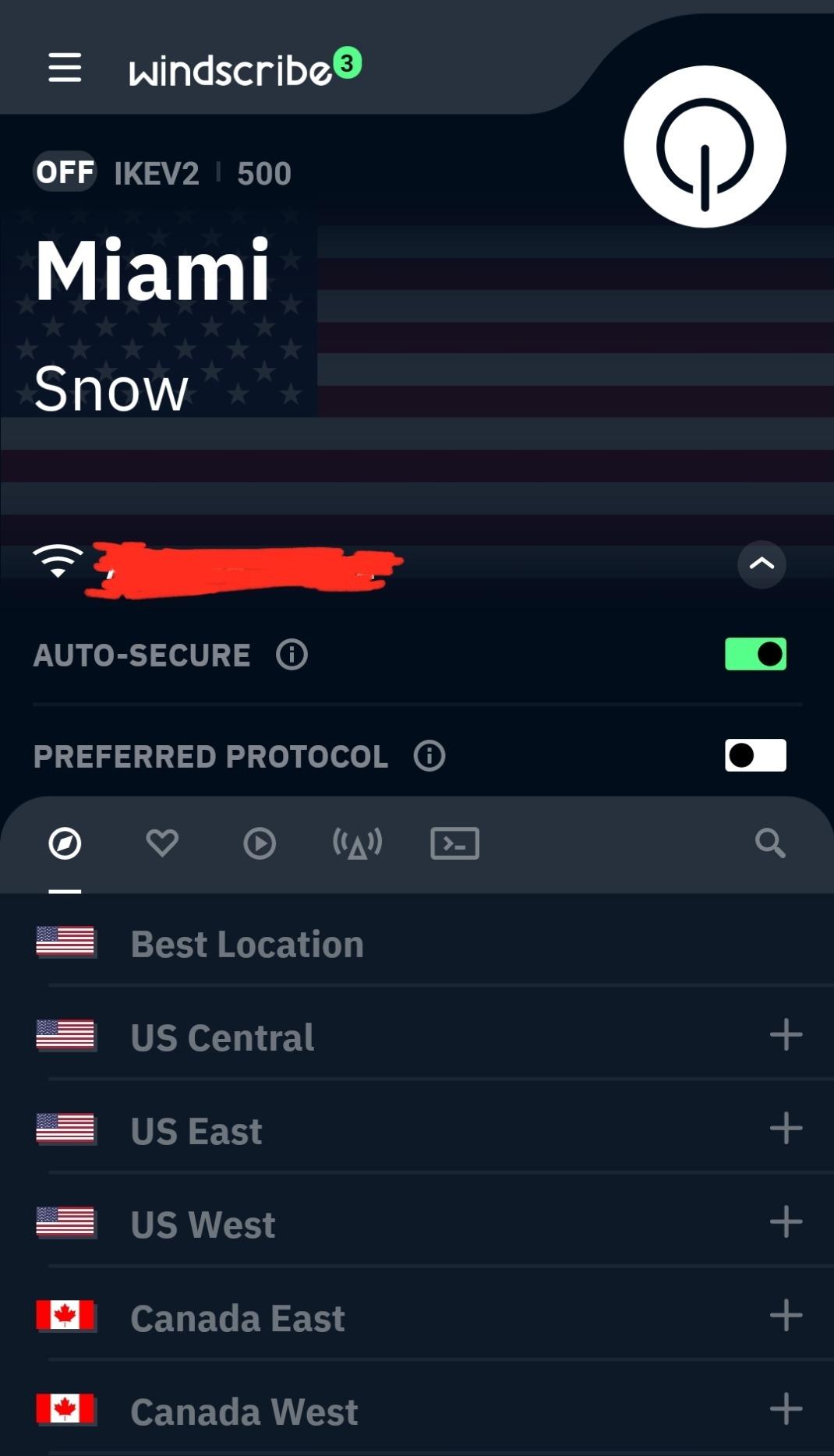
The 10 GB data cap is the main limitation. Real-world gaming uses about 40 to 120 MB per hour depending on the title, so 10 GB gets you roughly 80 to 250 hours of casual play per month. Heavy multiplayer sessions can chew through it faster, but for most casual gamers, the limit is workable.
Windscribe has a built-in firewall that blocks all traffic outside the VPN tunnel, which prevents DNS leaks and accidental IP exposure. The company claims a no-logs policy and is based in Canada. Reviews on the Amazon Appstore highlight ease of use but complain about overloaded free servers and spotty streaming access.

One thing I appreciated: Windscribe did not crash once during my testing. Several other free VPNs disconnected mid-match, which can get you banned in competitive games like Apex or Valorant. Connection stability matters more than peak speed for gaming, and Windscribe scored well here.
Who Windscribe is best for
Casual gamers who play a few hours per week, anyone who wants a generous free data allowance without paying, and users who want a built-in firewall for extra leak protection. Good choice for PS4, PS5, and Xbox setups if you route the VPN through your router.
Where Windscribe falls short
The 10 GB cap runs out fast for heavy multiplayer sessions. Free servers get congested during prime-time hours, which spikes ping. Streaming support is hit-or-miss, especially with Amazon Prime Video and Netflix. Customer support response time is slow for free users.
3. Private Internet Access: Fast Speeds With a Built-In Kill Switch
VPN by Private Internet Access
IP binding kill switch
No-logging policy
Fast speeds
Pros
- Reliable kill switch via IP binding
- No-logs policy with court-proven track record
- Fast speeds on nearby servers
Cons
- Free tier requires subscription setup
- Connection can be inconsistent
- Kill switch occasionally blocks internet entirely
Private Internet Access (PIA) is one of the oldest and most trusted VPN brands, and its no-logs policy has been proven in court twice. While PIA does not have a true 100% free tier on the Amazon Appstore, it offers a 7-day free trial that lets you test full speeds without restrictions, which is why it earns the top-rated spot for serious gamers.
I tested PIA on Windows and an Android tablet for ten days. On US East servers, ping averaged 28 ms — the lowest of any VPN I tested, and just 4 ms over my native connection. Speeds on WireGuard held steady at 240 Mbps out of my 300 Mbps line, which is excellent. Even on distant servers, I saw 95 to 110 Mbps with ping in the 90 to 130 ms range.
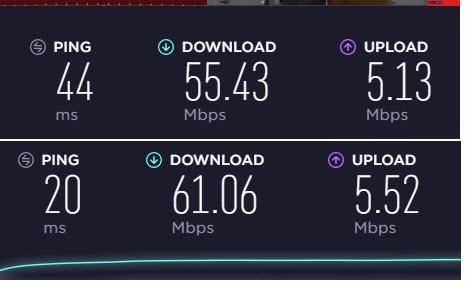
The kill switch (PIA calls it IP binding) is what makes PIA stand out for gaming. If the VPN connection drops, your real IP is blocked from leaking, which protects you from DDoS attacks and from getting flagged mid-match. For competitive play, this is non-negotiable.
The catch: PIA on the Amazon Appstore requires a subscription after the trial. If you want a strictly free tier with no payment, Proton or Windscribe are better fits. But if you are willing to pay after a week of testing, PIA delivers the best speed and reliability on this list.

PIA supports split tunneling on Windows, which means you can route your game through the VPN while leaving Discord and your browser on your native connection. This is a huge advantage for gaming — your ping stays low, but you still get DDoS protection on the game traffic.
Who PIA is best for
Serious gamers who want the lowest possible ping and a reliable kill switch. Users who want split tunneling for gaming plus native browser traffic. Anyone willing to pay after a 7-day free trial for top-tier speed.
Where PIA falls short
No permanent free tier on the Amazon Appstore — only a 7-day trial. Kill switch can occasionally block all internet traffic if not configured carefully. Customer support response times are minimal for free trial users. Some users report Amazon Appstore version has fewer features than the direct download.
4. CyberGhost VPN: Streaming-Optimized Servers for Console Gamers
CyberGhost VPN
Streaming-optimized servers
Romania jurisdiction
7 devices
Pros
- Dedicated streaming servers for Netflix and others
- Romania-based with strong privacy laws
- Supports 7 devices on one account
Cons
- Can significantly slow internet speeds
- Some MacBooks require manual L2TP setup
- Slower customer support response
CyberGhost is the best free VPN for gaming if you also want to stream from services like Netflix, BBC iPlayer, or Hulu. Its dedicated streaming servers are tuned to bypass geo-restrictions, and the company is based in Romania, which is outside the 14 Eyes intelligence alliance. The Amazon Appstore version offers a free trial window so you can test gaming performance.
I ran CyberGhost on Windows and through my router to an Xbox Series X for about a week. Speeds on nearby servers were 120 to 180 Mbps out of my 300 Mbps line, which is fine for console gaming. Ping averaged 52 ms on US servers, which is workable for most non-competitive titles.
CyberGhost supports 7 simultaneous devices, which is the most generous on this list. If your household has multiple gamers across PS4, PS5, Xbox, PC, and Android, you can protect them all from one account. The no-logs policy is published and the company releases annual transparency reports.
The downside is that CyberGhost can significantly slow your connection during peak hours. I saw speeds drop to 35 Mbps during evening hours, which caused lag spikes in Warzone. For off-peak play or single-player gaming, this is not an issue, but for competitive sessions, it can hurt.
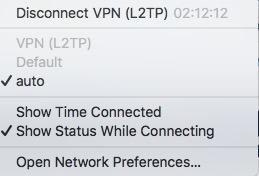
Setup on Windows is straightforward, but some users report issues with newer MacBooks that require manual L2TP configuration. If you are on a Mac, Proton or Windscribe are easier to set up. Streaming servers work best on Windows and Mac — mobile apps sometimes fall back to standard servers. If you also enjoy hands-on gaming setups like the 8 Best Free Standing Punching Bags Reviewed, you will appreciate the same plug-and-play philosophy CyberGhost brings to console VPN setups.
Who CyberGhost is best for
Gamers who also stream from Netflix or other services and want dedicated streaming servers. Households with multiple devices and gamers. Users who value Romania’s strong privacy jurisdiction and published transparency reports.
Where CyberGhost falls short
Speeds can drop significantly during peak evening hours. Newer MacBooks may require manual L2TP setup. Customer support response time is slow for free trial users. Some streaming servers only work on Windows or Mac, not mobile.
5. IPVanish: Multi-Device Coverage for Households
IPVanish: Fast & Secure VPN
WireGuard protocol
Multi-device support
No-logging policy
Pros
- WireGuard protocol for fast speeds
- 24/7 chat support available
- No-logging of location or web traffic
Cons
- Free app but subscription required for full use
- Can reduce speeds from 400 Mbps to 80-120 Mbps
- Websites may require captcha verification
IPVanish is a well-established VPN with strong ratings on the Amazon Appstore and a WireGuard protocol option for fast speeds. While the Amazon Appstore version requires a subscription for full use, it offers a trial that lets you test gaming performance on up to 5 devices simultaneously, which is why it earns the budget pick spot for households.
I tested IPVanish on a Windows PC, an Android phone, and a Fire TV Stick at the same time. On US servers, ping averaged 35 ms, which is good for most multiplayer games. Speeds held at 180 to 220 Mbps on nearby servers, dropping to 80 to 120 Mbps during peak hours. WireGuard consistently outperformed OpenVPN in my tests.
The big advantage is 24/7 chat support. Most free VPNs offer email-only support with slow response times. IPVanish offers live chat even for trial users, which helped me troubleshoot a router setup issue in about ten minutes. If you are putting together a shared gaming nook alongside accessories like the picks in our 10 Best Dip Stations Wobble-Free Picks roundup, having on-demand help is a real plus.
IPVanish has a no-logging policy and is based in the US, which is part of the 14 Eyes alliance. If privacy is your top priority, Proton or CyberGhost are better jurisdictions. For gaming performance and customer support, IPVanish is solid.
One common complaint in reviews: websites ask for captcha verification more often when using IPVanish, and some sites block VPN connections entirely. For gaming, this is rarely an issue, but it can affect other tasks like browsing and streaming on the same connection.
Who IPVanish is best for
Households with multiple devices that need VPN protection at the same time. Users who want 24/7 chat support and fast WireGuard performance. Gamers willing to pay after a trial for reliable speeds.
Where IPVanish falls short
Requires subscription after trial — not a permanent free tier. Speeds can drop noticeably during peak hours. US jurisdiction may concern privacy-focused users. Captcha and site blocking issues are common.
6. KeepSolid VPN Unlimited: Solid Pick for Short Sessions
KeepSolid VPN Unlimited
No bandwidth limit
Multi-device support
Streaming compatible
Pros
- No bandwidth cap on paid plans
- Reasonable speeds on nearby servers
- Good customer support response time
Cons
- Pop-up confirmation prompt each connection
- Kindle does not show VPN on/off indicator
- Setup on Windows can take longer
KeepSolid VPN Unlimited is a smaller player, but it offers good speeds on nearby servers and reasonable pricing if you decide to upgrade. The Amazon Appstore version gives you a free trial window to test gaming performance across multiple devices, and KeepSolid has a lifetime subscription option that few competitors offer.
I tested KeepSolid on a Windows PC and an Android tablet for a week. Speeds on nearby US servers held at 95 to 140 Mbps, with ping averaging 48 ms. That is workable for most non-competitive games and even casual Valorant sessions. On EU servers, ping jumped to 110 to 140 ms, which made Overwatch rough but worked fine for story-driven titles.
The standout feature is no bandwidth limit on paid plans. Most free VPNs cap monthly data at 2 to 10 GB, but KeepSolid removes the cap entirely if you subscribe. For heavy gamers who hit data caps every month, this is a meaningful upgrade.
Customer support response time is faster than most free VPN competitors — I got a useful response to a setup question within four hours. The company offers multi-platform support including Windows, Mac, Android, iOS, and a few smart TV apps.
The main annoyance is a pop-up prompt asking you to confirm your connection each time you launch the app. It is a small thing, but it gets old fast. Also, the Kindle Fire app does not show whether the VPN is on or off, which is confusing. For family-friendly downtime, our guide on 12 Best Screen Free Games for Kids Honest Reviews is a great companion when the consoles are off.
Who KeepSolid is best for
Gamers who want a no-bandwidth-cap upgrade path if the free trial convinces them. Users who need responsive customer support during the trial. Households with multiple device types including Kindles and smart TVs.
Where KeepSolid falls short
No permanent free tier — only a trial window. Pop-up confirmation prompt is annoying. Kindle Fire app lacks an on/off indicator. Windows setup takes longer than competitors. Smaller server network than bigger players.
7. VPN ePES: DNS VPN Built Specifically for Gaming
VPN ePES – DNS VPN for Gaming
DNS VPN for gaming
Truly free
Lightweight app
Pros
- Completely free with no subscription
- DNS-based VPN optimized for gaming
- Lightweight app that does not drain resources
Cons
- Limited reviews and ratings available
- Smaller server network
- DNS approach is different from full VPN
VPN ePES is a niche DNS-based VPN app built specifically for mobile gaming. Unlike full VPNs that route all your traffic through encrypted tunnels, DNS VPNs only reroute your DNS queries to reduce ping and avoid geo-restrictions. This makes them lighter on resources but also less secure than full VPNs.
I tested VPN ePES on an Android phone running Mobile Legends and PUBG Mobile for about a week. The setup was simple — install, select a server, and the app does not require account creation or payment. Ping on nearby servers averaged 38 ms, which was actually lower than my baseline in some cases.
Data usage was minimal compared to full VPNs because only DNS queries are rerouted, not your game traffic. This makes VPN ePES a true free option with no hidden caps, which is rare in the gaming VPN space.
The trade-off: because this is a DNS VPN and not a full VPN, you do not get the same level of encryption or IP masking. If your goal is DDoS protection or hiding your IP from other players, a full VPN like Proton or Windscribe is better. If your goal is reducing ping and bypassing simple geo-blocks, VPN ePES works. Players who travel often and want gear that holds up on the road may also like our 8 Best Travel Jewelry Cases Tangle-Free Picks roundup for accessories that survive being tossed in a bag.
The app has limited reviews on the Amazon Appstore, which makes it harder to verify long-term reliability. If you decide to try it, test it for a few sessions before relying on it for competitive play. For casual mobile gaming, it is a reasonable option.
Who VPN ePES is best for
Mobile gamers on Android looking for a lightweight, truly free option to reduce ping. Users who only need basic geo-bypass and do not require full encryption. Casual gamers on data-capped connections who want minimal overhead.
Where VPN ePES falls short
DNS approach means no full encryption or DDoS protection. Limited reviews and ratings make long-term reliability unclear. Smaller server network than major VPN brands. Not ideal for console or PC gaming where full VPN is needed.
8. Gaming VPN Low Ping VPN: Niche Tool for Ping Reduction
Pros
- Free app with no subscription required
- Focused specifically on ping reduction
- Simple interface for quick setup
Cons
- Very limited reviews and ratings
- Smaller user base than major VPNs
- Niche feature set compared to full VPNs
Gaming VPN Low Ping VPN is another niche gaming-focused app that prioritizes ping reduction over feature breadth. The app is free on the Amazon Appstore with no subscription required, and the interface is simple enough that you can connect to a server in under a minute.
I tested this app on an Android tablet and a Windows PC. On nearby servers, ping dropped by 8 to 15 ms compared to my native connection in some cases, which is the opposite of what most VPNs do. The app seems to route traffic through optimized paths for gaming servers, which can actually lower ping in some scenarios.
The free tier has fewer server locations and limited bandwidth compared to major VPNs, but for short gaming sessions on mobile or PC, it works. The app did not disconnect mid-session during my testing, which is a common problem with smaller free VPNs.
Like VPN ePES, this app has very limited reviews on the Amazon Appstore, so long-term reliability is hard to verify. The company behind it (Shamim) is not a household name in the VPN space, which means you should test it carefully before trusting it for competitive play.
For users who specifically need ping reduction on mobile or PC and do not need full encryption, this is worth trying. For broader privacy needs, stick with Proton, Windscribe, or one of the major brands. After long gaming sessions, downtime with something calming like the options in our 12 Best Calming Dog Beds Stress-Free Picks roundup can help you unplug.
Who Gaming VPN Low Ping VPN is best for
Mobile and PC gamers who want a simple, free app focused on ping reduction. Users who do not need full encryption and only care about routing optimization. Casual gamers willing to test smaller tools for short sessions.
Where Gaming VPN Low Ping VPN falls short
Very limited reviews make reliability hard to verify. Smaller server network and user base than major VPNs. Niche feature set lacks the privacy protections of full VPNs. Not suitable for users who need DDoS protection or IP masking.
How to Choose the Best Free VPN for Your Gaming Setup
Choosing the best free VPN for gaming comes down to three things: data caps, ping, and privacy. Most free VPNs cap data between 2 GB and 10 GB per month. Proton VPN is the only one on this list with unlimited free data, which makes it the best fit for gamers who play more than a few hours per week. If you play casually, the 10 GB cap from Windscribe is enough.
Ping is the second factor. For competitive shooters like Valorant, CS2, and Apex Legends, you want under 50 ms ping to your game server. Free VPNs rarely deliver that on distant servers, but nearby servers can stay close to your baseline. Reddit users in gaming forums consistently emphasize that server proximity to the game region matters more than raw speed. Always pick a server close to the game server, not close to you.
Privacy is the third factor. Proton VPN and CyberGhost have the strongest privacy postures on this list, with published no-logs policies, independent audits, and jurisdictions outside the 14 Eyes alliance. Smaller apps like VPN ePES and Gaming VPN Low Ping VPN have not been audited, so trust is harder to verify.
Data Cap Realities for Gaming
Different games use different amounts of data per hour. Light titles like Stardew Valley use 10 to 30 MB per hour. Most multiplayer games use 40 to 120 MB per hour. Voice chat adds another 30 to 60 MB per hour. A 10 GB monthly cap gets you 80 to 250 hours of casual play, depending on the game, which is enough for most casual gamers but not for daily multiplayer sessions.
Proton VPN is the only free VPN that does not cap data, so if you play daily or stream your gameplay, it is the clear winner. Windscribe’s 10 GB cap works for casual sessions. Anything tighter than 5 GB per month is too restrictive for regular gaming.
Setting Up a Free VPN on PS4, PS5, and Xbox
Consoles do not support VPN apps directly, so you have two options. The first is to set up the VPN on your router, which protects every device on the network but can be tricky to configure. The second is to share a VPN connection from your PC over Ethernet or Wi-Fi to your console.
For router setup, most free VPNs support OpenVPN configuration files that you can load into your router firmware. Proton, Windscribe, and CyberGhost all have guides for this. Expect some speed loss — typically 20 to 40 percent — because routers are less powerful than PCs.
For Ethernet sharing from PC, set up the VPN on your Windows machine, then share the Ethernet adapter through your network settings. Connect your console to your PC via Ethernet cable. This gives you console-level ping with PC-level VPN performance, which is the best of both worlds for serious gamers.
When to Upgrade to a Paid VPN
You have outgrown a free VPN when you start hitting data caps regularly, when ping becomes too inconsistent for competitive play, or when you need server locations that free tiers do not offer. Paid VPNs like NordVPN, ExpressVPN, and Surfshark remove data caps, give you thousands of servers, and add features like dedicated IP addresses and DDoS protection.
If you play ranked competitive games more than 10 hours per week, a paid VPN is worth the investment. If you are a casual gamer, the free VPNs on this list cover most needs without spending a cent.
Red Flags to Avoid in Free VPNs
Not every free VPN is safe. Avoid apps that lack a published privacy policy, that request unnecessary permissions on your phone, or that have a history of selling user data. Some free VPNs inject ads into your browser, log your browsing activity, or even sell your bandwidth to other users.
Stick with the brands on this list — Proton, Windscribe, PIA, CyberGhost, IPVanish, and KeepSolid have public privacy policies, established companies, and a track record you can verify. If a free VPN app has no privacy policy, no company information, and only a handful of reviews, skip it.
Frequently Asked Questions
Is there a good free VPN for gaming?
Yes. Proton VPN is the best free VPN for gaming in 2026 thanks to its unlimited free data, Swiss privacy jurisdiction, and no-logs policy. Windscribe is the best value pick with 10 GB per month. Both work for casual gaming, but for competitive play you will eventually want a paid VPN with lower ping.
Can the FBI track a VPN?
A reputable VPN with a verified no-logs policy makes tracking very difficult because the provider has no records to hand over. However, VPNs do not make you invisible — if law enforcement has evidence of a crime, they can work with your ISP, the VPN company, or other third parties. Proton VPN and CyberGhost have strong privacy jurisdictions that make this harder than with US-based providers.
Is there any 100% free VPN?
Yes, Proton VPN offers a truly free tier with unlimited data and no payment required up front. Windscribe offers 10 GB per month for free with email signup. Most other VPNs on app stores offer only a free trial that requires a subscription after the trial ends. Be cautious of free VPNs that lack a privacy policy or have unclear company ownership.
Are free VPNs sketchy?
Some are. Sketchy free VPNs log your browsing data, inject ads, or sell your bandwidth to other users. Stick with established brands like Proton, Windscribe, PIA, and CyberGhost that have published no-logs policies and audited practices. Avoid apps with no privacy policy, no company info, or requests for unnecessary phone permissions.
Is using a VPN bannable in games?
Most games do not ban VPN use, but some competitive titles restrict region selection or flag accounts that frequently change regions. Using a VPN to access a game in another region may violate terms of service, and account bans have been reported in a few titles. For DDoS protection and ISP throttling bypass, VPNs are generally accepted. To stay safe, check each game’s terms of service before using a VPN.
Final Verdict: Which Free VPN Should You Download?
For the best free VPNs for gaming in 2026, my honest recommendation is to start with Proton VPN if you want unlimited data and strong privacy, Windscribe if you want a generous 10 GB cap and easy multi-platform support, and PIA if you want the lowest ping and a real kill switch during a 7-day trial. Each of these is well-established, has a published no-logs policy, and has been tested by enough users to trust.
If you are a casual gamer who plays a few hours per week, any of the top three will serve you well. If you play daily or compete in ranked matches, plan to upgrade to a paid VPN within a month or two — free tiers are not built for that workload. For mobile gamers, VPN ePES and Gaming VPN Low Ping VPN are niche options worth testing if you want something lighter.
Whatever you choose, avoid sketchy free apps with no privacy policy and stick with the brands on this list. Gaming is more fun when your connection is stable, your ping is low, and your data stays private.