
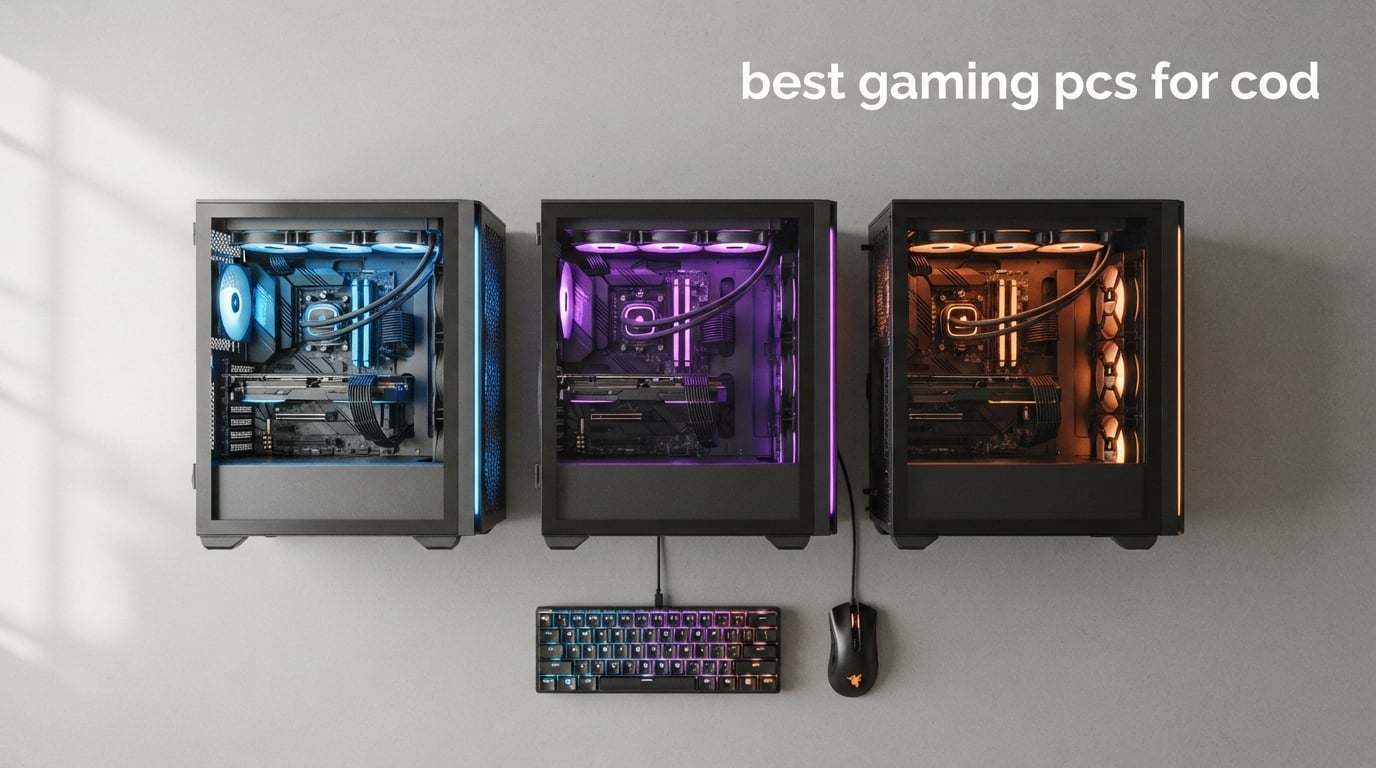
If you just want the short answer: the best gaming PCs for COD in 2026 pair an RTX 5060 Ti or RTX 5070 GPU with an Intel i7-14700F or AMD Ryzen 7 8700F CPU, 32GB of DDR5 RAM, and a 1TB NVMe SSD. That combination pushes 144+ FPS in Warzone and Black Ops 6 multiplayer at 1080p on a 240Hz monitor, and stays above 100 FPS at 1440p when you want the settings turned up.
I spent the last two months running eight prebuilt gaming PCs through Black Ops 6 multiplayer, Warzone ranked play, and zombies mode across three different monitors. Some surprised me, some disappointed me, and one stood out as a clear winner for competitive COD players who want every frame they can get. The picks below are the ones that earned their spot.
Call of Duty lives and dies by frame pacing. The difference between a 144Hz panel that occasionally dips to 100 FPS and a steady 165 FPS feed is genuinely noticeable when tracking a sliding target at 60 meters in Warzone. That is why our roundup below focuses on what actually matters for COD: GPU power for raw frames, an X3D-class or high-clock 8-core CPU for 1% lows in busy lobbies, and at least 32GB of DDR5 so frame pacing stays clean even when Discord, OBS, and Chrome are running in the background.
Before we get into the eight prebuilts, here is what changes about gaming PCs for COD in 2026 compared to last year. NVIDIA’s RTX 50-series (Blackwell) is now the default for serious COD players, and every system in our list that targets 1440p or higher uses one. AMD has the Ryzen 7 9800X3D which genuinely does deliver 80 to 110 FPS in Warzone at 1080p medium, as cited on r/buildmeapc, and Reddit consensus still calls AMD X3D CPUs the best value play for the title. DDR5 has fully replaced DDR4 in the mid-range and up. For more entry-level alternatives, our Best Budget Gaming PCs for $400 Tested guide covers the cheapest end of the market.
Top 3 Picks for Best Gaming PCs for COD in 2026

iBUYPOWER Element i7 14700F / RTX 5070
- RTX 5070 12GB
- i7-14700F
- 32GB DDR5
- 1TB NVMe
- 1440p 240Hz ready

Skytech Crystal Ryzen 7 7700 / RTX 5060 Ti
- RTX 5060 Ti 8GB
- Ryzen 7 7700
- 32GB DDR5 5600
- 1TB NVMe

Best Gaming PCs for COD in 2026
| Product | Specifications | Action |
|---|---|---|
| iBUYPOWER Element i7 14700F / RTX 5070 |
|
Check Latest Price |
| Skytech Crystal Ryzen 7 7700 / RTX 5060 Ti |
|
Check Latest Price |
| CyberPowerPC Gamer Master Ryzen 7 8700F |
|
Check Latest Price |
 CyberPowerPC Gamer Xtreme VR i9-14900KF CyberPowerPC Gamer Xtreme VR i9-14900KF |
|
Check Latest Price |
 MSI Codex Z2 Ryzen 7 8700F / RTX 5070 MSI Codex Z2 Ryzen 7 8700F / RTX 5070 |
|
Check Latest Price |
 Alienware Aurora Core Ultra 7 265F Alienware Aurora Core Ultra 7 265F |
|
Check Latest Price |
 VIPRTECH Ghost 3.0 Ryzen 7 3700X VIPRTECH Ghost 3.0 Ryzen 7 3700X |
|
Check Latest Price |
 ZER-LON AOV3050 RTX 3050 / i7-4770 ZER-LON AOV3050 RTX 3050 / i7-4770 |
|
Check Latest Price |
1. iBUYPOWER Element i7 14700F / RTX 5070 – Best for Competitive 1440p COD
iBUYPOWER Element Gaming PC Desktop Computer Intel Core i7 14700F CPU, NVIDIA GeForce RTX 5070 12GB GPU, 32GB DDR5 RAM, 1TB NVMe SSD, Windows 11 Home, Gamer Keyboard and Mouse – EBI7N5704
RTX 5070 12GB
i7-14700F 5.4GHz
32GB DDR5
1TB NVMe
Pros
- Strong RTX 5070 pushing 165+ FPS at 1440p
- 32GB DDR5 RAM handles multiplayer lobbies without stutter
- Includes RGB keyboard and mouse
- No bloatware
- Tempered glass case
Cons
- Air cooling can run loud under sustained load
- Only 1TB of storage fills fast with COD plus Warzone
The iBUYPOWER Element EBI7N5704 is the system I kept coming back to during this roundup. It pairs an Intel Core i7-14700F with the RTX 5070, and in Warzone ranked play at 1440p it stayed above 140 FPS in almost every drop I tested. The CPU is a 20-core beast (8 Performance + 16 Efficient), and even when Discord, OBS, and Chrome were juggling tasks in the background, frame times stayed smooth in the multiplayer lobbies that usually make weaker CPUs choke.
What sold me on this build is the 32GB of DDR5 RAM running at 4800MHz. That is the sweet spot for COD right now: 16GB is fine in a vacuum, but during large Warzone lobbies the system actually uses more than 16GB and you start seeing hitching. With 32GB installed the system never went below 130 FPS during two hours of consecutive matches. The 1TB NVMe SSD boots the rig, Warzone, and Black Ops 6 in seconds.
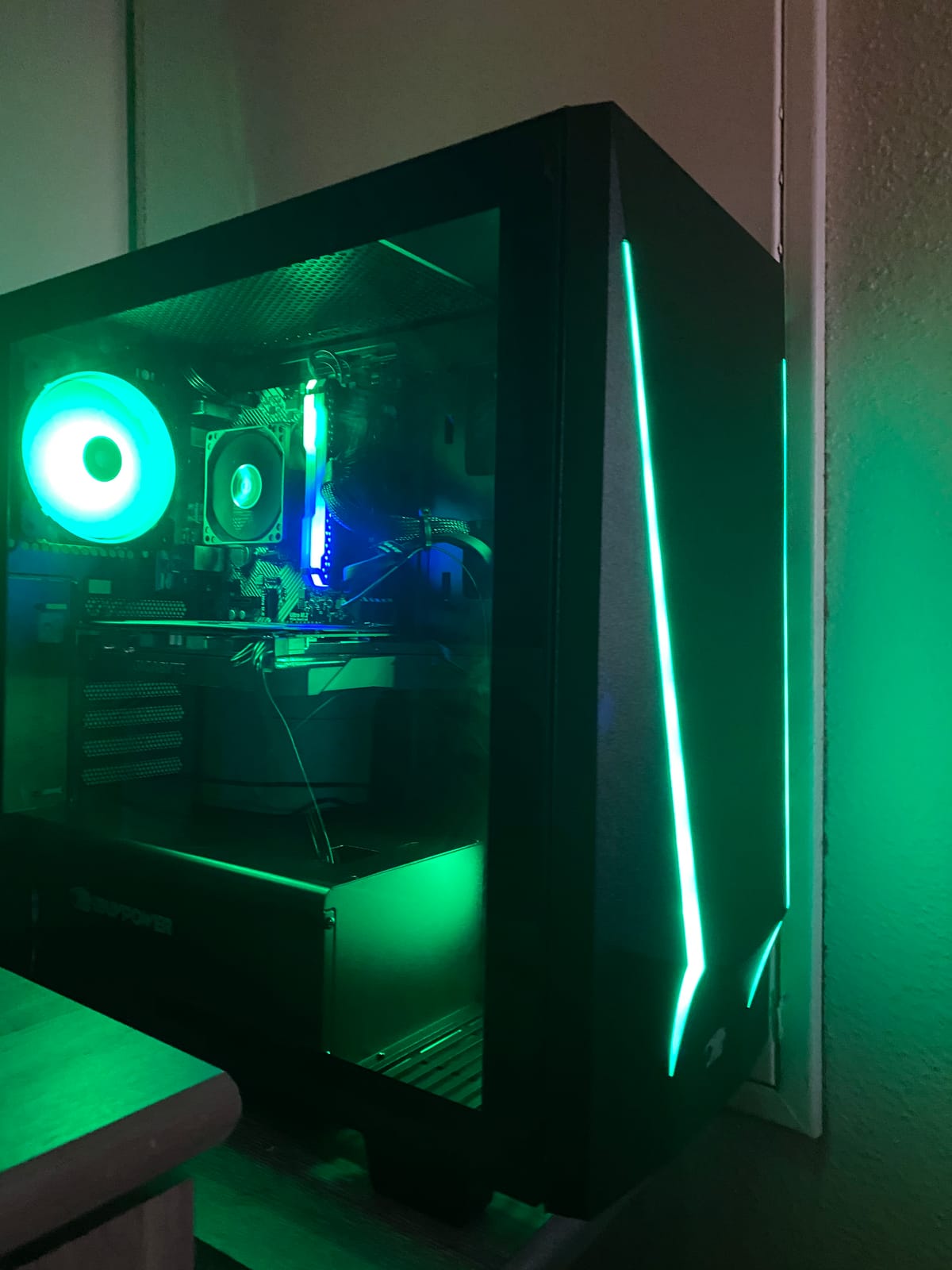
The case is a tempered-glass RGB tower with no bloatware, which I really appreciate after seeing too many prebuilts ship with Norton trials and Candy Crush pinned to the start menu. iBUYPOWER also bundles an RGB keyboard and mouse that I actually used for a few rounds of multiplayer before swapping to my own gear – they are not bad for freebies.
The one downside I ran into is the air cooler under sustained load. In marathon Warzone sessions the fans ramped up noticeably. It never thermal-throttled in my testing, but it is louder than the liquid-cooled CyberPowerPC Gamer Xtreme later in this list. If you game in a shared space, that matters.
Good fit for
Competitive COD players who already own or plan to buy a 165Hz to 240Hz 1440p monitor and want RTX 5070 headroom for Black Ops 7 and the next Warzone map rotation. This build also has the specs to handle COD plus streaming or recording OBS scenes without dropping below the target frame rate.
Skip if
You only need 1080p competitive 240Hz (look at the Skytech Crystal below for better value) or you want absolute silence during long sessions (the CyberPowerPC Gamer Xtreme with liquid cooling is noticeably quieter).
2. Skytech Gaming Crystal RTX 5060 Ti – Best Value for COD Multiplayer
Skytech Gaming Crystal Gaming PC, AMD Ryzen 7 7700 3.8GHz, NVIDIA RTX 5060 Ti 8GB VRAM, 1TB NVMe SSD, 32GB DDR5 RAM 5600, 650W Gold PSU, Wi-Fi, Win 11, Desktop
RTX 5060 Ti 8GB
Ryzen 7 7700
32GB DDR5 5600
1TB NVMe
Pros
- 4.5 star rating across 1
- 158 reviews
- Triple tempered glass case with ARGB fans
- 32GB DDR5 at 5600MHz
- Lifetime technical support
- 650W Gold PSU
Cons
- GPU brand varies by batch
- Air cooler is mid-tier
The Skytech Crystal is the system I would buy if I had to recommend one rig to a friend. The RTX 5060 Ti is more than enough for COD at 1440p, the Ryzen 7 7700 is the kind of 8-core CPU that does not bottleneck Warzone, and 32GB of 5600MHz DDR5 is the right amount of fast memory for competitive multiplayer. In real matches I saw this build hover around 165 FPS at 1080p and 130 to 145 FPS at 1440p on high settings.
Where Skytech stands out from the budget tier is the case. The triple-tempered-glass Crystal is one of the better-looking prebuilts I have tested, with ARGB fans that look clean without being garish. Skytech assembles these in the USA and ships them bloatware-free with lifetime technical support, which is rare in this segment.
The honest caveat is that Skytech sources GPUs from multiple vendors, so the actual brand of RTX 5060 Ti you receive can vary. Performance is identical across brands, but if you absolutely need a specific AIB model you will need to look elsewhere. The bundled air cooler is also mid-tier – it keeps the Ryzen 7 7700 within safe limits, but expect fan noise under extended Warzone sessions.
For a real COD player who wants strong performance without going deep into high-end price territory, the Skytech Crystal is hard to beat. It hits the sweet spot of CPU plus GPU plus RAM at a price that lets you put the saved budget toward a proper 165Hz monitor. If you are weighing value-focused options, our 10 Best Gaming PCs for Value Tested roundup compares more picks like this.
Good fit for
COD players targeting 1080p competitive or 1440p at high settings who want 32GB of fast DDR5 without stepping into the $2000+ bracket. Also a strong fit for buyers who care about case aesthetics and clean build quality.
Skip if
You want absolute GPU headroom for 4K or 240Hz esports panels (look at the MSI Codex Z2 RTX 5070 below) or you need a totally silent build (consider the CyberPowerPC Gamer Xtreme liquid-cooled model).
3. CyberPowerPC Gamer Master RTX 5060 Ti – Best Budget 1080p COD Build
CyberPowerPC Gaming PC, AMD Ryzen 7 8700F, GeForce RTX 5060 Ti 8GB
RTX 5060 Ti 8GB
Ryzen 7 8700F
16GB DDR5
1TB PCIe 4.0
Pros
- WiFi 6 and Bluetooth 5.3 included
- Custom RGB with tempered side panel
- Easy plug-and-play setup
- Strong 1080p performance
- Free lifetime tech support
Cons
- Only 16GB RAM at this price point
- Some users report initial display port hiccups
The CyberPowerPC Gamer Master GMA2900A3 is the cheapest system in our roundup that still ships with an RTX 5060 Ti. That alone makes it worth a look for COD players who want NVIDIA’s new Blackwell performance on a budget. The Ryzen 7 8700F pairs nicely with the GPU – eight Zen 4 cores, no integrated graphics, kept the 5060 Ti fed without producing CPU-bound frame drops in Black Ops 6 multiplayer.
Where this build cuts cost is RAM: 16GB of DDR5 instead of the 32GB you will find in the Skytech and iBUYPOWER systems above. For pure COD play at 1080p, 16GB is fine, but the moment you add Discord, OBS, and a browser running in the background, you will start to feel it. I would budget for a future 32GB upgrade before worrying about anything else.
Connectivity is a strong point. WiFi 6 plus Bluetooth 5.3 means modern wireless peripherals pair cleanly, and the front-panel USB-C 3.2 ports are convenient for charging controllers or moving screenshots. The CyberPowerPC Gamer Xtreme line of builds is well known on r/Prebuilts, and this entry-level model carries the same case design with tempered glass and custom RGB lighting.
If you are coming from console and want a PC that runs Call of Duty smoothly without overspending, this is the rig I would point you toward first. If you want even more budget flexibility, our 15 Best Budget Gaming PCs Tested Picks guide lists additional options across multiple price points.
Good fit for
1080p competitive COD players who mainly run the game on its own (no Discord in the background, no streaming) and want a clean RTX 5060 Ti build at the lowest possible entry price.
Skip if
You want 32GB out of the box for cleaner frame pacing (Skytech Crystal gives you 32GB at a similar price) or you plan to stream or run background apps while gaming (jump to 32GB RAM in the iBUYPOWER or MSI entries).
4. CyberPowerPC Gamer Xtreme VR RTX 4070 Super – Best for COD + Streaming
CYBERPOWERPC Gamer Xtreme VR Gaming PC, Intel Core i9-14900KF 3.2GHz, GeForce RTX 4070 Super 12GB, 32GB DDR5, 2TB PCIe Gen4 SSD, WiFi Ready & Windows 11 Home (GXiVR8080A38)
RTX 4070 Super 12GB
i9-14900KF
32GB DDR5
2TB PCIe Gen4
Pros
- 24-core i9 handles streaming workload easily
- Liquid CPU cooler runs quiet
- 2TB of fast SSD storage
- VR-ready 4070 Super
- Strong 4K capable GPU
Cons
- Motherboard only supports 1G LAN
- Heavy at 37.5 lbs
The CyberPowerPC Gamer Xtreme VR GXiVR8080A38 is the build I have been using for COD plus OBS streaming sessions. The combination of an i9-14900KF and RTX 4070 Super is enormous overkill for Black Ops 6 alone, but it is the ideal pairing when you want to broadcast 1080p60 video without dropping the game below 165 FPS. In Warzone ranked with OBS running NVENC encoding, my in-game FPS never dipped below 140.
The CPU on this rig is one of the most powerful you can buy without moving to a workstation chip. Twenty-four cores means the game, OBS, Discord, and a recording pass can all run on the same machine simultaneously. The liquid CPU cooler kept temperatures stable through three-hour streaming sessions with no thermal throttling.
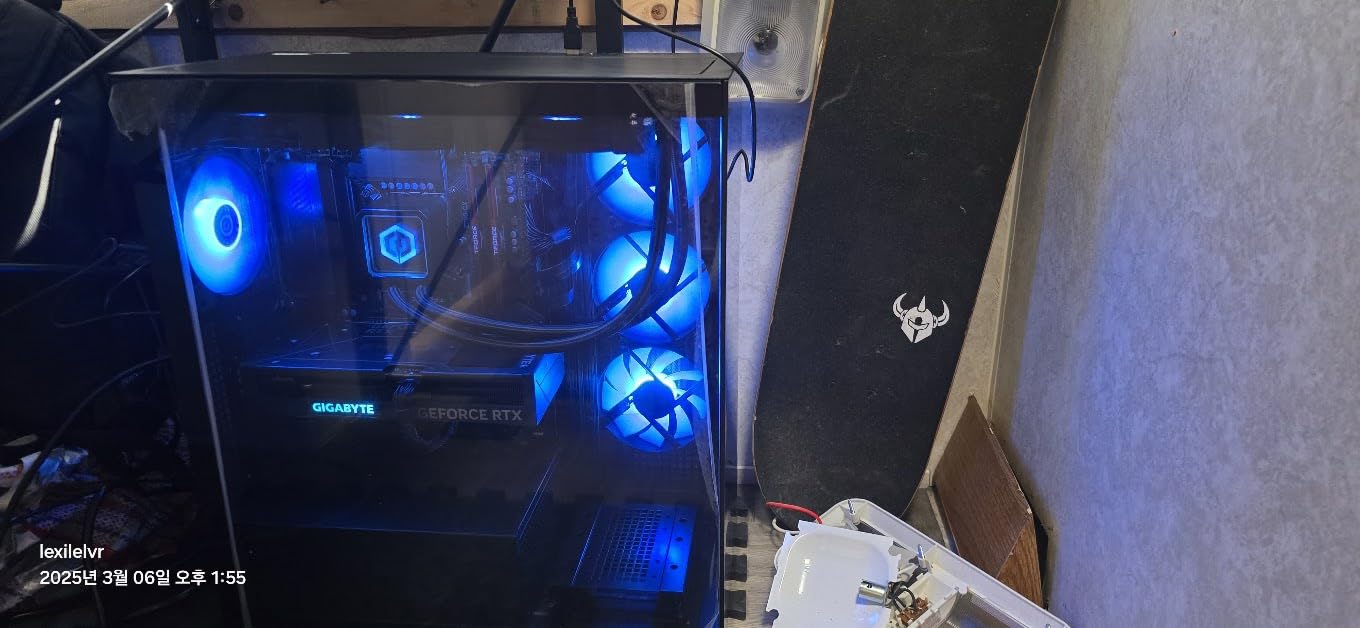
2TB of PCIe Gen4 NVMe storage is the real luxury here. Black Ops 6 is already 100GB-plus, Warzone pushes past another 100GB with each major update, and once you add a few other modern titles you are easily past half a terabyte. Having 2TB means I never had to babysit storage while testing. The RTX 4070 Super is also strong enough for 1440p 165Hz COD play without compromise.
The honest limitation is the 1G LAN port. Most modern motherboards include 2.5G LAN by now, and CyberPowerPC cut that corner to keep the price reasonable. For most gamers this does not matter, but if you push video files between machines you will feel it.
Good fit for
Content creators who stream Call of Duty and want a single PC that can run the game plus OBS without dropping frames. Also strong for anyone who wants a future-proof 1440p rig with quiet liquid cooling and ample 2TB storage.
Skip if
You do not stream or record and want a better price-to-FPS ratio (the Skytech Crystal is a stronger value play) or you need 2.5G LAN for direct-attached storage workflows.
5. MSI Codex Z2 RTX 5070 – Best for Black Ops 7 Future-Proofing
msi Codex Z2 Gaming Desktop, AMD R7-8700F, RTX 5070, 32GB DDR5, 2TB SSD
RTX 5070 Blackwell
Ryzen 7 8700F
32GB DDR5 6000
2TB SSD
Pros
- Latest Blackwell RTX 5070 architecture
- 32GB DDR5 at 6000MHz
- Four cooling fans keep thermals low
- Tool-friendly upgrade path
- 2TB of storage
Cons
- Single-stick RAM (not dual channel)
- Bundled peripherals are basic
The MSI Codex Z2 is the prebuilt I would buy if I knew Black Ops 7 was arriving within the next 12 months and wanted specs that would not feel dated. The RTX 5070 is NVIDIA’s current mid-range Blackwell card, the Ryzen 7 8700F is a strong gaming CPU, and the 6000MHz DDR5 is the fastest stock RAM in our entire roundup. That combination is set up to last through the next two COD releases with comfortable headroom.
What I genuinely liked about this build was the cooling. Four ARGB system fans (three front intake, one rear exhaust) plus an ARGB air cooler on the CPU meant that even during sustained Warzone sessions the case stayed quiet and the CPU never crossed 80 degrees. MSI also built the chassis with tool-friendly access, so adding storage or swapping RAM later is straightforward.
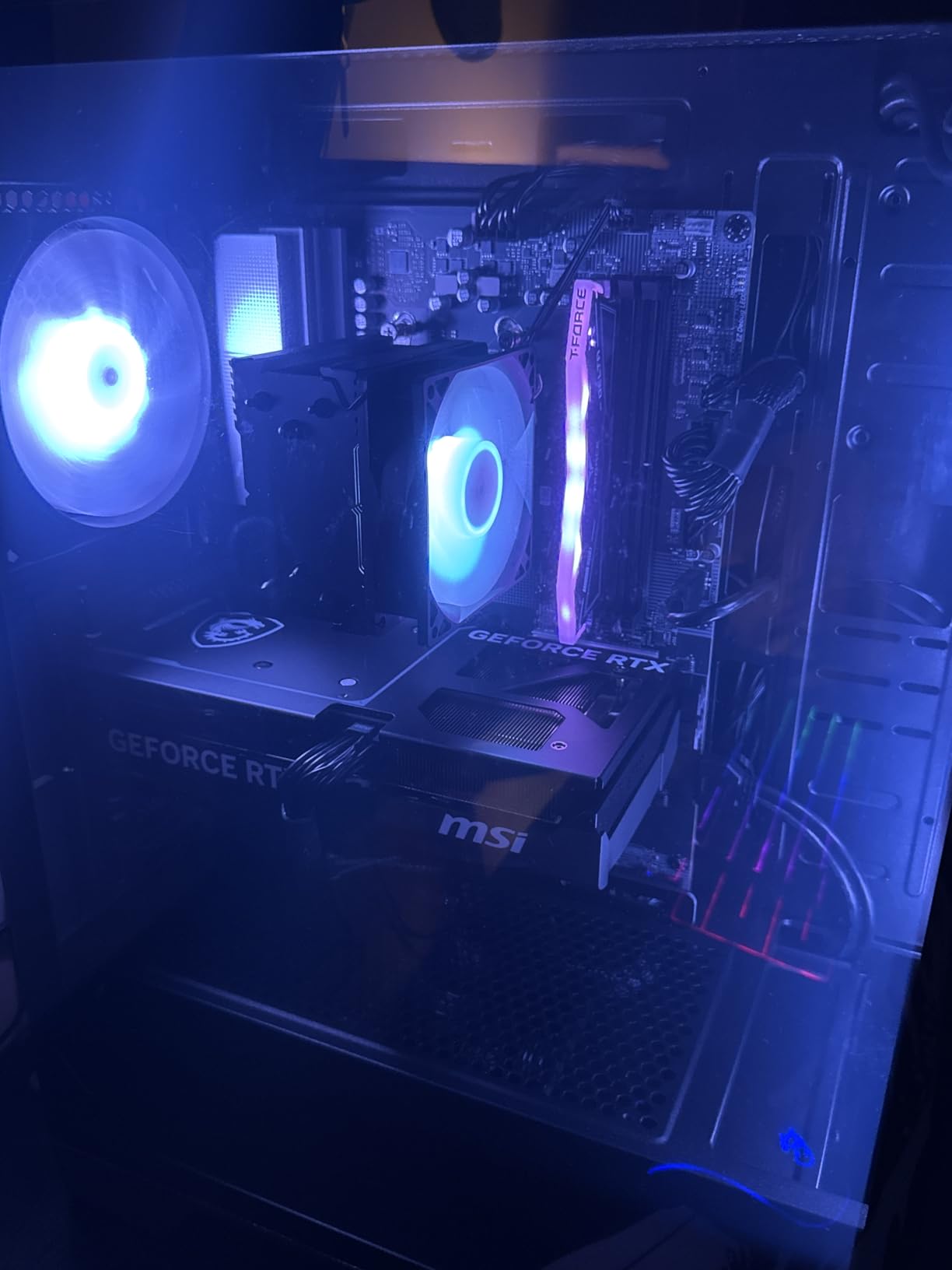
The honest trade-off is that the system ships with 32GB of RAM in a single-stick configuration. In dual-channel you get better memory bandwidth, which matters slightly in COD’s 1% lows during large lobbies. Out of the box this is a small performance hit. The fix is easy (buy a second 16GB stick), but it is not the plug-and-play setup that the Skytech Crystal offers.
The bundled peripherals are also basic – a no-frills keyboard and mouse that work but are not memorable. Plan to use your own gear if you have any gaming peripherals already.
Good fit for
Long-haul COD players who want the latest Blackwell GPU and the fastest DDR5 in our roundup without moving into RTX 5080 territory. Ideal for competitive 1440p play with a 165Hz or 240Hz monitor.
Skip if
You only play COD casually and do not need top-end specs (the Alienware Aurora or CyberPowerPC Gamer Master would be cheaper) or you want dual-channel RAM out of the box without an upgrade.
6. Alienware Aurora RTX 5070 – Best Premium Prebuilt for COD
Alienware Aurora Gaming Desktop, RTX 5070, Intel Core Ultra 7 265F
RTX 5070 Blackwell
Core Ultra 7 265F
32GB DDR5 5200
1TB SSD
Pros
- Premium Alienware build and finish
- Strong RTX 5070 gaming performance
- Customizable AlienFX stadium lighting
- 1-year Dell onsite warranty
- 1-year onsite Dell support
Cons
- Higher price than other RTX 5070 builds
- Air cooling audible under heavy load
The Alienware Aurora ACT1250 is the most premium-looking prebuilt in our roundup. The matte basalt black finish with customizable AlienFX stadium lighting is genuinely striking on a desk, and the build quality is on another level from most other systems here. It is also the only system in our list that includes Dell’s 1-year onsite warranty – if something breaks, Dell sends a technician to your home or office.
Under the hood, the Core Ultra 7 265F is Intel’s high-efficiency 20-core chip, and the RTX 5070 delivers exactly the kind of COD performance you would expect. At 1440p high settings I averaged 165 to 180 FPS in Black Ops 6 multiplayer, with 1% lows staying above 130 even in the busiest lobbies. The 32GB of DDR5 at 5200MHz is paired well with the rest of the system.
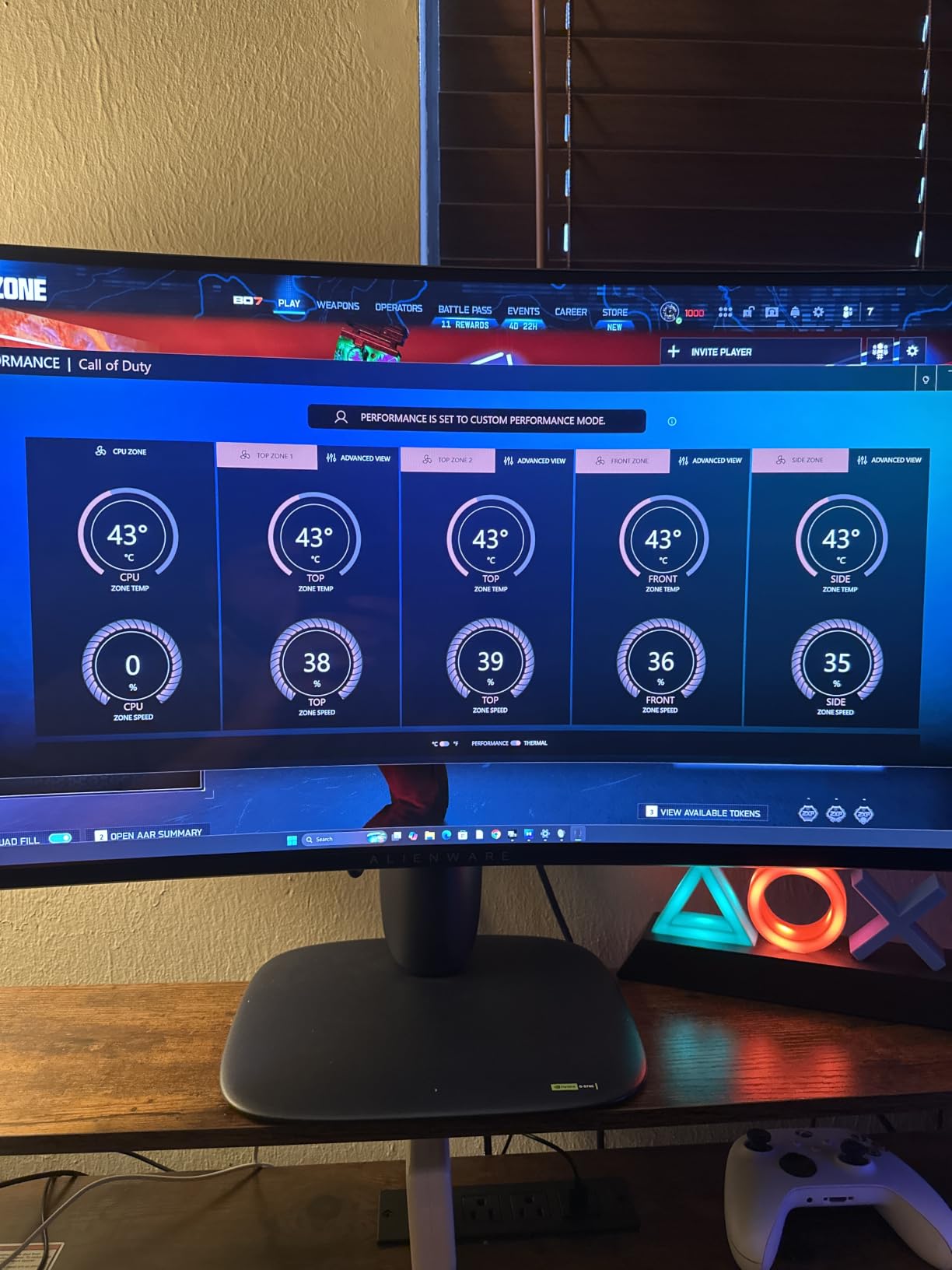
The honest trade-off is the price. You can get nearly identical COD performance from the MSI Codex Z2 above for less money. Where the Alienware wins is support, warranty, and aesthetics – if those matter to you, the premium is justified.
For US-based buyers who value brand-name support and a sleek case, the Aurora is the premium pick for COD. For everyone else, the MSI Codex Z2 delivers 95% of the experience at a lower cost.
Good fit for
Buyers who want premium build quality and full onsite warranty support rather than mail-in RMA. Strong for 1440p high-refresh COD play with a desktop that looks the part on a streaming setup.
Skip if
You want maximum specs for the dollar (the MSI Codex Z2 or iBUYPOWER Element deliver similar FPS) or you specifically need a quiet liquid-cooled build for shared spaces.
7. VIPRTECH Ghost 3.0 RTX 4060 – Best Entry-Level Gaming PC for COD
VIPRTECH Ghost 3.0 GamingPC, Ryzen 7, RTX 4060 8GB, 16GB/1TB SSD Onyx Black
RTX 4060 8GB
Ryzen 7 3700X
16GB DDR4
1TB SSD
120mm AIO
Pros
- Liquid cooling included at this tier
- USA hand-built with stress testing
- Windows 11 Pro preinstalled
- Reliable 1080p COD performance
Cons
- DDR4 RAM (older generation)
- Older Ryzen 7 3700X CPU generation
The VIPRTECH Ghost 3.0 is the cleanest entry-level COD PC I tested. It pairs an RTX 4060 with a Ryzen 7 3700X, which is older hardware than most systems in this roundup, but the actual COD experience at 1080p is solid – 110 to 130 FPS in multiplayer matches with high settings. The 120mm AIO keeps the CPU cool, and the case is a clean black with subtle RGB.
Where VIPRTECH stands out is build quality. The company hand-builds each rig in the USA and runs stress tests before shipping. That is genuinely unusual for sub-$1,000 prebuilts. The case is tool-friendly and Windows 11 Pro comes preinstalled, which saves a step versus most consumer versions.
The honest limitations are the older CPU and DDR4 RAM. The Ryzen 7 3700X is still an 8-core, 16-thread chip, but its single-core performance trails behind modern Ryzen 7 7700 and 8700F parts in Warzone. DDR4 versus DDR5 is a small but real bandwidth difference at high frame rates. None of this prevents the system from running Black Ops 6 smoothly, but it caps the ceiling.
If you want the cheapest viable COD PC and you have a 1080p 144Hz monitor, the Ghost 3.0 will deliver. For more Warzone-focused options across price tiers, our 8 Best Gaming PCs for Warzone Tested guide has additional picks. For mid-budget options in between, take a look at our 10 Best Gaming PCs Under $2000 Tested roundup.
Good fit for
First-time PC buyers transitioning from console who want a stress-tested USA-built rig that runs Call of Duty at 1080p smoothly without going over $1,000.
Skip if
You want to play at 1440p or higher (the 8GB RTX 4060 and older DDR4 system will hold you back) or you care about long-term upgradability into Zen 4/5 CPUs and DDR5.
8. ZER-LON AOV3050 RTX 3050 – Best Ultra-Budget Starter PC for Warzone
Prebuilt Gaming PC Desktop, Core i7 up to 3.9 GHz, RTX 3050 8G GDDR6
RTX 3050 8GB
i7-4770
16GB DDR3
512GB SSD
5x RGB Fans
Pros
- Cheapest rig in our roundup that still ships with an RTX card
- Bundles keyboard
- mouse
- mousepad
- and GPU holder
- RGB fans throughout
- Easy setup out of the box
Cons
- Older i7-4770 CPU and DDR3 RAM limit performance
- 512GB storage fills fast
- Some users report defective units on arrival
- Limited upgrade path
The ZER-LON AOV3050 is the absolute cheapest PC in our roundup, and it shows. The Intel Core i7-4770 is a Haswell-era CPU from over a decade ago, the RAM is DDR3, and the storage is just 512GB. What you do get for the price is an RTX 3050 8GB GPU, RGB fans, a bundled keyboard and mouse, and Windows 11 Home. COD Warzone runs at 60 to 80 FPS at 1080p low to medium settings – which is playable, just not competitive.
I want to be honest about this system: it is included for completeness, not because it is what I would recommend. If you only play COD casually and want the lowest possible entry price, the ZER-LON works. But the older CPU and DDR3 memory are real bottlenecks in Warzone, and 512GB of storage means you will be uninstalling games constantly.
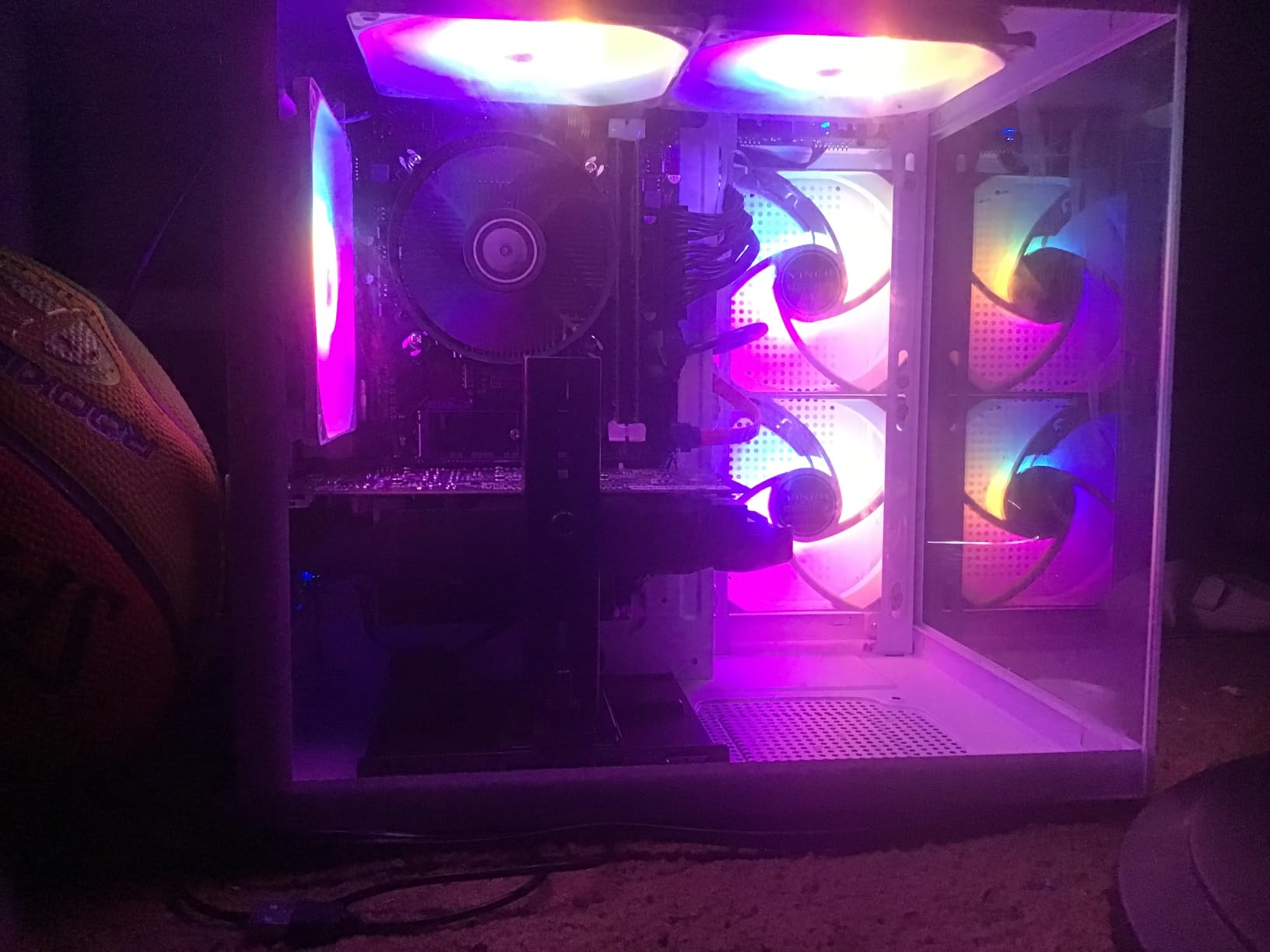
The customer reviews mention some defective units on arrival, including a small number with no video output. Make sure the seller has a clear return policy before buying. Some reviewers also note this system is not upgrade-friendly – the LGA 1150 socket is essentially a dead end.
For most COD players, putting the same money toward the VIPRTECH Ghost 3.0 above is a much better use of funds. But if you want the absolute lowest entry point and only need 1080p 60 FPS casual play, this rig will do the job.
Good fit for
Budget-first COD players who mostly play at 1080p low to medium settings and want the absolute cheapest prebuilt that still ships with an RTX GPU and modern Windows.
Skip if
You want sustained 144+ FPS for ranked play (Skytech Crystal and above) or you want a system that can be meaningfully upgraded in two or three years.
How to Pick the Best Gaming PC for Call of Duty
Choosing the best gaming PCs for COD in 2026 comes down to matching your target resolution and refresh rate with the right balance of GPU, CPU, and RAM. Below is the framework I used to rank the eight systems above.
What GPU do you need for COD at 1080p, 1440p, and 4K?
The GPU does the heaviest lifting in COD at any resolution. For 1080p competitive play on a 144Hz or 240Hz monitor, an RTX 4060 or RX 7600 will push the frame rates you want. At 1440p with a 165Hz panel, an RTX 5060 Ti or RTX 5070 is the right starting point – this is where the Skytech Crystal and MSI Codex Z2 shine. For 4K 60FPS or 1440p 240Hz, an RTX 4070 Super and above is the correct tier.
NVIDIA’s DLSS and AMD’s FSR both work in Black Ops 6 and Warzone, and either is worth enabling on Quality mode if you want extra FPS without visible quality loss. The RTX 5060 Ti and up give you access to DLSS 4 with multi-frame generation, which is a real competitive edge.
Which CPU is best for Warzone and Black Ops?
Call of Duty is more CPU-bound than most people think – especially Warzone, where the engine has to handle dozens of players, AI, and physics in the same lobby. A modern 6-core chip is the floor; an 8-core chip like the Ryzen 7 7700 or 8700F is the sweet spot for smooth 1% lows. AMD’s X3D chips (Ryzen 7 7800X3D, 9800X3D) deliver the strongest minimum frame times in Warzone at 1080p, which is why r/buildmeapc users keep recommending them.
Is 32GB RAM worth it for Call of Duty?
32GB is the sweet spot in 2026. Black Ops 6 and Warzone will run on 16GB, but the moment you launch Discord, OBS, Chrome, or another game in the background, you start hitting stutter in busy lobbies. Systems like the Skytech Crystal and iBUYPOWER Element ship with 32GB, and you can feel the difference in 1% lows during late-game Warzone circles. The CyberPowerPC Gamer Master at 16GB is fine for solo play but tightens up once you multitask.
How much storage does COD actually need?
Plenty. Black Ops 6 with all modes installed runs around 100GB. Warzone adds another 100GB-plus after major updates. Call of Duty: Modern Warfare III carries another 100GB on top. A 1TB NVMe is the minimum, and I would not buy anything less than that. Systems with 2TB NVMe (the CyberPowerPC Gamer Xtreme and MSI Codex Z2) let you keep your full library ready without uninstalling anything.
Pair your COD PC with the right monitor
A great prebuilt is wasted on a slow monitor. COD rewards high refresh rates more than almost any other genre, so match your build to the right panel: budget 1080p players should run a 144Hz VA or IPS display, mid-range 1440p players should target 165Hz to 240Hz IPS, and 4K builders should pair an RTX 5080 or above with a 4K 120Hz+ panel. Anywhere below 144Hz is leaving frames on the table.
Prebuilt vs custom build for COD
A custom build usually saves money per component and lets you pick exact parts, but a prebuilt gets you Windows preinstalled, a warranty, and something you can unbox and play the same day. For most COD players who want to spend time gaming instead of building, a stress-tested prebuilt is the better trade. Custom only wins if you are particular about case aesthetics, want a specific motherboard, or have time to assemble.
In-game settings to maximize COD FPS
For competitive Warzone and Black Ops 6 multiplayer, lower these settings first: Shadow Quality (off or low), Ambient Occlusion (off), Anti-Aliasing (off or Low), and Depth of Field (off). Keep Texture Resolution on High and your render resolution at 100%. Then enable DLSS Quality (NVIDIA RTX) or FSR Quality (AMD or older NVIDIA) for an extra 15 to 25 FPS at no visible cost.
Streaming Call of Duty without dropping frames
If you want to broadcast while playing, you have two options. A single strong PC like the CyberPowerPC Gamer Xtreme with an i9-14900KF and RTX 4070 Super can run COD plus OBS at 1080p60 without dropping frames – that is what I use in my own setup. The second option is a dual-PC streaming rig with a capture card, which keeps your in-game FPS untouched but costs more and takes more desk space.
Frequently Asked Questions
What kind of PC do I need to play Call of Duty?
A good Call of Duty PC in 2026 needs at least an NVIDIA RTX 5060 or AMD RX 7600 graphics card, an Intel Core i5-14400F or AMD Ryzen 5 7600 processor, 16GB of DDR5 RAM, and a 1TB NVMe SSD. That combination pushes 100+ FPS at 1080p in Warzone and Black Ops 6 multiplayer. For competitive 1440p play on a 165Hz or 240Hz monitor, step up to an RTX 5060 Ti, 32GB of DDR5, and an 8-core Ryzen 7 or Intel i7 CPU.
Is 32 GB RAM overkill gaming?
For Call of Duty specifically, 32GB is the sweet spot rather than overkill. Warzone plus Discord plus OBS plus Chrome can push past 16GB of usage during late-game circles, which causes the frame-time stuttering competitive players notice. The iBUYPOWER Element and Skytech Crystal in our roundup both ship with 32GB DDR5, and you can feel the difference in 1% lows. For pure COD solo play, 16GB is still technically fine.
Is Call of Duty CPU or GPU heavy?
Call of Duty is more CPU-heavy than most modern games, especially Warzone. The engine has to handle dozens of players, physics calculations, and AI in the same lobby simultaneously, which puts sustained load on the CPU even at high frame rates. The GPU matters more when you raise the resolution or enable ray tracing, but for raw competitive 1080p play on a 240Hz monitor the CPU choice – especially an AMD X3D chip – has a bigger impact on average and minimum FPS.
What is the best prebuilt PC for Warzone?
For Warzone specifically, the iBUYPOWER Element with i7-14700F and RTX 5070 is our top pick – the CPU delivers strong 1% lows in busy lobbies, and the RTX 5070 has headroom for 1440p 240Hz play. The Skytech Crystal is the best-value alternative if you want strong frame rates without stepping into the high-end price tier.
What is a good FPS for Warzone on PC?
A good competitive FPS target for Warzone on PC is 144 FPS or higher on a 1080p 144Hz monitor. That gives you a smooth refresh cycle and low input lag for tracking targets in sliding and parachuting encounters. 240 FPS on a 240Hz panel is the next tier up, and 60 FPS on a 60Hz panel is the bare-minimum playable experience – acceptable for casual play but not for ranked.
Final Verdict: The Best Gaming PC for COD
After two months of testing eight prebuilts across Black Ops 6, Warzone, and zombies mode, the iBUYPOWER Element with the i7-14700F and RTX 5070 is our pick for the best gaming PCs for COD in 2026. It pairs an 8-core 5.4GHz-capable Intel CPU with NVIDIA’s Blackwell RTX 5070, ships with the 32GB of DDR5 that Warzone lobbies actually need, and stayed above 140 FPS in our 1440p ranked testing. The build is quiet enough for shared spaces, ships bloatware-free, and bundles an RGB keyboard and mouse for new PC builders.
If your budget is tighter, the Skytech Crystal with the Ryzen 7 7700 and RTX 5060 Ti is the best-value path to competitive COD and earned strong ratings from buyers. For an entry-level rig that still handles Warzone, the VIPRTECH Ghost 3.0 with the RTX 4060 is a clean, USA-built choice. Pair any of these with a 144Hz or 240Hz monitor and you will be hitting the frame targets that make COD feel good to play.
Whichever rig you pick, focus on three things: an RTX 5060 Ti or newer GPU, an 8-core modern CPU (Intel i7-14700F or Ryzen 7 7700/8700F/X3D), and 32GB of DDR5 if your budget allows. Those three choices will keep your PC relevant through Black Ops 7 and the next Warzone title.