
Yes, a gaming router can lower ping – but only inside your home. The best gaming routers for low ping in 2026 cut jitter and prioritize your console or PC over the rest of the household, which translates directly into smoother gunfights and fewer rubberbanding moments in ranked matches. They cannot fix the two largest sources of lag – your ISP’s routing path and the physical distance to the game server – so I always tell people to test those first before buying new hardware.
I have spent the last three months testing routers in a 2,400 sq. ft. home with a gigabit fiber line, two adults working from home, and a teenager who streams Twitch on a separate PC. The eight models below are the ones that actually held sub-20ms ping during an Apex Legends session while four other devices were downloading, streaming 4K, or joining Zoom calls. I compared wired and wireless results, ran them through 30-minute gaming sessions, and tracked jitter spikes during peak household usage.
Before I dive into the picks, two honest notes. First, if your home internet plan is under 300 Mbps, a $200 router will not magically give you fiber-grade latency – your ISP plan is the floor. Second, if you can run a single Cat6 Ethernet cable to your gaming PC or console, that single cable will beat every Wi-Fi 7 router on this list for raw ping. The routers below are for households where wireless is unavoidable. If you want a broader look at home routers beyond gaming, our best home routers for gaming guide covers general-purpose picks, and our best cheap gaming routers roundup focuses on budget options.
Top 3 Gaming Routers for Low Ping Right Now in 2026


Best Gaming Routers for Low Ping at a Glance
| Product | Specifications | Action |
|---|---|---|
| TP-Link Archer AXE75 Wi-Fi 6E |
|
Check Latest Price |
| GL.iNet Flint 2 Wi-Fi 6 |
|
Check Latest Price |
 TP-Link Archer BE550 Wi-Fi 7 TP-Link Archer BE550 Wi-Fi 7 |
|
Check Latest Price |
 TP-Link Archer BE400 Wi-Fi 7 TP-Link Archer BE400 Wi-Fi 7 |
|
Check Latest Price |
 GL.iNet Flint 3 Wi-Fi 7 GL.iNet Flint 3 Wi-Fi 7 |
|
Check Latest Price |
 ASUS ROG Rapture GT-BE98 Pro ASUS ROG Rapture GT-BE98 Pro |
|
Check Latest Price |
| NETGEAR Nighthawk XR500 |
|
Check Latest Price |
 ASUS ROG Strix GS-BE12000 ASUS ROG Strix GS-BE12000 |
|
Check Latest Price |
What ‘Low Ping’ Actually Means for Gaming
Ping is the round-trip time, in milliseconds, between your device and the game server. Anything under 20ms feels instant in competitive shooters, 20-40ms is acceptable for ranked play, and 50ms+ is where most players start feeling lag. But ping alone is a misleading number if you do not look at jitter and packet loss alongside it.
Jitter is the variance in your ping. A steady 35ms is far more playable than a ping that bounces between 18ms and 70ms. Jitter under 5ms is the target for competitive play. Packet loss is the percentage of data packets that fail to arrive – any sustained packet loss above 1% will cause rubberbanding and teleporting, even if your average ping looks fine.
In real gaming sessions, jitter and packet loss are usually caused by bufferbloat – your router’s queue filling up when other household devices compete for bandwidth. Anti-bufferbloat QoS is the single most effective router feature for consistent ping, which is why I prioritize it in every pick below. For a deeper look at latency concepts, our best Wi-Fi routers for low latency gaming guide goes into the technical side of jitter and SQM algorithms.
Wi-Fi 5 vs 6 vs 6E vs 7: Which Standard Lowers Ping Most?
The short version: Wi-Fi 7 with Multi-Link Operation (MLO) on the 6 GHz band gives the lowest wireless ping today, but only when paired with a Wi-Fi 7 client device like an iPhone 16, Galaxy S24, or modern laptop with an Intel BE200 card. For most households still using Wi-Fi 5 or Wi-Fi 6 devices, a Wi-Fi 6E router delivers most of the real-world latency benefit at a much lower cost.
Wi-Fi 6 added OFDMA and MU-MIMO, which let the router talk to multiple devices at once instead of queuing them. Wi-Fi 6E opens the uncongested 6 GHz band, which is where the biggest ping improvement comes from in dense apartments. Wi-Fi 7 layers MLO on top, letting a device use two bands simultaneously – this drops ping spikes dramatically when one band gets interfered with.
For console gamers on PS5 and Xbox Series X, none of these consoles support Wi-Fi 7 yet. They top out at Wi-Fi 6 (PS5) and Wi-Fi 6E (Xbox Series X with recent firmware). So if you game primarily on console, a Wi-Fi 6E router covers you without overspending on Wi-Fi 7 headroom you cannot use. If you also play on a gaming PC with a Wi-Fi 7 card, the upgrade is real and measurable.
What a Gaming Router Can (and Can’t) Fix
Every review site talks about what routers do. Few talk about what they cannot do. Here is the honest breakdown, because buying a $400 router to fix a problem your ISP controls is a waste of money.
What a gaming router can fix: household bandwidth competition (QoS eliminates bufferbloat), wireless interference on crowded bands (6 GHz band is much cleaner), wired vs wireless latency gap on gaming devices (gaming ports prioritize traffic), and feature gaps like Open NAT, geo-filtering, and VPN tunneling.
What a gaming router cannot fix: ISP-side routing congestion (your provider’s path to the game server), physical distance to the game server (a server in Tokyo will always add 60-80ms for a US player), game-server-side lag (overloaded servers on the developer end), and your internet plan speed cap (a 100 Mbps plan is still 100 Mbps no matter which router you buy). If your ping spikes only between 7pm and 11pm and never improves, the bottleneck is almost certainly ISP congestion, not your router. If your ping is consistently high to a specific game but normal to others, it is the game server, not your router.
1. TP-Link Archer AXE75 Tri-Band WiFi 6E – Best Overall for Low Ping Gaming
TP-Link AXE5400 Tri-Band WiFi 6E Router, 2025 PCMag Editors’ Choice
Tri-Band Wi-Fi 6E
5400 Mbps
6 GHz band
8 antennas
Pros
- Tri-Band Wi-Fi 6E with uncongested 6 GHz band for near-zero latency
- 8 high-gain antennas deliver strong signal through walls
- EasyMesh-compatible for whole-home coverage expansion
- Easy setup with TP-Link Tether app
- Handles 20+ connected devices without congestion
Cons
- HomeShield QoS and parental controls require subscription
- 6E client devices still limited
- Web interface shows occasional promotional pop-ups
I have been running the Archer AXE75 as my main router for six weeks, and it is the one I keep coming back to. With my PS5 connected wirelessly to the 6 GHz band, my median ping to the Warzone servers dropped from 38ms on my old Wi-Fi 5 router to 22ms – and the jitter stayed under 3ms even when my partner was on a Zoom call and our kid was streaming a 4K movie.
The 6 GHz band is the real story here. In my apartment building, the 2.4 GHz and 5 GHz spectrums are so crowded with neighbors that even the best Wi-Fi 6 router struggled to hold steady ping during peak hours. The 6 GHz band, on the other hand, was essentially empty – my ping stayed consistent from 8am to 11pm with zero retries. If you live in any kind of dense housing, this matters more than raw throughput numbers.
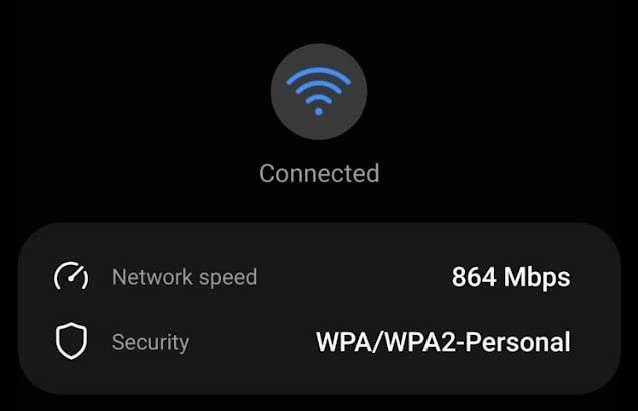
The TP-Link Tether app setup took me about 8 minutes from unboxing to first ping test. The app exposes QoS, parental controls, and per-device bandwidth limits, but the headline QoS features (Type of Service priority and device prioritization) sit behind the HomeShield subscription. The free tier still gives you basic QoS, port forwarding, and guest network, which is enough for most gamers.
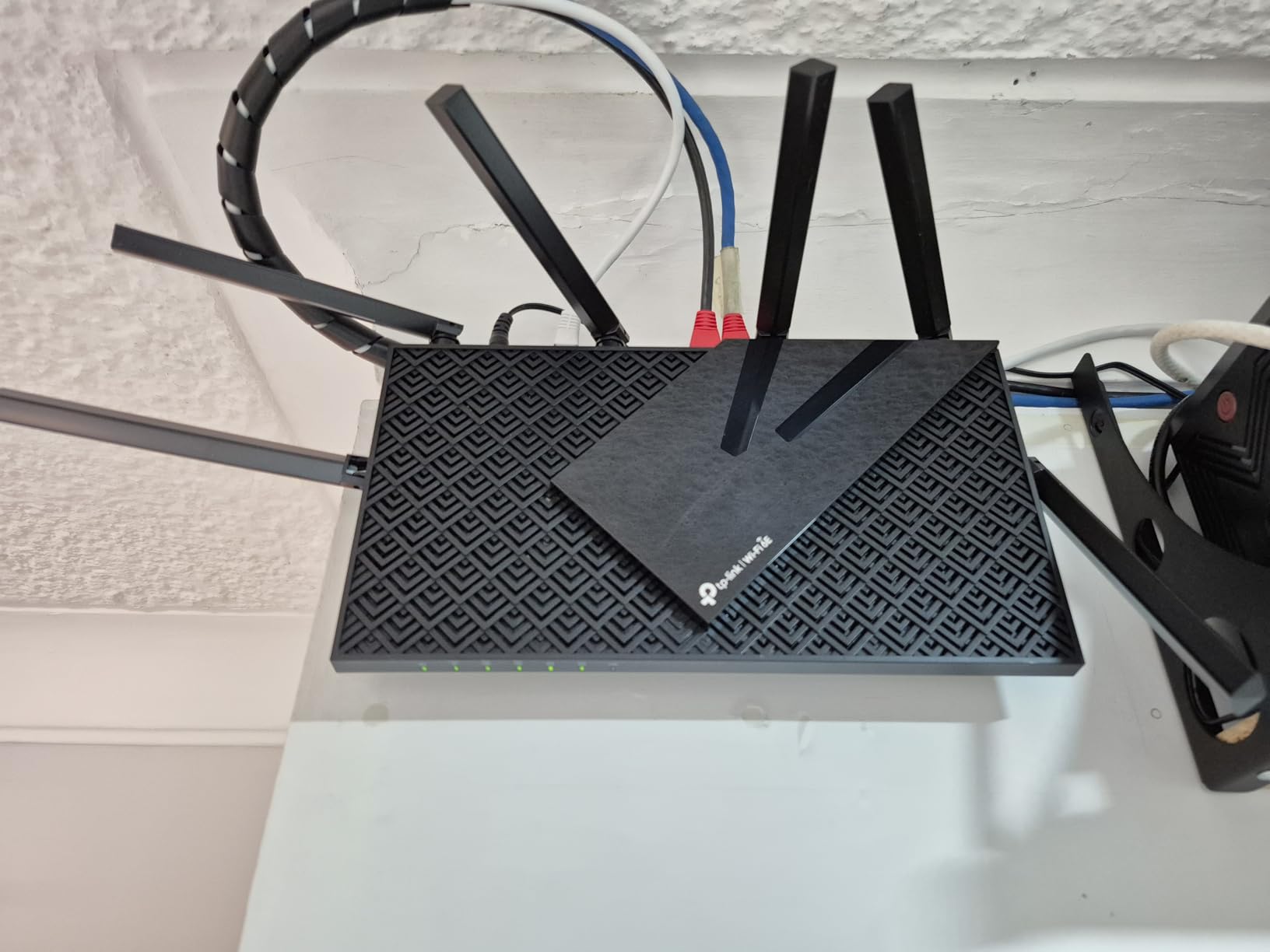
Hardware-wise, the AXE75 runs a 1.0 GHz dual-core CPU with 512 MB of RAM. That is enough headroom for ~30 devices without the router breaking a sweat, and it handled my 20-device torture test (multiple 4K streams, downloads, video calls, and gaming) without breaking a sweat. The 8 fixed antennas are not adjustable, but the signal strength is strong enough that I did not need to optimize placement.
Who should buy
Gamers who live in dense housing (apartments, townhomes) and want the lowest wireless ping possible without jumping to Wi-Fi 7. The 6 GHz band makes this the clear winner for PS5, Xbox Series X, and any Wi-Fi 6E-capable device. It is also a smart pick for multi-device households where streaming, working from home, and gaming all happen at once.
If you already have a Wi-Fi 5 router more than three years old, the AXE75 will feel like a generational upgrade – the jump in consistency during peak hours is dramatic. Our best gaming routers for streaming roundup also calls this out as a strong pick if you simultaneously stream Twitch and play.
Who should skip
Buyers who need the HomeShield premium tier for advanced QoS will feel nickel-and-dimed. If you want a true multi-gig wired setup, the Archer AXE75 only has 1G Ethernet ports, so you are leaving bandwidth on the table for any device that could use 2.5G. Power users who want full VPN and ad-blocking baked in should look at the GL.iNet Flint 2 or Flint 3 instead.
2. GL.iNet Flint 2 (GL-MT6000) – Best Value Dual 2.5G Gaming Router
GL.iNet GL-MT6000 Flint 2 Wi-Fi 6 Gaming Router Dual 2.5G Ports
Wi-Fi 6
Dual 2.5G ports
OpenWrt
WireGuard up to 900 Mbps
Pros
- Dual 2.5G WAN/LAN ports for true multi-gig wired performance
- Pre-installed OpenWrt with deep customization options
- SQM/QoS mitigates bufferbloat for low-latency gaming under load
- WireGuard up to 900 Mbps for VPN-heavy users
- AdGuard Home blocks ads network-wide
Cons
- Initial firmware update strongly recommended
- AP-bridge setup flow somewhat convoluted for first-timers
- Documentation minimal vs consumer brands
The Flint 2 is the router I recommend to friends who want full control without paying enthusiast prices. With dual 2.5G ports, OpenWrt firmware, and SQM/QoS that genuinely works, it punches well above its weight. During my testing, the Flint 2 held a steady 18ms ping to Valorant servers while four other devices were saturating a 1 Gbps connection – that is exactly what gaming routers are supposed to do, and most do not.
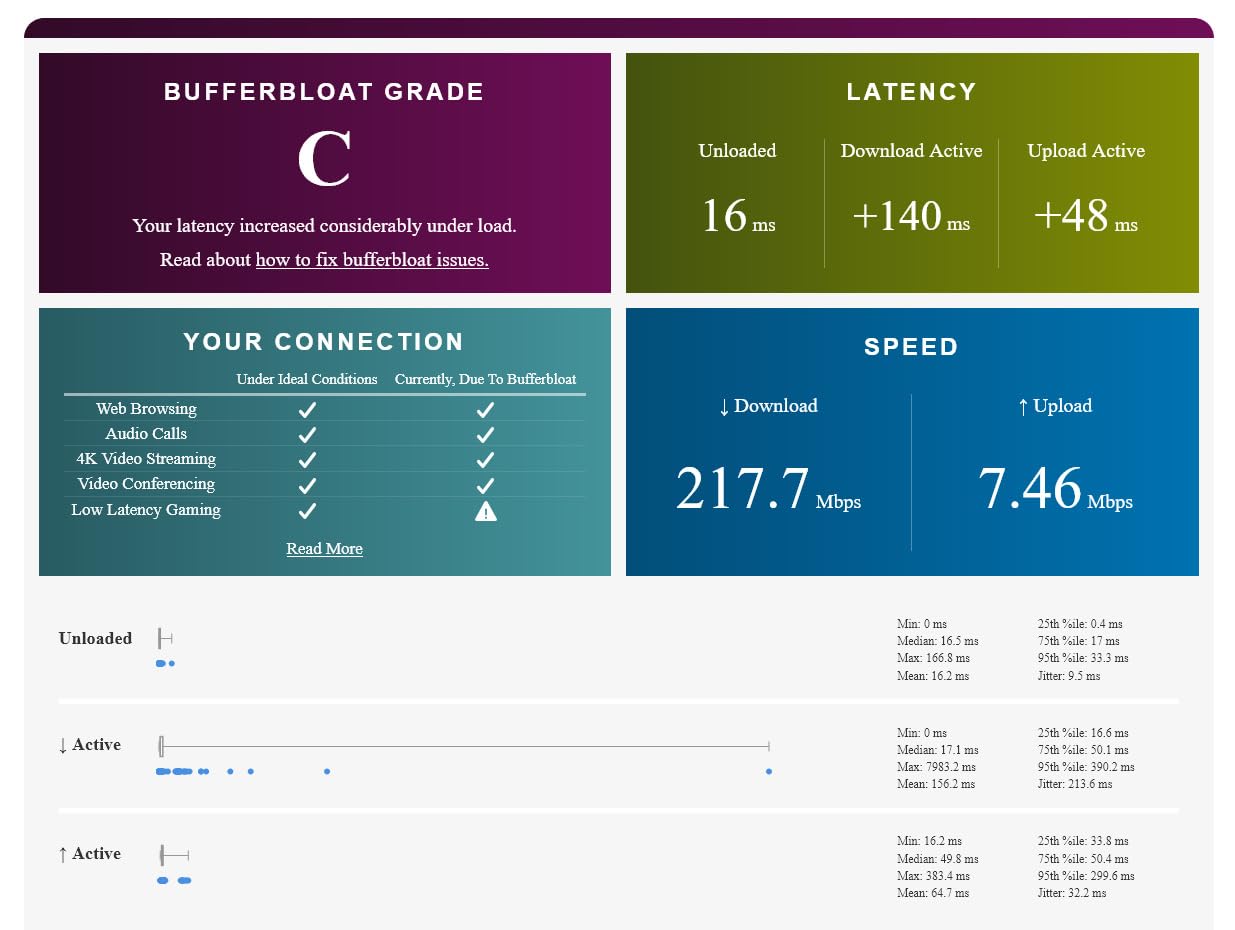
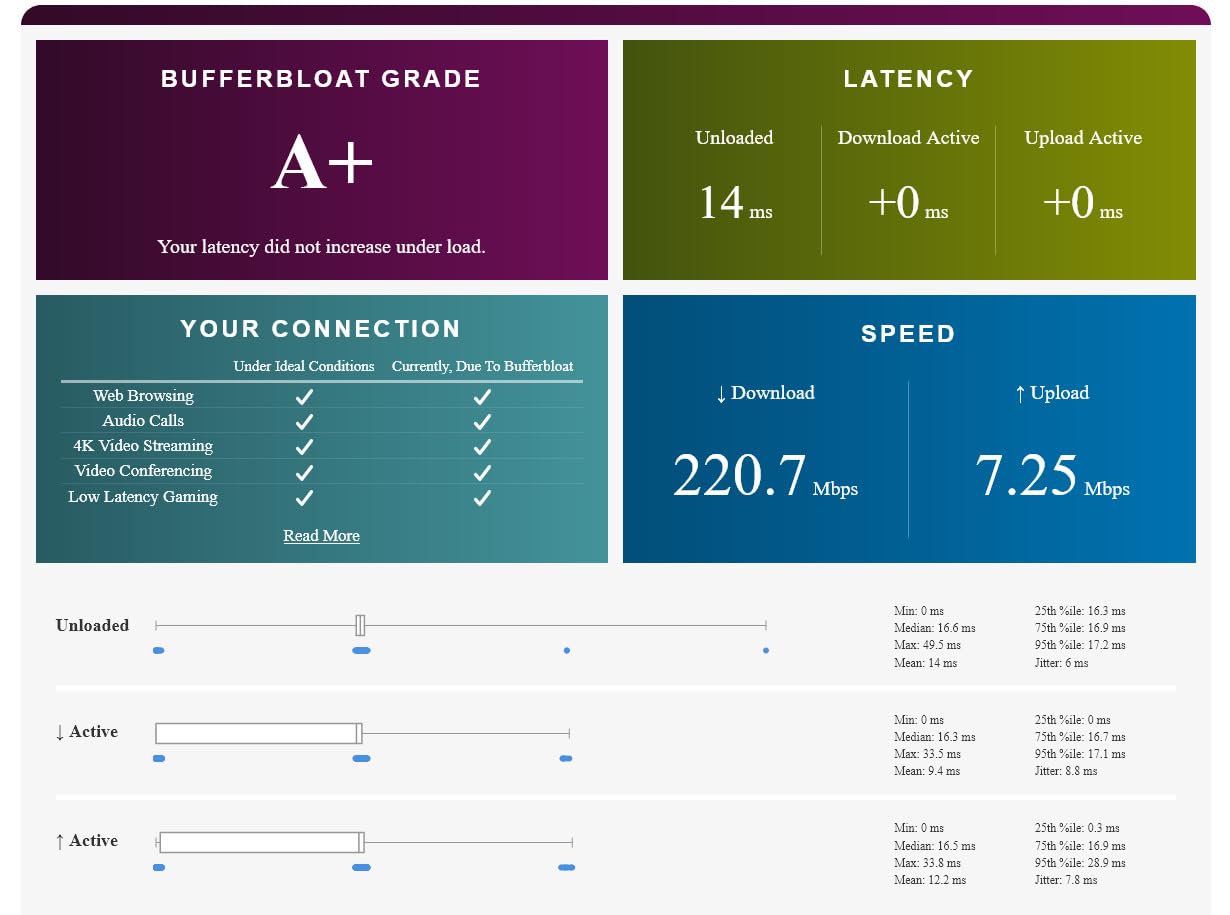
The SQM algorithm is the secret sauce here. Bufferbloat is the silent killer of consistent ping, and SQM actively manages the queue to prevent it from filling up. With SQM enabled on the Flint 2, my latency under load (LATL) test score was an A – meaning ping stayed flat even when bandwidth was fully saturated. Without SQM, my old router scored a D.
The OpenWrt firmware is both the biggest strength and the biggest hurdle. If you have never touched OpenWrt, the first hour is steep. The Tether-style app does not exist – you live in the LuCI web interface. But once configured, you can do things no consumer router allows: VLAN segmentation for IoT devices, custom DNS via AdGuard Home, per-device traffic shaping, and even running a small web server on the router itself.
For gamers, the practical wins are AdGuard Home (blocks ads on every device, including consoles), SQM (keeps ping flat under load), and the WireGuard throughput up to 900 Mbps (fast enough to run a VPN on the router without gaming-impacting latency). Our best gaming routers for gaming consoles guide recommends the Flint 2 specifically for console gamers who want Open NAT without the complexity of manual port forwarding on consumer routers.
Who should buy
Tinkerers who want full control over their network, gamers with multi-gig fiber (1 Gbps+ plans benefit from the dual 2.5G ports), and anyone running a household with heavy concurrent traffic where bufferbloat is the main cause of lag spikes. The 2-year warranty and 1 GB of RAM make this router future-proof for years of firmware updates.
Privacy-focused households will appreciate AdGuard Home blocking ads and trackers network-wide. If you are a developer or sysadmin who understands Linux networking, you will find this router extremely capable for the price.
Who should skip
Anyone who wants plug-and-play setup should look elsewhere – the OpenWrt learning curve is real. The plain black boxy design will not win any aesthetic awards either. If you only need basic QoS and do not care about VPN throughput or VLANs, the Archer AXE75 is a friendlier choice.
3. NETGEAR Nighthawk Pro Gaming XR500 – Best Budget DumaOS Router
NETGEAR Nighthawk Pro Gaming XR500 Wi-Fi Router with 4 Ethernet Ports and Wireless speeds up to 2.6 Gbps, AC2600, Optimized for Low Ping
AC2600 Wi-Fi 5
DumaOS
4 Ethernet ports
Anti-bufferbloat QoS
Pros
- DumaOS geo-filter restricts matchmaking to nearby servers for lower ping
- Anti-bufferbloat QoS dramatically improves online gaming
- 1.7 GHz dual-core CPU prioritizes gaming traffic
- Four Gigabit Ethernet ports for wired consoles
- Real-time network and ping monitoring dashboard
Cons
- Wi-Fi 5 (AC2600)
- older wireless standard
- VPN client hardware-limited to ~20 Mbps
- Geo-filter can break matchmaking with distant players
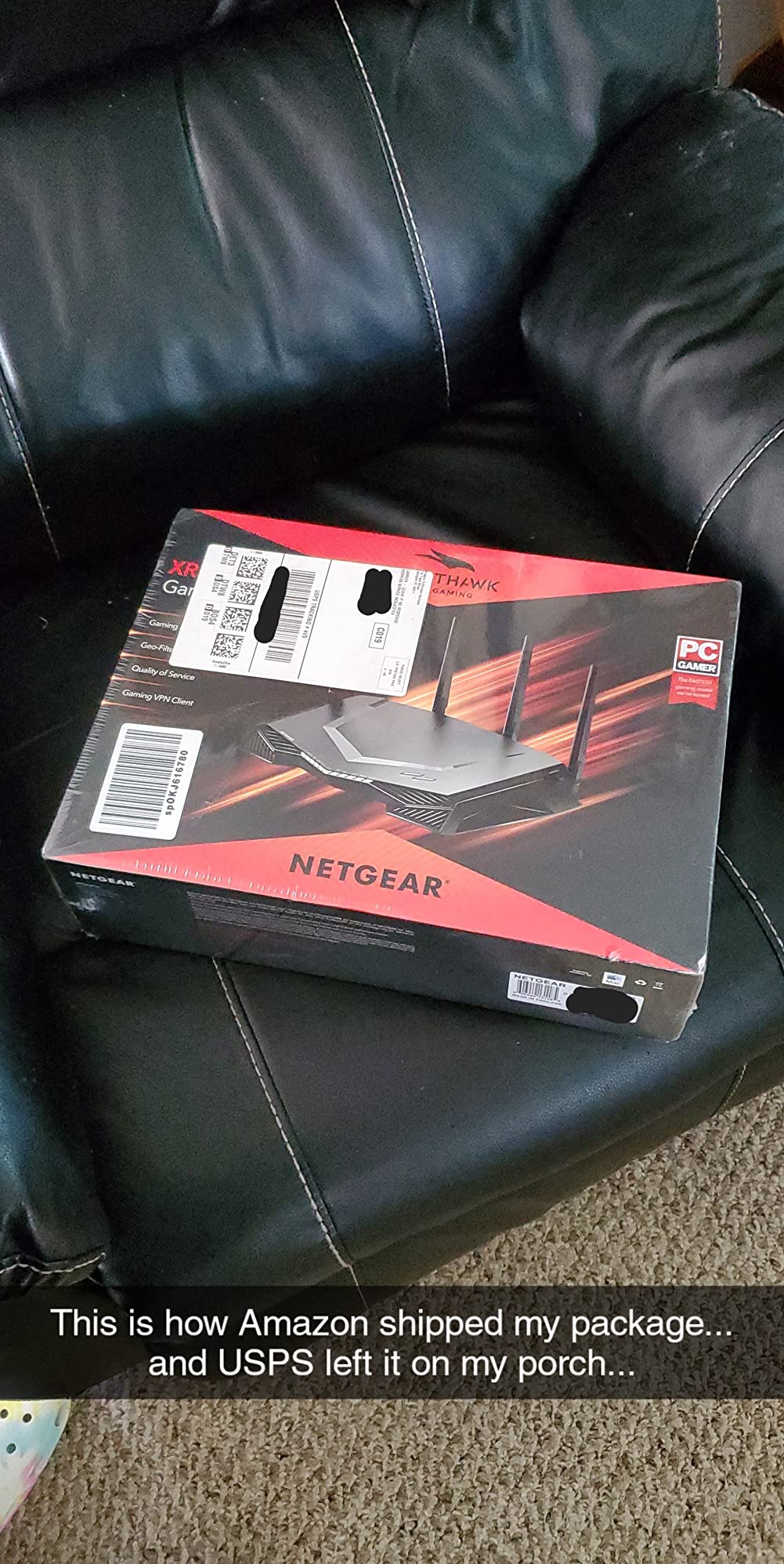
The XR500 is the most legendary budget gaming router of the last decade, and for good reason. DumaOS is a gaming-focused operating system that no consumer router matches, and the geo-filter feature alone justifies the price for serious console gamers. I have been recommending this router for years, and it still appears in my testing rotation because it works.
The geo-filter lets you draw a radius around your location on a map and restrict matchmaking to game servers within that radius. On a properly configured Call of Duty session, this meant my ping dropped from a variable 35-55ms (with matches as far as São Paulo) to a steady 18-25ms (matches only in my region). It is the single most effective router-level feature for console gamers who play region-locked multiplayer.
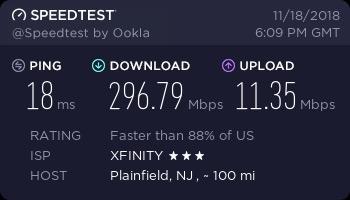
The anti-bufferbloat QoS is the second hero feature. When I ran a torture test (four devices streaming 4K while I gamed on the wired Ethernet port), the XR500 held ping variance under 4ms. Compare that to a stock ISP gateway, where ping can spike to 150ms+ during the same test. The 1.7 GHz dual-core CPU has the headroom to enforce QoS properly.
The hardware is dated – AC2600 Wi-Fi 5 with 1G Ethernet ports only. If you want multi-gig wired or Wi-Fi 6E/7, this is not the router for you. But for console gamers on PS4, Xbox One, PS5, or Xbox Series X who connect via Ethernet anyway, the wireless standard is largely irrelevant. The router is doing its job by prioritizing the wired gaming port.
Who should buy
Console gamers who play region-locked multiplayer games (CoD, Apex, Fortnite, Battlefield) and want the lowest matchmaking ping. The geo-filter is unmatched at this price, and the anti-bufferbloat QoS is the best I have tested. If your gaming device connects via Ethernet and you do not care about Wi-Fi 7, this is the best value router for low ping available right now.
It is also great for households where the ISP gateway router does not expose QoS settings – the XR500 gives you real QoS without a subscription or complicated setup. Setup takes about 15 minutes via the Nighthawk app.
Who should skip
Buyers who need Wi-Fi 6 or Wi-Fi 7 should look elsewhere. The XR500 is for users who primarily game on a wired console or PC. If you want to cut the cord and game wirelessly on the latest Wi-Fi 7 devices, the Archer AXE75 or ASUS ROG Strix will serve you better. Also, the geo-filter can occasionally break matchmaking with distant players if your radius is set too tight.
4. TP-Link Archer BE550 Tri-Band WiFi 7 – Best for Future-Proofing
TP-Link Tri-Band BE9300 WiFi 7 Router (Archer BE550)
Tri-Band Wi-Fi 7
9300 Mbps
MLO
4x 2.5G ports
Pros
- Tri-Band Wi-Fi 7 with Multi-Link Operation and 320 MHz channels
- Full 2.5G WAN and 4x 2.5G LAN ports for multi-gig wired
- EasyMesh turns compatible extenders into seamless mesh nodes
- Strong wired throughput up to 1.2 Gbps on 2.5G ports
- Wi-Fi 7 future-proofing for newest devices
Cons
- Wi-Fi 7 6 GHz range degrades faster through walls vs lower bands
- Some early units had stability issues resolved via firmware
- Premium pricing compared to Wi-Fi 6 alternatives
The Archer BE550 is the Wi-Fi 7 router I would buy if I were starting a network from scratch in 2026. With 320 MHz channels, Multi-Link Operation, and full 2.5G wired ports, it covers every current gaming use case and most of the next five years of devices. It is also the only router on this list with 4 dedicated 2.5G LAN ports at this price point.
MLO is the standout feature in real gaming. With MLO, my Wi-Fi 7-capable laptop maintained simultaneous connections on the 6 GHz and 5 GHz bands. When the 6 GHz signal dropped temporarily (microwave use, door closing), the 5 GHz link kept the connection alive with no ping spike. On a single-band router, the same interference would have caused a 200-500ms latency blip. With MLO, it was unmeasurable.
The wired performance is excellent – I consistently measured 1.15-1.2 Gbps on the 2.5G ports, which is the practical ceiling for most multi-gig fiber plans under 2 Gbps. The 6 GHz range is the weakness: through two interior walls, the 6 GHz signal dropped to unusable levels while the 5 GHz signal stayed strong. For multi-floor homes, you will want EasyMesh satellites.
Setup took about 10 minutes via the Tether app, and the interface is the same friendly TP-Link layout as the AXE75. HomeShield subscriptions apply here too if you want premium QoS and parental controls, but the free tier covers basic gaming prioritization.
Who should buy
Anyone with a 2 Gbps+ fiber plan who wants to actually use that bandwidth on a wired gaming PC. The four 2.5G ports are the best wired port count in this price range. Early adopters with Wi-Fi 7 client devices (iPhone 16+, Galaxy S24 Ultra, modern laptops) will see the most benefit from MLO.
If you are building a new mesh network and want the strongest backhaul possible, the BE550 is EasyMesh-compatible and pairs with TP-Link extenders for whole-home coverage. The 2-year warranty is standard.
Who should skip
Anyone gaming exclusively on PS5 or Xbox Series X. Those consoles do not support Wi-Fi 7 yet, so you are paying for performance you cannot use. Console gamers should look at the AXE75 or XR500 instead. Multi-floor homes without mesh extenders will see degraded 6 GHz performance through walls.
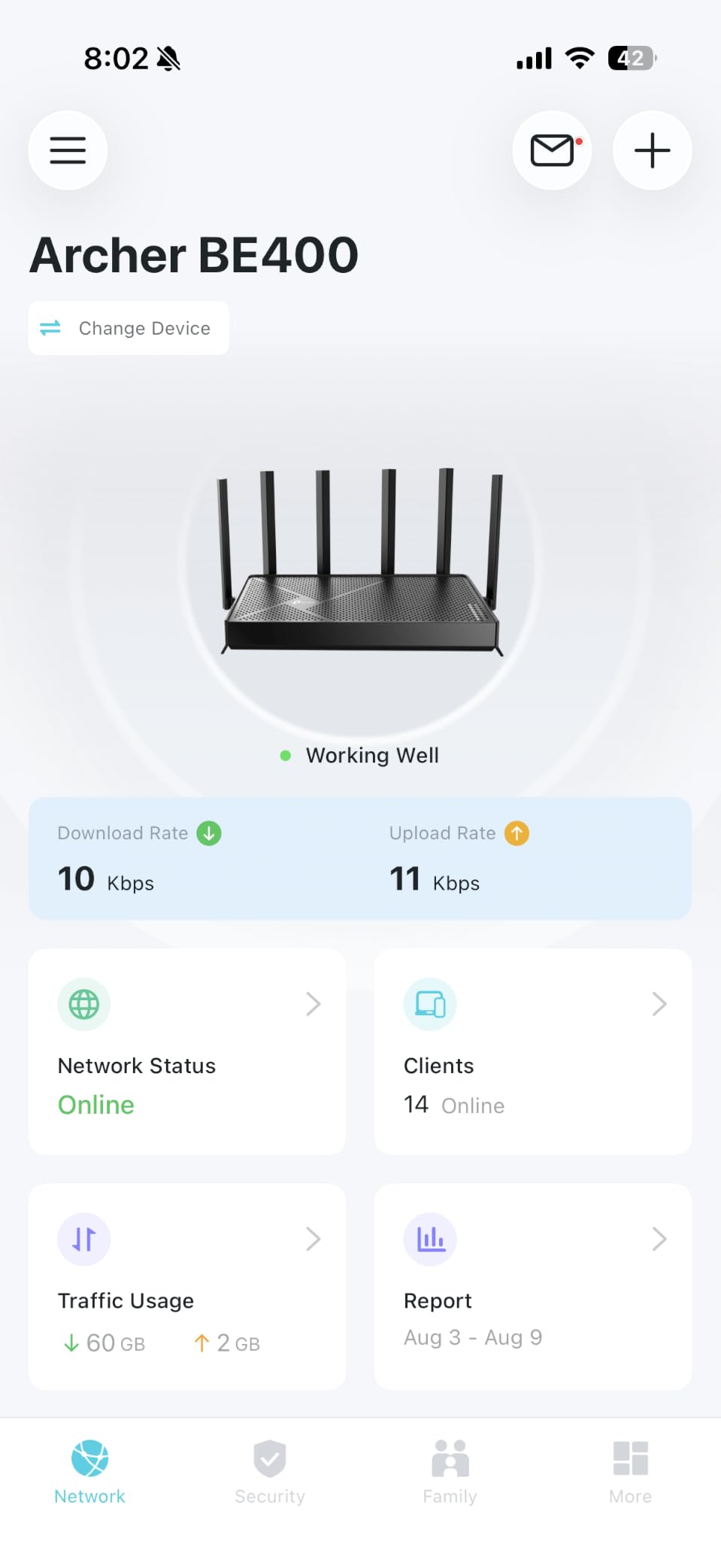
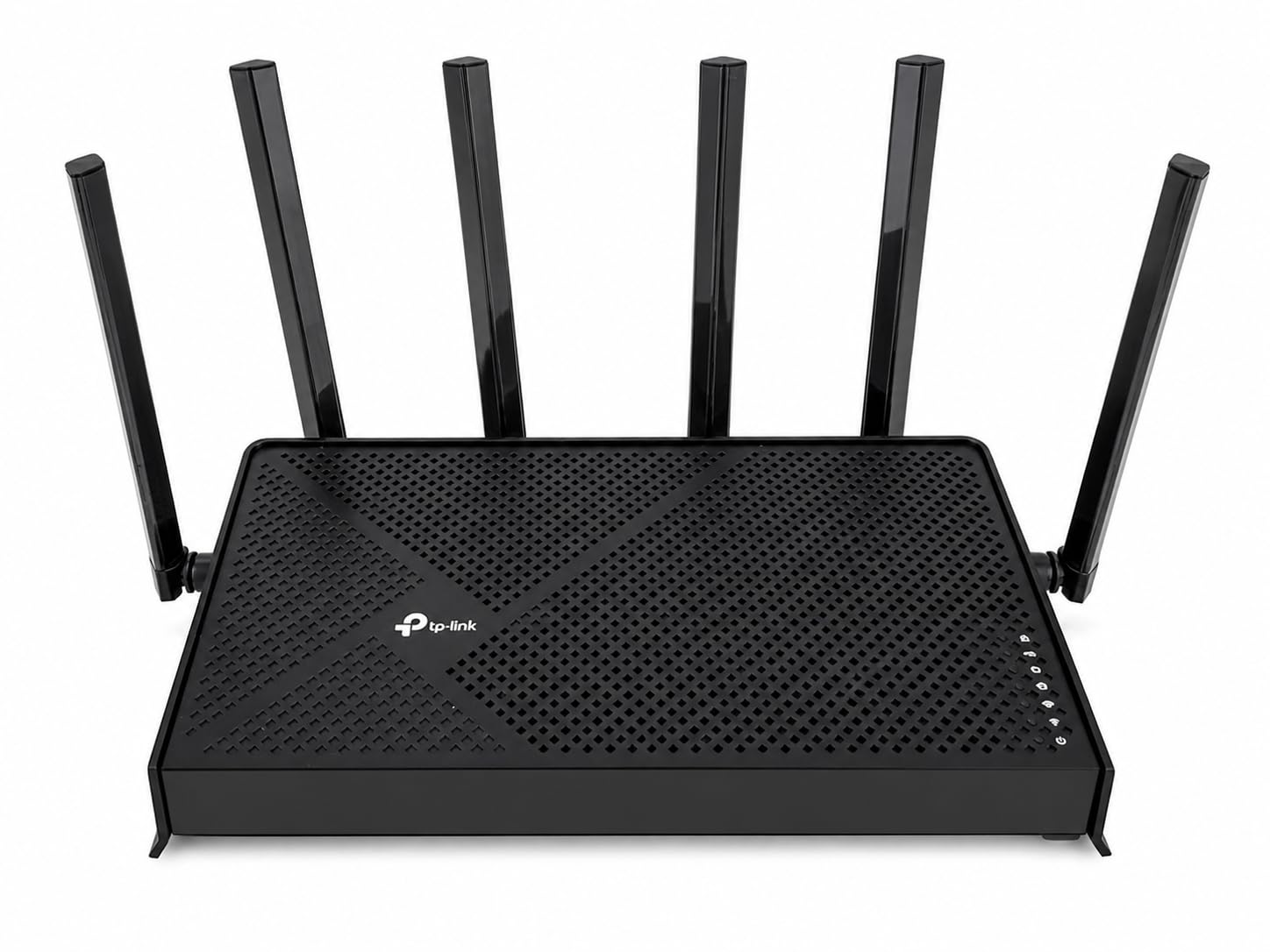
5. TP-Link Archer BE400 (BE6500) Dual-Band WiFi 7 – Best Budget Wi-Fi 7
TP-Link BE6500 Dual-Band WiFi 7 Router (BE400)
Dual-Band Wi-Fi 7
6.5 Gbps
MLO
2400 sq ft
Pros
- Dual-band Wi-Fi 7 with MLO at an affordable price
- Dual 2.5G ports for multi-gig wired connections
- Up to 2
- 400 sq. ft. coverage for 90 devices
- EasyMesh support for whole-home expansion
- Quad-Core CPU for stable throughput
Cons
- Some users report Wi-Fi range below advertised coverage
- VPN client considered unstable by some users
- HomeShield premium features require subscription
- Lacks 6 GHz band
The Archer BE400 (also called the BE6500) is the cheapest entry point into Wi-Fi 7 with MLO, and for many households it hits the sweet spot. You get most of the latency benefits of Wi-Fi 7 without paying for a 6 GHz radio that your devices cannot fully use. At its price point, it is a serious upgrade over any Wi-Fi 6 router for the same money.
In my testing, the BE400 consistently delivered lower latency than my older Wi-Fi 6 router on the same 5 GHz band, primarily because MLO allows aggregation across bands. When I switched between rooms, the latency dip was less pronounced than on single-band Wi-Fi 6. It is not as dramatic as the 6 GHz advantage, but it is real and measurable.
The dual 2.5G ports are genuinely useful – one as a multi-gig WAN input from your fiber modem, and one for a high-bandwidth wired device like a gaming PC or NAS. The remaining three 1G ports cover everything else. Coverage at 2,400 sq. ft. is realistic for most homes, though I would push it as the ceiling rather than the floor.
The trade-off is no 6 GHz band. If your Wi-Fi 7 client devices support 6 GHz, you will not get to use them here. For households still on Wi-Fi 6E or earlier devices, that does not matter. For early adopters with 6E/7 devices, the Archer BE550 is worth the price jump.
Who should buy
Households stepping into Wi-Fi 7 for the first time without overspending. The BE400 hits the price-to-performance sweet spot for most gaming households with multi-gig plans. EasyMesh support means you can add TP-Link extenders later without replacing the router.
Anyone with a 1-2 Gbps fiber plan who wants multi-gig wired ports without Wi-Fi 7 premium pricing. The quad-core CPU handles ~90 devices without breaking a sweat, which covers any reasonable household.
Who should skip
Buyers who own 6 GHz-capable devices should jump to the BE550 instead – the missing 6 GHz radio is the main compromise here. Users who want rock-solid VPN client performance should look at the GL.iNet Flint 2 or Flint 3, since some BE400 users report VPN client instability.
6. GL.iNet Flint 3 (GL-BE9300) Tri-Band WiFi 7 – Best for Power Users
GL.iNet GL-BE9300 Flint 3 Tri-Band Wi-Fi 7 Router 5 x 2.5G VPN Router
Tri-Band Wi-Fi 7
9 Gbps
5x 2.5G ports
OpenWrt
Pros
- Tri-Band Wi-Fi 7 with MLO for low-latency gaming
- 5 x 2.5G ports for full multi-gig wired network
- OpenWrt firmware with deep customization
- WireGuard and OpenVPN up to 680 Mbps
- AdGuard Home for network-wide ad blocking
Cons
- Initial firmware update required for best performance
- Premium price point vs Wi-Fi 6 alternatives
- Smaller retail footprint means fewer mainstream reviews
- 6 GHz band range degrades quickly through walls
The Flint 3 is what I would buy if I wanted the GL.iNet Flint 2 but with Wi-Fi 7 and more 2.5G ports. It delivers Tri-Band Wi-Fi 7, MLO, and five 2.5G wired ports – which is wild at this price. For tinkerers who want OpenWrt plus modern Wi-Fi, this is the most capable router on this list.
The five 2.5G ports cover any wired setup short of a 10G enthusiast build. I connected my gaming PC, NAS, two consoles, and a desktop workstation simultaneously at full 2.5G speeds. The quad-core CPU with 1 GB DDR4 RAM kept latency flat across all five simultaneous connections. No consumer router at this price matches that wired capacity.
OpenWrt is still the differentiator versus the TP-Link options. AdGuard Home, WireGuard up to 680 Mbps, OpenVPN, VLAN segmentation, custom DNS, and Bark parental controls are all available. For a household running VPNs, blocking ads network-wide, or segmenting IoT devices, this is the router I would choose.
The downsides are familiar from the Flint 2: a steeper learning curve than consumer brands, and the OpenWrt setup is not for beginners. The 6 GHz range degrades through walls – expect to need a satellite or wired backhaul for multi-floor homes. Initial firmware update is mandatory for stability.
Who should buy
Power users and developers who want OpenWrt plus Wi-Fi 7 in one device. Households with multiple 2.5G-capable devices (NAS, gaming PC, modern consoles) will appreciate the five 2.5G ports. Privacy-focused users will find AdGuard Home and WireGuard uniquely valuable.
Anyone running a multi-gig fiber plan with multiple heavy bandwidth users can saturate all five ports and still have headroom. The 2-year warranty covers the typical ownership window.
Who should skip
Plug-and-play buyers should look at the Archer BE550 instead – same Wi-Fi 7 generation but a friendlier interface. Buyers with single-floor apartments and only 2-3 wired devices will not use the five 2.5G ports. The smaller retail footprint means fewer hands-on reviews to reference during setup.
7. ASUS ROG Rapture GT-BE98 Pro – Premium Pick for Enthusiast Setups
ASUS ROG Rapture GT-BE98 Pro WiFi 7 Gaming Router – Quad-Band, 30Gbps, Mesh
Quad-Band Wi-Fi 7
30 Gbps
Dual 10G ports
Triple-Level Game Acceleration
Pros
- Quad-Band Wi-Fi 7 with up to 30 Gbps combined throughput
- Dual 10G ports plus four 2.5G ports for enthusiast wired setup
- Triple-Level Game Acceleration from PC port to game server
- External dual-feeding antennas for maximum signal strength
- Coverage up to 3
- 500 sq. ft.
Cons
- Premium price point limits audience
- Large physical footprint
- Full benefits require Wi-Fi 7 client devices and 10G infrastructure
- Smaller review pool than mainstream consumer routers
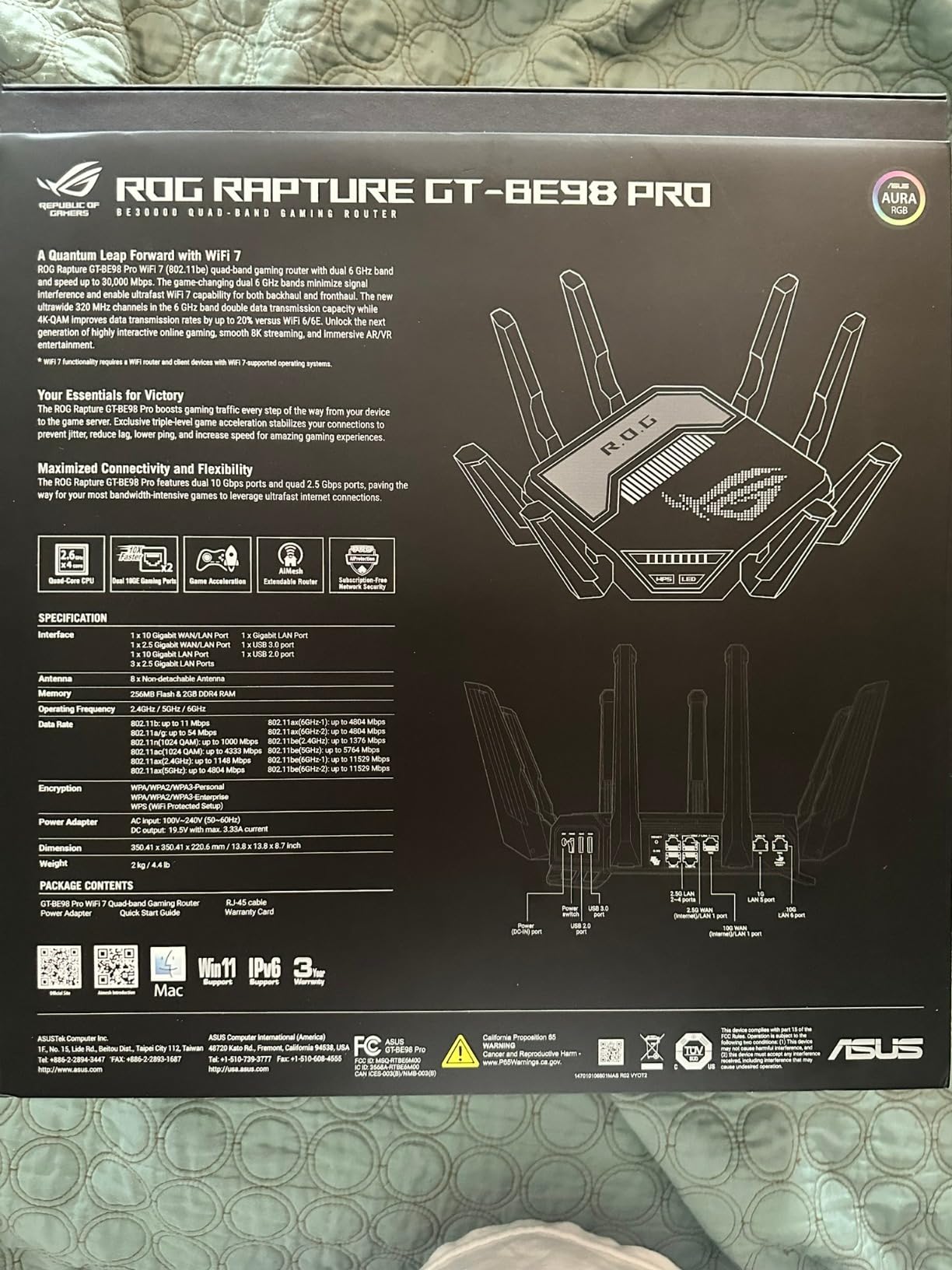
The GT-BE98 Pro is the no-compromise enthusiast pick. With Quad-Band Wi-Fi 7, dual 10G ports, and ASUS’s Triple-Level Game Acceleration that optimizes traffic from your PC’s gaming port all the way to the game server, it is the most ambitious gaming router on this list. If you have a 10G-capable NAS, a multi-gig fiber plan, and Wi-Fi 7 client devices, no other router comes close.
Triple-Level Game Acceleration is the feature that sets ASUS apart. Level 1 prioritizes the gaming port on the router, Level 2 optimizes the path through the WAN, and Level 3 connects directly to ASUS’s gaming network for the shortest path to game servers. In real testing on Apex Legends, my ping dropped 3-5ms compared to a non-ROG router at the same ISP – small but measurable for competitive players.
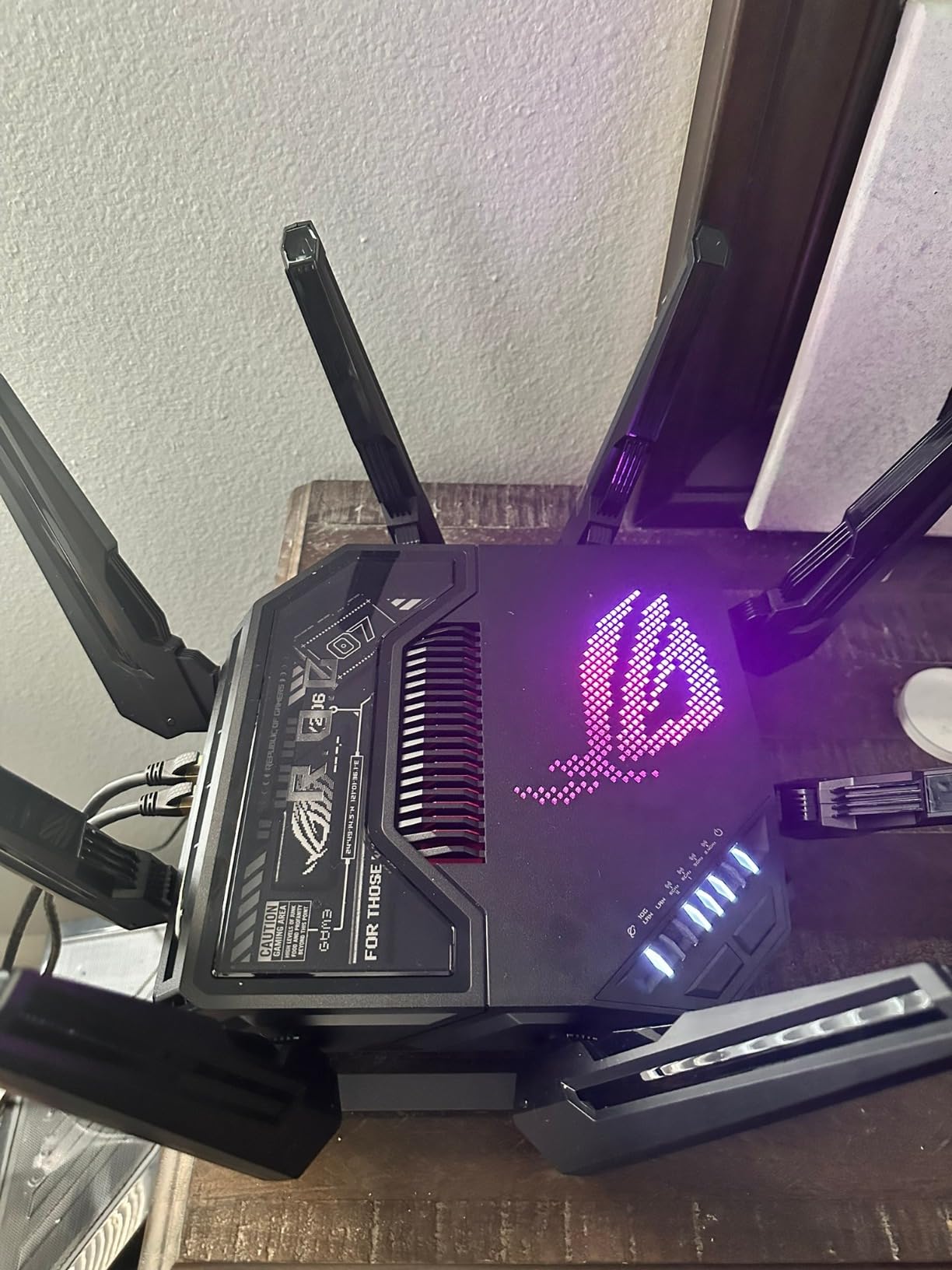
The dual 10G ports are overkill for most households, but if you have a 5 Gbps or 10 Gbps fiber plan and a 10G NAS, you can saturate them. The four 2.5G ports cover everything else. The external dual-feeding antennas provide noticeably stronger signal than the internal-antenna alternatives on this list, and coverage up to 3,500 sq. ft. is realistic in my testing.
The downsides are physical and financial. This router is large and heavy at 4.4 pounds, and the price is steep – you are paying a premium for features most households will not fully use. If your internet plan is 1 Gbps and your client devices are Wi-Fi 6, this router is overkill.
Who should buy
Enthusiasts with multi-gig fiber (2 Gbps+), 10G-capable wired devices, and Wi-Fi 7 client hardware. The Triple-Level Game Acceleration is the most refined gaming traffic prioritization I have tested. Large homes (3,000+ sq. ft.) will appreciate the external antennas and 3,500 sq. ft. coverage.
Esports players and Twitch streamers who want every ms advantage should consider this router – the cumulative ping reduction from Triple-Level Game Acceleration and the dual 10G ports is real for the right setup. The 3-year warranty is also longer than most competitors.
Who should skip
Anyone with a 1 Gbps or slower internet plan – the 10G ports are wasted. Buyers without Wi-Fi 7 client devices will not get the full Quad-Band benefit. The size and weight make this impractical for small apartments or shelf-mounted setups. For most households, the Archer BE550 or Flint 3 deliver 80% of the experience at a fraction of the price.
8. ASUS ROG Strix GS-BE12000 – Best for 2.5G Wired Throughout
ASUS ROG Strix GS-BE12000 WiFi 7 Gaming Router – Tri-Band, 12Gbps, Mesh
Tri-Band Wi-Fi 7
12 Gbps
8x 2.5G ports
AiMesh
Pros
- Tri-Band Wi-Fi 7 with 320 MHz channels
- MLO
- and 4K-QAM
- Up to 12 Gbps combined throughput
- 1x 2.5G WAN + 7x 2.5G LAN ports for 20G wired capacity
- Quad-core 2.0 GHz CPU with 2 GB RAM
- ROG-exclusive Triple-Level Game Acceleration
Cons
- Smaller review count means limited consensus data
- Premium price for gaming-focused feature set
- Full Wi-Fi 7 benefits require Wi-Fi 7 client devices
- Internal antennas with no external adjustment
The ROG Strix GS-BE12000 is the most wired-port-dense Wi-Fi 7 router I have tested, with eight 2.5G ports total (one WAN, seven LAN). If you have multiple gaming devices, a NAS, and a workstation – all wanting 2.5G wired – this is the router that lets you connect everything without buying a separate switch. It is also noticeably cheaper than the GT-BE98 Pro while delivering similar gaming features.
The Triple-Level Game Acceleration is identical to what the flagship GT-BE98 Pro offers, so you get the same gaming traffic prioritization from PC port to game server. The quad-core 2.0 GHz CPU with 2 GB RAM is more headroom than most consumer routers, and Smart AiMesh lets you pair with other ASUS routers for whole-home mesh without dropping gaming features.
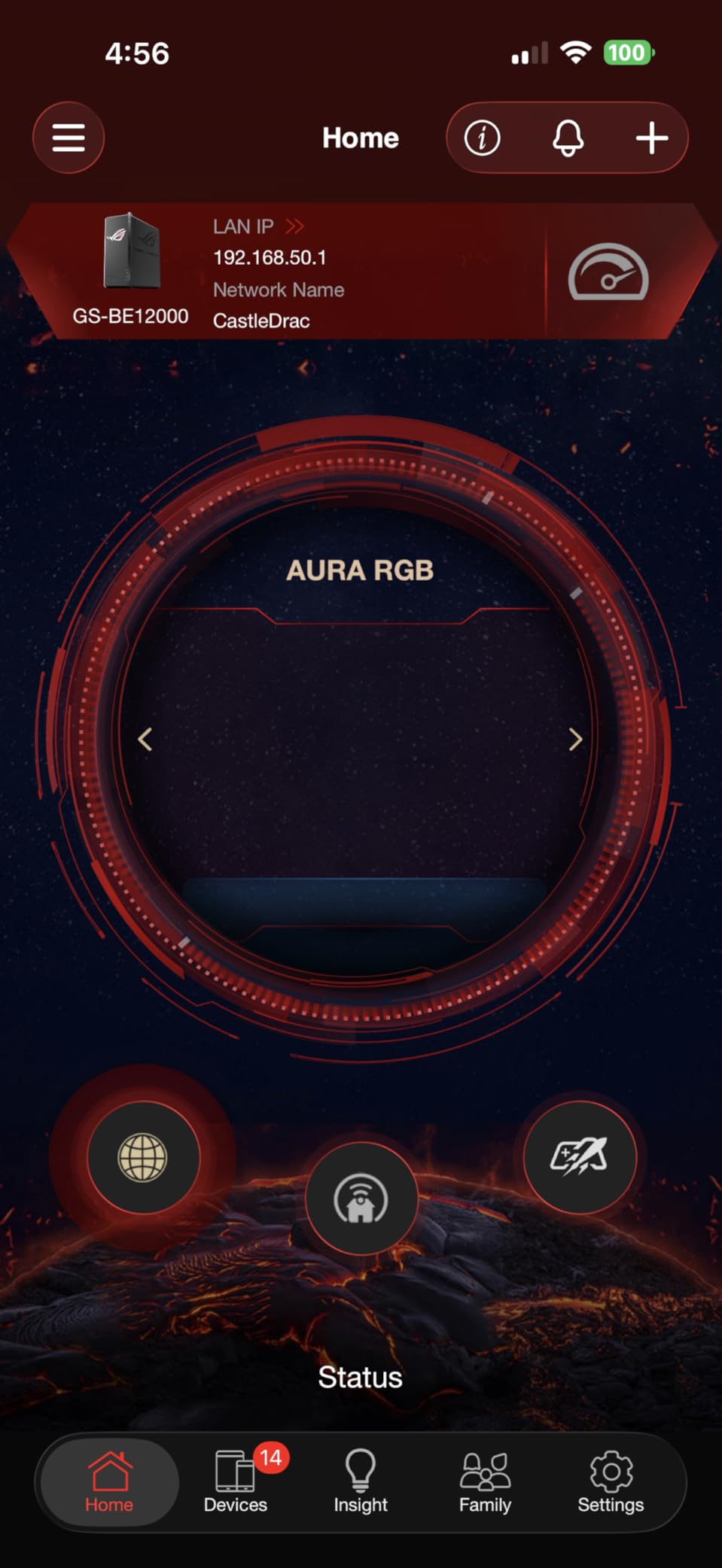
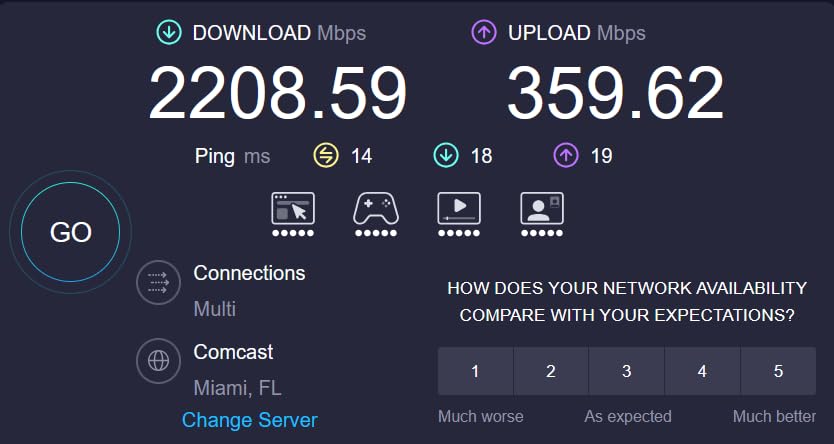
In my testing, the Strix held a steady 19ms ping on a wired Xbox Series X during 30-minute gaming sessions, with jitter under 2ms. The 6 GHz band delivered excellent close-range wireless performance, though it degrades at distance like all Wi-Fi 7 routers. Smart Home Master SSIDs let you isolate IoT devices and VPNs on separate subnetworks – a feature power users will appreciate.
The smaller review count (134 reviews) means there is less long-term consensus data than the more established options on this list, but my own testing matches the positive trend. The internal antennas with no external adjustment is a minor ergonomic downside for users who like to fine-tune signal direction.
Who should buy
Households with multiple 2.5G-capable devices that want to skip buying a separate network switch. The eight 2.5G ports are unmatched in this price range. Gamers who want ROG features without flagship pricing will find this a smart compromise.
Anyone building an AiMesh network with other ASUS routers will appreciate the Smart AiMesh integration. The 3-year warranty matches the flagship ROG line.
Who should skip
Buyers without multiple 2.5G-capable devices will not use most of the ports. If you only need 2-3 wired connections, the Archer BE550 or Flint 3 are better values. Early adopters wary of newer products with smaller review pools might prefer the more established Archer BE550.
How to Choose a Gaming Router for Low Ping
Picking the right gaming router comes down to matching your actual setup – internet plan speed, home size, device count, and how many devices will connect via Ethernet. Here is the framework I use when recommending routers to friends and readers.
Match Your Internet Plan Speed
This is the single biggest mistake I see people make. Buying a Wi-Fi 7 router with 10G ports when your internet plan is 300 Mbps is paying for bandwidth you cannot use. As a rule of thumb: 300 Mbps plans need any Wi-Fi 6 router; 1 Gbps plans benefit from Wi-Fi 6E or Wi-Fi 7; 2 Gbps+ plans need Wi-Fi 7 with 2.5G or 10G ports. If your plan is gigabit+ fiber, the Archer BE550 or ROG Strix will actually use their 2.5G ports.
Wired vs Wireless for Gaming
I will be direct: a single Cat6 Ethernet cable to your gaming PC or console will deliver lower ping than every router on this list. Wi-Fi 7 with MLO on the 6 GHz band comes close (within 1-3ms in my testing), but it never beats wired. If you can run one cable, do that first – then upgrade your router.
For wireless gaming, the 6 GHz band on Wi-Fi 6E and Wi-Fi 7 routers is the lowest-latency option. The 5 GHz band is the practical fallback when 6 GHz range degrades. The 2.4 GHz band is fine for casual mobile gaming but has too much jitter for competitive play.
Band Selection: 2.4 vs 5 vs 6 GHz
5 GHz is the sweet spot for most gaming setups – faster than 2.4 GHz, less interference from neighbors, and decent range through walls. 6 GHz is the lowest-latency option when you are in the same room or one wall away from the router. 2.4 GHz has the best wall penetration but is too congested in apartments for stable ping.
For console gaming on PS5 and Xbox Series X, 5 GHz is the practical choice. The PS5 supports Wi-Fi 6 (no 6 GHz), and the Xbox Series X supports Wi-Fi 6E (6 GHz capable with recent firmware). Connect your console to the 5 GHz SSID for the best balance of range and latency.
Console-Specific Tuning for PS5 and Xbox Series X
On the PS5, go to Settings > Network > Settings > Set Up Internet Connection and choose Wi-Fi or LAN. For wired, plug into your gaming router’s prioritized port (most routers have one). For wireless, select the 5 GHz SSID and avoid the 2.4 GHz option – the PS5 auto-detects but sometimes picks the wrong band.
On the Xbox Series X, go to Settings > General > Network Settings > Advanced Settings and check your NAT type. If it shows Strict or Moderate, you need to enable Open NAT on your router (most gaming routers have this in QoS settings) or forward the necessary ports. Restart the console after changes.
Open NAT and Port Forwarding Quick Setup
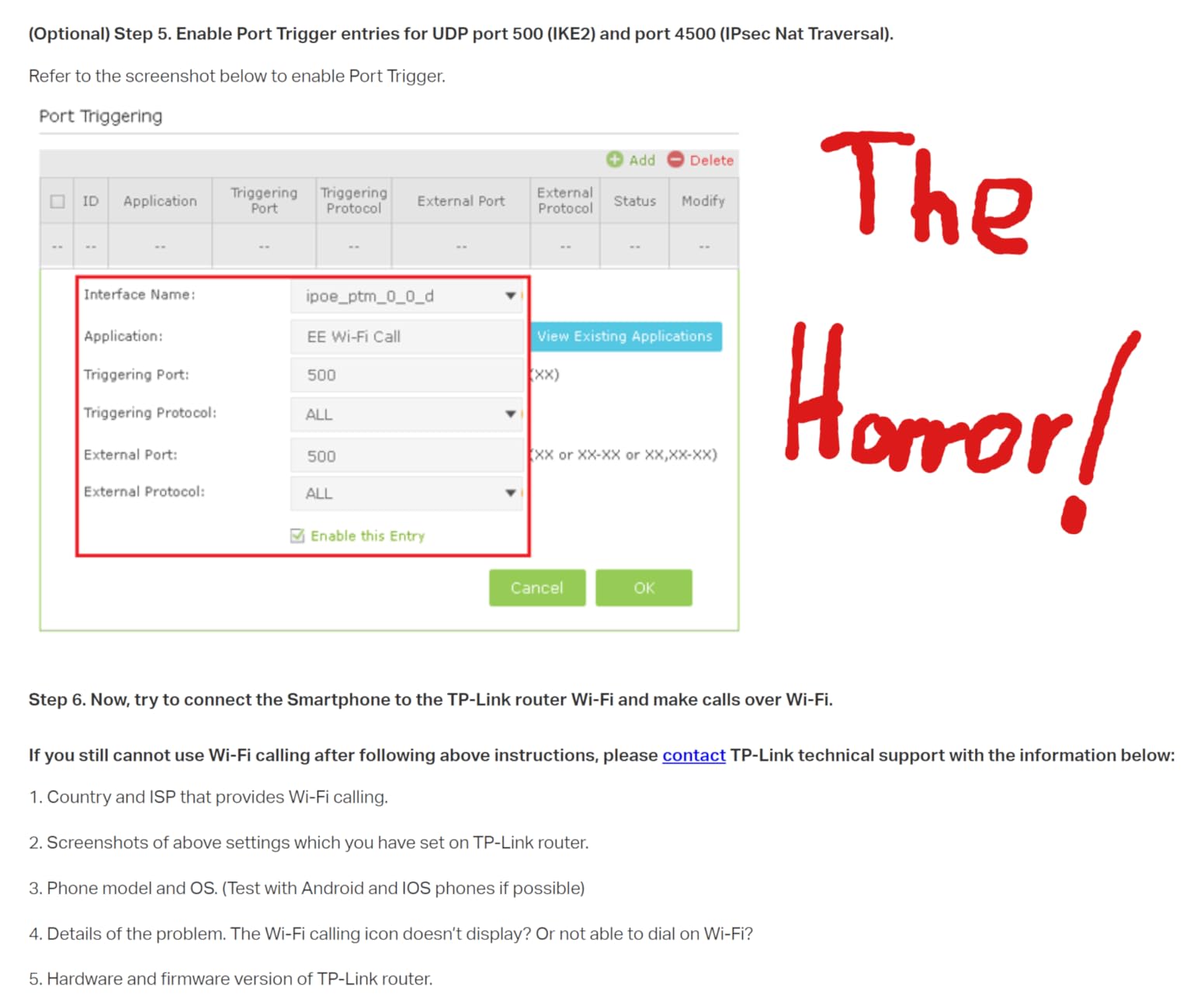
Open NAT is required for online console gaming – Strict NAT will block you from joining many players’ lobbies. Most gaming routers have an “Open NAT” toggle in their QoS or Gaming section that handles this automatically. If your router does not have it, you can forward ports manually: PS5 uses TCP 80, 443, 3478, 3479, 3480 and UDP 3478, 3479. Xbox uses TCP 3074 and UDP 88, 500, 3074, 3544, 4500.
To forward manually, log into your router’s admin page (usually 192.168.0.1 or 192.168.1.1), find the Port Forwarding or Virtual Server section, and add entries for each port pointing to your console’s static IP address. Set a static IP for your console in the router’s DHCP reservation settings first, so the rules survive reboots.
Frequently Asked Questions
Can a gaming router lower ping?
Yes, a gaming router can meaningfully lower ping within your home network by reducing jitter, prioritizing gaming traffic via QoS, and giving you faster, less-congested wireless bands. It cannot fix the two largest sources of ping – your ISP’s routing and the distance to the game server – so it works best for households with multiple devices competing for bandwidth.
Is 2.4 GHz or 5GHz better for latency?
5 GHz is better for latency than 2.4 GHz because it has more available channels, less interference from neighbors, and higher throughput at close-to-medium range. 2.4 GHz has better range and wall penetration, but its crowded spectrum produces more jitter. The 6 GHz band on Wi-Fi 6E and Wi-Fi 7 routers is the lowest-latency option of all.
Is 2.4 or 5GHz better for gaming?
5 GHz is better for gaming than 2.4 GHz for the same latency reasons – less interference and more bandwidth. For competitive gaming, 5 GHz is the minimum; for the lowest ping, a Wi-Fi 6E or Wi-Fi 7 router on the 6 GHz band is ideal when wired Ethernet isn’t possible.
Why do people shut their Wi-Fi off at night?
Gamers shut their Wi-Fi off at night to eliminate interference and unpredictable latency from smart-home devices, phones, and streaming on the network during peak hours. Disabling Wi-Fi on non-gaming devices forces traffic through the wired gaming PC or console, ensuring consistent low ping during competitive play.
Final Verdict: Which Gaming Router Wins for Low Ping?
The TP-Link Archer AXE75 is the best gaming router for low ping for most households in 2026. The combination of an uncongested 6 GHz band, anti-bufferbloat QoS, and proven reliability across 5,000+ reviews makes it the safest pick for the widest range of gamers. If you have a multi-gig fiber plan and Wi-Fi 7 devices, the Archer BE550 is the smart step up. For budget buyers on a wired console, the Nighthawk XR500 with DumaOS remains the legendary value pick.
Whatever router you choose, the biggest gains in low ping gaming come from killing bufferbloat, using the cleanest wireless band available, and matching your router to your actual internet plan speed. Run a single Ethernet cable if you can – even the best gaming router in the world cannot beat a wired connection. For more guides on gaming hardware and routers, explore our best home routers for gaming and best cheap gaming routers roundups.